1. Switching from Chinese to English Interface:
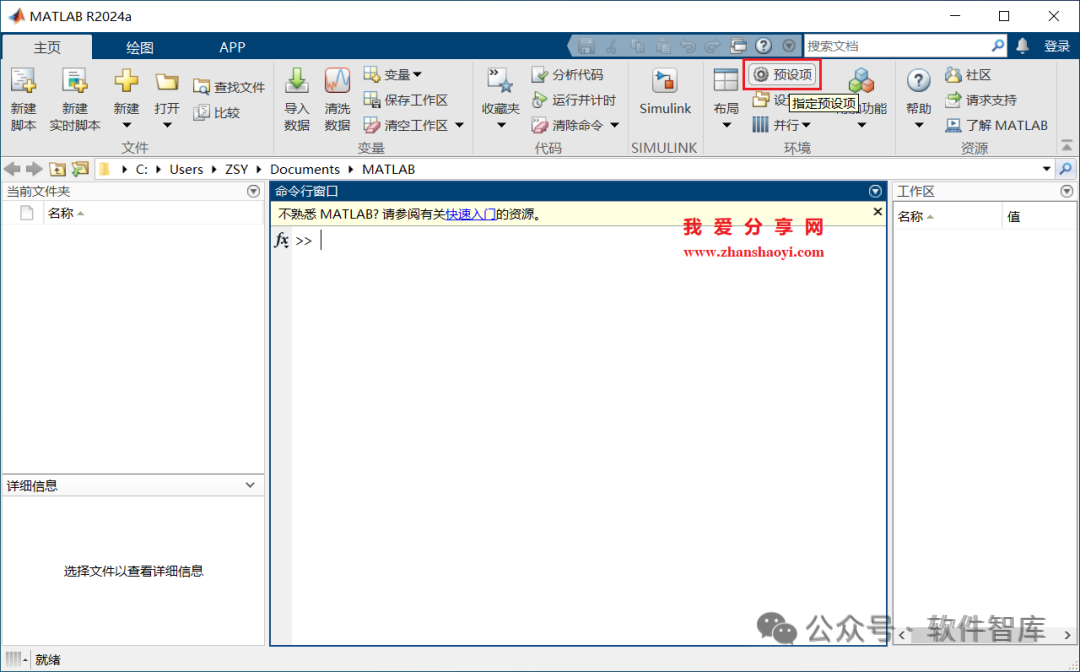
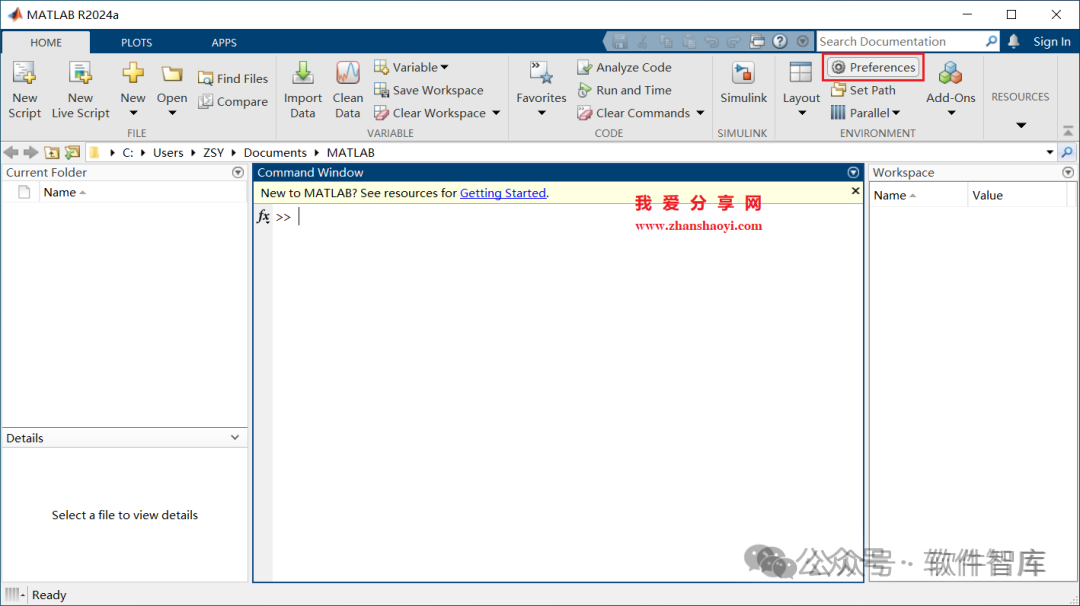
1. First, open the MATLAB 2024a software, which defaults to the Chinese version, and click on 【Preferences】 in the toolbar;
▎Web Version (For Personal Use Only):
http://www.zhanshaoyi.com/20986.html (Copy the link above and paste it into your computer’s browser address bar to open)
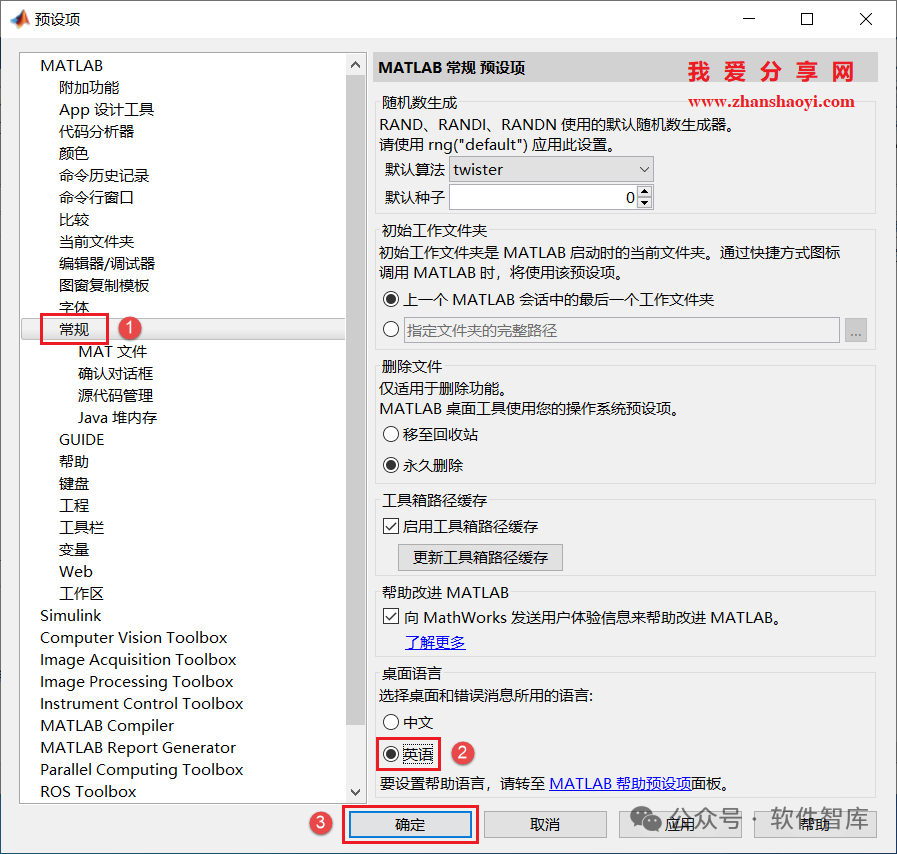
2. The “Preferences” window will pop up. First, click on 【General】 in the left list, then find the “Desktop Language” section in the right panel, check “English”, and then click 【OK】;
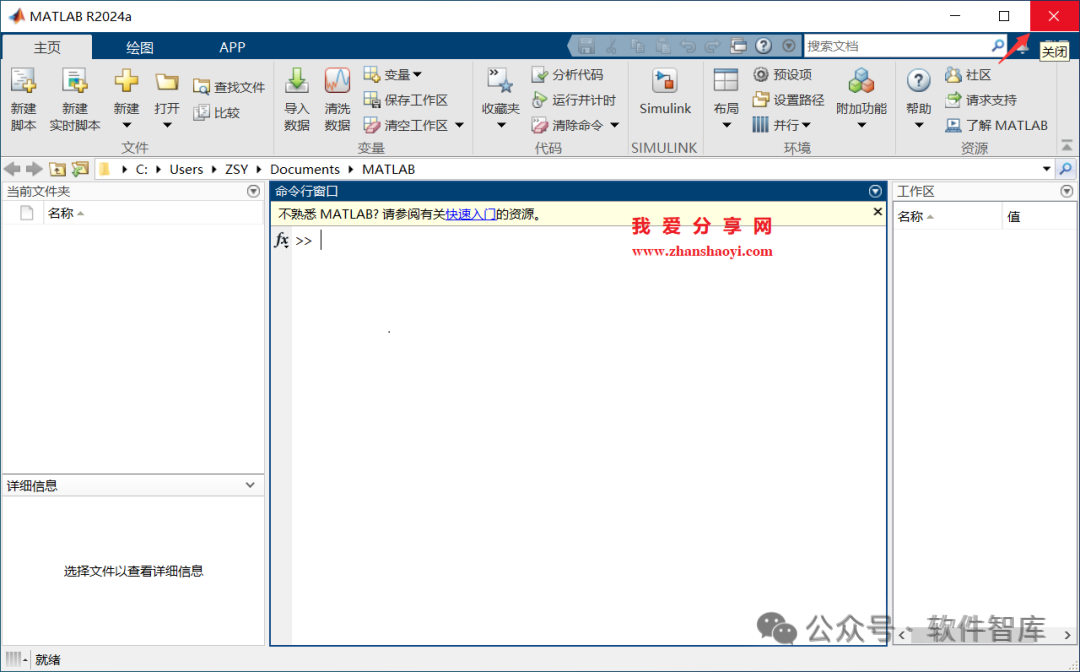
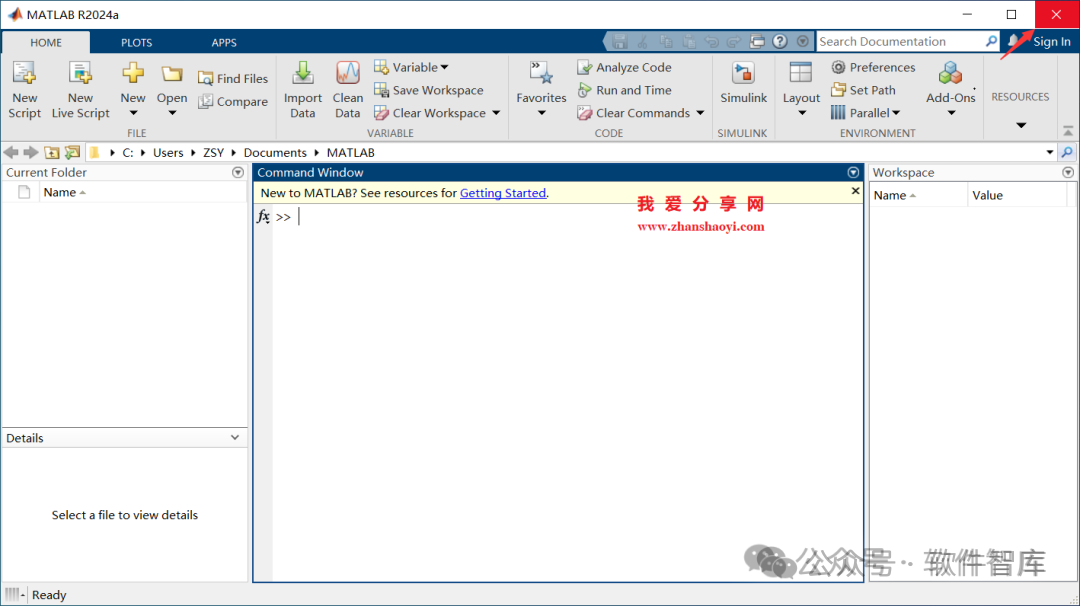
3. Return to the software interface, but it still displays the Chinese interface, you must restart the MATLAB software for the changes to take effect, click 【×】 in the upper right corner to close the software;
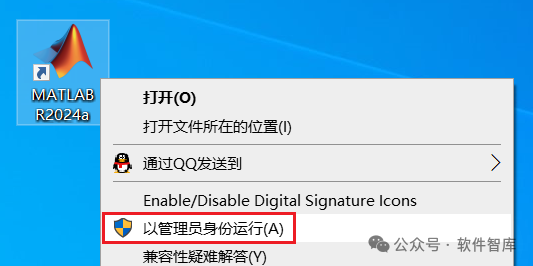
4. Return to the desktop, find the Matlab2024a icon, right-click and select 【Run as Administrator】. The initial configuration may take a few minutes, please be patient…
5. Open the MATLAB2024a software, and the interface has completely changed to English, as shown below:
If you switch to the English interface and regret it, how can you switch back to the Chinese interface?
2. Switching from English to Chinese Interface:
6. Click on 【Preferences】 in the toolbar;
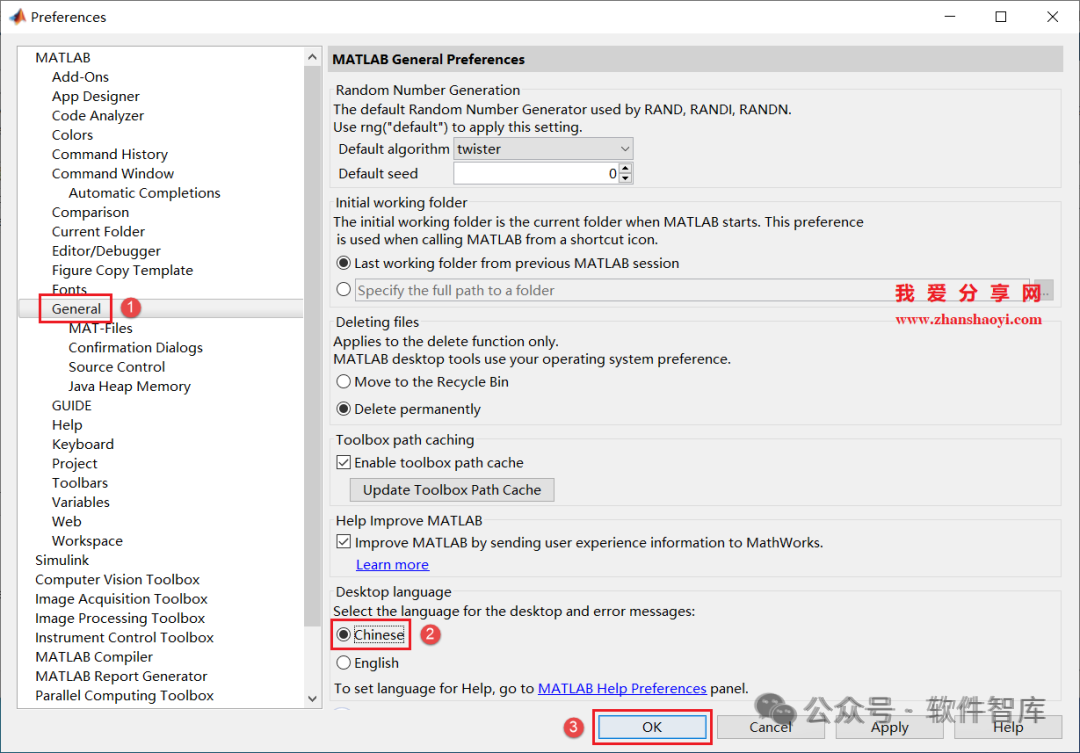
7. The “Preferences” window will pop up. First, click on 【General】 in the left list, then find the Desktop Language section in the right panel, check “Chinese”, and then click 【OK】;
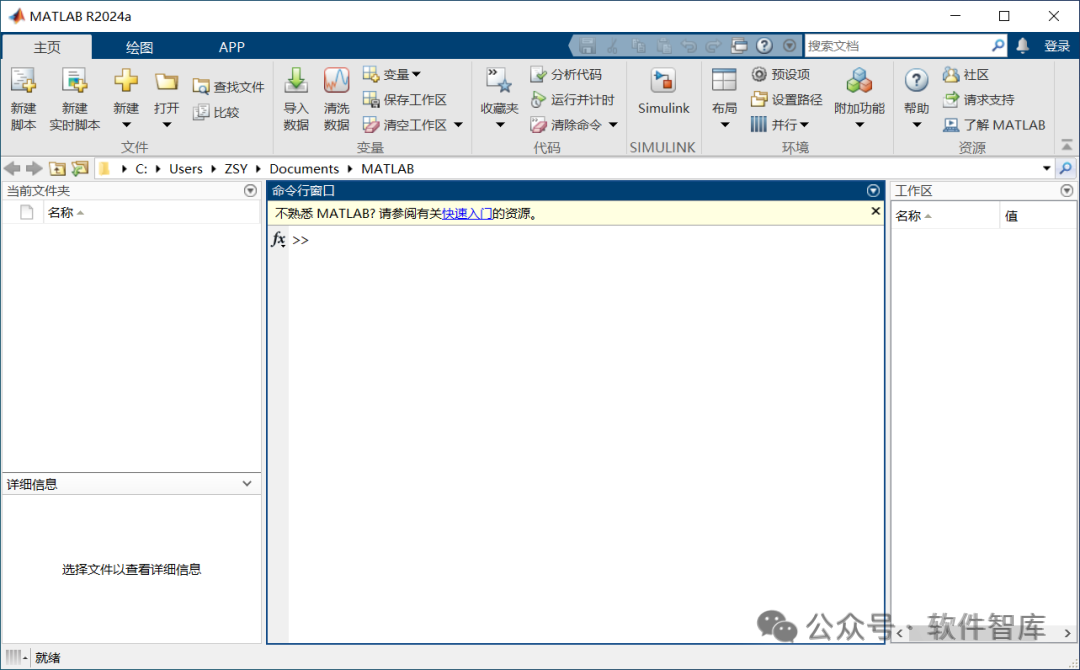
8. Close and reopen MATLAB2024a, and the software interface has switched back to Chinese, as shown below:
Friendly Reminder:
1. Versions prior to Matlab 2014 do not come with a Chinese language pack and cannot switch the interface language between Chinese and English through similar “settings” directly;
2. Method to switch the user interface language in Matlab 2014:
Create a new environment variable and restart the computer: [Variable Name] MWLOCALE_TRANSLATED, [Variable Value] OFF or ON (OFF for English, ON for Chinese).
END
If you find it useful, feel free to share it with your friends!

Software Intelligence Library
Installation · Learning · Technology · Innovation

·↑ Long press this QR code to follow ↑·
WeChat ID: rjzkgzh