Important Tips: Read This Three Times!
Nowadays, everyone has Wi-Fi at home, but if the speed is slow, it can be a headache. Besides the slow internet speed itself, there are other factors that can affect the speed.
Wi-Fi transmits via short waves, so its coverage area is quite limited. If you are too far from the router, the signal will weaken.
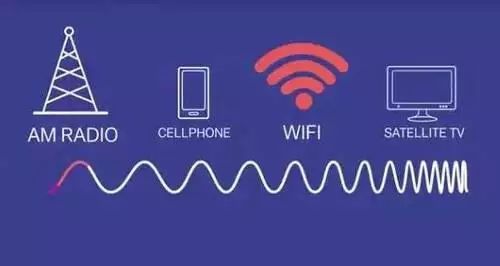
In fact, a router can only transmit up to about 46 meters. If the router is placed in a corner of the room, the signal in the opposite corner may not be ideal. Additionally, walls and appliances in the home can absorb or block Wi-Fi signals!
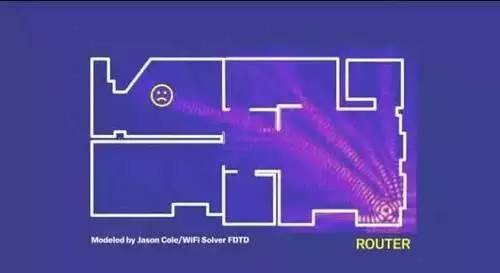
Here are 5 methods to strengthen your home Wi-Fi signal. Make sure to read all the way through, because method 5 is a game changer that works immediately. This is how I solved my Wi-Fi issues once and for all.
Method 1:
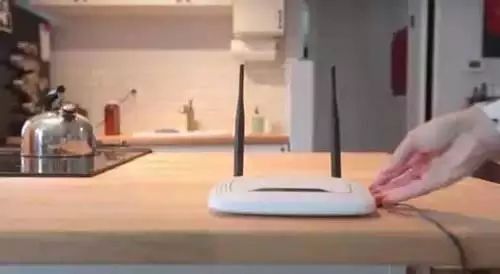
Place the router in an open space near the center of your home to ensure the signal reaches every corner.
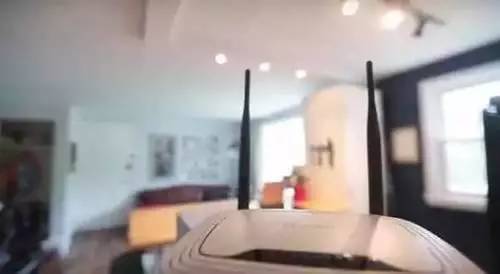
The biggest factor affecting the distance and strength of wireless signal propagation is obstacles, and in homes, the main obstacle is walls. Generally, without walls or other barriers, the wireless network signal will be stronger. So you might want to find a position that can radiate freely to each room (which is quite hard to achieve). Be cautious of routers that claim to have strong wall penetration capabilities; regardless of their advertising, their effectiveness is quite limited, so don’t be fooled by the tall, dense antennas on the router.
Method 2:
Place the router at a height that is relatively central to the space being used. For example, in a room with a height of 3 meters, placing it at 1.5 meters is generally appropriate. Most home routers use omnidirectional antennas (the black rods you see), which are typically omnidirectional. The radiation range of these antennas is irregular but generally resembles a flattened apple shape.

Antennas are passive devices that work similarly to the reflector behind a strong flashlight bulb, compressing the originally scattered 360° signal into a flattened shape, sacrificing vertical strength to increase horizontal strength. This achieves the goal of increasing coverage without boosting power. The following two images show the polarization diagrams of ordinary router antennas, where we can clearly see the changes after gain increases.
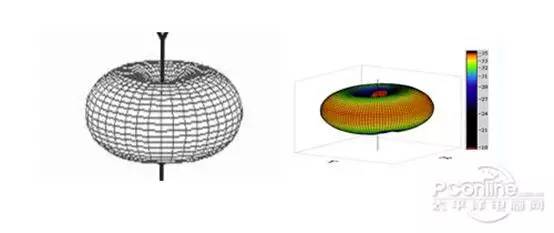
So let’s debunk a myth: some people online say that the higher the wireless router is positioned, the better. This is actually incorrect. The effectiveness depends on the type of antenna used; the signal from home-grade omnidirectional antennas is strongest at the same altitude.
Method 3:
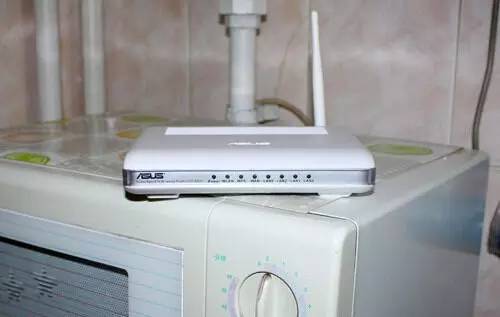
Keep the router away from high-power appliances in your home, especially microwaves and induction cookers, as almost all electrical products can interfere with Wi-Fi signals. Microwaves and induction cookers, in particular, have higher power outputs and can cause noticeable interference.
Method 4:
Users can adjust the angle of the antennas based on their home environment to achieve wider signal coverage. For single-story homes, positioning the antennas vertically at 90° to the ground often provides the best coverage. For users in duplex or villa-style homes, the antennas can be laid flat to increase coverage up and down. So when readers feel that their wireless signal is poor, don’t rush to change the device. Try adjusting the router’s position and antenna direction to find the optimal angle for placement.
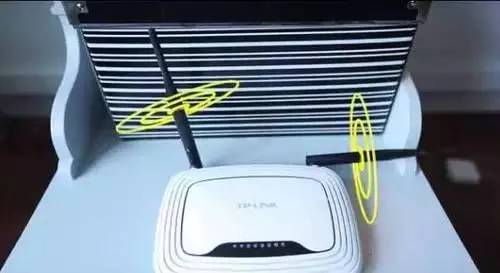
For regular residential layouts: using dual vertical angles is most appropriate (think of the wireless signal as an apple centered on the antenna). For duplex layouts: you can adjust the antenna angle to increase the vertical signal range; for instance, if you want a broader vertical coverage, adjust the antennas to a more horizontal position.
Method 5 (Most Effective):
Here comes the good stuff: setting up a repeater (like an old router or wireless AP) in the room that needs Wi-Fi signal is the most direct and absolutely effective improvement method. This is the method I use in my home. However, it will cost a bit of money.
Steps to use an old router as a wireless repeater:
1. Connect the second router to a computer, enter the management IP address, and access the backend.
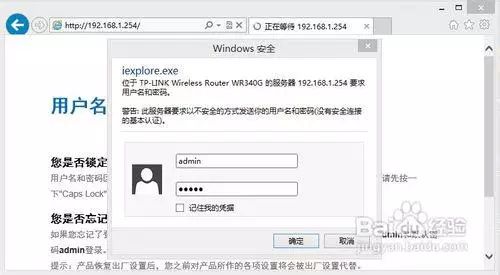
2. Go to the wireless network settings menu.
Set the SSID, channel, encryption type (WPA is the safest), password, and other information.
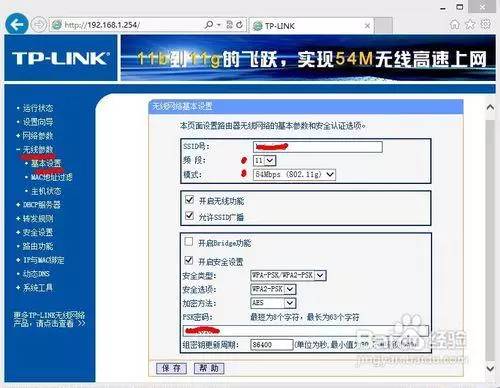
3. Go to the DHCP menu, manually turn off the DHCP function, save successfully, and restart the router for use.
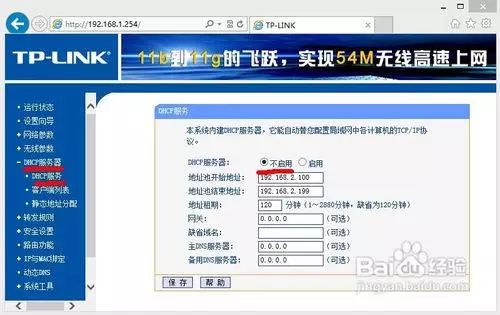
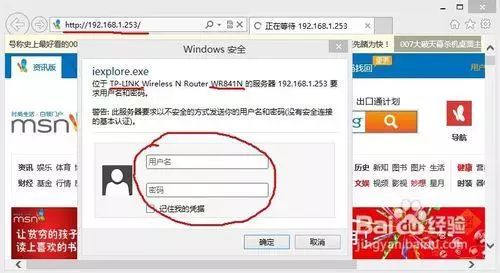
4. Enter the management IP of the first router and log into the backend.
5. Go to the wireless settings; all settings on router 1 must match those on router 2. Finally, check “Enable WDS” and input the SSID and BSSID (MAC address) of the wireless router to be bridged.
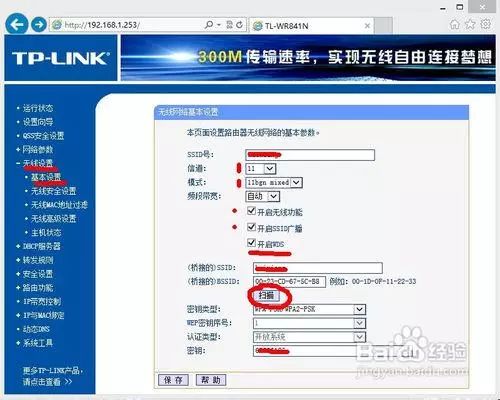
6. If you don’t know, click “Search” to scan for nearby signals, select the name of the configured router 2, and click “Connect”. The SSID and BSSID will be automatically imported.
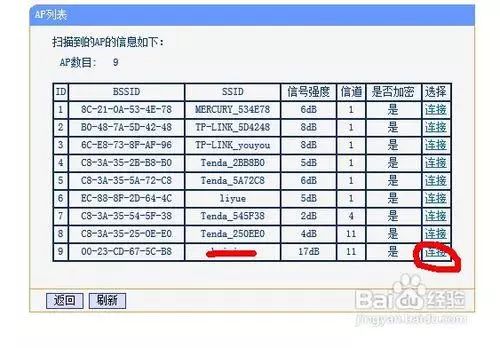
7. Finally, save the settings and restart router 1. The wireless repeater will be successfully configured.
However, please note:
1. Both routers must support the WDS repeater (bridging) function.
2. Only the main router 1 needs to support WPA encrypted connections; router 2 does not need to support it but must support WPA wireless encryption protocol.
3. Some older 54M routers do not support WPA-based repeater connections but can still act as auxiliary routers.
4. DHCP cannot be enabled on both routers; only the router connected to the external network should have it enabled (manual IP configuration is excluded).
5. The Internet connection method of the main router does not need to be interfered with; it can remain as originally configured.
6. Consumer-grade routers often have poor wireless signal stability. If the connection drops or fails, restart router 2 first, then router 1, and reconnect with the computer. Restarting router 1 first may sometimes cause the repeater to fail.
Method 6:
Directly purchase a wireless AP repeater (the best choice for lazy users, most effective).
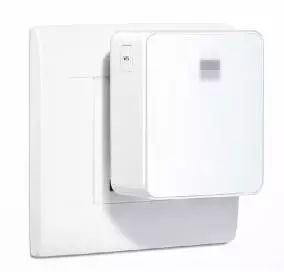
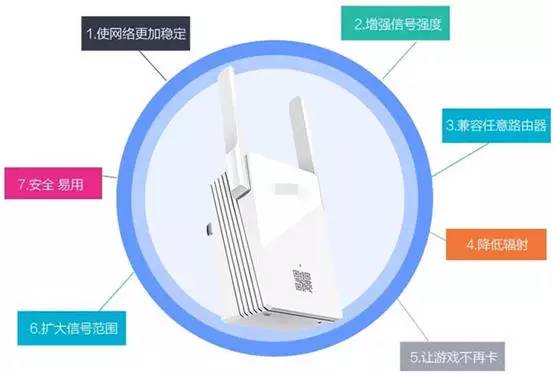
You can directly search for “wireless repeater” on certain e-commerce platforms, and choose one. They generally cost around a hundred yuan, and there is not much difference in performance, so there is no need to buy one with excessive antennas. Setting up a wireless AP repeater is very simple; just place it in the desired room between the main router and the power outlet (no need to plug in a network cable). Follow the instructions for a few simple steps, and it will effectively enhance your Wi-Fi signal.
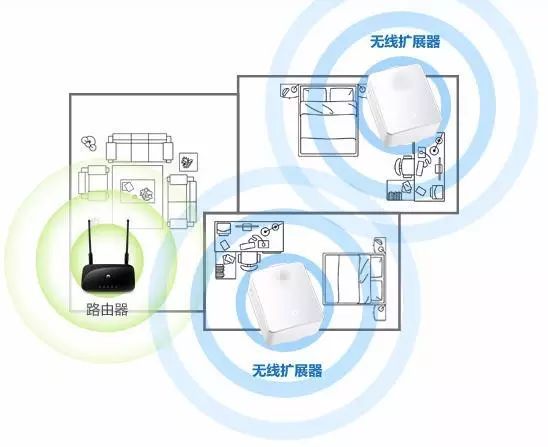
I personally use an independent wireless AP repeater at home, and I can say that I no longer have signal problems. Of course, whether that hundred yuan is worth it is subjective.