Nowadays, wireless routers have penetrated into thousands of households, and WiFi products are emerging endlessly. So, are we familiar with this relatively professional network product? Below are five industry insights that will help you understand that the functions heavily advertised by router manufacturers are not quite as they seem.
1. WiFi Does Not Mean Wireless Signal.
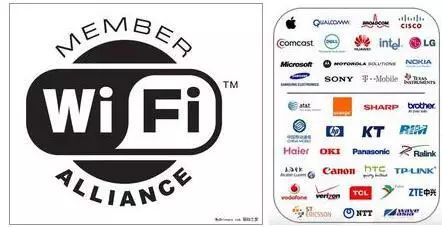
The term WiFi is now deeply ingrained in our minds; public places offer free WiFi, and when we mention WiFi, we immediately think of wireless signals. In fact, this term originates from the Wi-Fi Alliance. In 1999, the industrial community established the Wi-Fi Alliance to address production and device compatibility issues for products conforming to the 802.11 standard. Wi-Fi is the organization that sets the standard for 802.11 wireless networks, and it does not represent wireless networks. The original members of the Wi-Fi Alliance were well-known tech giants: Dell, Microsoft, Cisco, Philips, and others. Now, there are over 400 members in the Wi-Fi Alliance.
2. A Higher Power Does Not Always Mean Better Signal.
Today, various “wall-penetrating” routers and long-distance transmission routers are available on the market, which must have high power to achieve their effects. The maximum power for home routers is 100mW according to national standards, while commercial WiFi is within 500mW. Of course, national standards vary. Higher power signals can have a larger radiation area, which may affect human health.
3. A Stronger Wireless Signal Does Not Mean More Stability.
We all hope that wireless routers can transmit further and penetrate more walls, but this is not the case. First of all, the further the signal travels, the more interference it encounters. Another bottleneck is determined by the wireless network card of your phone or computer. The wireless network card not only receives the router’s wireless signal but also transmits signals back to the router. Many network cards have relatively low power, which leads to situations where the signals transmitted by the terminal are not received by the router. Sometimes, we can see 2 or 3 bars of signal but still cannot connect or frequently drop the connection.
4. What Is 20dbm on Some Wireless Routers?
Dbm is the unit for wireless signal power, which can be converted into watts (W) in common terms: 20dbm = 100mW. Here’s a fun fact that most people don’t know: every increase of 3dbm doubles the power. For example, 23dbm = 200mW. Next time you mention your router’s signal power, you can say how many dbm it is, instantly boosting your credibility.
5. A 300M Router, 450M Router, or Gigabit Router Is Not Always the Best Fit.
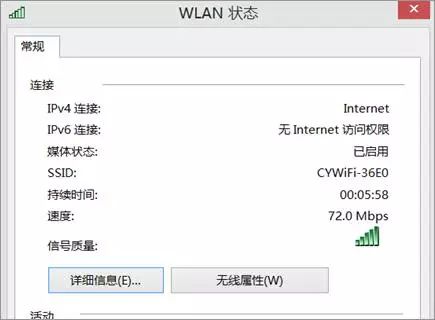
Many types of wireless speed gigabit routers are available on the market, but it does not mean that the higher the speed, the better it is for you. You need to consider your network card speed. For example, my computer has a 150M network card, so a 300M router is sufficient; anything higher is unnecessary. Below is a speed chart showing the connection speed between the computer and the router, which is only 72M.