2024
UNNC
IT Services
IT

Guide for New Students
@2024
Wi-Fi (eduroam) Connection Guide – Apple Devices
IT Services
“
In today’s digital society, the first thing to do upon entering UNNC is to connect to the campus network! This guide introduces how to connect to eduroam on iOS and macOS.
”
iOS
macOS
01
iOS
How to connect to eduroam on iOS?
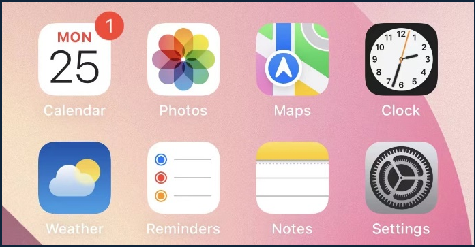
1. 打开设置。
Open “Settings“.
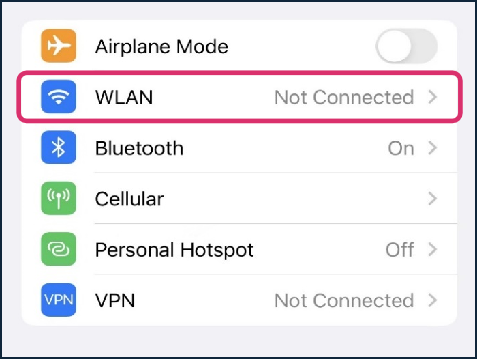
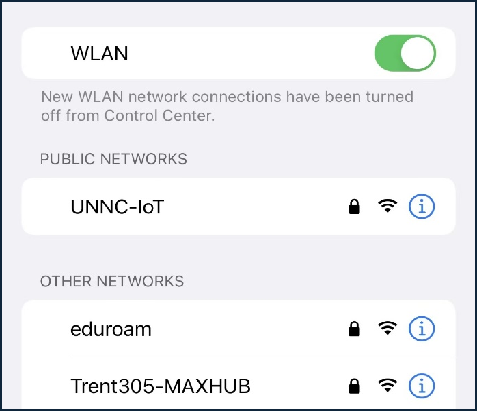
2. 选择WLAN。
Choose WLAN.
3. 选择eduroam。
Choose “eduroam”.
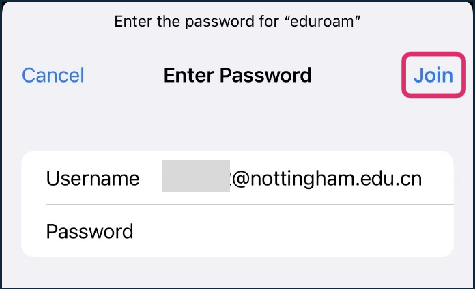
4. 输入学校账号密码。
Input “[email protected]”
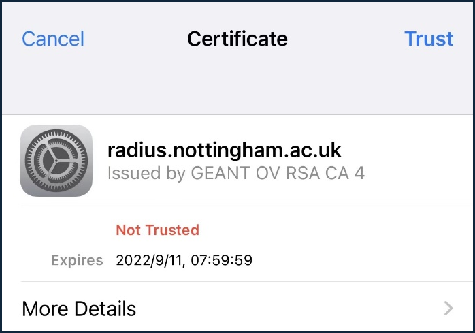
5. 选择信任此网络。
Choose “Trust”.
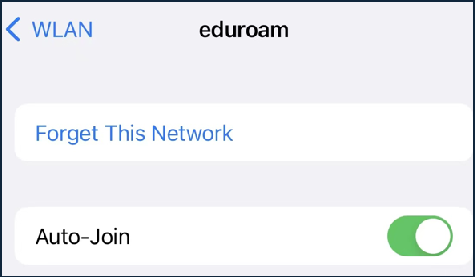
6. 如果密码重置了,需要断开重连eduroam网络。
If the password is reset, you need to forget eduroam first and join again.
<<< IT-SERVICES
02
macOS
How to connect to eduroam on macOS?
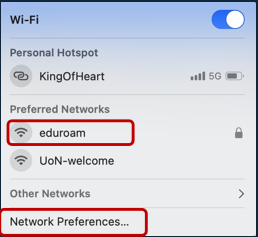
1. 单击网络图标连接到eduroam。
Click on “eduroam”
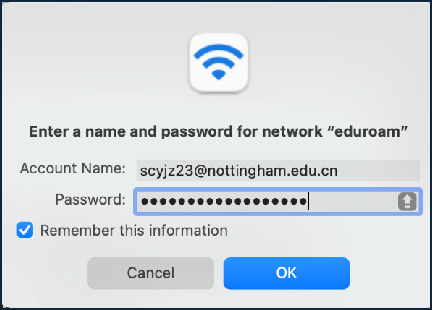
2. 输入UNN账号密码登陆。
Input UNNC user name ([email protected]) and password to log in.
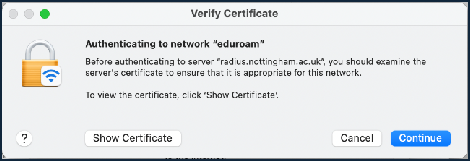
3.点击“继续”如果跳出验证证书。
Click on “Continue” if prompted Verify Certificate.
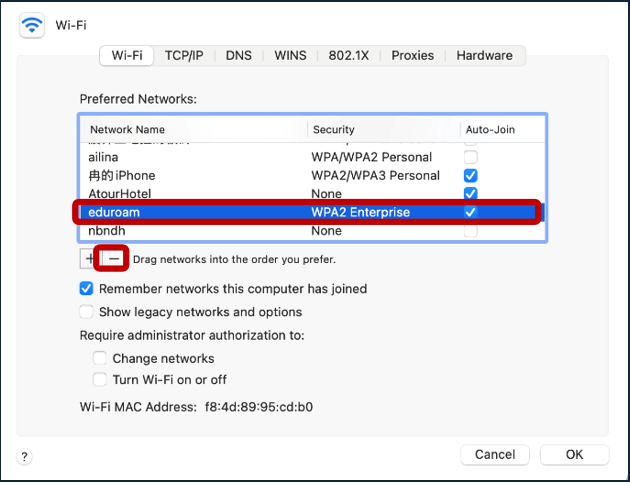
4. 如果密码重置了,需要断开重连eduroam。
找到网络偏好设置,移除eduroam。
If the password is reset, you need to forget eduroam first and join again. Go to “Network Preferences…”, and find “eduroam” then click on ” —“ to remove it.
<<< IT-SERVICES
end
Organized by: University of Nottingham Ningbo China
IT Services
This issue’s behind the scenes
Content | Zheng Zihan
Layout | Zheng Zihan
Proofreading | Serena