1
Determine Whether a Circuit or Device is Live
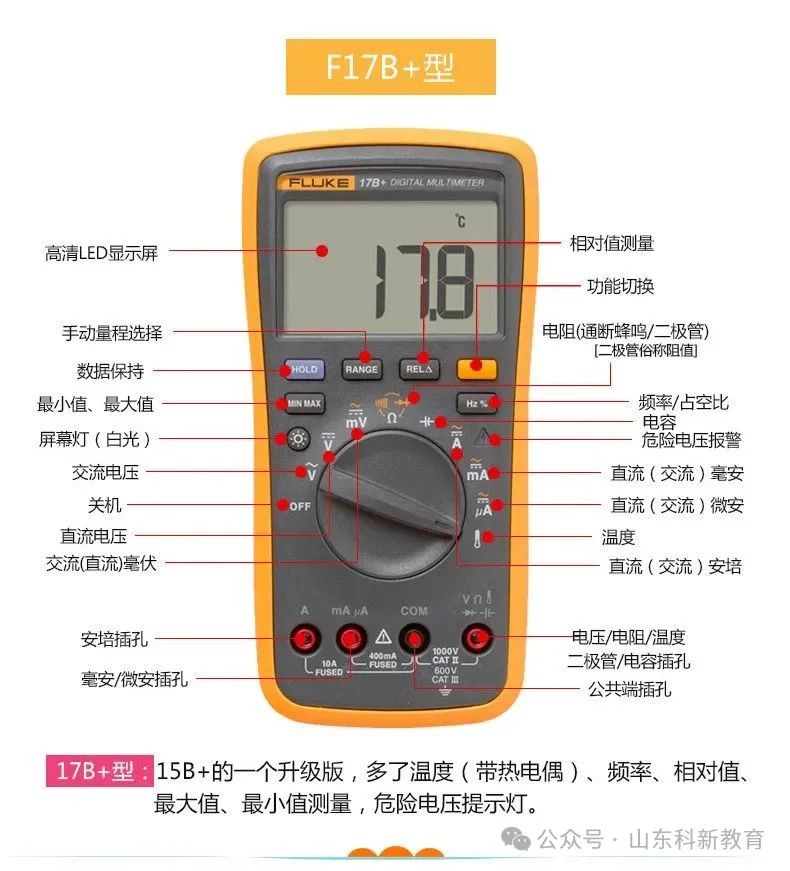
The digital AC voltage range is very sensitive, capable of displaying even the smallest induced voltages. Based on this characteristic, it can be used as a test pen. The method is as follows: set the multimeter to AC20V, keep the black probe unconnected, and touch the red probe to the circuit or device being tested. If the multimeter displays a reading between a few volts and a dozen volts (different multimeters may show different readings), it indicates that the circuit or device is live. If the display shows zero or a very small value, it indicates that the circuit or device is not live.
2
Distinguish Between Live Wire and Neutral Wire
Method One:
You can use the above method to determine: the wire showing a higher voltage is the live wire, while the one showing a lower voltage is the neutral wire. This method requires contact with the circuit or device being measured.
Method Two:
This method does not require contact with the circuit or device being measured. Set the multimeter to AC2V, keep the black probe unconnected, and lightly slide the tip of the red probe along the wire. If the display shows a few volts, it indicates that the wire is live. If it shows only a few hundred millivolts or less, it indicates that the wire is neutral. This method is safe and convenient as it does not involve direct contact with the wire.
3
Locate Breakpoints in Cables
When a cable has a breakpoint, the traditional method is to use the resistance setting on the multimeter to check segment by segment for the breakpoint, which is not only time-consuming but can also significantly damage the insulation of the cable. By utilizing the inductive characteristics of the digital multimeter, the breakpoint can be quickly located. First, use the resistance setting to determine which core wire of the cable is open. Then, connect one end of the broken core wire to AC220V, set the multimeter to AC2V, keep the black probe unconnected, and lightly slide the tip of the red probe along the wire. If the display shows a few volts or a few hundred millivolts (depending on the type of cable), and if the reading suddenly drops significantly at a certain position, note that position: generally, the breakpoint is located 10-20 cm before that position.
This method can also be used to find breakpoints in faulty electric blankets and other resistance wires.
4
Measure Frequency
For UPS power supplies, the stability of the output voltage is an important parameter, and the output frequency is also very important. However, you cannot directly measure the frequency using the frequency setting on the digital multimeter, as it can only handle low voltages, just a few volts. In this case, you can connect a 220V/6V or 220V/4V step-down transformer to the output of the UPS power supply to reduce the voltage without changing the frequency of the power supply. Then connect the frequency setting to the output of the transformer to measure the frequency of the UPS power supply.
Source: This article is reprinted from the internet, and the copyright belongs to the original author. If there are any copyright issues, please contact us promptly for deletion. Thank you!

Scan to Follow
WeChat ID|13615417996
Follow the QR code on the left to get free access to
[Siemens Data Collection]