
Nintendo officially released the 13.0.0 version system update for the Switch this morning, adding many functional updates. For example, you can set whether the console maintains a network connection during sleep; you can check if the WIFI is 2.4GHz or 5GHz; you can update the software for the OLED model’s dock, etc…
However, for many players, the most important news is that the Switch finally supports Bluetooth audio devices!
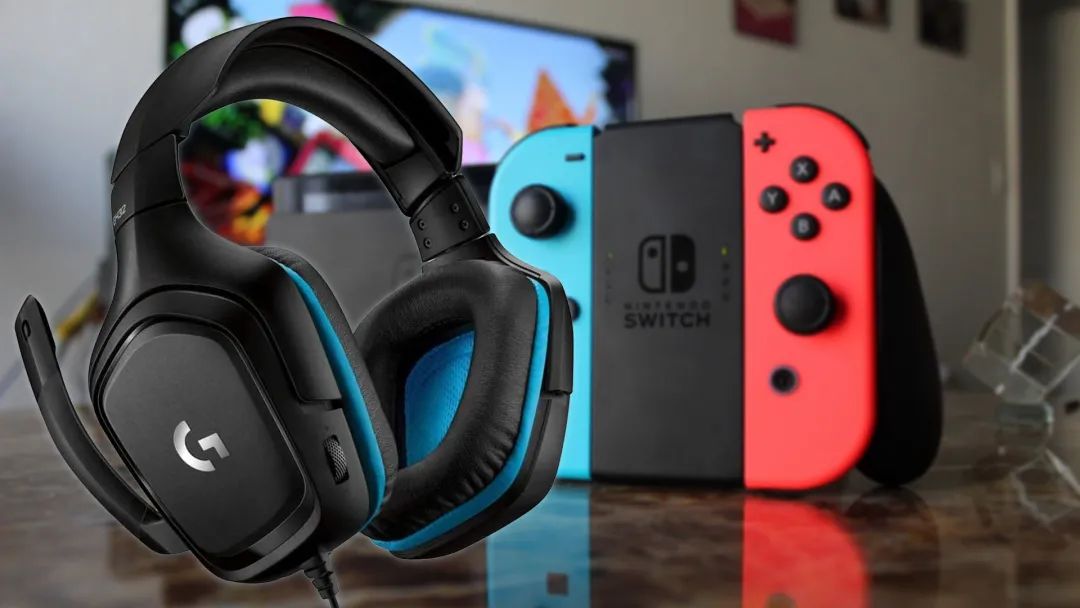
After years of release, Switch players can finally throw away their wired headphones and Bluetooth receivers, allowing them to play Switch freely in public places.
However, some friends still have a few small questions, including how to update, how to connect, and what settings are needed after connecting. Today, I will answer these questions one by one and provide a complete guide to connecting Bluetooth on Switch~
How to Update the System?
1. If your Switch is connected to the internet, the console will automatically download the update and will update automatically after the download is complete;
2. Alternatively, you can choose to update manually. On the Switch home page, select ‘Settings’ – ‘Console’ – ‘Update Console’ to do so.
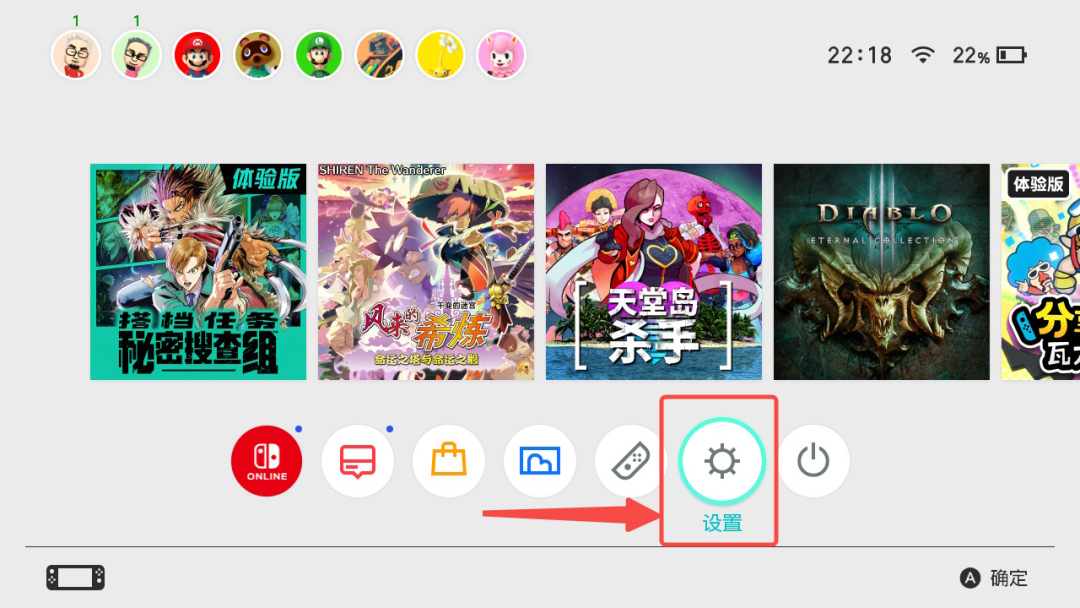
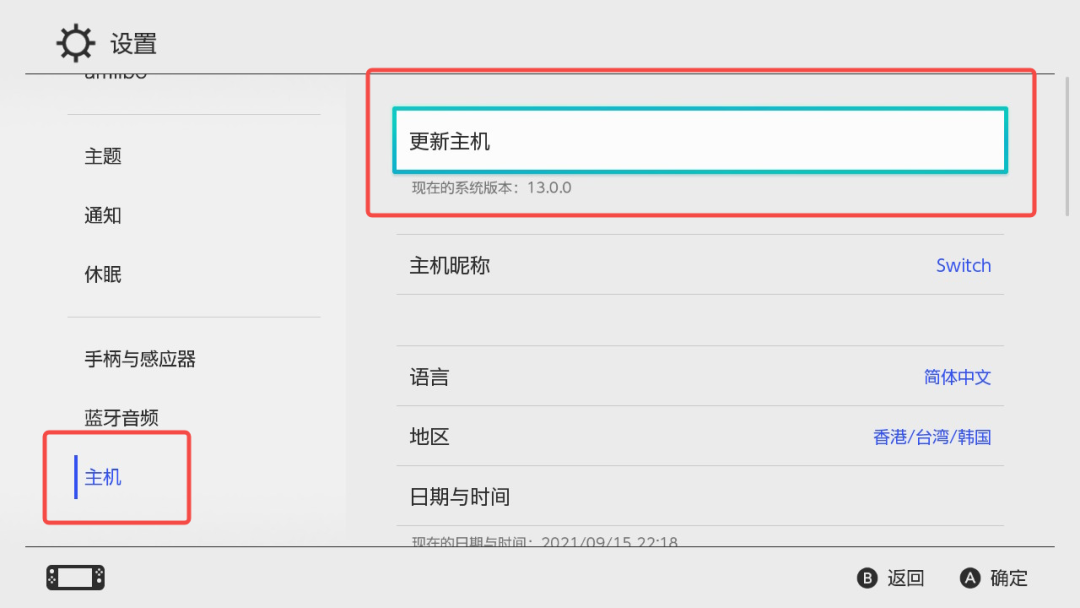
How to Connect Bluetooth?
1. Prepare your Bluetooth headphones or speakers and make sure the device is in pairing mode.
Currently, the Bluetooth device needs to support the A2DP protocol and use the SBC codec. Devices like Apple AirPods and most Bluetooth speakers and headphones on the market support this protocol;
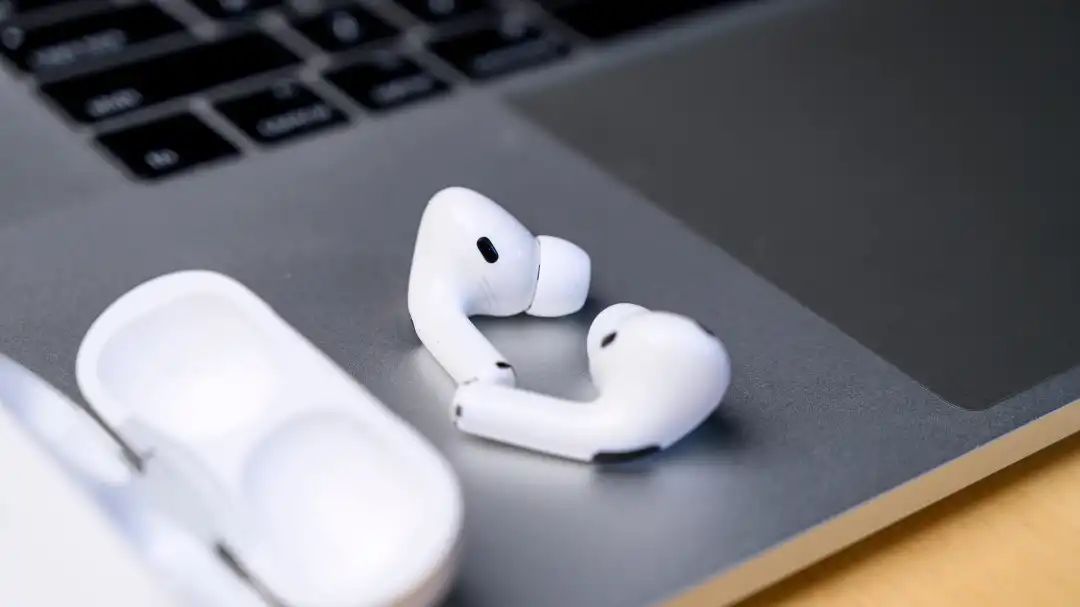
2. Go to ‘Settings’, select ‘Bluetooth Audio’ – ‘Add’;
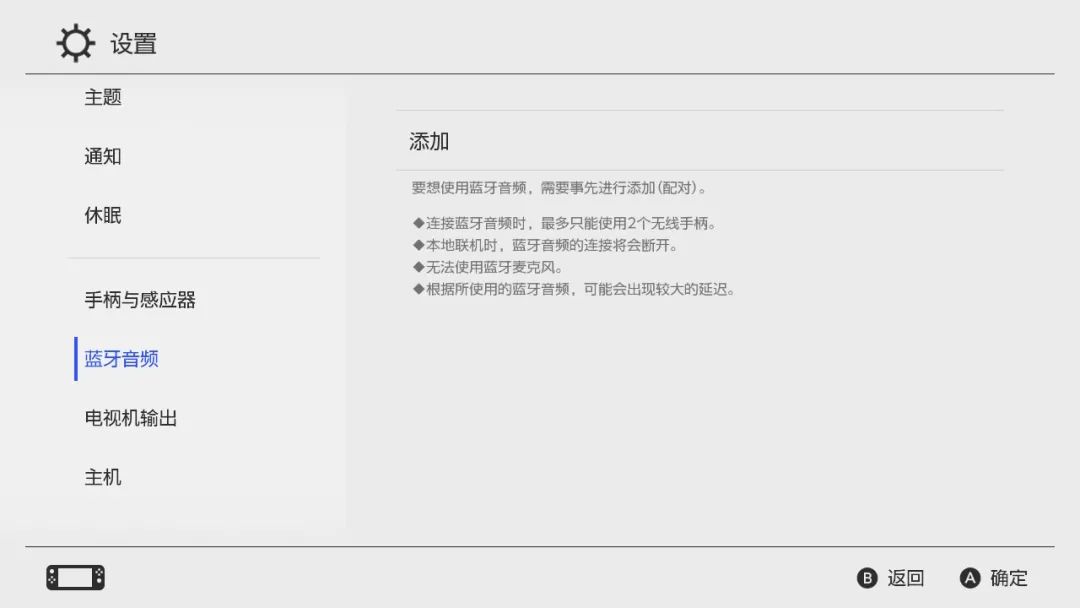
3. Select the device name you want to connect to, and after pairing, the console and Bluetooth audio device will connect. After that, turning the headphones back on or taking them out of the charging case will automatically connect them to the Switch;
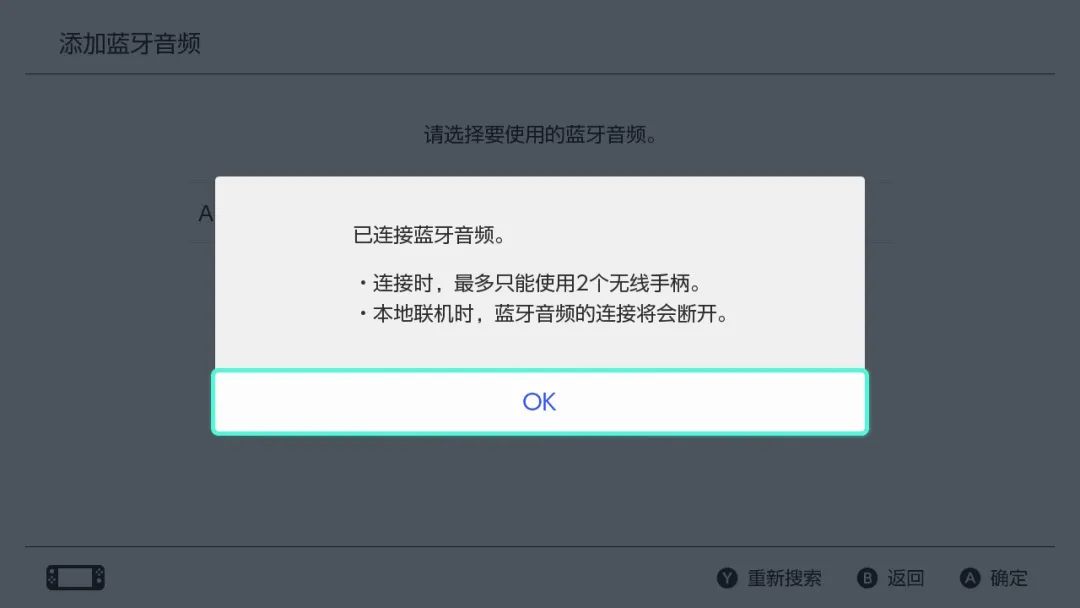
Notes
1. When connecting Bluetooth audio devices, a maximum of 2 wireless controllers are supported. When two Joy-Cons are used separately, they are considered as two controllers;
2. The connection to the device may be a bit slow, so try to keep the Bluetooth audio device close to the Switch. The official stated connection time is about 40 seconds, but in practice, it may be slightly shorter;
3. Bluetooth audio devices cannot be used when Near Field Communication is in use, so please try using Bluetooth audio after finishing Near Field Communication.
Some Other Questions
1. Besides Bluetooth headphones and speakers, do other Bluetooth devices work?
Currently, devices other than headphones and speakers are not supported, including keyboards, mice, etc. It is particularly important to note that Bluetooth microphones are still not supported, so it may not be possible to use the Switch for multiplayer gaming in the short term;
2. Is there a lot of latency with Bluetooth connections? Will the audio and video be out of sync?
Based on our tests, under normal circumstances, there is no noticeable latency with Bluetooth headphones. Even in fast-paced action games, it is hardly perceptible.
If there is noticeable latency or noise, you can try re-pairing the Bluetooth headphones. Alternatively, connect the Switch to a 5GHz Wi-Fi signal;
3. How is the sound quality of the Bluetooth connection?
Sound quality perception varies from person to person. After testing with several colleagues in the Jump office, some reported slight degradation in sound quality, while others did not notice any significant difference. So overall, the change in sound quality is still within an acceptable range.
If you have any other questions or usage tips, feel free to share and discuss in the comments. I hope this article helps everyone~




 If you like it, please give a 【like】 and 【share】!
ClickRead Original to experience the latest version of Jump App now!