
What is WLAN?
The Wireless Local Area Network (WLAN) is a type of wireless computer network that connects two or more devices to form a Local Area Network (LAN) using wireless channels instead of wired transmission media. Typical deployment scenarios include homes, schools, campuses, or corporate office buildings.WLAN is a network system, while the commonly known Wi-Fi is a technology within this network system. Thus, WLAN encompasses Wi-Fi.
Advantages of WLAN
The WLAN technology first appeared in the United States, mainly applied to the wireless extension of the last segment of the network cable, with its primary use being in homes. Due to the difficulties of laying cables in the American residential environment (single villas, small yards), coupled with the high penetration of portable devices and PDAs, there is a strong demand for wireless internet access, leading to the rapid popularization of WLAN technology.
Compared to wired access technologies, WLAN has the following advantages:
● Freedom of network usage: Any free space can connect to the network without being limited by cables and port locations. This is particularly suitable in office buildings, airport waiting halls, resorts, business hotels, sports venues, coffee shops, etc.
● Flexible network deployment: In places difficult to wire, such as subways and highway traffic monitoring, WLAN can be used to cover wireless networks, eliminating or reducing complicated network wiring, making implementation simple, cost-effective, and scalable.
What is the Difference Between WLAN and Wi-Fi?
Wi-Fi refers to the trademark of the Wi-Fi Alliance and is a wireless communication technology based on the IEEE 802.11 standard, aimed at improving interoperability between wireless network products based on the IEEE 802.11 standard.
The full name of WLAN is Wireless Local Area Network, which means wireless LAN in Chinese. WLAN has both broad and narrow definitions: broadly speaking, WLAN is a network composed of various radio waves (such as lasers, infrared, etc.) replacing part or all of the transmission media in wired LANs; the narrow definition of WLAN is a wireless local area network based on the IEEE 802.11 series standards, using high-frequency radio frequencies (such as 2.4GHz, 5GHz, or 6GHz) as transmission media. The WLAN we encounter in our daily lives refers to the narrow definition of WLAN. Throughout the evolution and development of WLAN, there have been many implementation technology standards, such as Bluetooth, Wi-Fi, HyperLAN2, etc. Wi-Fi technology has become the mainstream technical standard of WLAN due to its relative simplicity, reliable communication, high flexibility, and relatively low implementation costs, gradually becoming synonymous with WLAN technology standards.
In simple terms, WLAN is a network system, while Wi-Fi is a technology within this network system. Thus, WLAN encompasses Wi-Fi..
Is WLAN Safe?
WLAN technology has advantages such as easy installation, flexible use, cost savings, and ease of expansion. However, WLAN technology uses wireless radio frequency signals as the transmission medium for business data, and this open channel makes it easy for attackers to eavesdrop on and tamper with business data transmitted over the wireless channel.
The common security threats to WLAN are as follows:
● Wi-Fi without authentication: Attackers can connect to the wireless network at will, leading to attacks on the entire network.
● Wireless data without encryption: Attackers can eavesdrop on and tamper with business data transmitted over the wireless channel through sniffing.
● Boundary threats: Illegal APs and legitimate APs broadcasting the same SSID can lead users to connect to illegal APs, allowing data to be intercepted by attackers.
In response to these security threats, corresponding security measures have been designed to protect customer networks from attacks.
● Measures to prevent unauthorized use of network services include link authentication and user access authentication, deploying enterprise-level user authentication solutions for centralized authentication and management of user identities.
● Measures to enhance data security include data encryption, deploying higher encryption strength of WPA3 to protect user data transmitted over the air from being cracked. The key length of WPA3 reaches 256 bits, which is currently the strongest encryption algorithm.
● Measures against illegal APs include wireless attack detection and countermeasures, deploying Wireless Intrusion Detection Systems (WIDS)/Wireless Intrusion Prevention Systems (WIPS) to detect air interface threats and phishing APs in real-time and counteract them, protecting customer networks from illegal intrusions.
WLAN Roaming
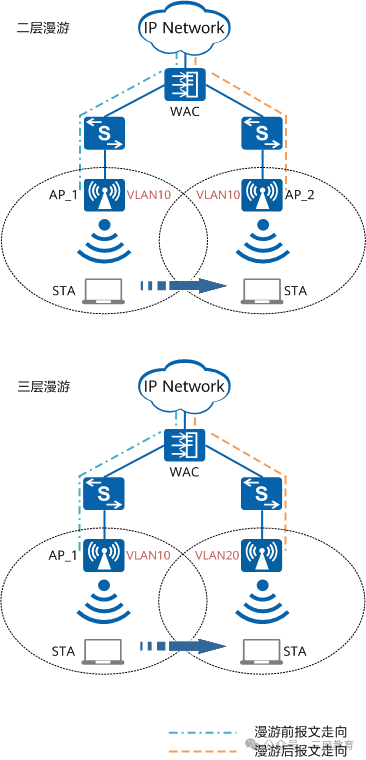
In WLAN networks, wireless terminal users have mobile communication capabilities. However, since the signal coverage range of a single AP device is limited, terminal users often move from one AP service area to another during movement. To avoid network communication interruptions when mobile users switch between different APs, the concept of wireless roaming is introduced.
Wireless roaming refers to the process where a station (STA) associates with a new AP when moving into the critical area of coverage of two APs and disconnects from the original AP, while maintaining uninterrupted network connectivity throughout this process. In simple terms, it is like the mobile phone’s mobile call function, where the phone moves from the coverage area of one base station to another while providing uninterrupted, seamless call capability.
Common WLAN roaming technologies include traditional roaming, fast roaming, intelligent roaming, and lossless roaming.
Basic Elements of WLAN
● Workstation (STA): Terminal devices that support the 802.11 standard. For example, computers with wireless network cards, mobile phones that support WLAN, etc.
● Access Point (AP): Provides wireless access services based on the 802.11 standard for STAs, acting as a bridge between wired and wireless networks.
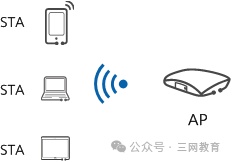
STA and AP
● Virtual Access Point (VAP): A virtual business function entity created on the AP device. Users can create different VAPs on one AP to provide wireless access services for different user groups.
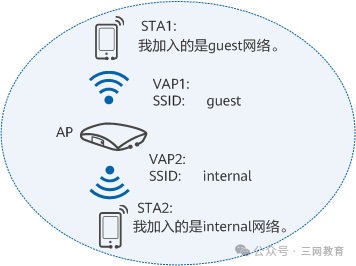
Diagram of VAP
● Basic Service Set (BSS): The coverage area of one AP. Within the service area of a BSS, STAs can communicate with each other.
● Extended Service Set (ESS): Composed of multiple BSSs using the same SSID.
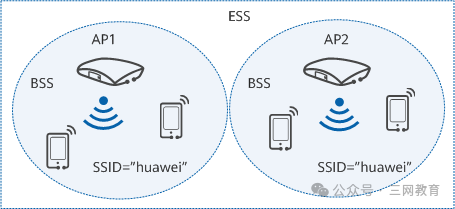
Relationship between BSS and ESS
● Distribution System: A distribution system refers to the connection of two or more independent local area networks (including wired and wireless LANs) via wireless links between APs, forming an interoperable network for data transmission. Currently, wireless distribution systems are mainly based on WDS or MESH protocols.
Types of WLAN Networks
In corporate scenarios, there are usually the following types of WLAN networks.
● AC+FIT AP Centralized Deployment: The “AC+FIT AP” model is widely used in the Wi-Fi network deployment of medium and large campuses, such as shopping malls, supermarkets, hotels, and corporate offices. The main function of the AC is to manage and control all FIT APs through a CAPWAP tunnel. The AC uniformly issues configurations to FIT APs in batches, so there is no need to configure APs one by one, significantly reducing the control and maintenance costs of WLAN. Also, since user access authentication can be managed uniformly by the AC, users can achieve wireless roaming between APs.
For scenarios with small Wi-Fi coverage, the number of required APs is small; deploying an additional AC may lead to high overall wireless network costs. In such scenarios, if there is no need for user wireless roaming, it is recommended to deploy FAT AP; if it is desired to meet the user wireless roaming needs, it is recommended to deploy cloud AP.
● FAT AP Independent Deployment: FAT AP, also known as fat AP, independently completes Wi-Fi coverage without needing additional management devices. However, since FAT AP controls user access itself, users cannot achieve wireless roaming between FAT APs and can only use the Wi-Fi network within the coverage area of the FAT AP.
Therefore, FAT AP is typically used for small-range Wi-Fi coverage in homes or SOHO environments and has gradually been replaced in corporate scenarios by the “AC+FIT AP” and “cloud management platform + cloud AP” models.
● Leader AP + FIT AP Centralized Deployment: Leader AP is an extended function of FAT AP, meaning that FAT AP can manage and configure multiple FIT APs as AC does, providing users with a roamed wireless network. The “Leader AP + FIT AP” network architecture inherits the architecture of “AC + FIT AP”. Before supporting Leader AP functionality, it only managed its own FIT AP module; after supporting Leader AP functionality, it can manage its own FIT AP module while expanding to manage more FIT APs.
● Cloud Deployment: Cloud AP has functions similar to FAT AP, so it can be applied to small networks in home WLAN or SOHO environments; at the same time, the “cloud management platform + cloud AP” network structure is similar to the “AC + FIT AP” network structure, where cloud AP is managed and controlled uniformly by the cloud management platform, so it can also be applied to medium and large networks.
Cloud AP supports plug-and-play, is easy to deploy, and is not limited by deployment space, allowing for flexible expansion, and is currently widely used in scenarios with many branches.
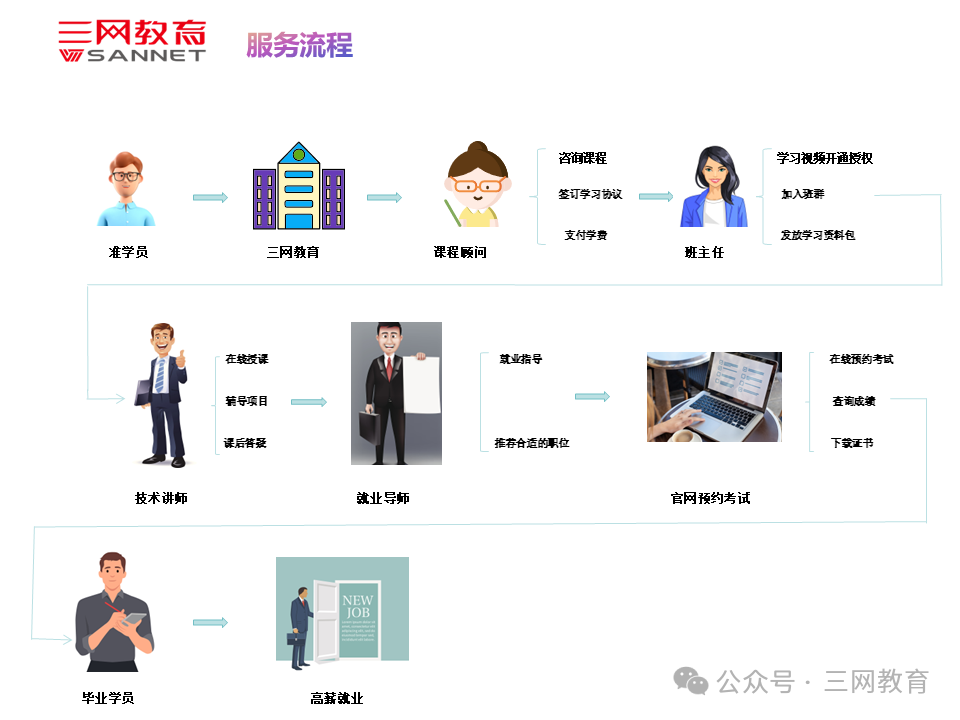
Want to know more about network engineer-related information, certification news, and study guides? You can add the course consultant from Sannet Education for detailed information~


Course Consultant: Ms. Vivi
Why Choose Sannet Education
01
Deep Training Background
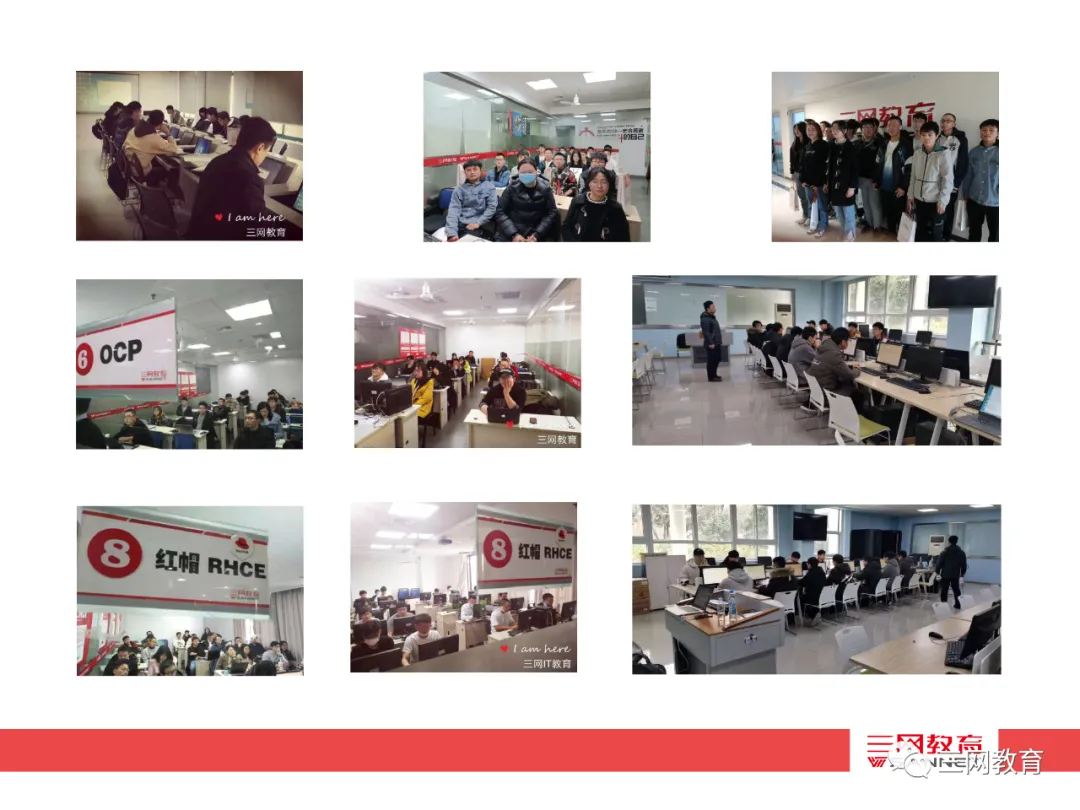
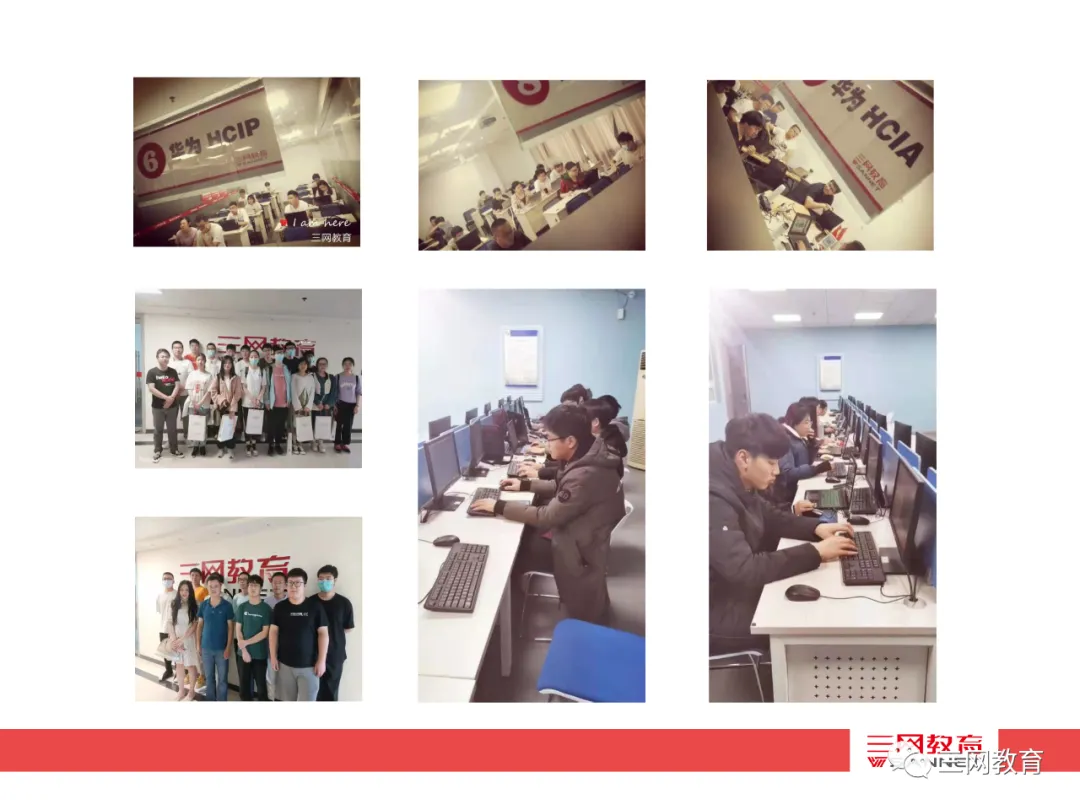
Sannet Education was founded in 2006, with 19 years of cultivation and fruitful results, having trained over 10,000 high-end IT talents in Suzhou and surrounding cities, with students spread across various domestic and foreign enterprises in Suzhou, as well as in the United States, Canada, Japan, New Zealand, South Korea, Singapore, and regions such as Hong Kong and Macau. Sannet’s client base covers industries such as government, finance and securities, foreign enterprises, large state-owned enterprises, and universities.
02
Professional IT Certification Training and Exam Center
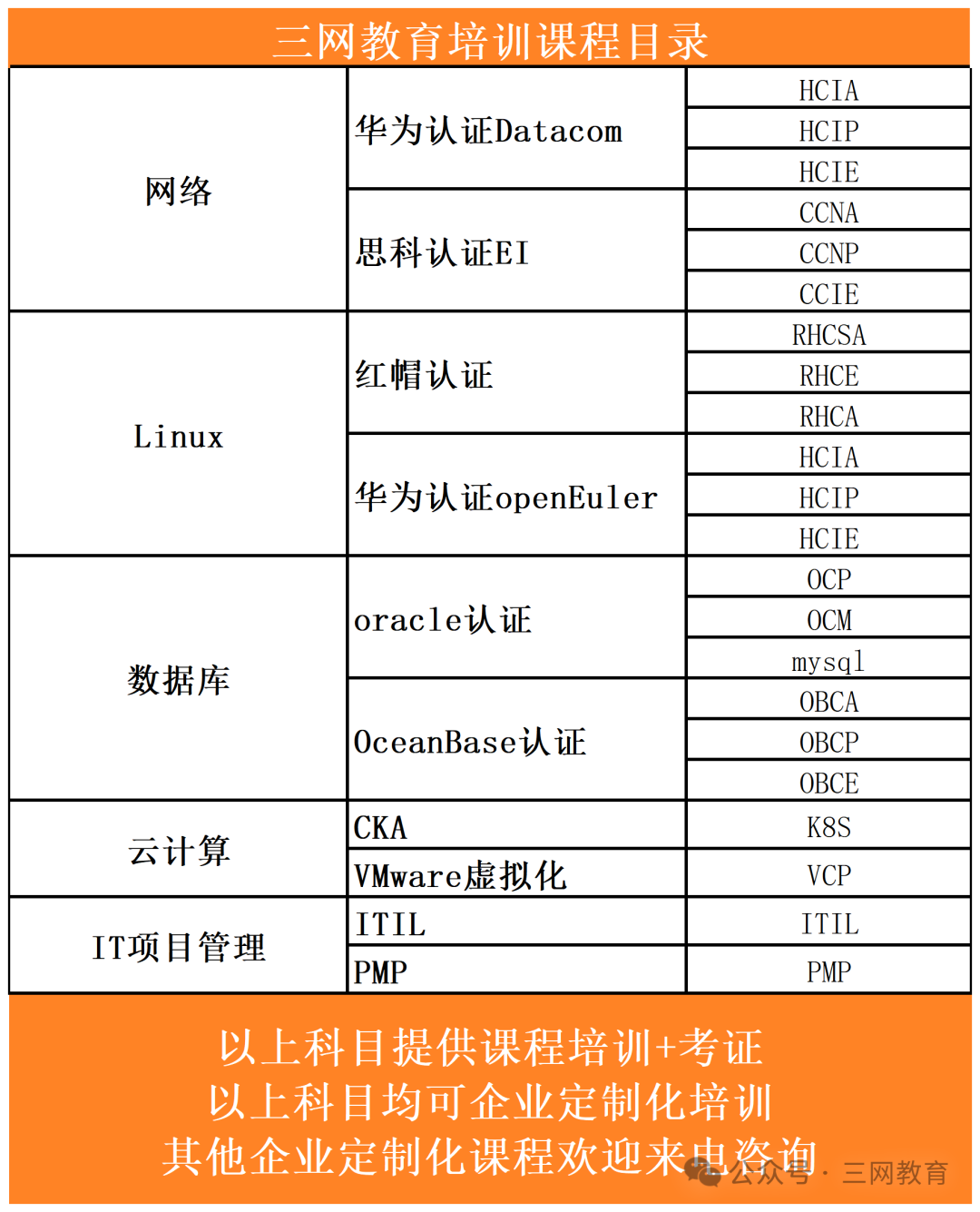
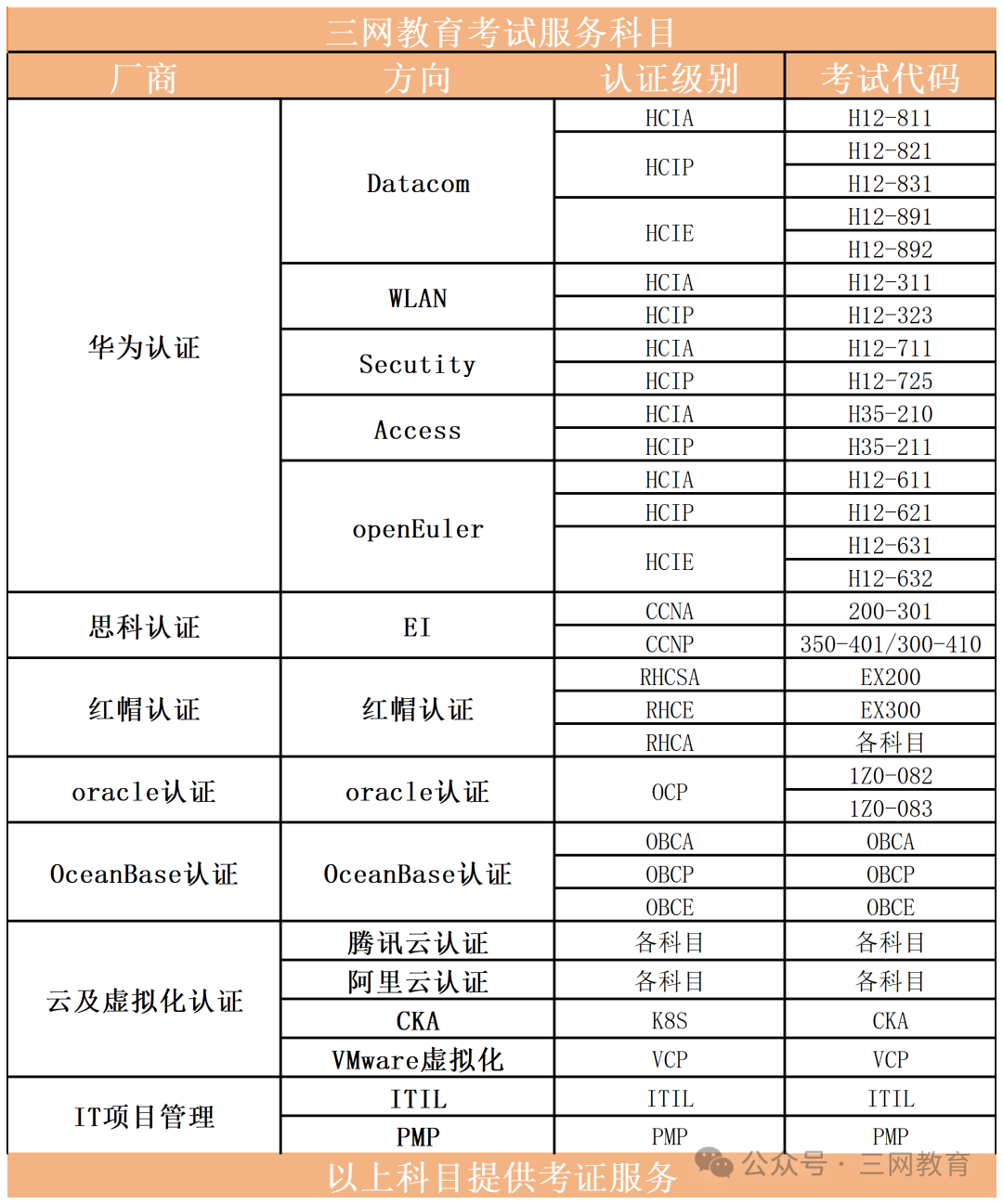
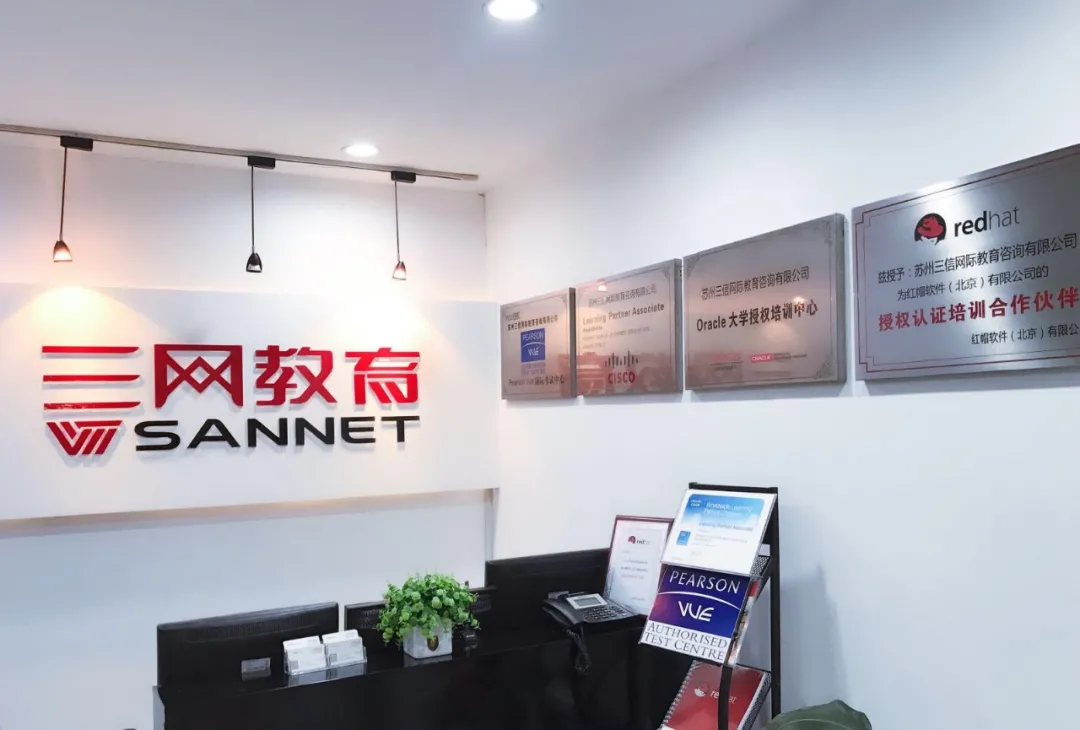
Sannet Education is an authorized training center for multiple original manufacturers, currently providing training services in technical fields such as Huawei, Cisco, Red Hat, Oracle, Microsoft, VMware, IT project management, and cloud computing. It is also a PROMETRIC authorized exam center and an ATAC authorized exam center.
03
Strong Faculty
Sannet collaborates with top technical manufacturers in the industry, signing several senior technical experts to provide professional IT certification courses. We have instructors with HCIE/CCIE/RHCA/OCM qualifications, rich project experience, and teaching experience, dedicated to helping students and enterprises effectively enhance their competitiveness.
04
Common Choice of Numerous Valuable Clients
Clients include China Post, China Telecom, China Mobile Suzhou R&D Center, Huayan Water, Bosch Automotive, Yihua Transportation, Suzhou Earthquake Survey Research Institute, Hillstone Networks, Fujitsu, Jiangsu Tianchuang, Inner Mongolia Shenhua Group, and more.

– END –
///
Professional • Strength • Integrity • Value

WeChat ID:hcie1024
Official Website:www.sannet.net
Consultation Hotline:17365375526
Address: 68 Nancheng Road, Xiangcheng District, Suzhou