💻 ARM Lightweight Virtual Machine Experiment Journal
In the past, we often thought that ARM SoCs were only suitable for running lightweight containers like Docker and LXC, and that true virtualization required x86 servers. However, with the performance improvements of SoCs like RK3568, ARM development boards can now handle running KVM virtual machines. This time, I tried KVM + libvirt on an ARM box running Armbian, and even successfully installed a RouterOS virtual machine.
🛠️ Environment Preparation
One command to install all dependencies:
sudo apt update && sudo apt install -y qemu-system-arm qemu-system-misc qemu-utils qemu-efi-aarch64 libvirt-daemon-system libvirt-clients virtinst bridge-utils cloud-image-utils cockpit cockpit-machines ipxe-qemu qemu-system-data👉 Key components:
- •
<span>qemu-system-arm</span>→ ARM64 virtualization core - •
<span>qemu-efi-aarch64</span>→ ARM64 UEFI firmware - •
<span>libvirt-*</span>→ Management toolset - •
<span>cockpit-machines</span>→ Web management interface (:9090) 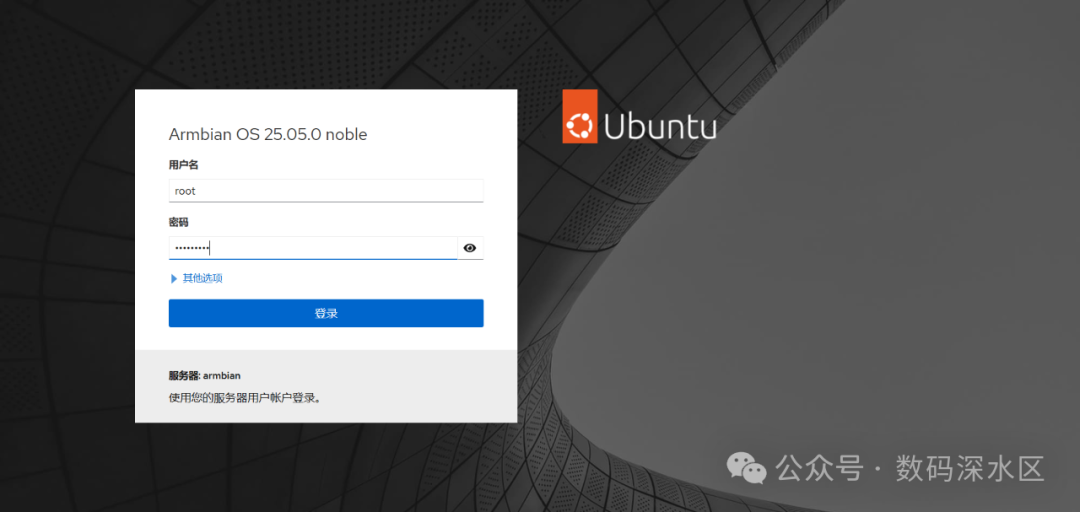 Access the cockpit page
🌐 Network Configuration
Bridged mode allows the virtual machine to behave as if it is connected to a switch:
auto br0
iface br0 inet dhcp
    bridge_ports eth0
    bridge_stp off
    bridge_fd 0
Restart the network:
sudo systemctl restart networking💽 Virtual Machine Disk & Firmware
sudo qemu-img create -f qcow2 /var/lib/libvirt/images/alpine.qcow2 1G
sudo cp /usr/share/AAVMF/AAVMF_VARS.fd /var/lib/libvirt/qemu/nvram/alpine_VARS.fd # This step is crucial, otherwise it won't boot
🐧 Alpine Virtual Machine Installation
- 1. Download Alpine ISO (aarch64)[1]
- 2. Use
<span>virt-install</span>to create the virtual machine - 3. Access the installation interface via VNC (
<span>Host IP:5900</span>) 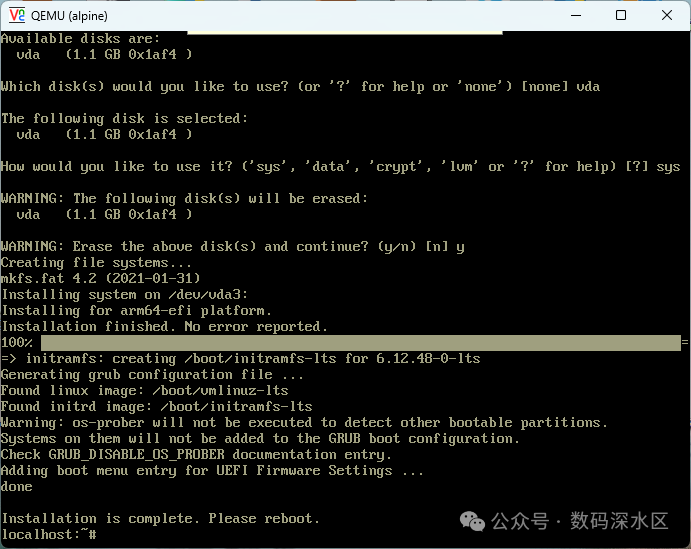 System installation completed
After installation, remove the ISO and switch to booting from the hard disk.
📡 RouterOS ARM Virtual Machine
RouterOS does not officially provide an ARM version of the VM, but there is a community patch available:👉 MikroTikPatch[2]
- 1. Place
<span>ros-arm.qcow2</span>in<span>/var/lib/libvirt/images/</span> - 2. Prepare a separate NVRAM file for each VM
- 3. Use
<span>virt-install --import</span>to directly import 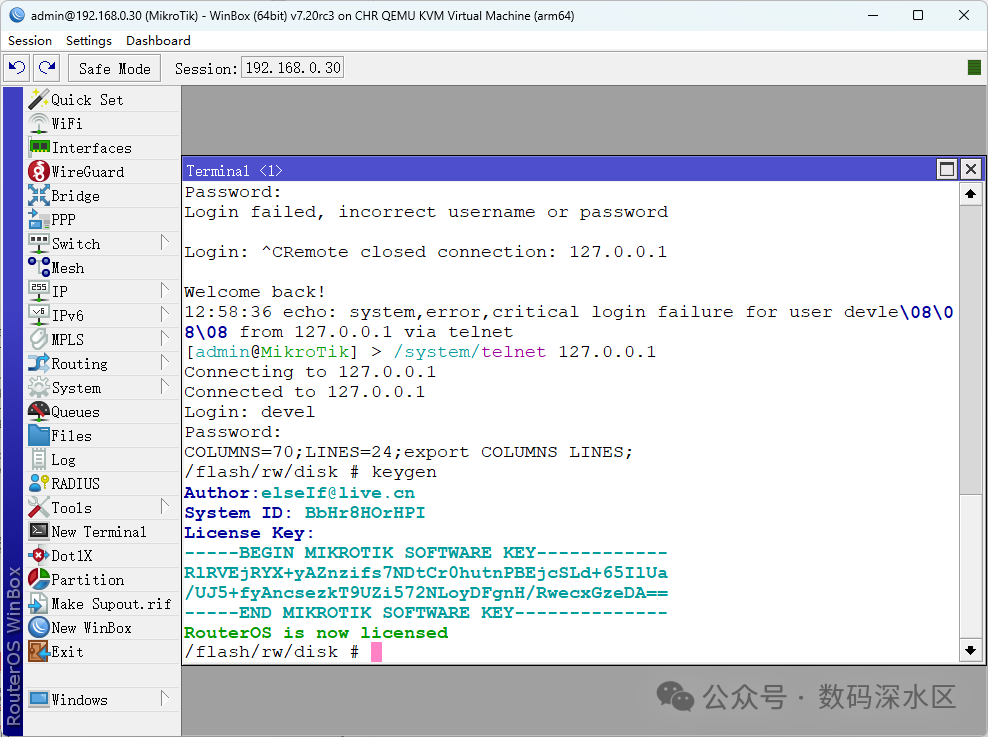 Patch version activated
💡 After completion, you can manage it using Winbox and activate the L6 license.
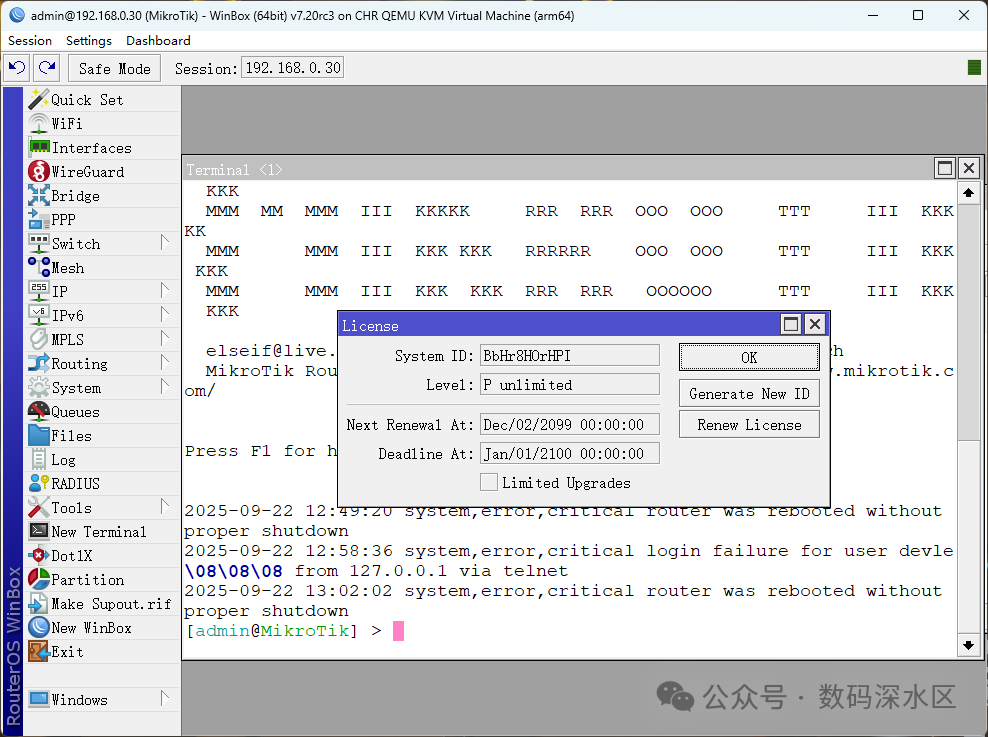 L6 license obtained
⚠️ Note: ARM virtual machines are sensitive to power outages, which can easily lead to boot failures on subsequent starts.
📊 Management Panel Experience
I tested several web frontends:
- • Virtlyst: Lightweight but requires compilation, skipped
- • WebVirtMgr: Full-featured but depends on Python, skipped
- • Kimchi: Powerful but difficult to install on ARM
- • Cockpit: Monitors VMs well, but cannot create ARM VMs
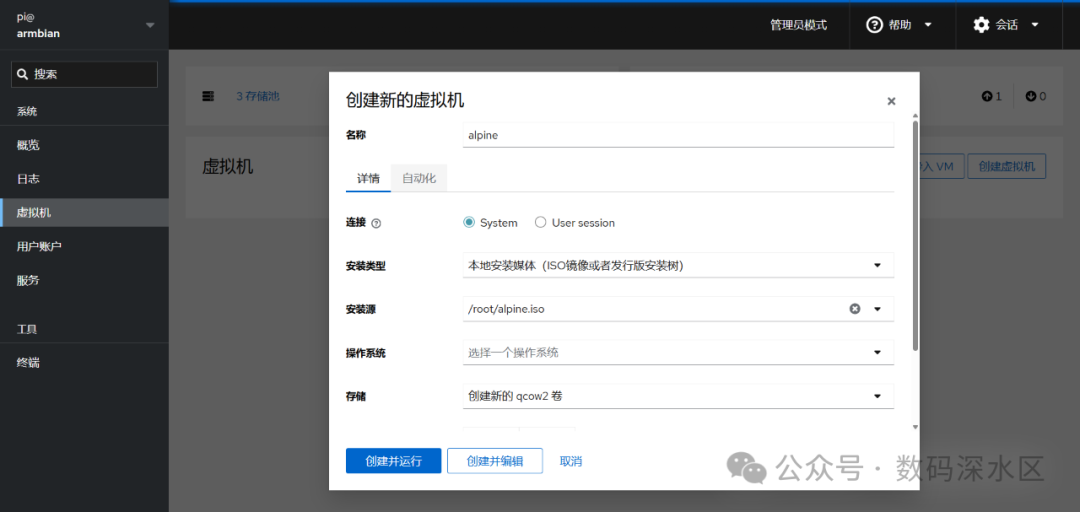 Creation of virtual machine failed to start
- • Flint: Nice interface, but ARM is basically unusable
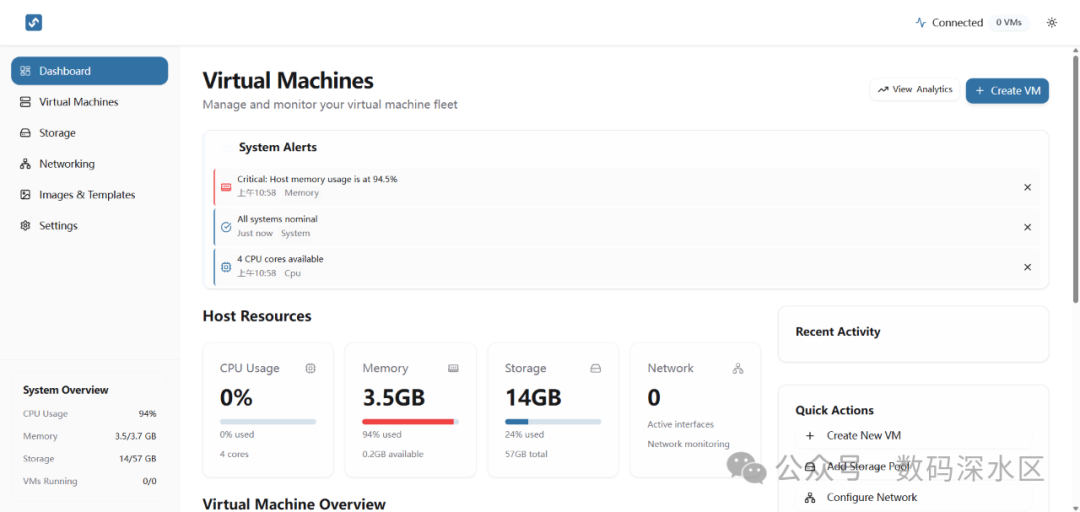 Flint CPU and memory data is completely inaccurate, other functions are basically useless
- • PVE / PXVIRT: ARM small boxes perform poorly, not recommended
👉 Conclusion:Command line is still reliable on ARM.
📌 ARM vs x86 Virtualization Comparison
| Item | ARM (RK3568/Armbian) | x86 (Common PC / Server) |
| Performance Positioning | Lightweight, suitable for running small VMs like Alpine, ROS | Powerful, can support production environments |
| Virtualization Support | Limited KVM support, complex UEFI firmware and NVRAM configuration | Mature and complete, can use <span>virt-install</span> directly |
| Management Panel | Cockpit/Flint/Kimchi experiences are incomplete | Rich ecosystem with PVE, VMware, Hyper-V, etc. |
| IO Support | No PCIe passthrough, poor passthrough capability | Full support for GPU/PCIe/USB/NVMe |
| Stability | Prone to power outages, high risk of VM boot failures | Stable and reliable, suitable for production environments |
| Power Consumption/Heat Dissipation | Low power consumption, low heat, suitable for long-term operation | High power consumption, but server cooling design is well done |
| Applicable Scenarios | Experimentation, light virtual machines | Home/enterprise-level virtualization, productivity environments |
| Ecosystem Maturity | Limited resources, requires troubleshooting | Many tutorials, active community, high maturity |
✨ Experiment Insights
Experimenting with ARM virtual machines is essentially a “curiosity experiment”. To be honest, its practical value is not significant: poor stability, missing features, and an incomplete ecosystem make it hard to become a daily productivity tool.
But for me,the significance of experimentation is not necessarily to pursue practicality, but to explore “can it be done”.Successfully running a RouterOS virtual machine on such a small box is an achievement in itself.
Sometimes, the ARM platform is like a “tech Lego”; it imposes many limitations but also forces you to step out of your comfort zone and try various solutions. The process of encountering pitfalls and taking detours is the greatest joy of experimentation.
So the conclusion is simple:
- • If you want stability, peace of mind, and the ability to host production tasks → use x86.
- • If you want to challenge yourself and prove that ARM can also run VMs → experiment with ARM, enjoy the process.
⚠️ Lastly, a reminder:never use low-quality SD cards. Virtual machines on ARM put more I/O pressure than containers, and cheap cards can easily report <span>Input/output error</span><span>, and in severe cases, lead to crashes.</span><span> Don't ask me how I know. 😅</span>
Reference Links
<span>[1]</span> Alpine ISO (aarch64): https://dl-cdn.alpinelinux.org/alpine/v3.20/releases/aarch64/<span>[2]</span> MikroTikPatch: https://github.com/elseif/MikroTikPatch