The Application of Qi An Xin Virtualization Security Management System in Civil Aviation Meteorology
—— Network Information Security Equipment ——
Qi An Xin Group is a cybersecurity company focused on providing enterprise-level network security technologies, products, and services to government, military, enterprises, education, finance, and other institutions and organizations. Around 2021, civil aviation meteorology information servers gradually deployed a series of network security products from Qi An Xin, such as “Wang Shen” and “Tian Yan”. This article mainly introduces the Qi An Xin Wang Shen virtualization security management system, which is primarily used for server antivirus functions. It provides a centralized management platform for comprehensive cloud security management, integrating real-time data analysis, anti-malware, web application protection, system hardening, micro-segmentation, threat intelligence, intrusion prevention, network visualization, and management, ensuring the data security of cloud servers. The virtualization agentless security protection model performs security checks on files and networks externally to the virtual machine, greatly improving the system’s security protection efficiency.

Table of Contents
1
Main Functions of the System
2
Introduction to System Interface
3
System Feature Library Updates

Main Functions of the System
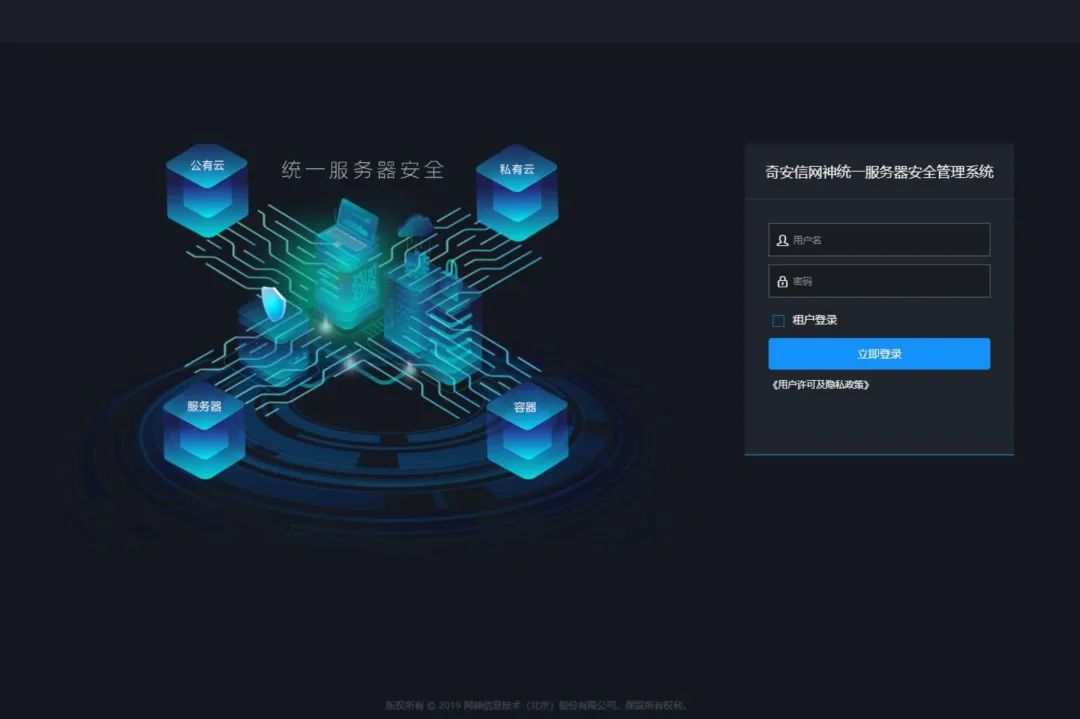
Image Description of Work Completion Status
01 Malware Protection<<<<
This system integrates the self-developed QOWL engine, improving the virus killing rate in isolated network environments, eliminating the need for traditional antivirus software to be installed inside the virtual machine, protecting the virtual machine from viruses, spyware, trojans, Powershell mining viruses, and other malware. It supports scanning of memory and running processes, capable of removing viruses, virus processes, or viruses and virus DLLs injected into other processes running in memory, and can actively eliminate associated virus files. It supports real-time protection of the system, regularly performing full disk scans on virtual machines, and allows manual disk scanning of virtual machines. Manual scanning supports three security detection methods: quick, full disk, and specified directory scanning. Infected files are isolated within the virtual machine. Non-virtual machine users do not have permission to read isolated files, avoiding data leakage issues. It optimizes resource scheduling for security operations to avoid common antivirus storms during full system scans. The malware signature library is automatically updated to prevent the latest attacks.
02 Web Application Protection<<<<
To better protect against hacker attacks and reduce operational costs, the system integrates a self-developed webshell scanning engine, capable of scanning and isolating various website backdoor files. The WebShell engine includes over 400,000 website backdoor samples and a large number of backdoor signatures, ensuring effective detection and elimination of samples through a dual mechanism. The cloud updates the WebShell engine through machine learning.
Administrators can perform unified webshell scanning on hosts through the control center and set up scheduled scanning tasks. It supports downloading, isolating, whitelisting, recovering, and whitelisting operations for scanned webshell backdoor files.
03 Intrusion Prevention<<<<
Without interrupting services, it virtually patches known vulnerabilities to defend against attacks targeting these vulnerabilities. It protects against SQL injection, cross-site scripting attacks, and other attacks exploiting web application vulnerabilities. The system automatically detects the content of the virtual machine system, dynamically adjusts the intrusion detection rule library for detection, and improves detection efficiency. The automatic update function timely defends against attacks targeting the latest vulnerabilities.

Introduction to System Interface
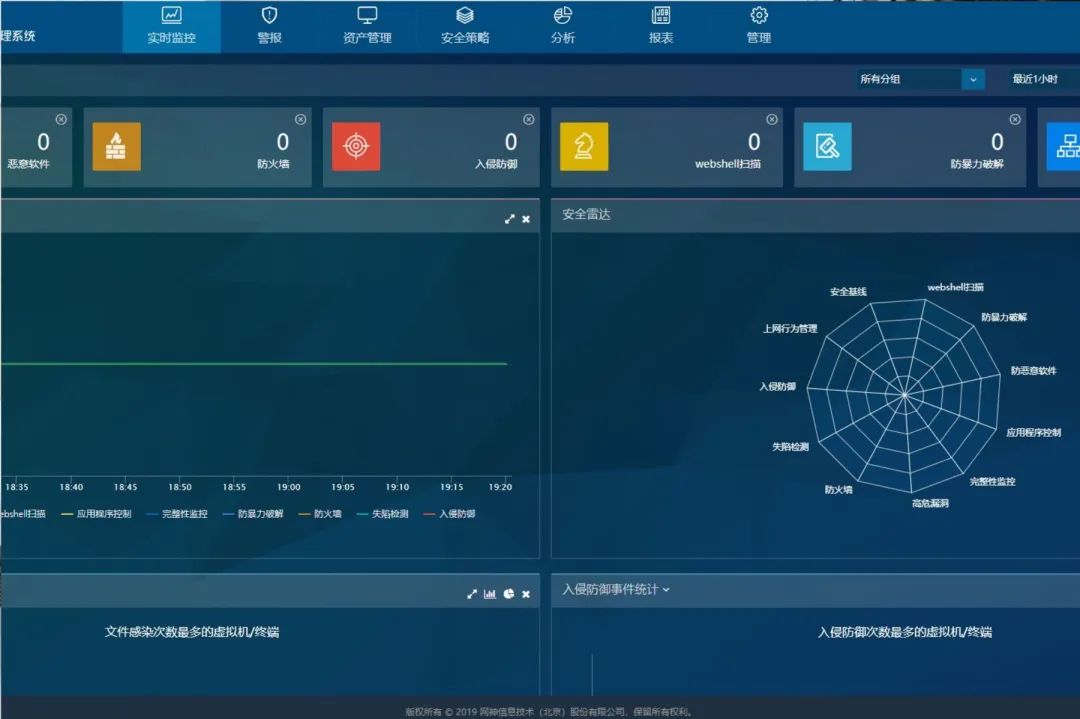
Image Description of Work Completion Status
1. Real-time Monitoring
The real-time monitoring page can display information related to virtual machine network traffic, application control, file security, process management, firewall, and intrusion prevention in graphical form from two dimensions: different times and groups.
Note: The virtual machines here refer to all virtual machines registered successfully in the management center.
Users can filter historical data through the group dropdown menu. Selecting a specific group will only display historical data for malware protection, process management, firewall, and intrusion prevention under that group.
2. Alarm Center
The alarm center displays all alarms generated by the system. Each alarm message includes the time the alarm was generated, alarm name, alarm object, and alarm description. If the same object generates multiple identical alarms, the alarm center only displays the most recent alarm. After the administrator resolves the corresponding issue based on the alarm prompts, they can return to the alarm center to clear the corresponding alarm.
3. Security Policy
Security configuration is a collection of all security settings for each computer in the protection system, including anti-malware, system hardening, firewall, intrusion prevention, network visualization, and management. After defining the security configuration, users can apply it to multiple computers. Rules can be defined for automatic matching, or security configurations can be manually assigned to virtual machines.

System Feature Library Updates
1
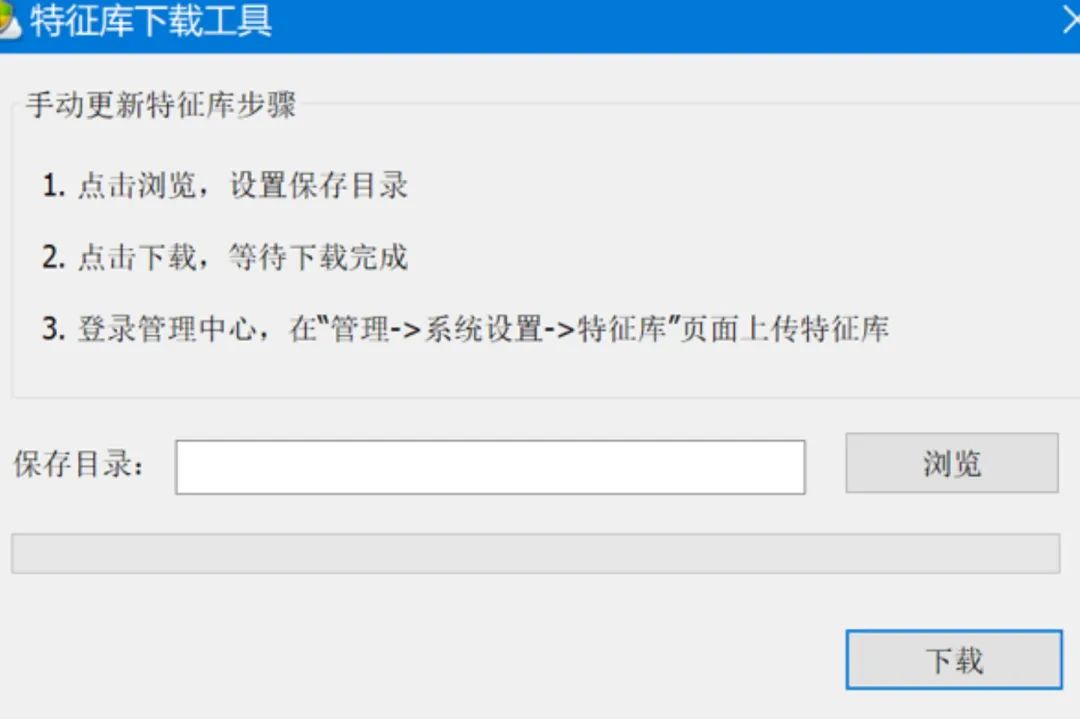
The management center feature library upgrade manual update: If the protection system is installed in a closed private network, the administrator needs to download the update package using an offline download tool, then click the “Upload Feature Library” button on the management -> feature library page, select the downloaded feature library update package for upload, and it will automatically upgrade after upload.
2
Automatic feature library updates: If the protection system can access the external network, the system will periodically update the feature library automatically. (Note: Since the server is isolated from the external network, the administrators of the Civil Aviation Meteorological Information Room mainly adopt an offline update mode, periodically downloading feature libraries.) If HTTP proxy is needed, fill in the correct proxy server information on the management -> system settings page. Immediate upgrade: If the protection system can access the external network, clicking the “Immediate Upgrade” button will allow the management center to upgrade to the latest feature library immediately.
3
The host side will periodically update the feature library from the management center proxy server: the system needs to periodically access the public network to update the feature library. If the deployment environment cannot directly access the public network, a proxy server needs to be used.
[END]
Copywriter | Zhao Liang Ji Xiaoling
Some image materials sourced from Qi An Xin network security equipment