It’s that time again to decide what to have for lunch. I’m tired of the restaurants around the office, but I still need to eat. So, I decided to write a small program to let Python randomly choose a lunch menu for me.
I casually created a source file named <span>random.py</span> (remember this filename!), and then without thinking, I did <span>import random</span>. I remember that the <span>random</span> package has a function that can randomly return an integer between <span>[a, b]</span>, which I think is called <span>randint()</span>.
I then wrote a line to print something: <span>print(</span> and the AI assistant quickly suggested <span>random.randint(0, 100))</span>. I pressed the Tab key to auto-complete the code, opened the terminal, typed <span>python3.11 random.py</span>, and hit enter…
To my surprise, it threw an error!
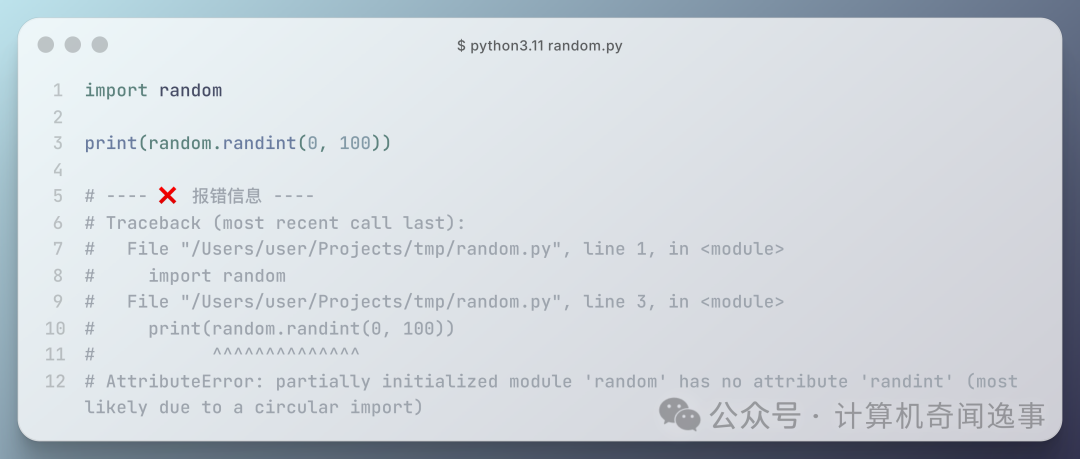
The error message mentioned “no attribute ‘randint’‘”, but I checked the documentation, and the function is indeed called that. It also mentioned “(most likely due to a circular import)”. How could there be a circular import issue with just a single file? Strange…
Could it be a Python version issue? I usually use Python 3.11, so let me try the built-in 3.13 on macOS.
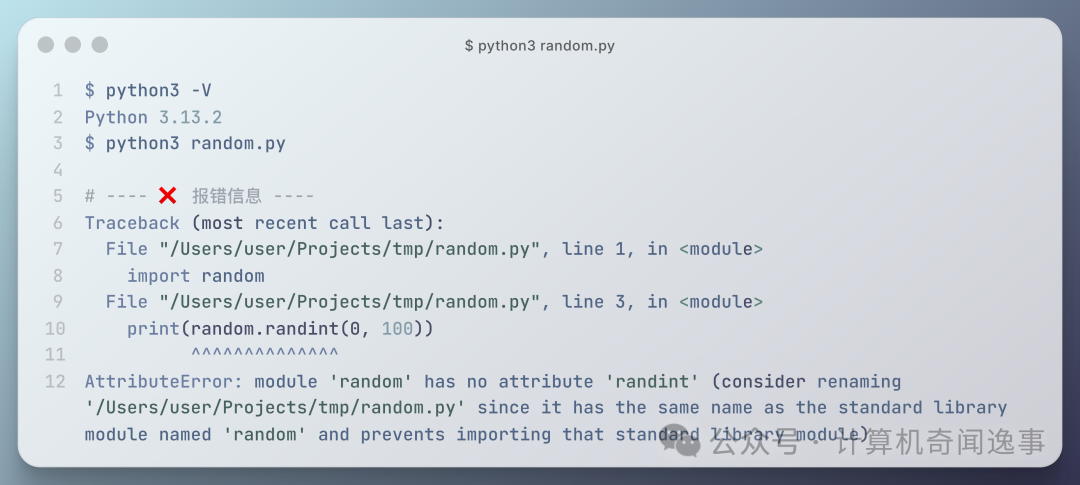
Although it still threw an error, the error content changed and provided quite valuable information:
… consider renaming ‘/Users/user/Projects/tmp/random.py’ since it has the same name as the standard library module named ‘random’ and prevents importing that standard library module
It said that my <span>random.py</span> file has the same name as the standard library module <span>random</span>, which caused the latter to fail to import correctly, and I need to rename my created <span>random.py</span>.
I added a prefix to <span>random.py</span>, changing it to <span>my_random.py</span>, and it ran perfectly. (You can try it; if you just add an <span>_</span> as a prefix, it will still throw an error…(´・Å・`).)
Many programmers must have encountered this issue, as seen in this popular post on Stack Overflow,
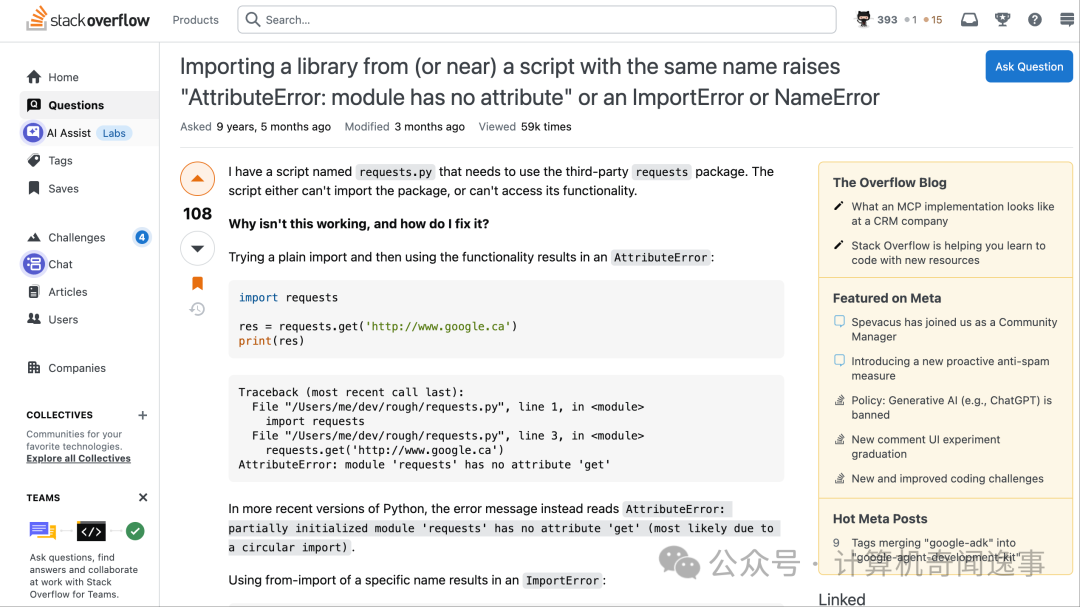
The poster was importing the <span>request</span> package in a file named <span>request.py</span>.
So why do these issues occur? It actually relates to how Python manages the search path for modules/packages, which is how Python knows where to look for the modules/packages to import.
When running <span>python3 xxx.py</span>, the directory where <span>xxx.py</span> is located, i.e., the current directory, is added to the beginning of <span>sys.path</span>. This means that Python will first search for the corresponding <span>xxx.py</span> file in the current directory. If it cannot find it, it will continue searching in the subsequent paths in <span>sys.path</span>.
Back to my <span>random.py</span>. Because I named the file <span>random.py</span>, it happens to have the same name as the <span>random</span> module in the Python standard library. When running the script, Python will prioritize searching for the module with the same name in the current directory, so the imported module is not the one from the standard library, but my own <span>random.py</span>, which, as the error message stated, indeed does not have the <span>randint()</span><code><span> function.</span>
In short, the <span>xxx.py</span> in the current directory can overshadow or block the same-named <span>xxx.py</span> files in built-in or third-party modules. This phenomenon is called “shadowing modules”.
We can confirm this mechanism with the following code,
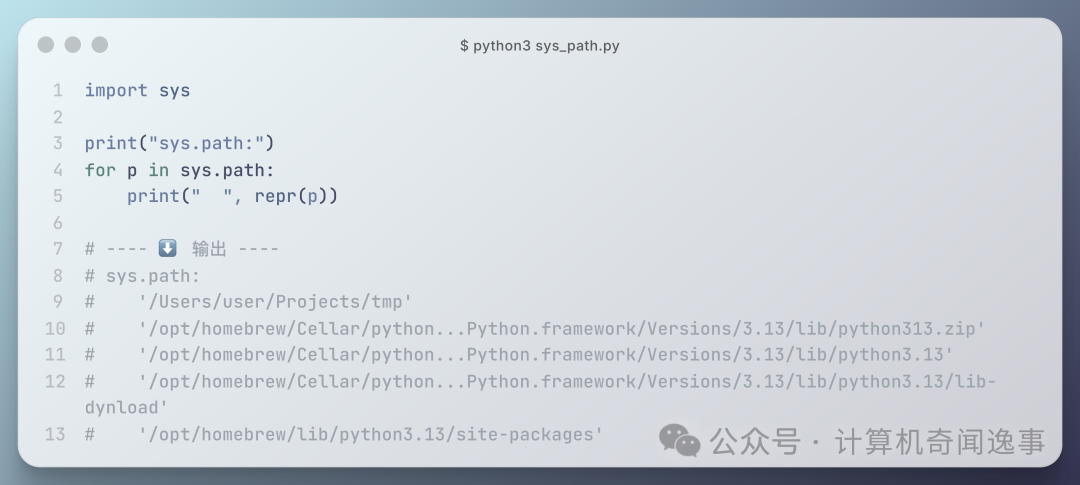
Ah, I wasted half a day on a filename.
However, this troublesome mechanism might have its uses, such as in unit testing. By overriding the <span>randint()</span><code><span> function, you can make randomness deterministic, </span><strong><span>creating a true god that does not roll dice in the coding world</span></strong><span>.</span>
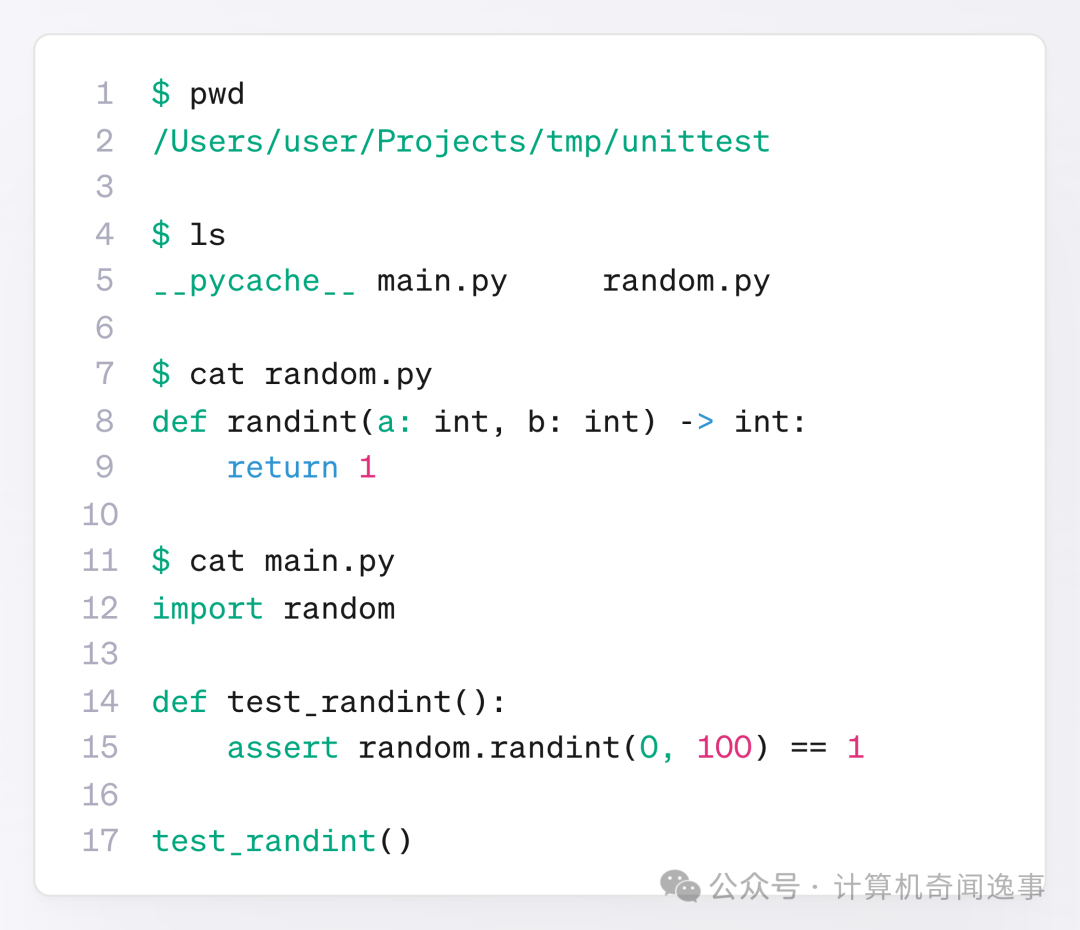
In conclusion, when naming Python source files, you should avoid naming them the same as standard libraries or common packages (like <span>random.py</span>, <span>json.py</span>, <span>requests.py</span>, etc.) to prevent the import mechanism from prioritizing your own files and blocking the standard library, leading to various inexplicable errors.
🔚 Time for a coffee break☕️