Dear Students:
Hello everyone!
Here is the Xiamen Huaxia College Wi-Fi internet usage guide.
Wireless Hotspot


HXXY-WiFi
Account Password
Account: One Card Number
Password: Last 6 digits of ID card
Note: The “One Card Number” can be viewed by entering the service number “Xiamen Huaxia College Information Service”, clicking on the menu at the bottom left corner “Micro Huaxia”, and finally entering the “Personal Center” to view your one card number (you must bind personal information before viewing).
How to Connect to Wi-Fi
1. Turn on the wireless function on your mobile phone, search for and connect to the wireless signal HXXY-WiFi.
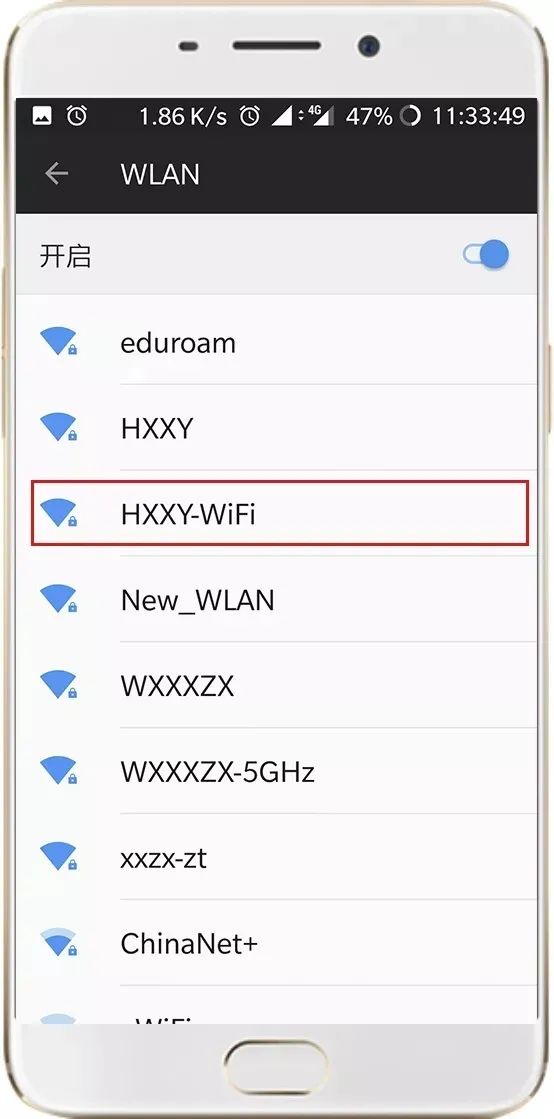
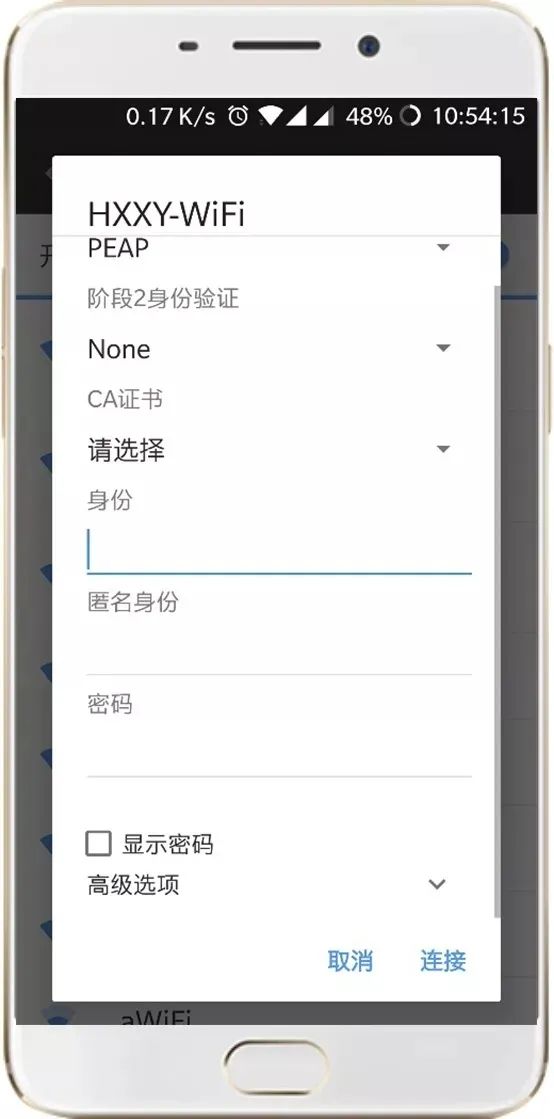
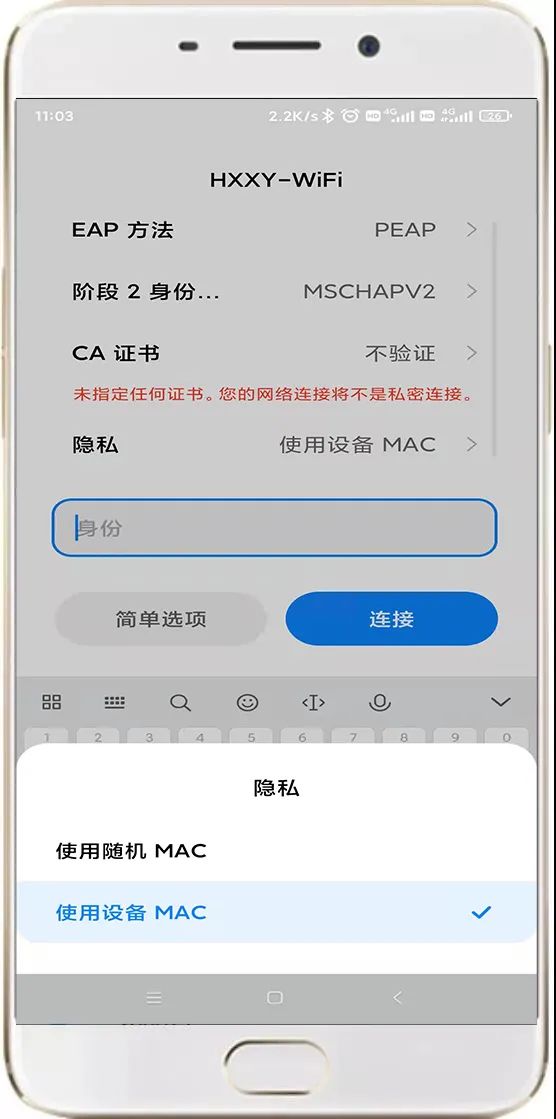
2. Enter the username and password, the initial password is the last six digits of your ID card. (For HarmonyOS and Android systems: ① Select “PEAP” for EAP method, ② Select “No verification” for Phase 2 authentication, ③ Select “No verification” for CA certificate, ④ Anonymous identity: “Do not fill in”, ⑤ Privacy choose “Use device MAC”, ⑥ If there is a domain name in the new version of the system, fill in: “smp.ruijie.com.cn”. For iOS systems: turn off the “Private Wireless Address” option).
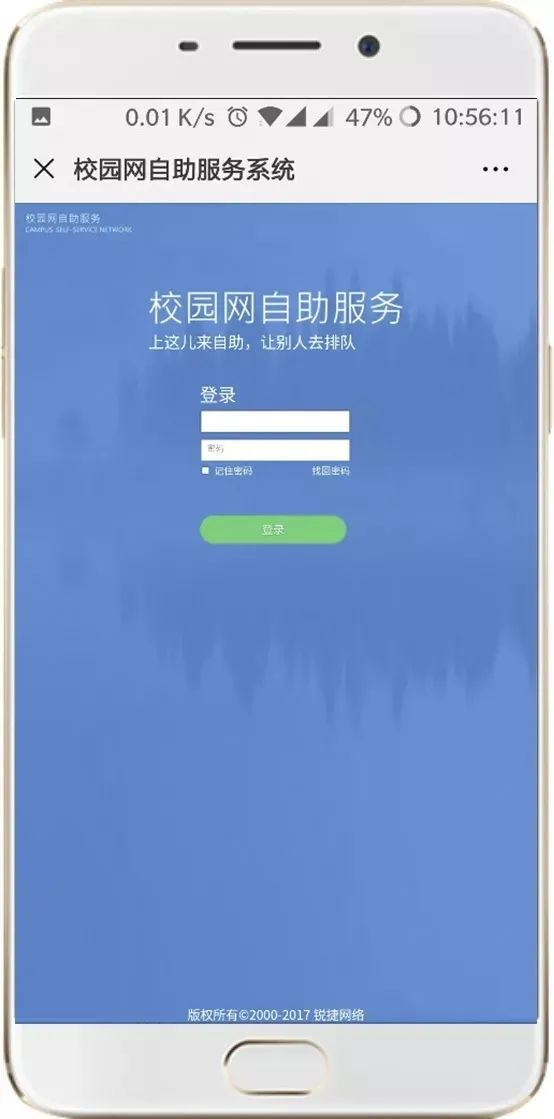
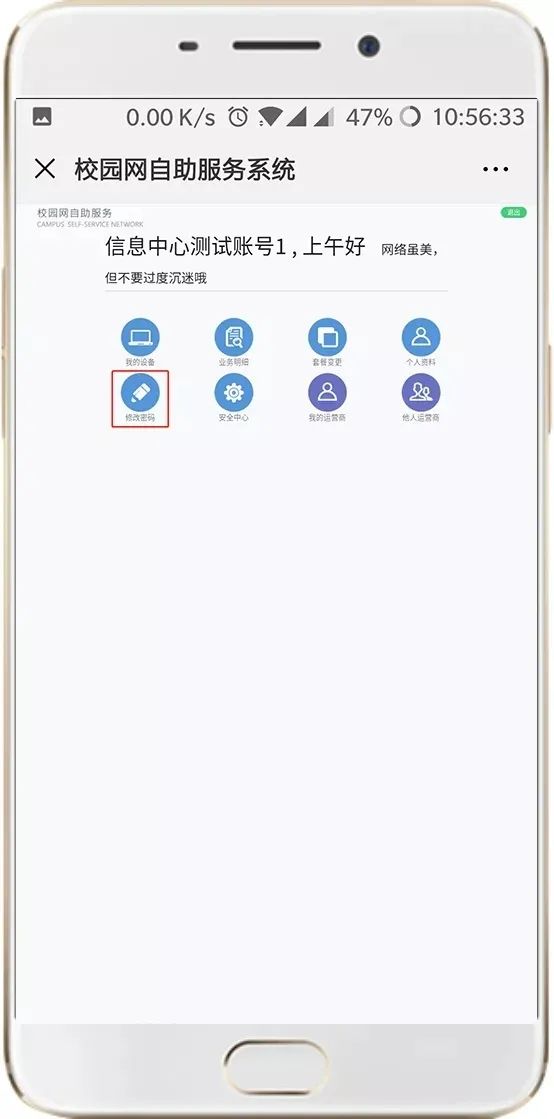
3. After connecting to Wi-Fi, users can log in to the campus network self-service system (http://netss.hxxy.edu.cn) to modify their account password. After changing the password, you will need to enter the new password the next time you connect to the wireless network.
4. After connecting to Wi-Fi, students can normally access all network services provided by our school. For example: online video library and Superstar platform, etc.
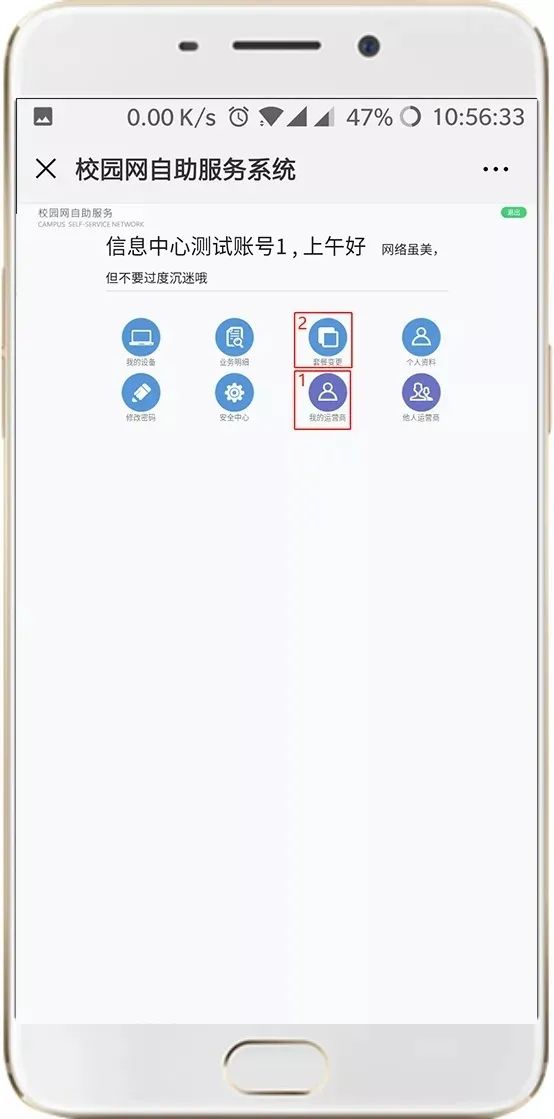
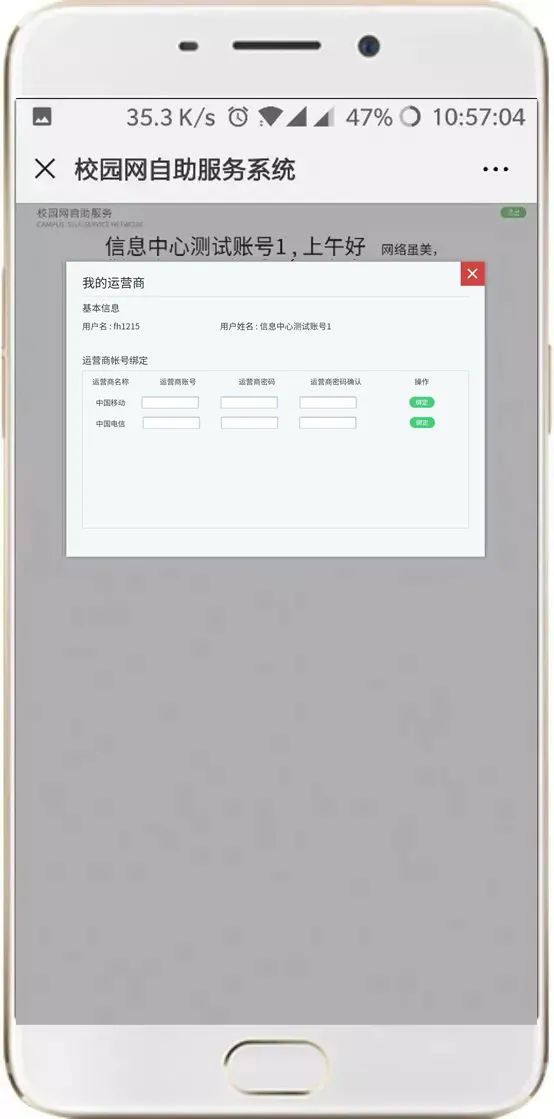
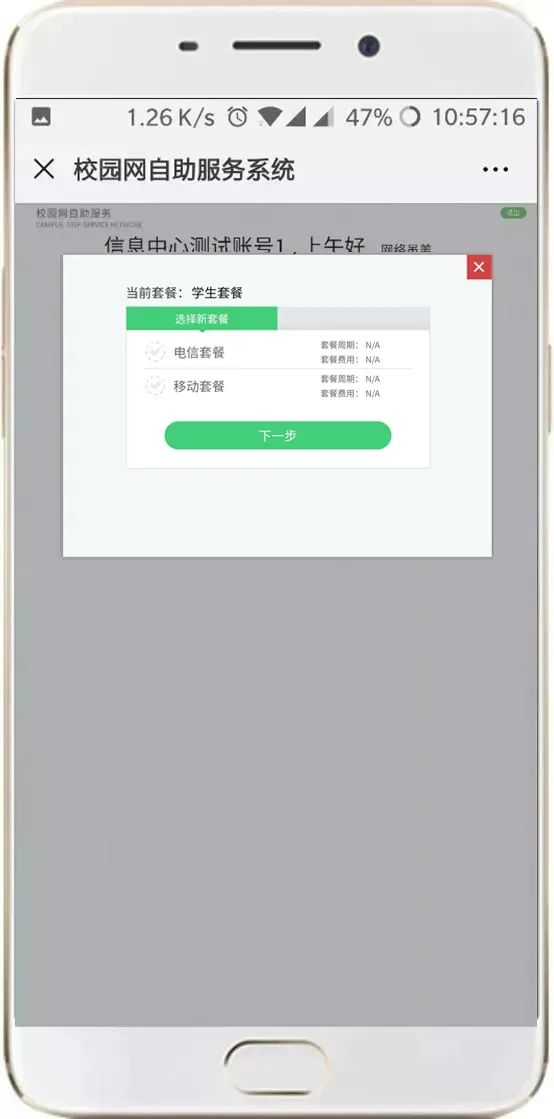
5. If student accounts have subscribed to the operator’s campus broadband package, they can open the campus network self-service system, click “My Operator” to bind the operator account, and after the binding is successful, click “Package Change” to select the corresponding operator service.
After selection, it will take about 10 minutes to take effect. After successfully binding the operator account and changing the corresponding package, connect to Wi-Fi: HXXY-WiFi, its speed will increase to the broadband speed provided by the operator, and wired authentication can also be used in the dormitory.
Note: The link address for the campus network self-service system is: http://netss.hxxy.edu.cn (for campus network access only).
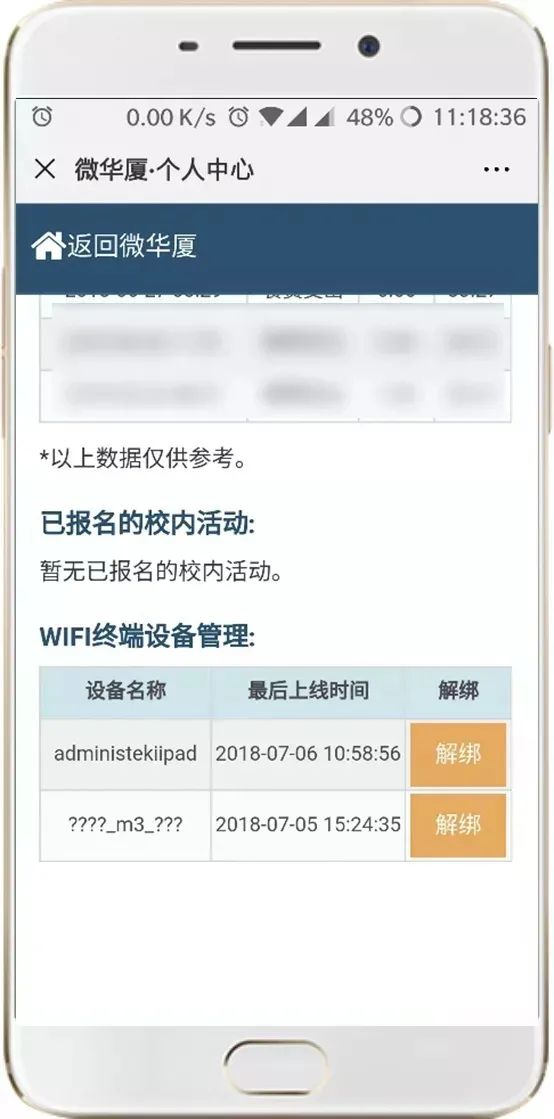
6. Student accounts are allowed to use 2 wireless terminals simultaneously. After logging in, the account will automatically bind to that mobile terminal.
If you need to change terminal devices, please first enter the personal center of “Micro Huaxia” to unbind, and then log in to the wireless network with the new terminal device.
Consultation and Fault Handling Channels

1. The campus network self-service system can retrieve passwords by itself, the email is the internal email (one card [email protected]);
2. You can bring your ID card or student ID to Room 101 of Hongtao Building to change your password;
3. Information Center Service Hotline: 6276320.
Our school’s Wi-Fi wireless network is officially open for all students to use. Connecting to the school wireless network allows free use of the network services provided by the school. If you have higher speed requirements, you can bind the operator broadband account through the campus network self-service system (http://netss.hxxy.edu.cn) and switch packages to use the operator’s network.
Friendly Reminder: Please do not unplug the AP network cable of the wireless device, as unplugging the network cable will result in no wireless network in that area.
Contact Us

Information Center Service Hotline:
0592-6276320
(Weekdays: 8:30-11:50; 13:30-16:50)
Information Center Email Address:
Information Center Official Website:
http://xxzx.hxxy.edu.cn/
Source: Xiamen Huaxia College Information Service

Editor: Li Weijia
Initial Review: Hu Kejia
Editor-in-Chief: Wu Jiaqi
Guo Rongyun
Zhu Weidong
Review Editor: Yan Guohui
Student Community Work Committee, Self-discipline Association Publicity Department (Publicity)
Hard Work | Cultivate Virtue | Distinguish Clearly | Be Practical