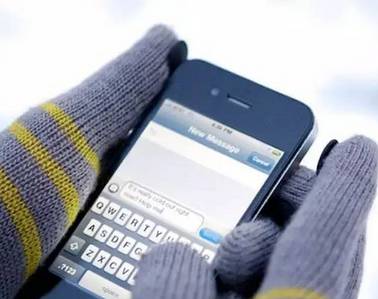
As winter approaches, do you enjoy hiding under the covers playing with your phone? But sometimes, when you go out and there’s no heating, playing with your phone can get cold after a while. I believe everyone has experienced that you can’t touch your phone screen while wearing gloves. Do you know why?
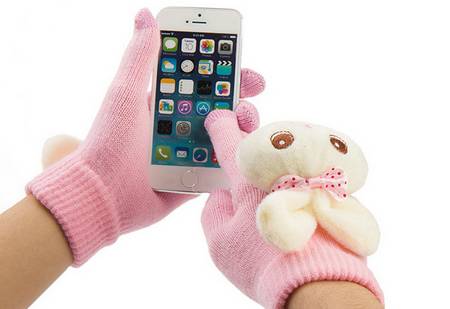
Can’t Touch the Phone Screen with Gloves
When winter arrives, you can’t touch the phone screen while wearing gloves. Have you ever thought about why? In fact, the most mainstream phone screens on the market today are called capacitive touchscreens. The inability to touch the phone screen while wearing gloves is related to the working principle of this type of touchscreen.
Reasons for Inability to Touch the Phone Screen
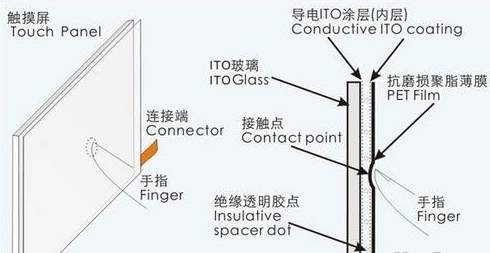
Resistive touchscreens are a type of sensor, basically a structure of film and glass. Both the film and the adjacent side of the glass are coated with ITO (Indium Tin Oxide), which has good conductivity and transparency. When a touch operation occurs, the ITO on the lower layer of the film contacts the ITO on the upper layer of the glass, sending a corresponding electrical signal through the sensor, which is converted by the circuit and sent to the processor, transforming it into the X and Y values on the screen, thus completing the touch action and displaying it on the screen.
Capacitive touchscreen technology works by utilizing the body’s electrical current. A capacitive touchscreen consists of a four-layer composite glass screen, with ITO coated on the inner surface of the glass and the interlayer. The outermost layer is a thin layer of silicate glass for protection, while the interlayer ITO coating serves as the working surface. Four electrodes are drawn out from the corners, and the inner ITO acts as a shielding layer to ensure a good working environment. When a finger touches the metal layer, due to the human electric field, a coupling capacitance is formed between the user and the touchscreen surface. For high-frequency current, the capacitance acts as a direct conductor, allowing the finger to draw a very small current from the contact point. This current flows out from the electrodes at the four corners of the touchscreen, and the current flowing through these four electrodes is proportional to the distance from the finger to the corners. The controller precisely calculates the ratios of these four currents to determine the location of the touch point.
Here is my personal speculation:
Resistive touchscreens are not afraid of gloves. From my observation, as long as you can deform the surface layer of the screen, the phone will respond.
As mentioned earlier, the positioning principle of capacitive touchscreens is through the coupling of the electric field of the human hand with the screen to form a current, drawing away the current at a certain point on the screen, allowing the phone to calculate the position of the finger. Thus, if you wear ordinary gloves, they will isolate the finger from the screen, preventing the two electric fields from coupling, and the phone will be unable to calculate the position of the finger.
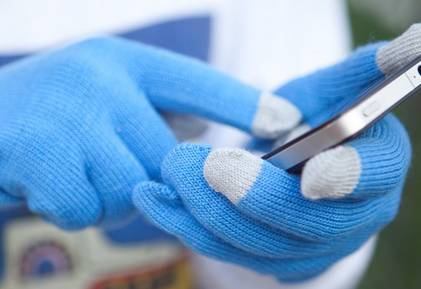
Currently, touch screen gloves on the market incorporate conductive fibers into the fabric at the fingertips, allowing the human electric field to extend to the fingertip of the glove, enabling control of the touchscreen.
Principle of Capacitive Touchscreens
Capacitive touchscreen technology works by utilizing the body’s electrical current. A capacitive touchscreen consists of a four-layer composite glass screen, with ITO coated on the inner surface of the glass and the interlayer. The outermost layer is a thin layer of silicate glass for protection, while the interlayer ITO coating serves as the working surface. Four electrodes are drawn out from the corners, and the inner ITO acts as a shielding layer to ensure a good working environment. When a finger touches the metal layer, due to the human electric field, a coupling capacitance is formed between the user and the touchscreen surface. For high-frequency current, the capacitance acts as a direct conductor, allowing the finger to draw a very small current from the contact point. This current flows out from the electrodes at the four corners of the touchscreen, and the current flowing through these four electrodes is proportional to the distance from the finger to the corners. The controller precisely calculates the ratios of these four currents to determine the location of the touch point.
Methods to Modify Gloves
First Method: You can make some modifications to the fingertips of the gloves by sewing on a bit of non-woven fabric or leather to increase friction, preventing the phone from slipping off! You can swipe the screen freely!
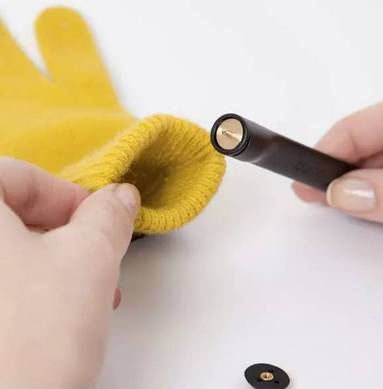
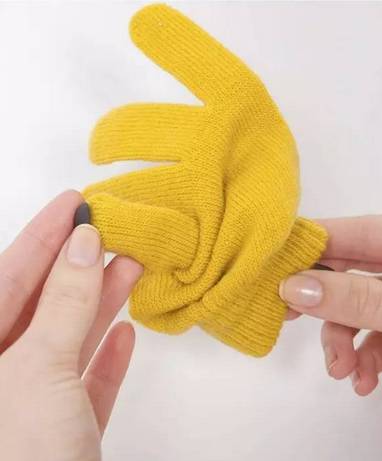

Second Method: You can sew with silver-plated nylon thread or DMC cross-stitch thread at the areas that are frequently swiped, as shown in the image below.

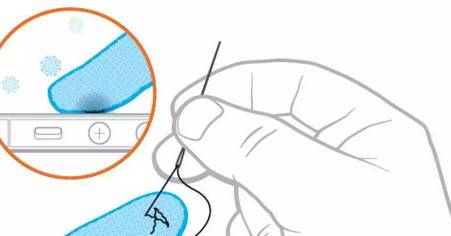
Note: The sewing position should be determined based on your hand, so try it out a few times for more accurate touchscreen positions!
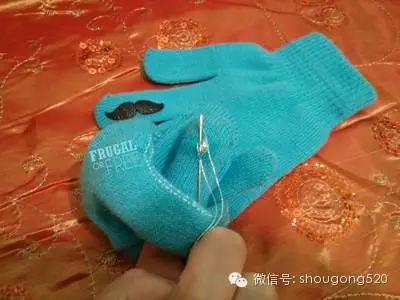
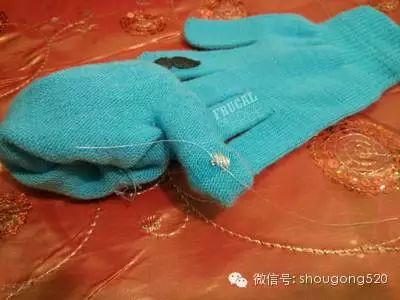
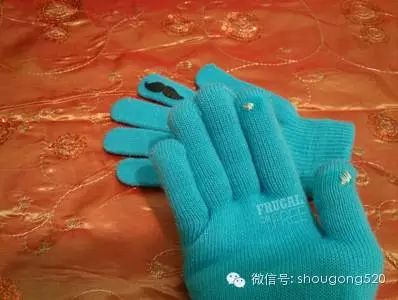
Third Method: You can choose gloves that can be modified into a “flip cover” style!


Source: Tengniu Health Network
“Public Science Popularization” Micro Science

Long press the QR code for automatic recognition and follow
Organized by Wencheng Science AssociationLove Science, Learn Science, Speak Science, Use Science