Classic Setup Methods for TP-Link Wireless Routers

As more users share internet access at home and connect laptops to the internet via wireless routers at work, wireless routers have become increasingly popular due to their affordability and the ability to use both wireless and wired connections simultaneously. This article discusses the setup of TP-Link wireless routers. Generally, there are two types of … Read more
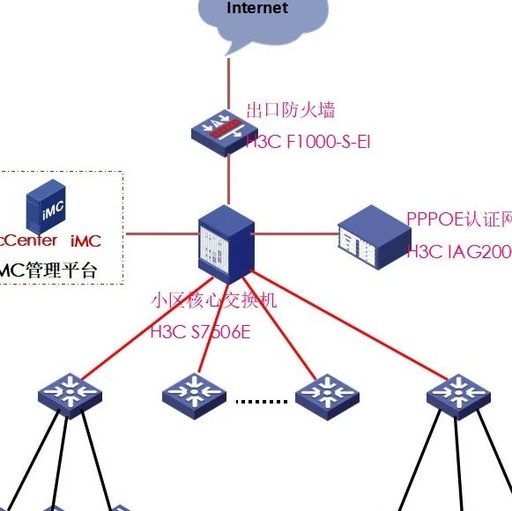
How to Network Community Networks? Distribution of Switches?

How to Network Community Networks? Distribution of Switches?

Some friends have commented on how to distribute and network community switches?This topic has also been discussed in our weak current VIP technical group.In this issue, let’s understand about how to network community networks? Distribution of switches? Analysis of the community switch networking structure 1. The access layer switches use a hundred megabit to the … Read more

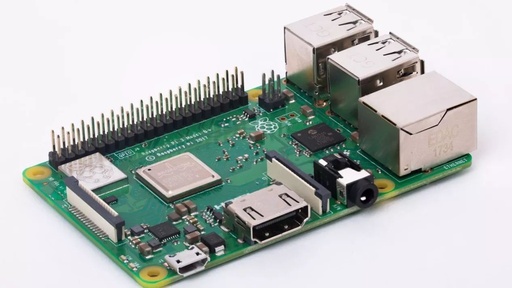
Raspberry Pi 3 B+ vs 3 B: Key Differences Explained

Raspberry Pi 3 B+ vs 3 B: Key Differences Explained

Raspberry Pi 3 B+ vs 3 B On Pi Day, Raspberry Pi released a new product, the 3B Plus, after a two-year hiatus. For Pi enthusiasts, aside from the headline about Stephen Hawking celebrating Einstein’s birthday, this news is undoubtedly the most exciting. Compared to the 3B, although it only adds a ‘+’, there are … Read more

How to Install and Configure PPPoE Server on OpenWRT

How to Install and Configure PPPoE Server on OpenWRT

Installing PPPoE on OpenWRT: 12 opkg update opkg install rp-pppoe-server Configuring PPPoE: 123456789 cat > pppoe-server-options << EOF # PPP options for the PPPoE server # LIC: GPL require-chap login lcp-echo-interval 10 lcp-echo-failure 2 ms-dns 8.8.8.8 EOF Setting up PPPoE account and password: 1234 cat > /etc/ppp/chap-secrets << EOF #USERNAME PROVIDER PASSWORD IPADDRESS www.haiyun.me * … Read more