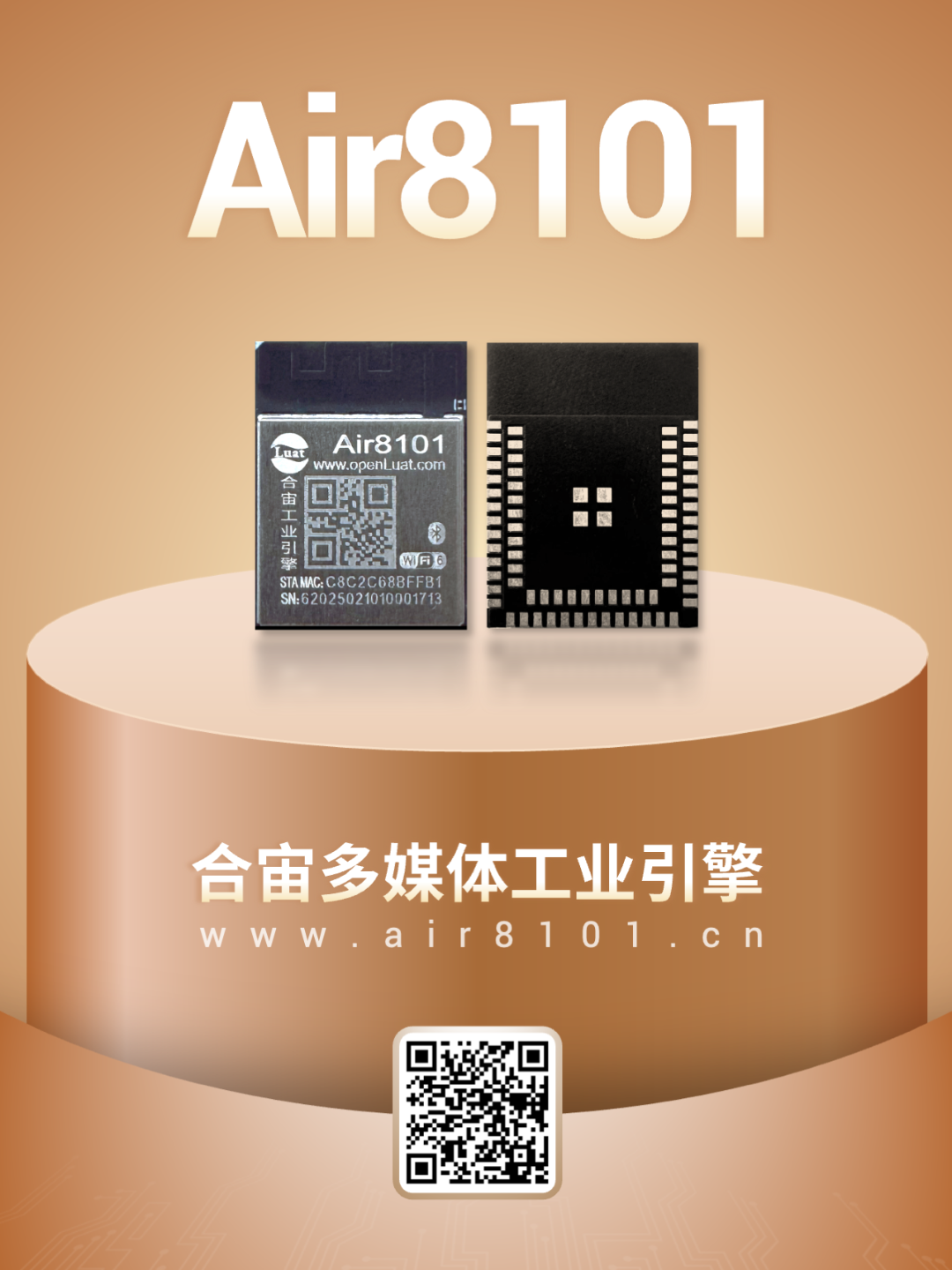
The Air8101 is a high-performance industrial engine that supports 2.4G WiFi6 and dual-mode Bluetooth (Classic Bluetooth and BLE 5.4).
In addition, the Air8101 supports an Ethernet MAC interface—achieved through an RMII external PHY chip (such as LAN8720Ai), enabling 100Mbps Ethernet communication.
This article mainly focuses on key considerations in the design of the external Ethernet PHY chip LAN8720Ai from a hardware design perspective, without delving deeply into software development.
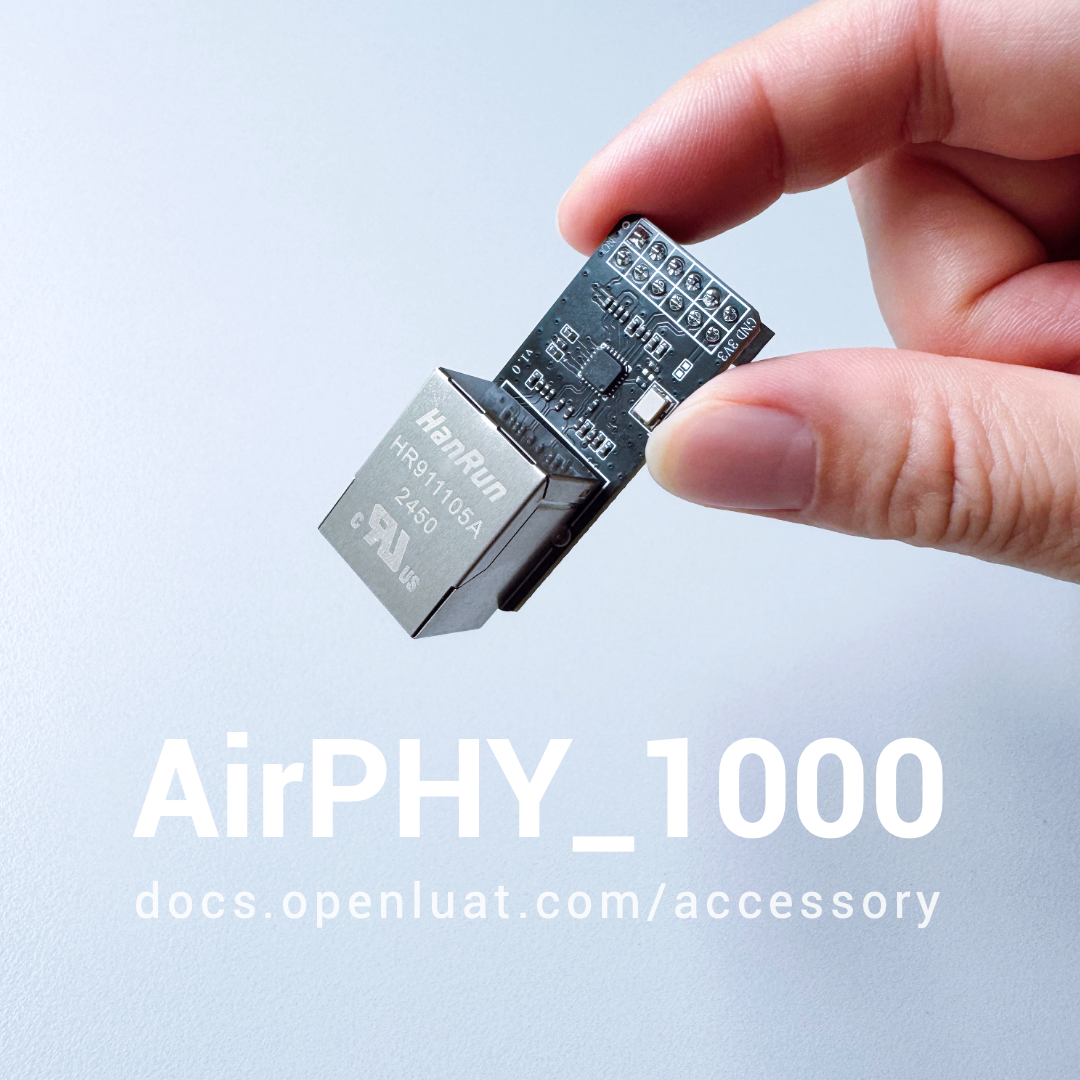
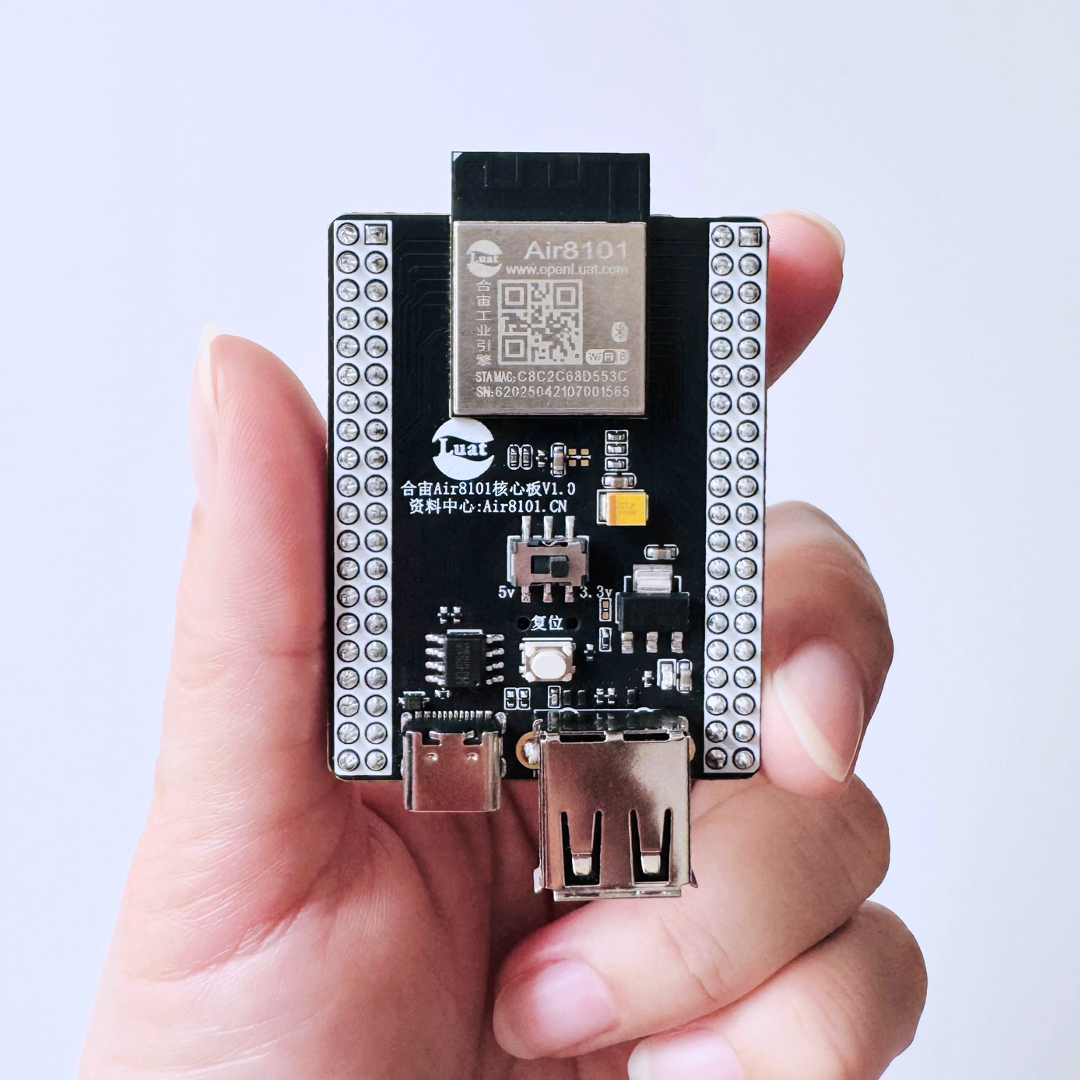
To facilitate quick development and testing, Hezhuo also provides an Ethernet accessory board equipped with the LAN8720Ai chip, which can be used with the Air8101 core board.
1
Ethernet Function Related Pins
The Air8101 industrial engine has two sets of pins that can be used as an Ethernet MAC layer interface for the external PHY chip (such as LAN8720Ai)—only one set of these pins can be configured at a time; both sets cannot be configured simultaneously.
The pins related to Ethernet functionality are indicated in the orange and blue boxes in the figure below:
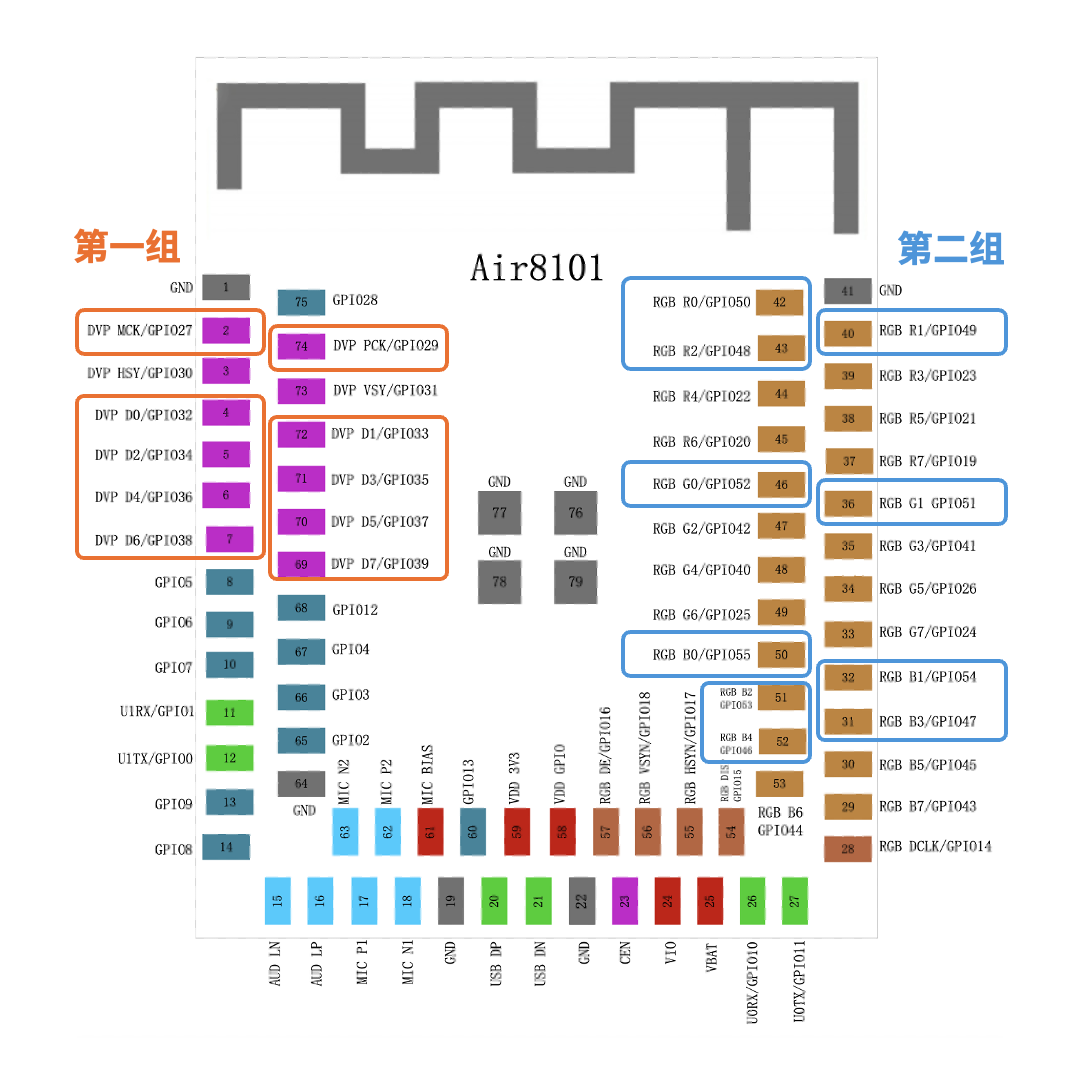
▼ First Set of Pins ▼
-
Pin numbers are:2, 4, 5, 6, 7, 69, 70, 71, 72, 74.
-
Note when using:
This set of pins has multiplexing functions; in addition to being used for Ethernet, they can also serve as GPIO, UART, ADC, UART, PWM, I2C, SPI, and DVP;
During project design, if other multiplexing functions are used, they cannot be used for Ethernet.
▼ Second Set of Pins ▼
-
Pin numbers are:31, 32, 36, 40, 42, 43, 46, 50, 51, 52.
-
Note when using:
This set of pins also has multiplexing functions; in addition to being used for Ethernet, they can also serve as GPIO, CAN, SPI, and RGB;
During project design, if other multiplexing functions are used, they cannot be used for Ethernet.
2
Hardware Design Guidance
Hezhuo providescomplete hardware development reference designs for the Air8101 as well as overall power design specifications, which can be referenced in detail at the link below.
Air8101 Hardware Reference Design:
https://docs.openluat.com/air8101/luatos/hardware/design/reference/
Reference designs and considerations related to Ethernet functionality are as follows:
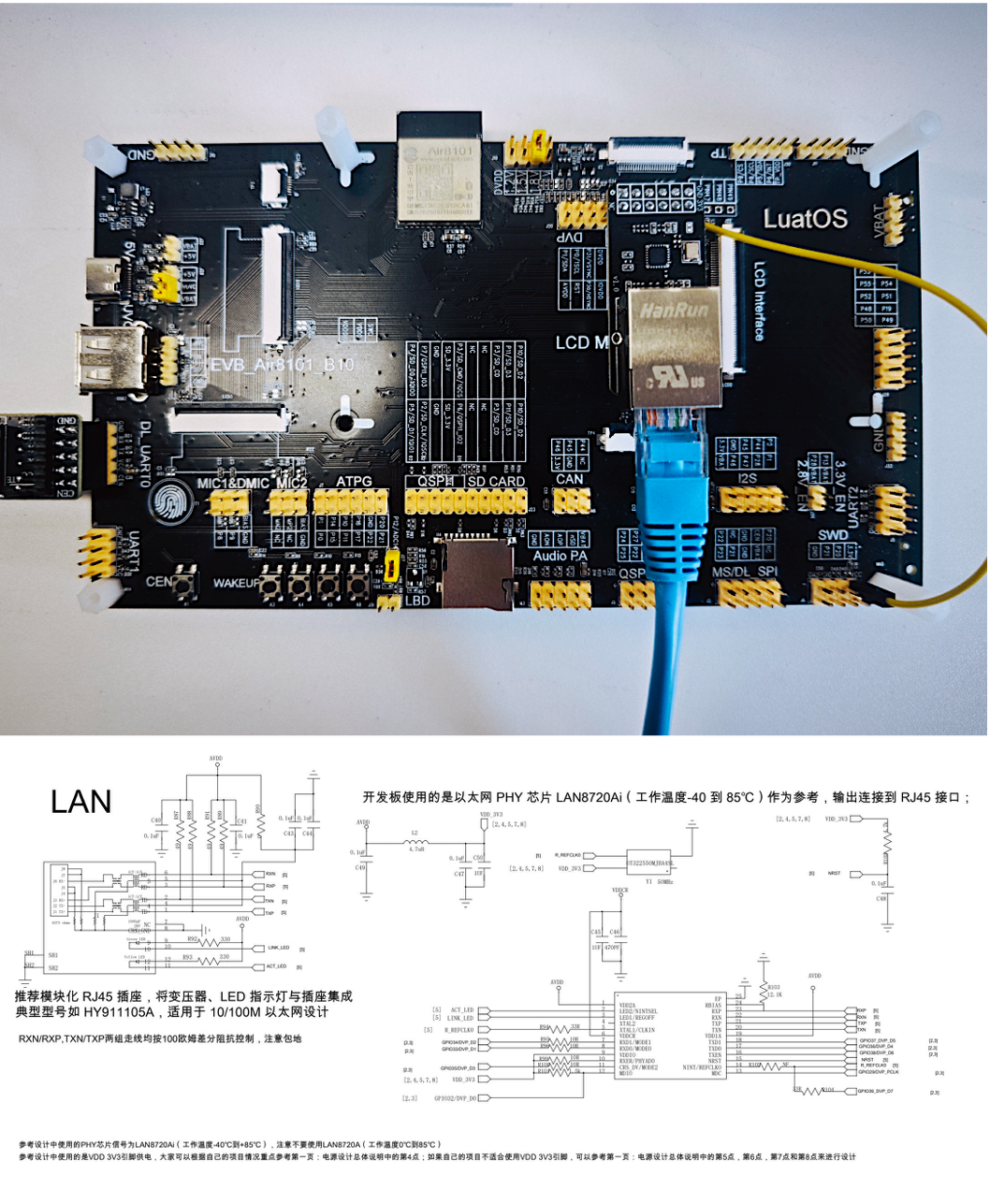
▼ Design Considerations ▼
-
It is recommended to place the PHY transceiver chip close to the RJ45, with a distance of more than 5mm and less than 20mm between them;
-
The PHY transceiver chip and RJ45 should belong to different ground planes (DGND and PGND), connected at a single point through capacitors/resistors;
-
The RXN/P and TXN/P traces between the PHY transceiver chip and RJ45 should be controlled according to single-ended 50-ohm characteristic impedance or differential 100-ohm impedance;
-
Maintain a distance of more than three times the trace width between RXN/P, TXN/P and LINK_LED and ACT_LED.
3
Key Knowledge Points
In addition to hardware design materials, Hezhuo’s resource center continuously updates software development-related content to facilitate quick onboarding.
Ethernet demo practical operationcan be referenced at the link below:
Open Source: Quick Implementation of Ethernet Functionality on Air8101
Air8101 supports both WAN and LAN modes, which can be flexibly selected based on actual needs.
1) About WAN:
The Air8101 acts as a network device, connecting to a router via the Ethernet interface to transmit data over the internet through the router.
The WAN functionality of the Air8101 supports both DHCP and static IP.
2) About LAN:
This refers to the mode where the Air8101 is used as a router, with other devices that need internet connectivity connected to the Air8101 via Ethernet. The Air8101 can connect to the external network via Wi-Fi or through an external 4G module.
The LAN functionality of the Air8101 includes a built-in DHCP server, DNS forwarding server, and NAPT functionality.

That’s all for today’s content; feel free to join the technical discussion group or contact the person in charge for further discussion.
One to Four, USB Multi-Camera Data Acquisition and Processing
Two HMI Development Frameworks for Air8101: LVGL and AirUI
How to Design and Place Antennas? Three Common Layout Points
For more development materials, visit: www.air8101.cn

▼ Learn More About Hezhuo ▼
4G + Positioning + WiFi + Bluetooth, Air8000 Complete Development BoardNew Products: Air8101 Core Board + Accessory Board
Hezhuo’s low-power 4G module, adding four more hardcore new products