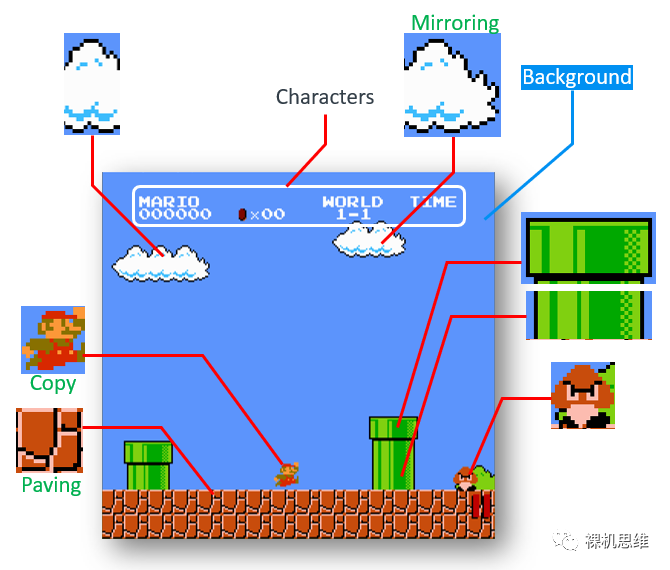
(The technology for 2D graphics processing has actually matured since the era of the NES; what the 6502 could do, the Cortex-M can naturally handle as well.)
【Introduction】
In our previous article “What is an Embedded System (Part 2) – The Deposition Model”, we mentioned:
Current computer technology is approximately 20 years ahead of embedded technology. Today, embedded systems are comparable in resources, theory, and methodology to the cutting-edge computer technology of the 1980s.
GorgonMeducer, silly child, public account: Bare Metal Thinking – What is Embedded (Part 2) – “Gravity” and “Deposition”.
This means that as of 2021, some technologies that were applied to personal computers at the beginning of this century may gradually be introduced into deep embedded systems (Deep Embedded System)—the typical examples of such systems are the well-known microcontrollers or Cortex-M processors.
Just in April, Arm quietly and tentatively released a 2D graphics acceleration library specifically for all Cortex-M processors on GitHub—Arm-2D (link below): https://github.com/ARM-software/EndpointAI/tree/master/Kernels/Research/Arm-2D. According to the description in the GitHub repository’s README, we can simply understand this 2D graphics acceleration library as a “graphics driver” standard specifically for Cortex-M processors. Although the term “graphics driver” is somewhat exaggerated—no Cortex-M processor seems to “deserve” a graphics card—it’s not too far off. According to the latest trends, as microcontroller resources gradually increase (higher-end process nodes are gradually decreasing in price), processors are not only running faster and having larger memory, but many manufacturers have already considered or are considering equipping Cortex-M processors with dedicated 2D graphics acceleration engines—in this regard, ST and NXP are leading the way—everyone is already familiar with Chrome-Art (also known as DMA2D). In fact, some chip companies are considering equipping the next generation of Cortex-M processors with real 2D-GPUs. In this context, perhaps to avoid the suspicion of being an “April Fool’s project”, the launch of Arm-2D intentionally avoided April 1st—this conveys a clear signal from the industry:Brothers, this is not a drill; an era of dedicated 2D graphics acceleration for Cortex-M is upon us.
【What is the significance of the graphics driver for Cortex-M?】
Arm is an “old” player in the industry ecosystem—almost all actions are considered from an ecological perspective—so to understand why Arm is customizing a graphics driver for “Cortex-M” at this time, we must understand what has happened in the entire deep embedded ecosystem. To do this, let’s imagine:
You are a product manager at a chip company:
-
You believe that smart watch applications should be very popular, or that smart IoT terminal devices with color screens should be very popular.
-
Considering low power consumption and low cost, it seems reasonable for some products to use Cortex-M (instead of Cortex-A). Thus, your company defines a Cortex-M processor equipped with a 2D graphics acceleration engine.
-
The chip is quickly produced, and the development board is equipped with a 480*272 resolution touch screen, combined with a specially designed PCB (and a highly recognizable PCB color)—it looks high-end! Atmospheric! Classy!
-
But then the problem arises:
- There is absolutely no third-party 2D benchmarking software for microcontrollers (bare metal or RTOS)—how can you showcase the power of your hardware? How can evaluation agencies present complex 2D processing in simple numerical forms to the public?
- There are so many third-party GUI providers, all of whom have GUI products for Cortex-M chips, but how can I convince them to add support for my chip?
You are a GUI software provider:
-
You previously had some fame in Cortex-A and Linux environments.
-
Recently, you have seen many software companies targeting the deep embedded market, providing customized GUI products, such as Microsoft’s GUIX and Qt’s Qt for Cortex-M. So you quickly provided corresponding GUI products, but then the problem arose:
-
There is absolutely no third-party 2D benchmarking software for microcontrollers……
-
Unlike the relatively standardized software environment of Cortex-A and Linux, the deep embedded environment is too fragmented:
-
Different LCD specifications
-
Different hardware interfaces for connecting LCDs (different LCD bandwidths)
-
Different operating methods for LCDs (with or without LCD peripheral drivers, types of drivers)
-
Different resources for target chips, different system frequencies
-
Different software environments—RTOS varies widely, and there are even bare metal systems
-
2D graphics acceleration hardware provided by chip manufacturers is all different…
-
In summary, to support a hardware platform, one must port and customize for its hardware…
-
Considering limited team resources, the hardware that can be “officially” supported is also limited…
In summary:
-
Chip manufacturers provide “customized” 2D graphics acceleration hardware to give their chips a “differentiated” selling point—but from another perspective, this actually exacerbates hardware fragmentation. At the same time, chip manufacturers are also struggling to find a large number of GUI protocol stacks to provide software support for their chips;
-
GUI software providers are struggling with the huge porting workload caused by hardware fragmentation. They hope their teams can focus more on developing the GUI itself, rather than being exhausted from providing “official support” for new hardware platforms.
Suddenly, one day, both parties, exhausted and panting, felt something was wrong, and they silently turned their heads towards Arm—the so-called neutral third party in this ecosystem…

Thus, under the eager gaze of everyone, Arm timidly threw a graphics driver standard called Arm-2D on GitHub, proposing the following proposal: “How about… I provide an API abstraction layer?”
-
Chip manufacturers: Just write the driver for your 2D acceleration engine according to my standard—and you will instantly gain support from all GUIs based on Arm-2D;
-
GUI providers: Wherever your GUI needs to use hardware acceleration, you can directly call the API I provide—if the chip actually has hardware acceleration, it will naturally get accelerated; if the chip does not have hardware acceleration, then use my software optimization algorithm—overall, it means one porting, usable everywhere, regardless of whether there is actual hardware acceleration.
-
For bare metal users: Don’t worry, I know your hardware platform resources are tight—you can’t afford a professional GUI protocol stack: you generally either don’t use a GUI, or you just write a simple GUI yourself—don’t worry: Arm-2D also brings you a big gift, allowing you to easily achieve “those previously unimagined paths”.

“What?” Bare metal users exclaimed : “Isn’t this a B2B matter? Why suddenly do we have benefits?”
Let’s keep it a mystery for now; we’ll discuss it later in the article.
【2D Processing Benchmarking for Deep Embedded Systems】
Although there is no intention to establish third-party 2D benchmarking, Arm-2D provides a reference 2D performance benchmark to demonstrate the 2D processing capabilities of different processors (and different hardware accelerators) under typical GUI loads, based on the attitude of “if you really can’t find it, just do it yourself“: the official name is: Minimal Frequency Required for 30FPS (MHz). The actual principle is as follows:
-
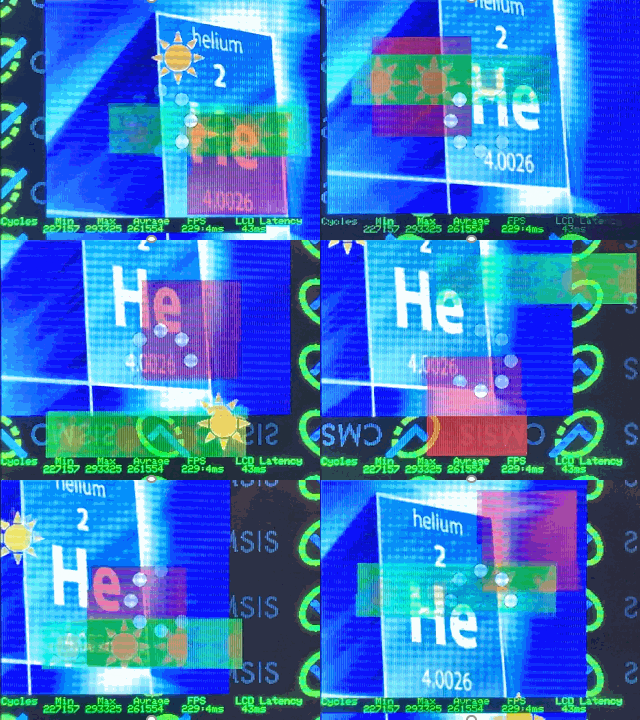
Establish a typical 2D graphics processing load to simulate the workload and complexity required in daily GUI application scenarios (approximately as shown below):
-
Let different layers float at different speeds and angles to cover more possible situations—simulating different complexities that may occur in daily GUIs;
-
Render 1000 frames, record the CPU clock cycles consumed for each frame, and provide minimum, maximum, and average values.
-
Use the average number of cycles required for frame rendering to calculate the “minimum processor frequency required for 30FPS”—and use this value as the benchmark result.
It is worth noting that:
-
This benchmarking software does not count the time consumed for “sending data from RAM to LCD” when counting the cycles required to render a frame—because the time consumed for “refreshing the video memory” is determined by the connection method between the chip and the LCD (or the transmission bandwidth) and is unrelated to the chip’s 2D graphics processing capability.
If you really care about the actual FPS of the system under a certain LCD connection method, just measure the time consumed for “refreshing the video memory” (for example, in milliseconds) and add it to the average time required for rendering a frame. For example, in the effect shown in the above GIF, the LCD Latency (the time required for “refreshing the video memory”) is 43ms, while the average time required for rendering a frame is 4ms (229FPS). Overall, the actual time consumed for one frame is 43+4 = 47ms (for simplicity, directly calculated as 50ms), at this point, we can consider the final frame rate to be approximately 20FPS (1/50ms).
-
In fact, many friends often see graphical effects like those shown in the previous GIF and sarcastically say: “Hmm, very cool, I just want to know how much processing power is left for the processor to handle specific applications after doing this.” In fact, the “minimum clock frequency required for 30FPS” is designed to intuitively answer this question.
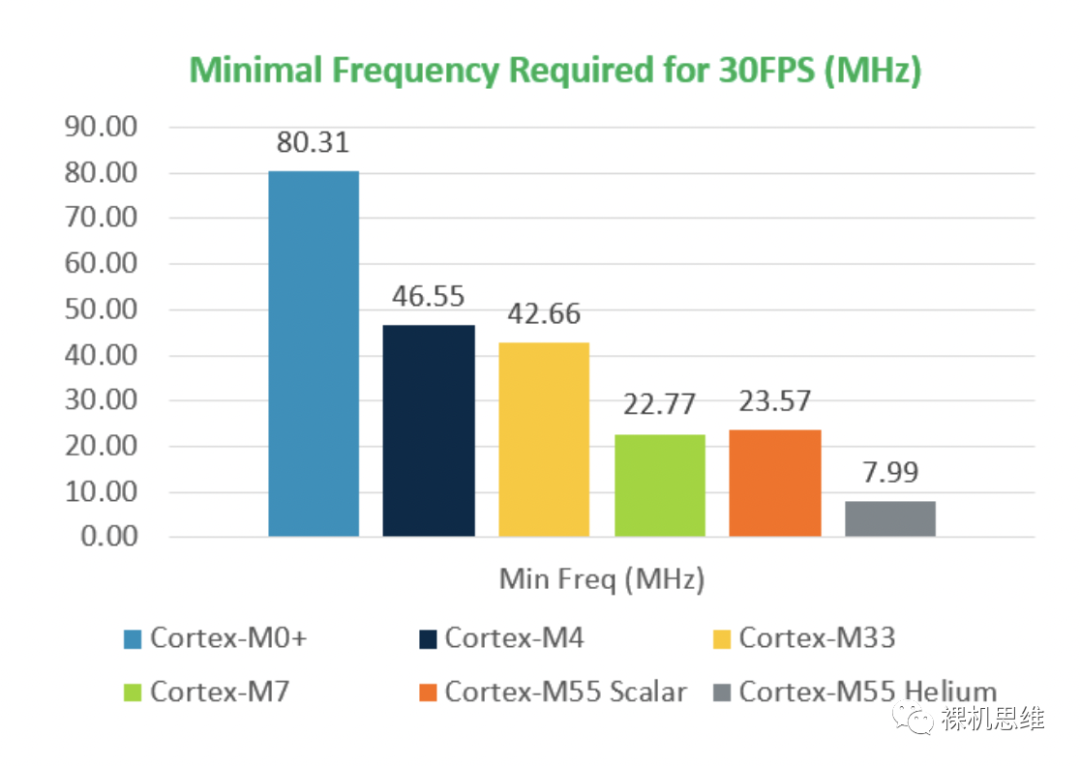
The table above lists several commonly used Cortex-M processors and the minimum frequency required to achieve a refresh rate of 30 frames per second at a resolution of 320*240 (RGB565) purely relying on “processing itself” without using a “dedicated 2D graphics accelerator”. For example:
-
Cortex-M0+ requires about 81MHz, in other words: if your Cortex-M0+ runs at 133MHz, you still have 52MHz of CPU performance available for applications.
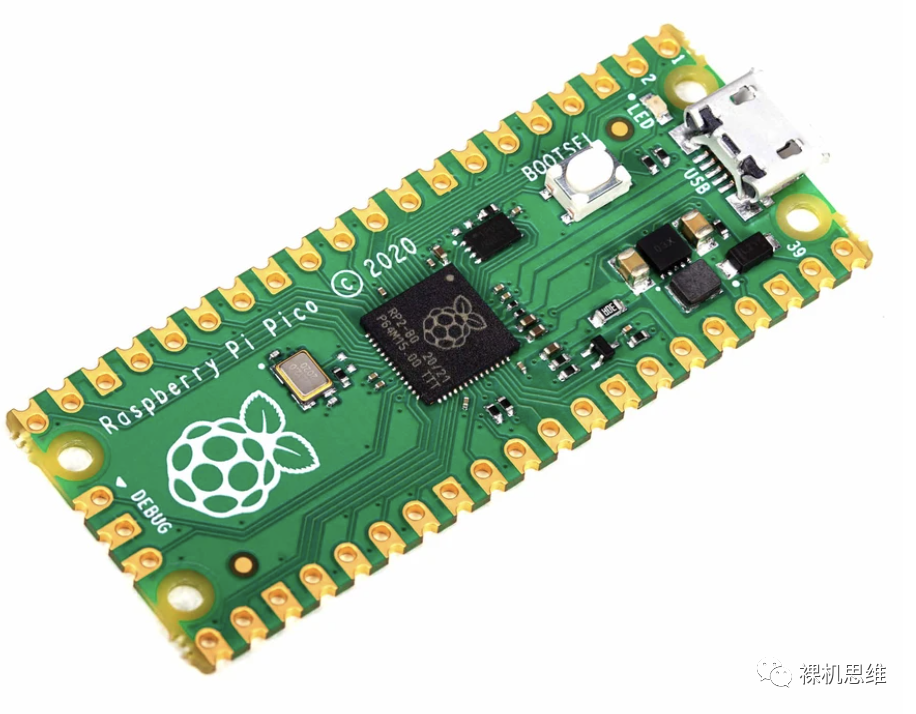
The dual-core Cortex-M0+ running at 133MHz on Raspberry Pi Pico is ecstatic
-
Cortex-M3/M4 requires about 47MHz, meaning if your chip runs at 72MHz, you still have about 25MHz for specific applications (by the way, which Cortex-M4 these days doesn’t run at over 100MHz?)
-
It is worth noting that the new generation Cortex-M55 can surprisingly match the superscalar pipeline Cortex-M7 without using SIMD acceleration—both are under 24MHz, which is quite unexpected.
-
Moreover, the Cortex-M55 using SIMD instruction set acceleration (Helium instruction set) only needs 8MHz to achieve a refresh rate of 30FPS—which is truly astonishing.
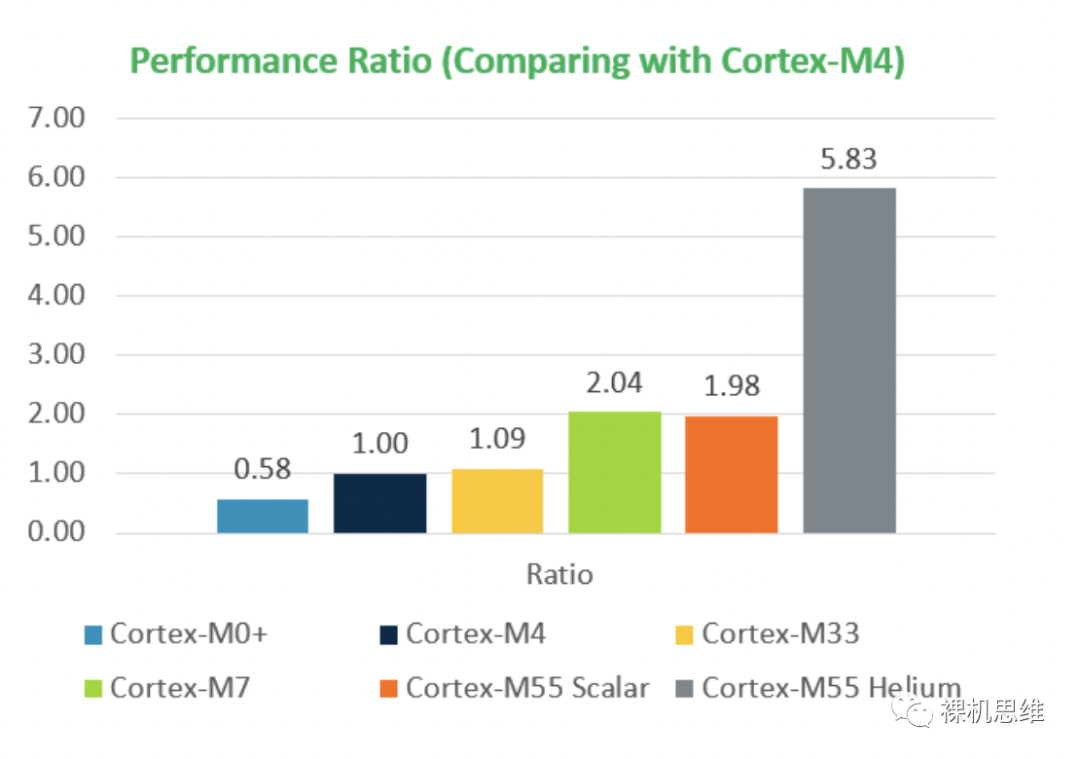
More intuitively, here is the official comparison of 2D performance multiples (with Cortex-M4 performance as the baseline). Cortex-M55 Helium is nearly 6 times the performance of Cortex-M4 and 10 times that of Cortex-M0!—If Arm-2D is a graphics driver, then Cortex-M55 Helium is a Cortex-M processor with an integrated “integrated graphics card“.
Finally, it is worth noting that: Arm-2D provides this benchmark MDK project in the Git repository—located in the “examples/alpha_blending” path. If you are very curious about the 2D processing performance of your hardware, you only need to provide the following interfaces to give it a try:
-
A function for drawing bitmaps to the LCD, GLCD_DrawBitmap(), please refer to:
https://github.com/ARM-software/EndpointAI/blob/master/Kernels/Research/Arm-2D/examples/alpha_blending/display_adapter/display_adapter.c
The function prototype is:
/** \fn int32_t GLCD_DrawBitmap (uint32_t x, uint32_t y, uint32_t width, uint32_t height, const uint8_t *bitmap) \brief Draw bitmap (bitmap from BMP file without header) \param[in] x Start x position in pixels (0 = left corner) \param[in] y Start y position in pixels (0 = upper corner) \param[in] width Bitmap width in pixels \param[in] height Bitmap height in pixels \param[in] bitmap Bitmap data \returns - \b 0: function succeeded - \b -1: function failed*/int32_t GLCD_DrawBitmap (uint32_t x, uint32_t y, uint32_t width, uint32_t height, const uint8_t *bitmap);-
A pair of macros defining the actual resolution of the LCD:
#define GLCD_WIDTH 320 /* Screen Width (in pixels) */#define GLCD_HEIGHT 240 /* Screen Height (in pixels) */Finally, please note that the benchmark results of your hardware may not necessarily match the official data, as they depend on environmental factors such as the speed of the corresponding platform’s RAM and Flash, and whether there is cache—official data is obtained under ideal conditions of “SRAM single-cycle access” and “program execution in RAM”.
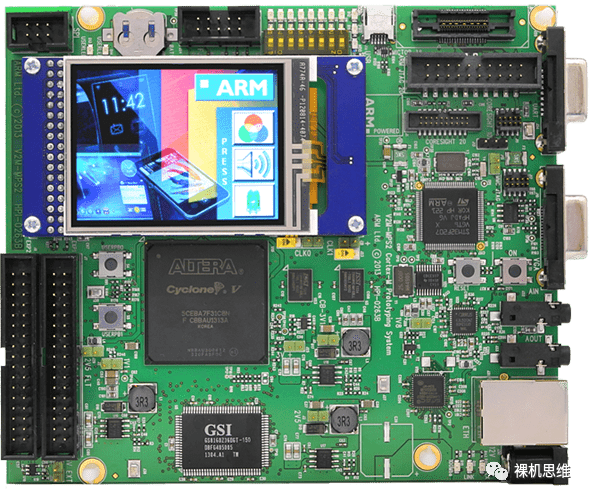
In fact, the example project already provides support for several hardware platforms, such as Arm’s official MPS2 platform (https://developer.arm.com/tools-and-software/development-boards/fpga-prototyping-boards/mps2):
MPS3 platform (https://developer.arm.com/tools-and-software/development-boards/fpga-prototyping-boards/mps3):
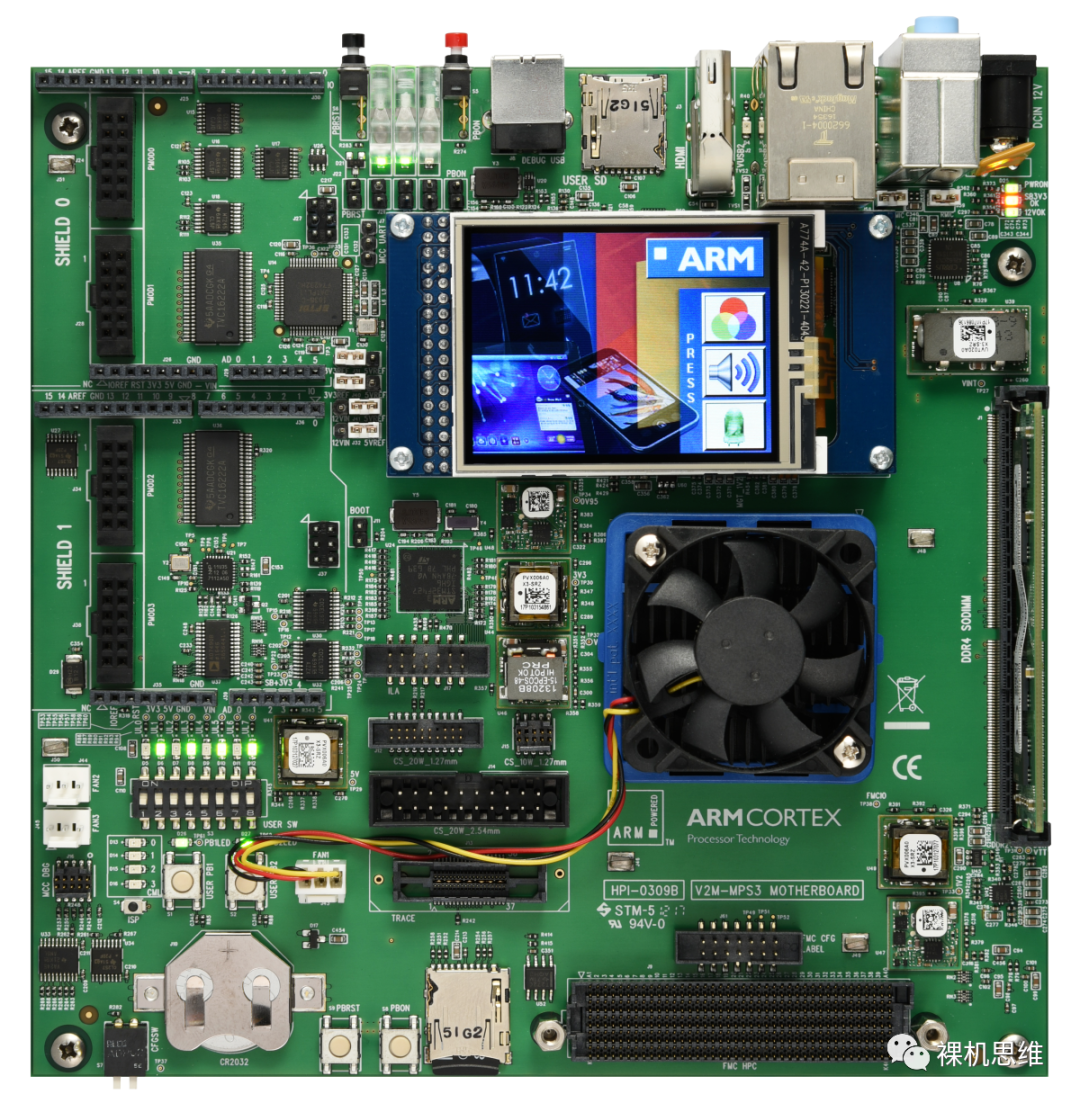
—of course, such divine boards are generally not available to the average person. If you have the official MDK, you can actually use simulators like FastModel to try it out (note: the benchmark results from the simulator are completely unreliable).
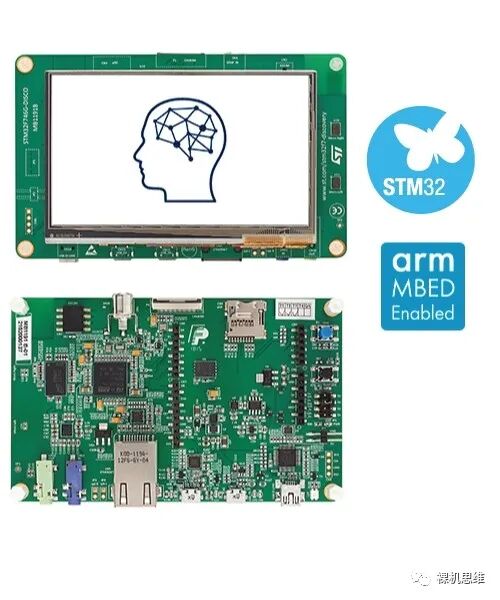
Alternatively, if you are lucky enough to have the STM32F746G-Discovery development board supported by the official project (who doesn’t have one for GUI evaluation?) you can directly compile and download it.
【What are the benefits for ordinary users?】
For ordinary users using RTOS and bare metal, your hardware platform may be as follows:
-
The chip resources are very small, about 64K Flash, 4~32K SRAM;
-
The target application has no strict frame rate requirements, basically, as long as the user presses a button, a response within 1 second (or even 2 seconds) is acceptable—such as in coffee machines, control panels for low-end devices, etc.—in short, a frame rate around 1FPS;
-
Although the product is low-cost, it still wants to achieve a smartphone-like interface through a color screen:
-
Animation is not desired, but the interface should look good.
-
The internal Flash is also not large (but can use QSPI to connect external Flash to save some textures), hoping to achieve a relatively gorgeous interface through simple texture combinations.
-
Has transparency effects (Alpha-blending)
-
Can repeat textures on a large scale in specified areas (Texture Paving)
-
Can achieve irregular forms
-
Can implement cursors (through masking) (Colour-Masking)
-
If possible, hope the screen size is as large as possible
In fact, such chip resources are very common—just grab a Cortex-M0/M3 and you’re good to go. Considering that the LCD screen, as a face project, is not too expensive—if you can use a color screen to achieve a smartphone-like interface (without animation) to enhance the product’s appeal, the product’s competitiveness will definitely be “top-notch”. The problem arises, 4K~32K SRAM is indeed too small; even if the target screen is a common 320*240 (RGB565) SPI/8080 interface screen, a complete screen buffer will consume 320*240*sizeof(uint16_t)=150KB of RAM—which is completely unaffordable.

Generally speaking, at this point, we have two choices:
-
Use LVGL, as it supports partial buffering technology (Partial Frame-buffer, PFB)—LVGL allows you to use at least “1 line of pixel buffer” to draw the entire interface—definitely a black technology.
-
If you are using STM32, you can use the TouchGFX it provides for free—it also supports PFB technology.
What? Your application and FLASH cannot afford GUI protocol stacks like LVGL or TouchGFX?
What? You can’t buy STM32 chips?
What? You are using domestic Cortex-M processors…
What? You are using bare metal? And you think the interface is simple and don’t want to use a GUI…
Well… okay…
You can use Arm-2D. Because, it provides foolproof PFB support for users who “cannot use regular GUI protocol stacks” and has the following features:
-
PFB can be of any size and shape: for example, it can be a line-shaped PFB like LVGL (e.g., 320*1), or a smaller rectangle (e.g., 8*8 or 8*4, etc… the larger, the faster);
-
No restrictions on supported screen resolutions—the larger the screen, the lower the frame rate…
-
Extremely low RAM consumption (8*8 RGB16 is just 128Bytes)—trading low frame rates for low RAM consumption;
-
When users use the Arm-2D API, they can “pretend” the target buffer is complete—in other words, when users use the API, they don’t even need to know whether they are using PFB, thus not worrying about additional interface design difficulties introduced by using PFB;
-
During rendering, it supports partial refresh, thus achieving high frame rates in certain situations (in other words: you can specify to only render a small part of the entire interface).
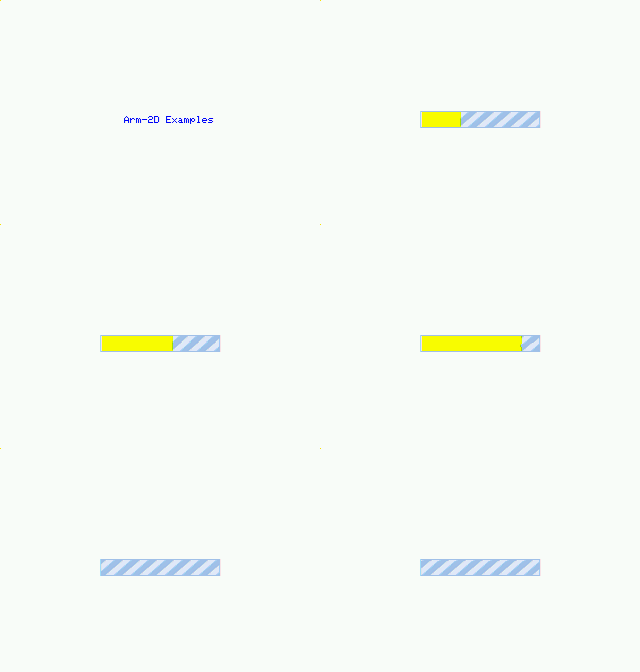
For example, the dynamic progress bar effect below only refreshes the changed part, thus achieving a high frame rate (>30FPS) under very low LCD bandwidth:
Reference information:
The hardware environment for the above effect:
-
Cortex-M4, 25MHz system frequency, LCD 320*240 RGB565 SPI connection (25MHz peripheral frequency),
-
Partial refresh of the area that changed in the middle. Frame rate > 30FPS
-
The overall resource consumption of the entire project:
Program Size: Code=117236 RO-data=2904 RW-data=108 ZI-data=2516Which includes:
1KByte stack,
512Byte heap,
FPB (160*1*sizeof(uint16_t))=320Byte
The overall RAM consumption of the project: 2624Bytes

Isn’t that amazing?
The example project can be found in the “main-arm-2d-more-example” branch under the example directory.
【How to use the Arm-2D library?】
The use of the Arm-2D library is not only simple and direct; the official documentation is also provided in the document directory, such as Introduction.md providing a technical overview, How_to_use_tile_operations.md providing detailed usage instructions for basic APIs, and how_to_deploy_the_arm_2d_library.md providing a step-by-step porting tutorial, etc. Although these documents are written in English, it doesn’t matter because: I will introduce these APIs one by one in a weekly update format, aiming to achieve cool interface effects with minimal resource consumption on bare metal.
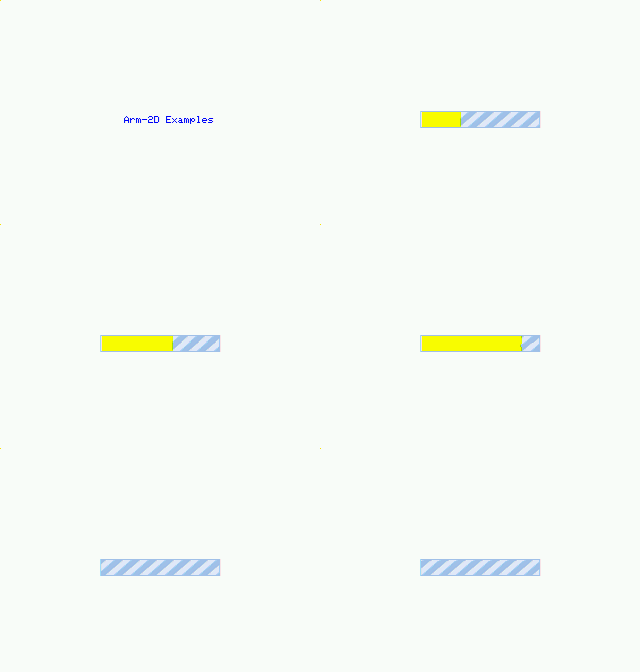
For example, the code for the dynamic progress bar effect below, including type definitions, totals no more than 100 lines.
If you are very interested in this series and even have a bold idea—such as creating a pixel game engine (like Floppy Bird or RPG) based on Arm-2D, or wanting to create a gorgeous graphic menu framework—please actively follow the updates.
Original content is not easy,
If you like my thoughts, and find my article inspiring,
Please be sure to “like, bookmark, and share”—this is very important to me! Thank you!
—END—
For previous exciting recommendations, click to read ▲Linux Driver Related Series ▲Signal Processing Tutorial Series▲Microcontroller Related Series