Introduction
In the field of embedded system development, the stability and maintainability of build tools are crucial for the long-term development of projects. Embedded projects often require cross-compilation for different hardware platforms, each relying on specific build toolchains, making the environment setup complex. With the popularity of the LLVM toolchain, adopting modern build toolchains in the embedded field has become a trend to enhance development efficiency.
There are two application solutions for LLVM in the embedded field: one is the platform-specific integrated toolchains provided by chip manufacturers (such as armclang, LLVM for ARM, etc.), but these solutions have vendor dependencies; the other is using the Zig language as a compilation frontend, whose native cross-platform compilation capability makes it an ideal choice for cross-compilation toolchains in the embedded field.
This article proposes a solution for general embedded system development: using xmake as the main build tool and Zig as the cross-compilation toolchain. This combination not only avoids the limitations of a single toolchain but also retains the powerful features of the Zig compiler and the flexible build capabilities of xmake. By validating on the actual complex system RT-Thread, we successfully optimized the embedded system development process based on xmake and Zig.

The compiled system firmware runs normally:

Implementation Plan Details
This plan provides a more stable and flexible build process for embedded system development through the collaboration of xmake and Zig. The following are the detailed implementation steps:
1.1 Configure C Library Support for Embedded Platforms
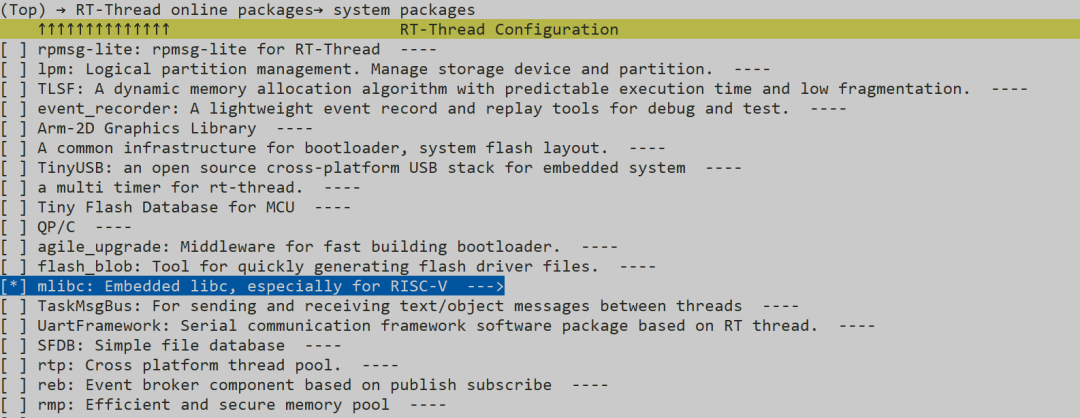
Since Zig uses LLVM’s Clang frontend for compilation, it lacks built-in libc support for bare-metal platforms. To address this issue, we choose to use a lightweight C standard library implementation (such as mlibc in this example). The specific configuration steps on RT-Thread are as follows:
-
Run the menuconfig configuration tool and enable the mlibc package.
-
Run
<span><span>pkgs --update</span></span>to download the dependency packages.
After completing the configuration, first verify the basic compilation functionality using the native build tool scons:
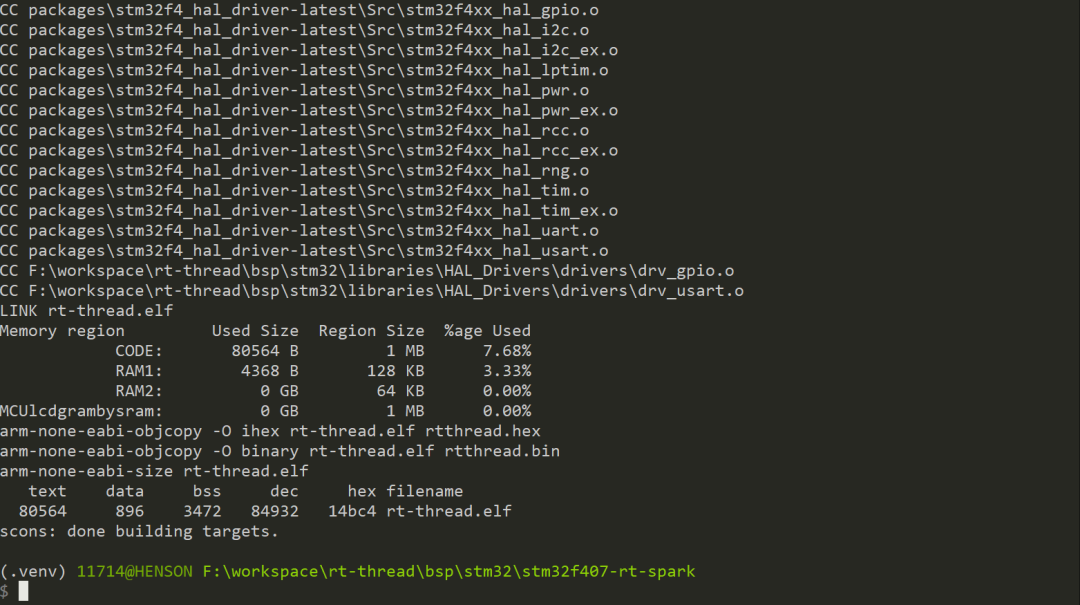
1.2 Create xmake Build File
RT-Thread provides a convenient build file generation feature. Execute the following command to export the xmake configuration:
scons --target=xmakeThe generated xmake.lua file needs to be adjusted: remove toolchain-related configurations to manually specify Zig as the compiler later:
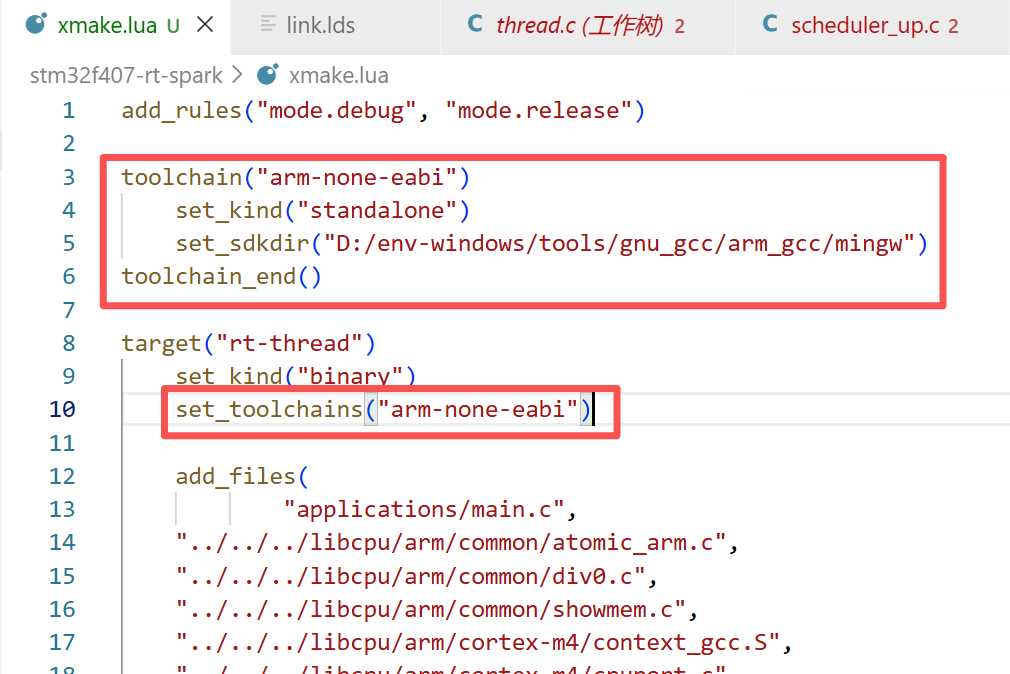
For simple C projects, xmake can automatically recognize and generate build files without manual configuration.
1.3 Configure and Execute xmake Build
Use the following command to configure xmake to use Zig as the cross-compilation toolchain:
xmake f -p cross --cross=thumb-freestanding-eabi --toolchain=zigThis command specifies the cross-compilation mode with the<span><span>-p cross</span></span> parameter, defines the target platform’s architecture-system-ABI triplet with<span><span>--cross=thumb-freestanding-eabi</span></span>, and declares the use of Zig as the compilation toolchain with<span><span>--toolchain=zig</span></span>.

After configuration, execute the<span><span>xmake</span></span> command to start the compilation process:
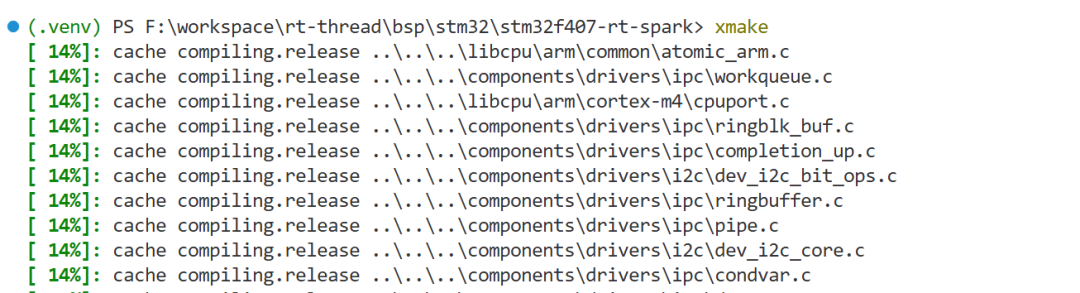
During the build process, due to the diversity of target platforms and differences in toolchains, various compilation and linking errors may occur. Below are common issues and their solutions.
Common Build Issues Analysis and Solutions
During the embedded system build process, various types of errors may occur. The following are categorized explanations and solutions based on the nature of the errors:
2.1 Compilation Error Handling
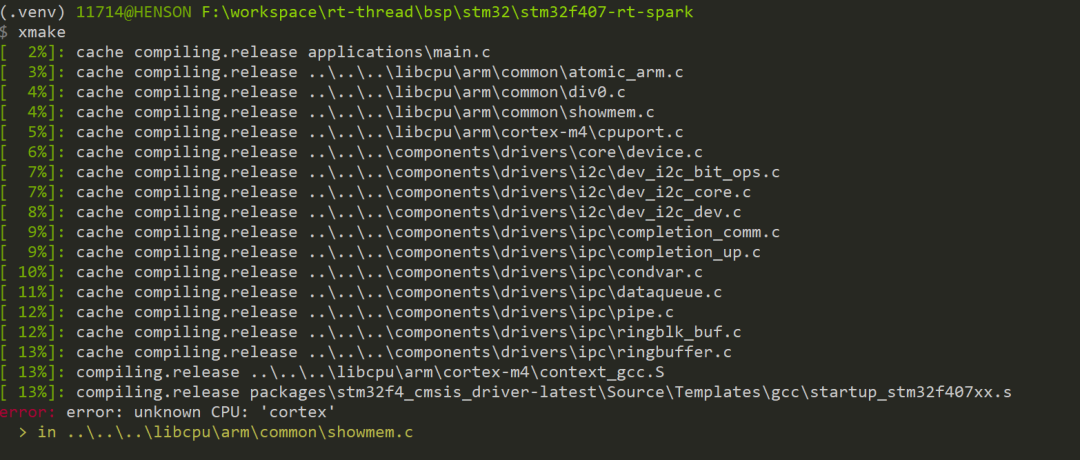
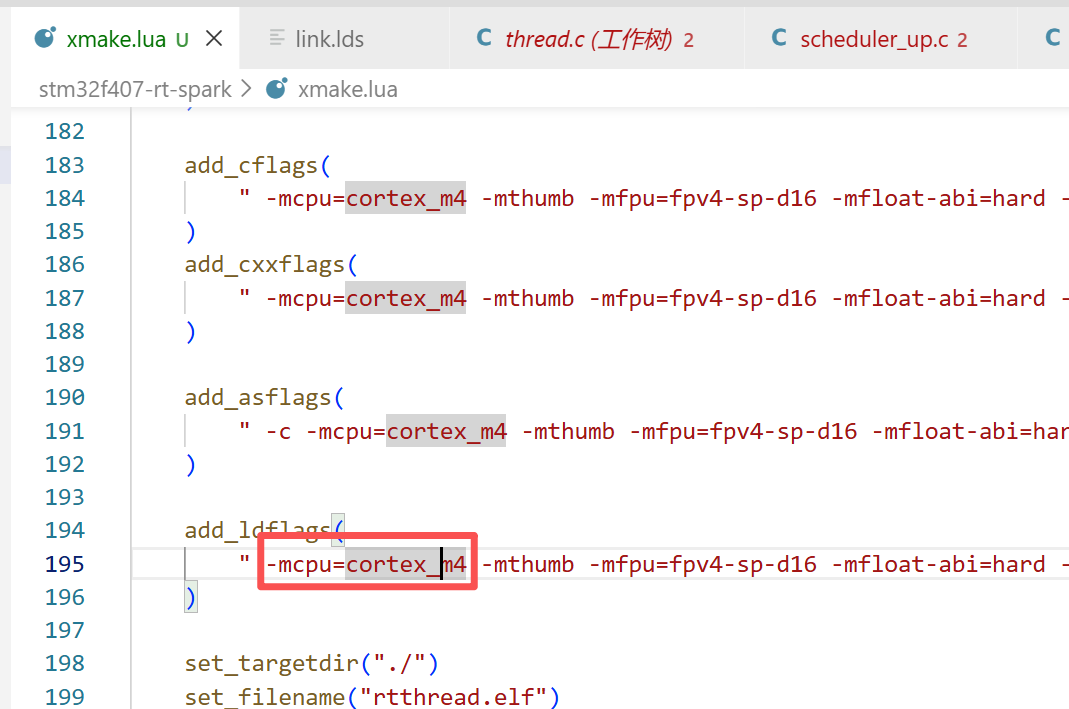
2.1.1 Unknown CPU Error
Error Manifestation: An<span>error: unknown CPU</span> error occurs during compilation.
Cause Analysis: There is a difference in CPU model naming conventions between the Zig compiler and GCC; Zig uses underscores as separators, while GCC uses hyphens.
Solution: Replace hyphens in the CPU model with underscores, for example, change<span>cortex-m4</span> to<span>cortex_m4</span>
2.1.2 Undefined Function Reference
Error Manifestation: An undefined function error occurs during the linking process.
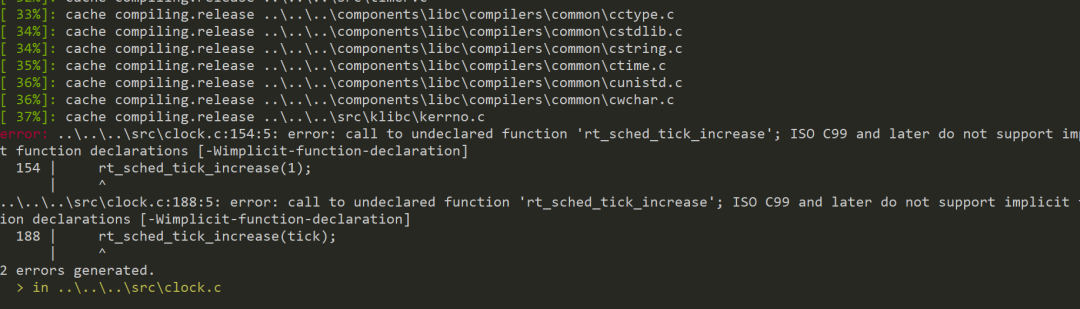
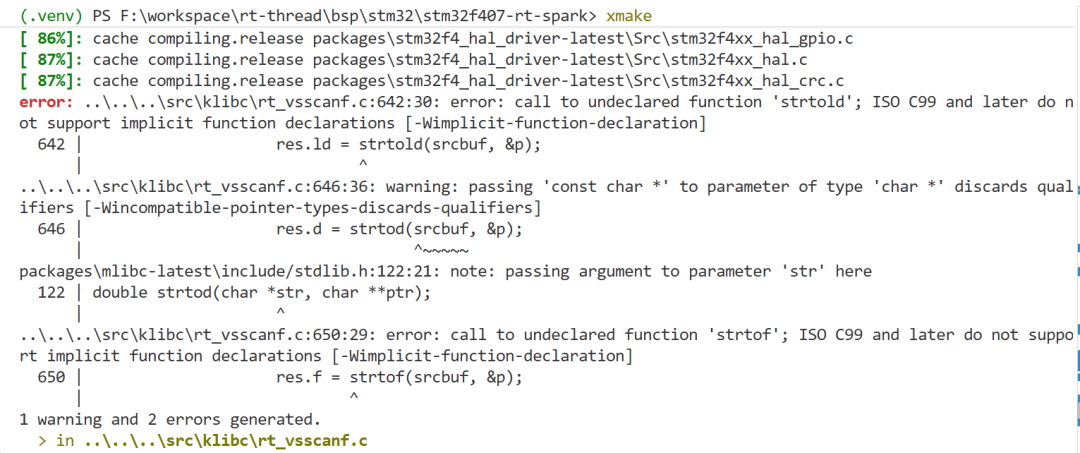
Cause Analysis: The Clang compiler has a stricter detection mechanism for undefined symbols compared to GCC.
Solution: Add compilation parameters to temporarily suppress specific errors.

2.1.3 Built-in Macro Definition Errors
Error Manifestation: Compilation errors occur when using built-in macros such as<span>__DATE__</span> and <span>__TIME__</span>.
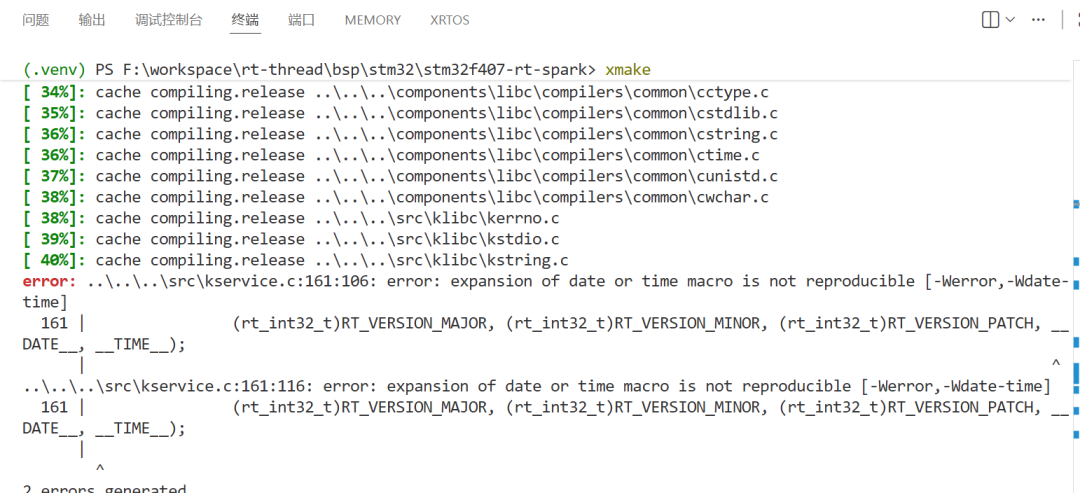
Solution: Add compilation parameters to temporarily suppress related errors.

2.2 Link Error Handling
2.2.1 Unsupported Link Parameters
Error Manifestation: An incompatible error occurs with the<span>-Map</span> parameter during the linking process.

Solution: Remove the incompatible<span>-Map</span> option from the linking command.


2.2.2 ARM Exception Table Segment Conflict
Error Manifestation: An error occurs indicating that the<span>.data</span> segment overlaps with the<span>.ARM.extab.text</span> segment address.
PS F:\workspace\rt-thread\bsp\stm32\stm32f407-rt-spark> xmake[ 93%]: linking.release rtthread.elferror: ld.lld: error: section .data load address range overlaps with .ARM.extab.text.list_thread>>> .data range is [0x8056C8C, 0x806FBBF]>>> .ARM.extab.text.list_thread range is [0x8056C8C, 0x8056C97]Solution: Modify the linking script to explicitly define the<span>.ARM.extab</span> segment before the<span>.ARM.exidx</span> segment.
.ARM.extab :{    *(.ARM.extab* .gnu.linkonce.armextab.*)} > CODE
/* .ARM.exidx is sorted, so has to go in its own output section.  */__exidx_start = .;.ARM.exidx :{    *(.ARM.exidx* .gnu.linkonce.armexidx.*)
    /* This is used by the startup in order to initialize the .data section */    _sidata = .;} > CODE__exidx_end = .;
2.2.3 Firmware Size Exceeded
Error Manifestation: An error indicating<span>section overflowed</span> occurs, indicating that the compiled firmware exceeds the memory segment limits of the target platform.

Solution: Increase the compilation optimization level (from O0 to O2) to reduce the size of the generated code.

Conclusion and Outlook
This article introduces a build solution using xmake and Zig for general embedded system development, addressing the limitations of traditional build toolchains. By using xmake as the main build tool and Zig solely as the cross-compilation toolchain, we successfully achieved stable compilation and operation of embedded systems.
The advantages of this solution include:
-
Reduced dependency on a single toolchain, enhancing the stability and portability of the build system.
-
Retained the performance advantages and modern features of the Zig compiler.
-
Provided more flexible project configuration options through the powerful build capabilities of xmake, while avoiding build errors caused by changes in Zig syntax.
In the future, as the Zig language matures further and embedded development toolchains continue to evolve, we can explore more optimization possibilities, such as further integrating Zig’s memory safety features to enhance the reliability and security of embedded systems, providing efficient development solutions for a wider range of embedded application scenarios.