Using the Base64 Command Tool in Linux to Restore MP3 Base64 Content to MP3 Files
This article introduces how to use the base64 command line tool in Linux to restore a string of MP3 base64 to an MP3 file.
Some TTS interfaces return audio content as base64 expressions
In this case, we cannot directly know what the returned audio is like, so we need to restore this base64 string to an MP3 file.
We currently have the content of a TTS result (a whole string of base64):
Next, we will demonstrate how to restore this base64 string to MP3
Assuming we save the result from the TTS interface as audio.b64.
We first need to remove any extra strings from the beginning and end of the base64 string, such as: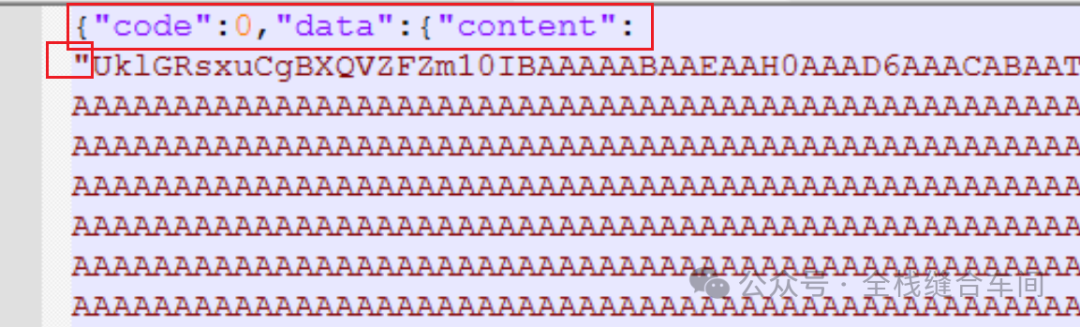 the preceding code, content, and the double quotes at the beginning of the string.
Also, we need to delete at the end: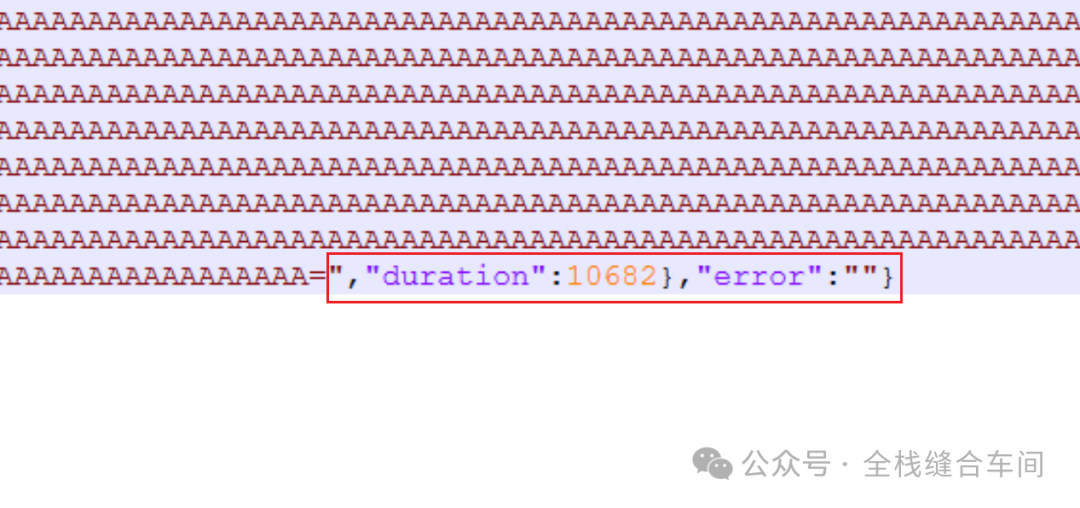 to ensure that only the pure base64 string content remains.
As follows:
Using the base64 command in Linux to restore
base64 -d audio.b64 > output.mp3
Thus, we have obtained an MP3 file that can be played:
Open normally by double-clicking:
That’s all.