I heard about a female employee who went on an adventure in a remote area of the mountains (with no internet access, barely able to use 2G signal). Her boss called her to find someone. Unfortunately, her phone was almost out of battery, and she didn’t bring a charger. She was in power-saving mode because using her phone for queries would drain the battery. The only thing she had was a USB drive containing CSV formatted data. Fortunately, after inquiring with the villagers, she found a programmer living in seclusion in the mountains. Disappointingly, he didn’t have office software on his PC to open the CSV file. Just as he was about to give up, the programmer said, “No problem.” He then started typing furiously on the keyboard and solved the problem. After hearing this story, I spent several days thinking and recreated the programmer’s actions using Python. If her CSV file was opened in Excel, it would look like this: 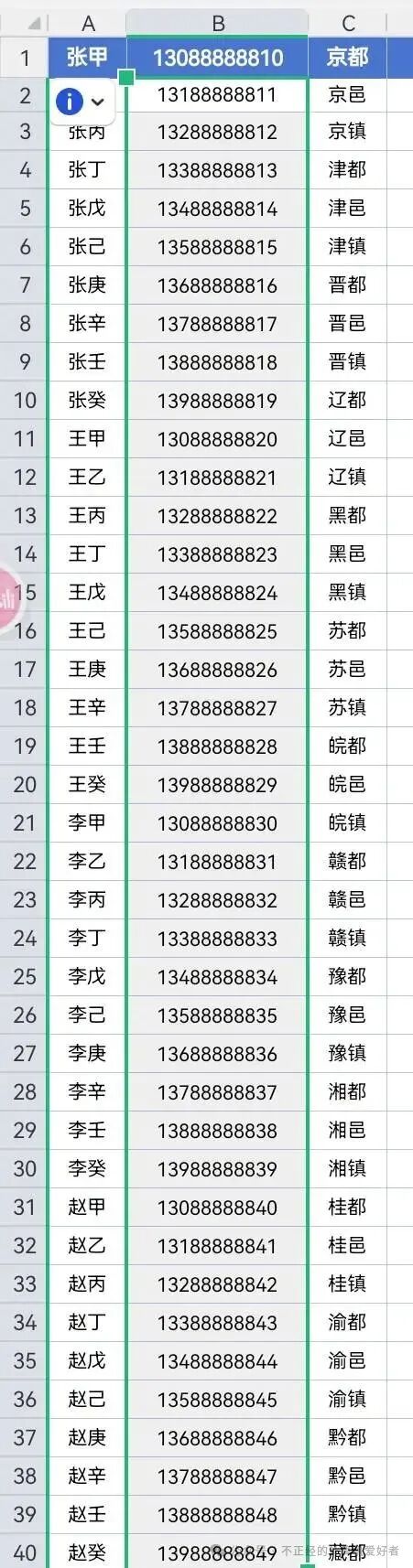 When we opened it with Python, it looked like this:
 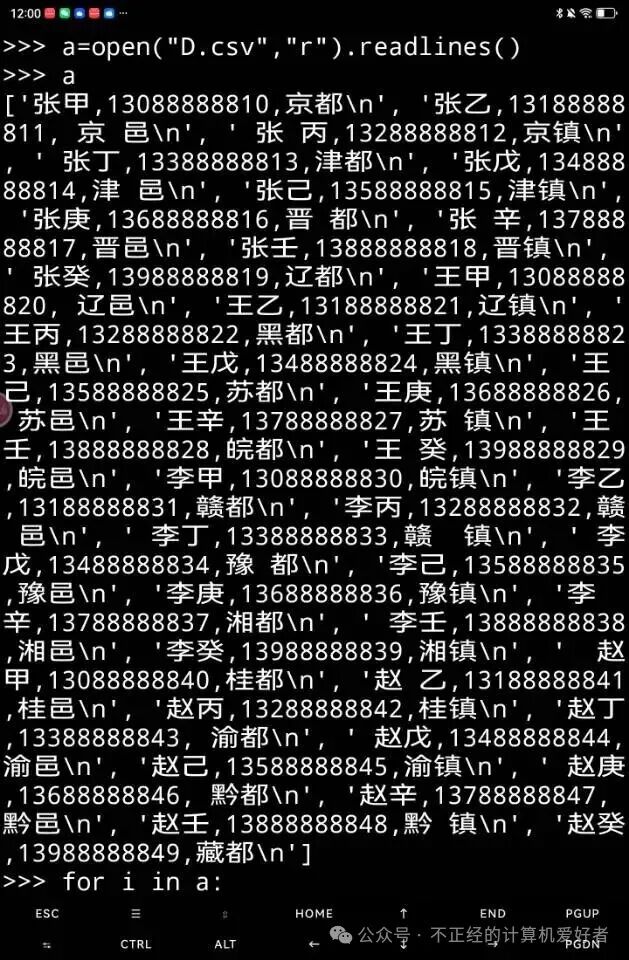 My approach was to split a list of 40 elements into 120 elements. Then, group the list. After that, we used the regular expression function re.search to filter by line and find names. The code is as follows:
 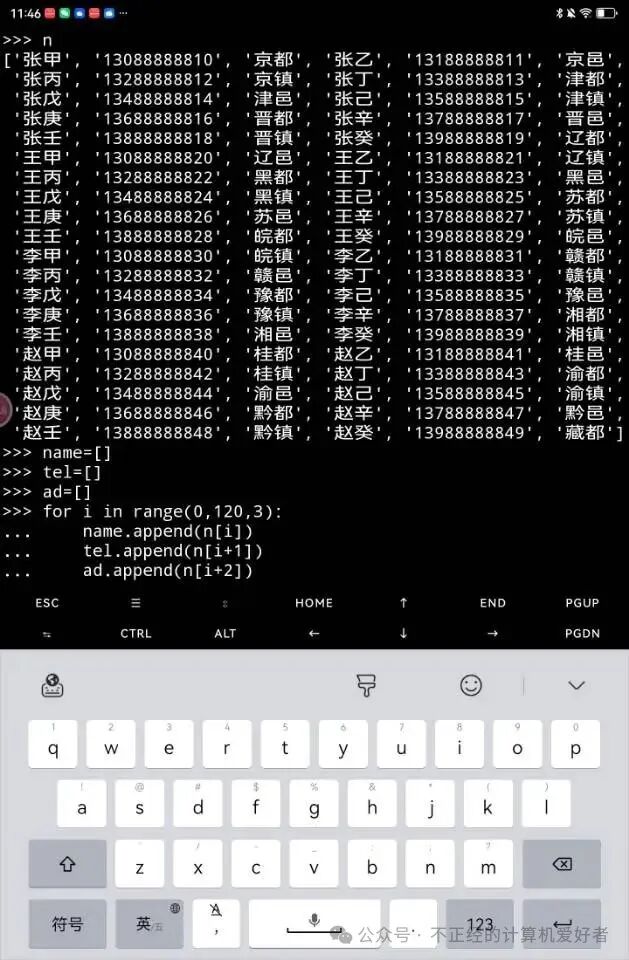 This was divided into three large lists, representing: Name, Phone Number, Address
  We searched for phone numbers starting with 138, but there was a flaw here. Because the phone number is simple, we didn’t use the ^ character for boundary handling.
  We searched for names of people whose addresses contain the character 京.