🔥🔥 AllData big data products are definable data middle platforms, built on a data platform foundation, serving as a bridge for data middle platforms, with a machine learning platform as the middle framework, and large model applications as upstream products, providing a full-link digital solution.
✨Official website of Hangzhou Aoling Data Technology: http://www.aolingdata.com
✨GithubProject:https://github.com/alldatacenter/alldata✨Gitee Project:https://gitee.com/alldatacenter/alldata✨AllData OfficialManual: https://www.yuque.com/aolingdata/product
✨AllData Production Environment:http://43.138.156.44:5173/ui_moat

1. The offline development platform is built on the open-source project DolphinScheduler
DolphinScheduler is a powerful distributed task scheduling platform that supports complex workflow orchestration, task monitoring, and alerting, suitable for offline data processing scenarios.
1.1 Visual Operation
- Provides an intuitive visual interface, allowing users to easily create complex workflow tasks through simple drag-and-drop and configuration operations, without the need to write extensive code, lowering the usage threshold and improving work efficiency.
1.2 Task Scheduling and Dependency Management
- Supports various task types, such as Shell, SQL, Python, etc., to meet the needs of different data processing scenarios.
- Allows flexible setting of dependencies between tasks to ensure that tasks are executed in the predetermined order, effectively handling complex data processing flows.
1.3 Resource Management
- Can uniformly manage and allocate computing resources, reasonably schedule according to task resource requirements, improve resource utilization, and avoid resource waste.
1.4 Monitoring and Alerts
- Real-time monitoring of task execution status, including task progress, runtime, resource usage, etc.
- When a task encounters an exception, it can promptly issue an alert notification, allowing operations personnel to quickly respond and address issues, ensuring the stability and reliability of data processing.
1.5 Multi-Tenant Support
- Supports multi-tenant mode, allowing different tenants to independently develop and manage tasks on the same platform, achieving resource isolation and permission control, meeting the usage needs of different departments or teams within the enterprise.
🔹DolphinScheduler open-source project:
https://github.com/apache/DolphinScheduler
🔹Documentation address:
https://dolphinscheduler.apache.org/zh-cn/docs/3.2.1/guide/homepage
2. Features of the Offline Development Platform
- Distributed and easily extensible architecture
- Visual DAG workflow orchestration
- Multi-tenant and permission management
- Diverse task types
- High reliability and fault tolerance mechanisms
- Flexible scheduling strategies
- Task status monitoring and logging
- Data source integration capabilities
- Version control and state management
- Ecological compatibility

💡Deployment Steps:

1. Source Code Acquisition

2. Environment Preparation
2.1 Operating System Requirements:
Supports Linux or macOS systems (recommended Ubuntu/CentOS or macOS).
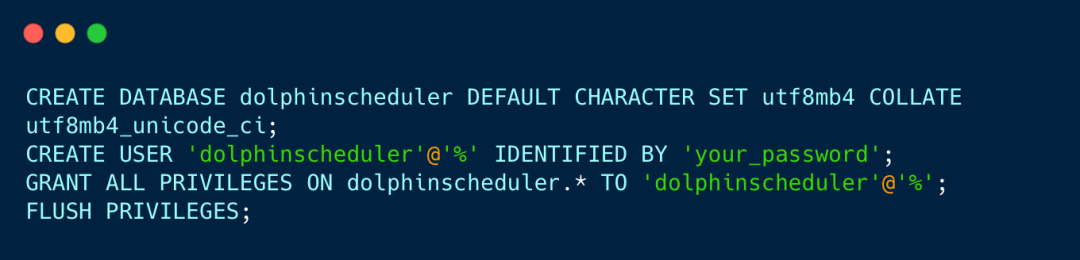
2.5 Other Dependencies:
- Ensure that Node.js is installed on the system (for front-end builds, optional).
- Ensure that Python is installed on the system (for some script executions, optional).
- 3. Compilation and Build
3.1 Compile Backend Code:
Enter the project root directory and execute the following command to compile:

After compilation, the generated binary package is located in the <span><span>dolphinscheduler-assembly/target</span></span> directory, for example:

3.2 Compile Frontend Code (Optional):
If you need to modify the front-end interface, you can compile the front-end code:
After compilation, the front-end static files will be generated in the <span><span>ui_ds/ui_ds</span></span> directory.

4. Deployment and Installation
4.1 Unzip the Binary Package
Unzip the compiled binary package to the deployment directory:

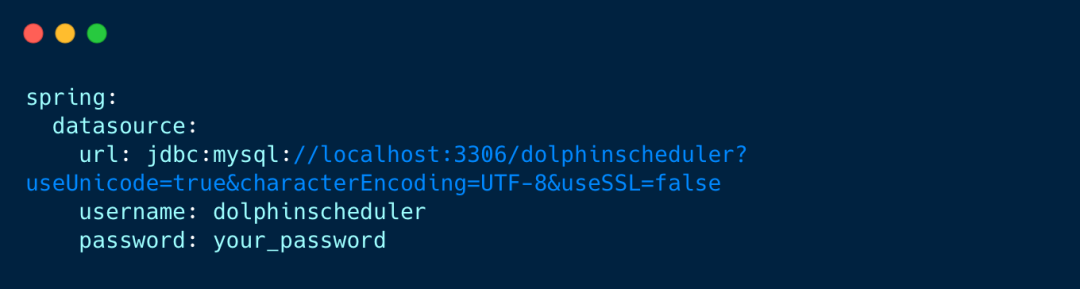
4.2 Configure Database
Modify the database configuration file <span><span>conf/application.yaml</span></span>, for example:
4.3 Configure ZooKeeper
Modify the ZooKeeper configuration file <span><span>conf/zookeeper.properties</span></span>, for example:

4.4 Configure Zookeeper
Modify the ZooKeeper configuration file <span><span>conf/zookeeper.properties</span></span>, for example:

4.5 Initialize Database
The script will automatically execute the SQL files in the <span><span>dolphinscheduler-dao/src/main/resources/sql</span></span> directory.
4.6 Start Service
Start ZooKeeper (if not already started):

Start DolphinScheduler service:
Verify if the service has started successfully:

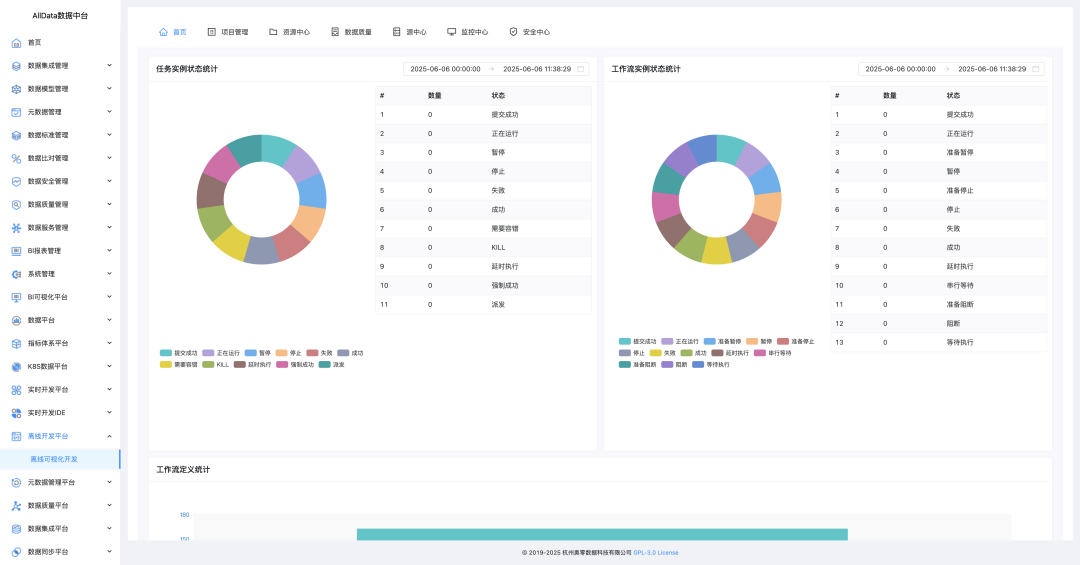
1. Offline Development Platform – Function Overview
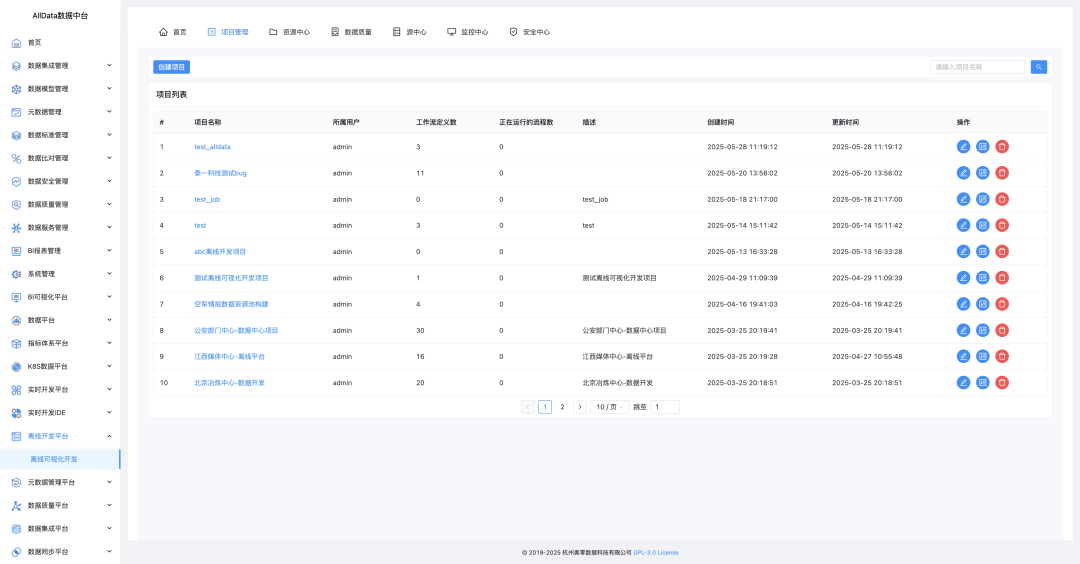
2. Offline Development Platform – Project Management
3. Enter the workflow page
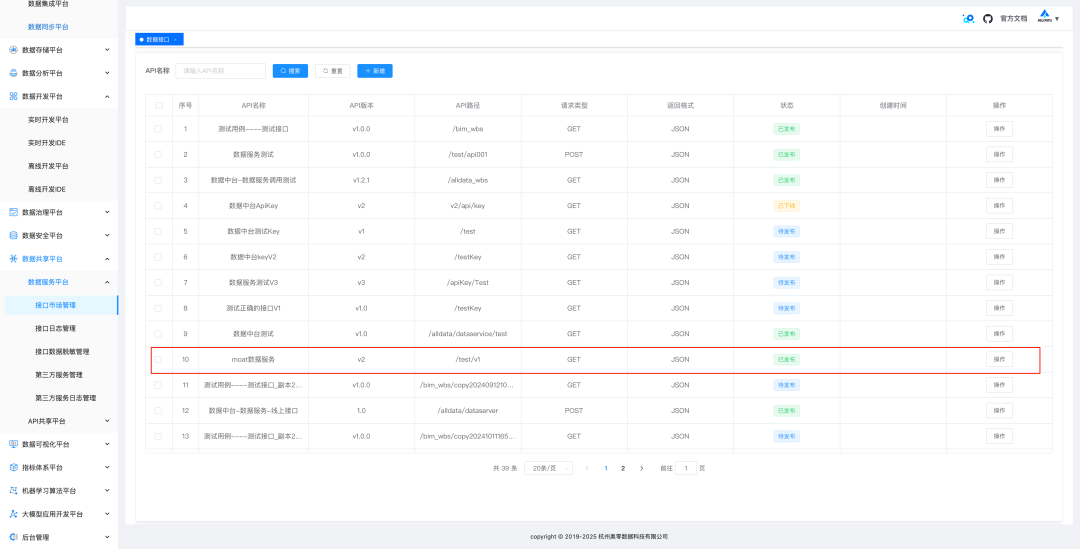
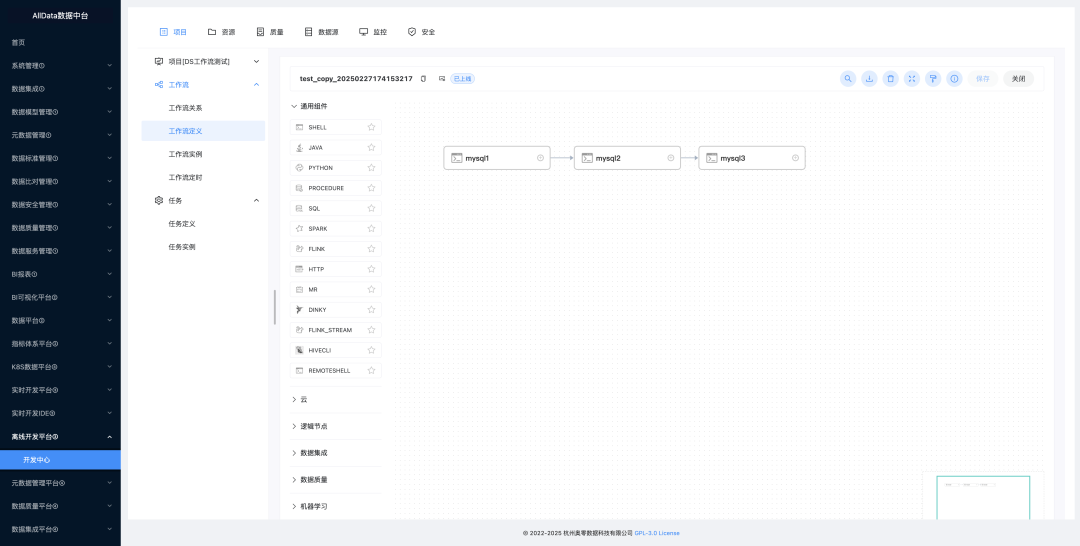 4. First obtain the Http interface from the data sharing platform – data service platform
4.1 (Optional) Use API Sharing Platform Configure Interface
SqlRest turns SQL into Http API in seconds, supporting 20+ databases (including domestic databases)
4.2 (Optional) Use Data Service Platform to Configure Interface
[Tested Useful] Demonstration of Data Service Management Capability of Data Middle Platform
4.3 Configure the interface as follows
http://43.138.156.44:5173/api/data/api/services/v2/test/v1?pageNum=1&pageSize=204.4 Interface returns data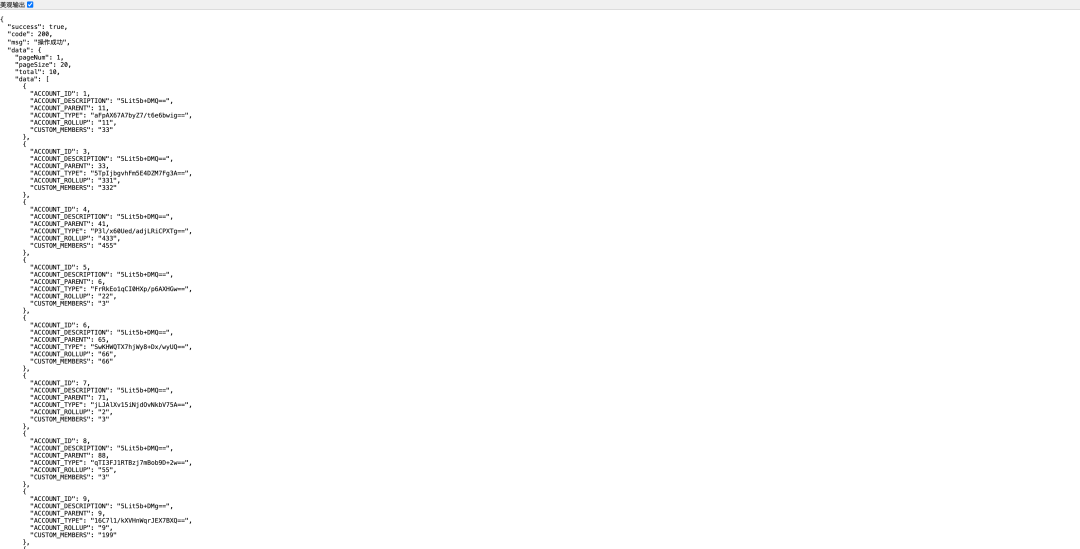
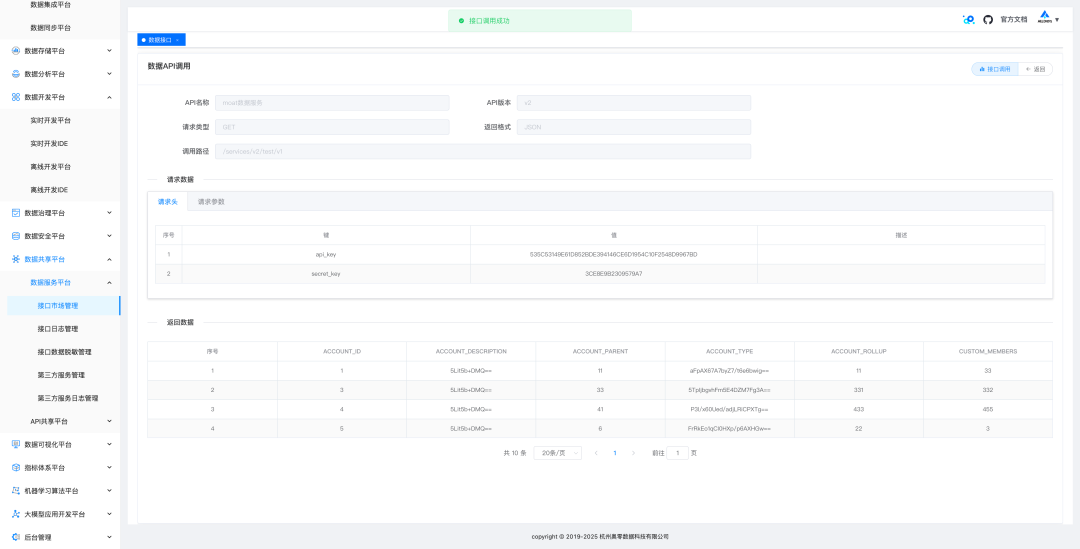
5. Ensure the interface returns data normally
6. Case of Http Importing to Doris
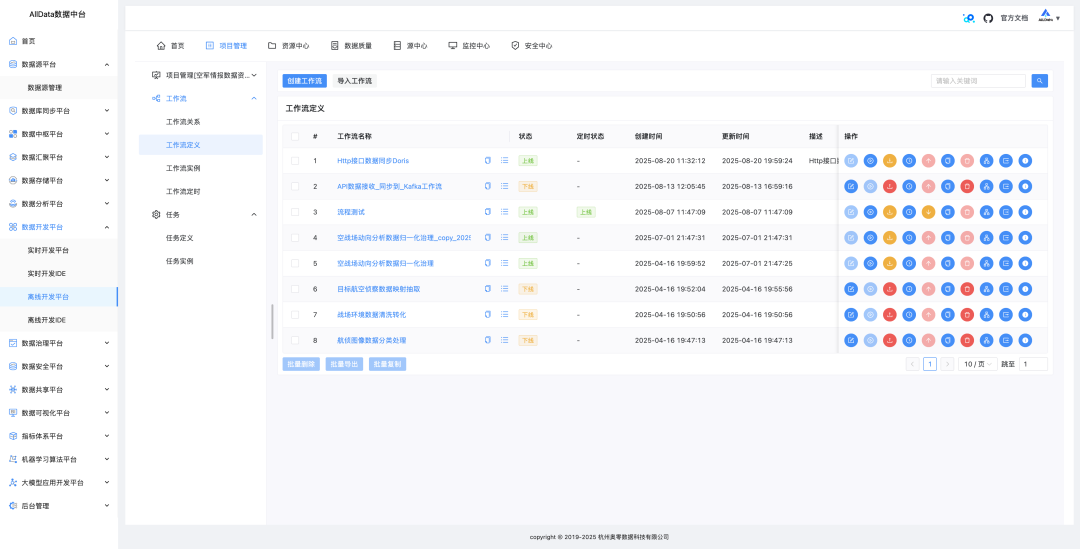
7. Visual Integration of Seatunnel Tasks
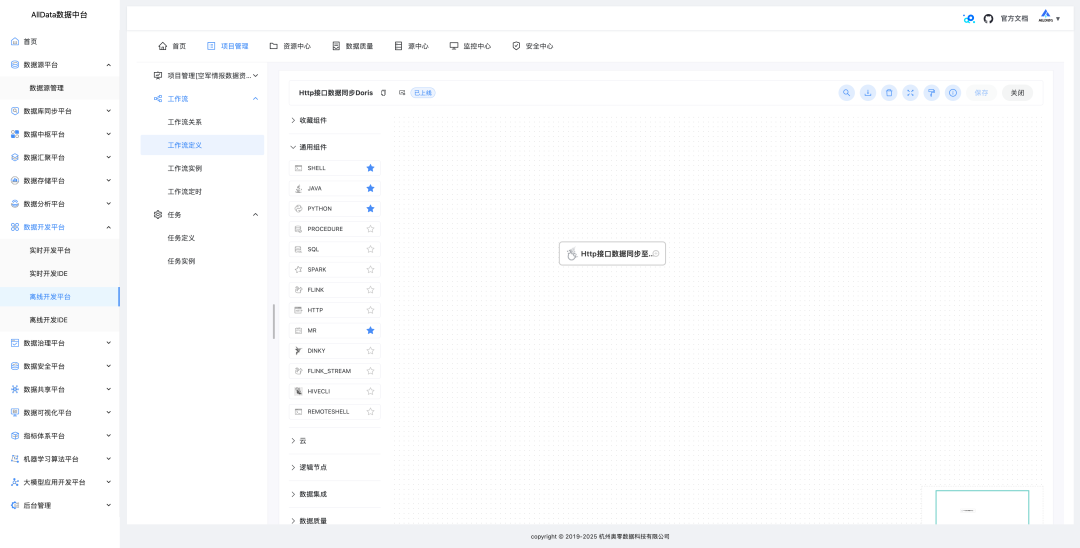
8. Configure Http Synchronization to Doris’s Yaml
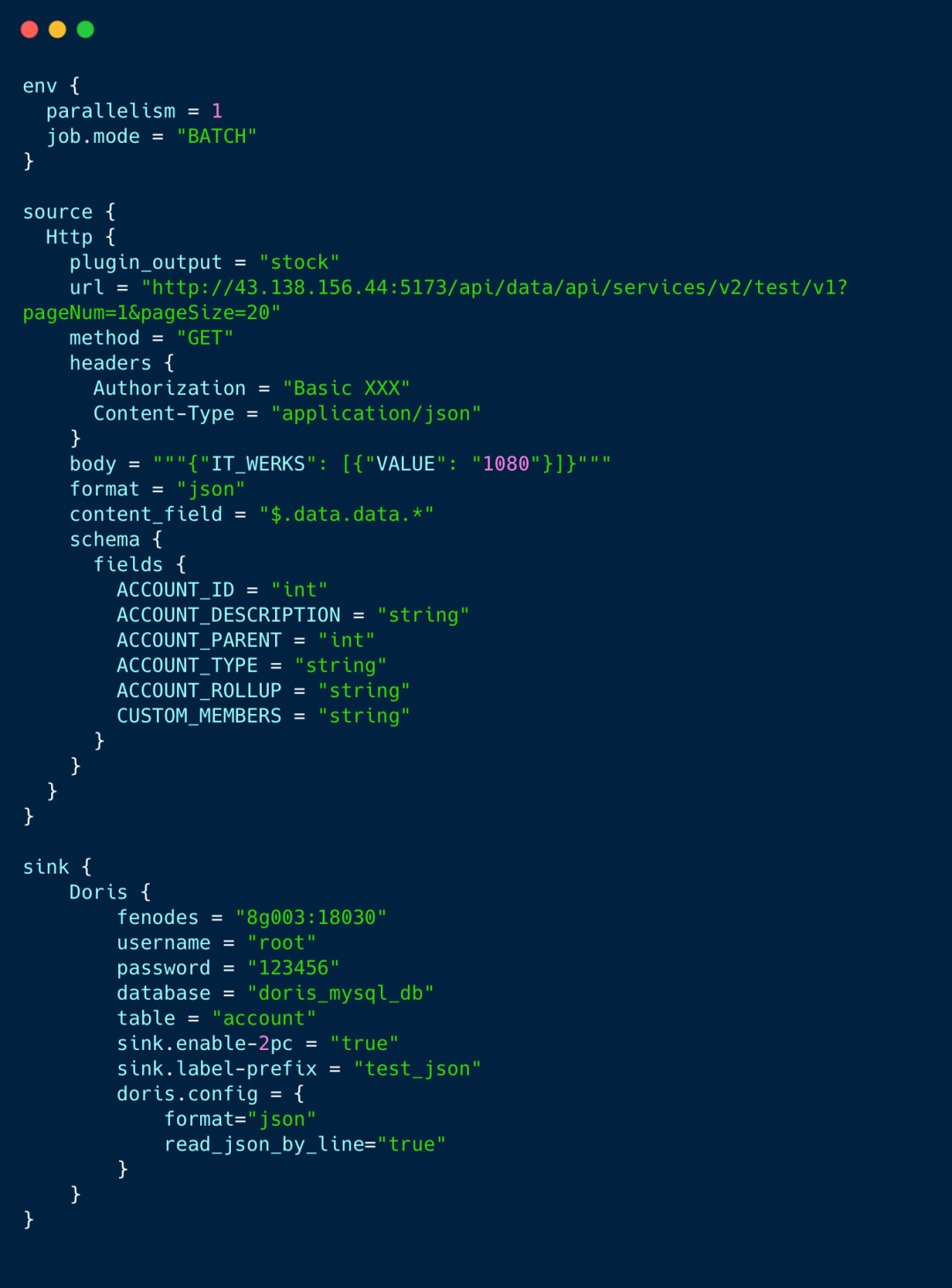
9. Configuration details for Http data synchronization to Doris real-time data warehouse
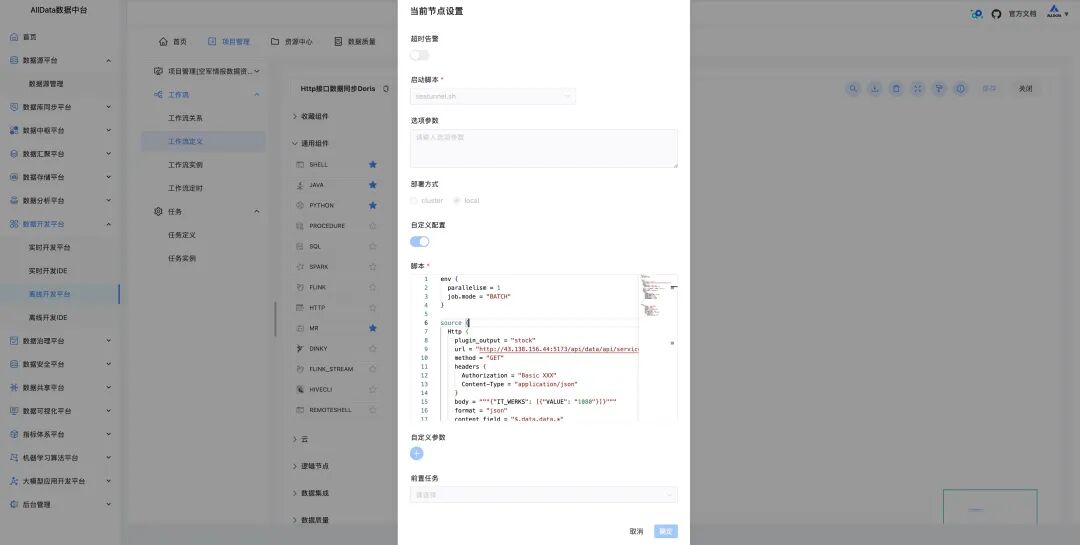
10、Http data synchronization to Doris real-time data warehouse, startHttp to Doris task synchronization workflow
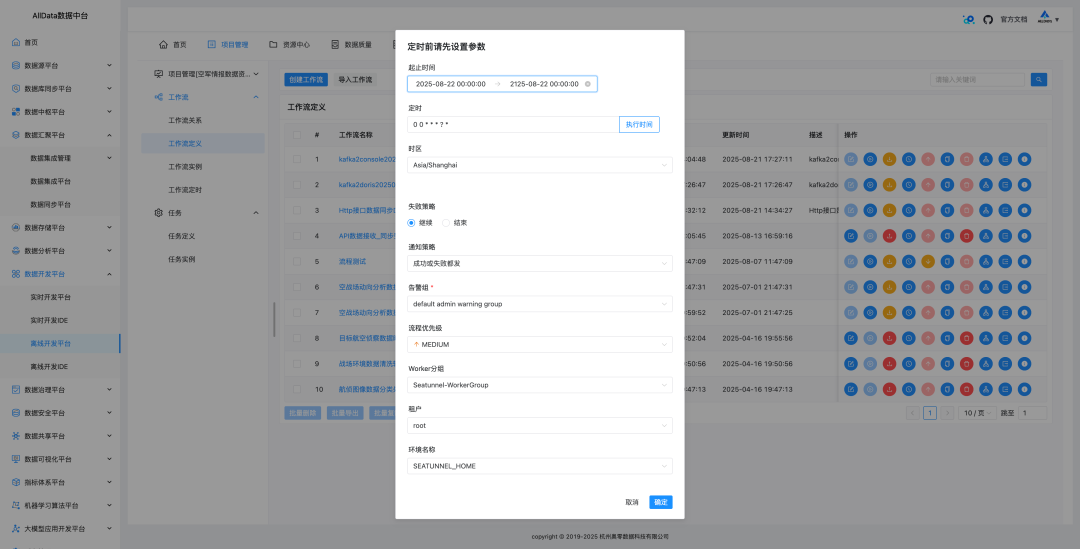
11、Http data synchronization to Doris real-time data warehouse, launch Http to Doris synchronization task workflow
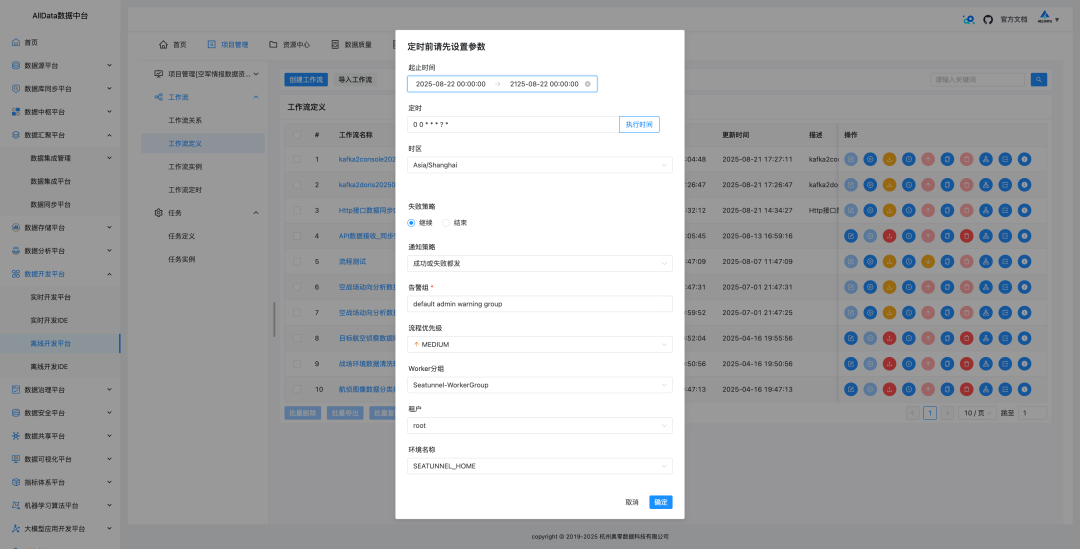
12、Http data synchronization to Doris real-time data warehouse, periodically extract Http data to Doris data warehouse
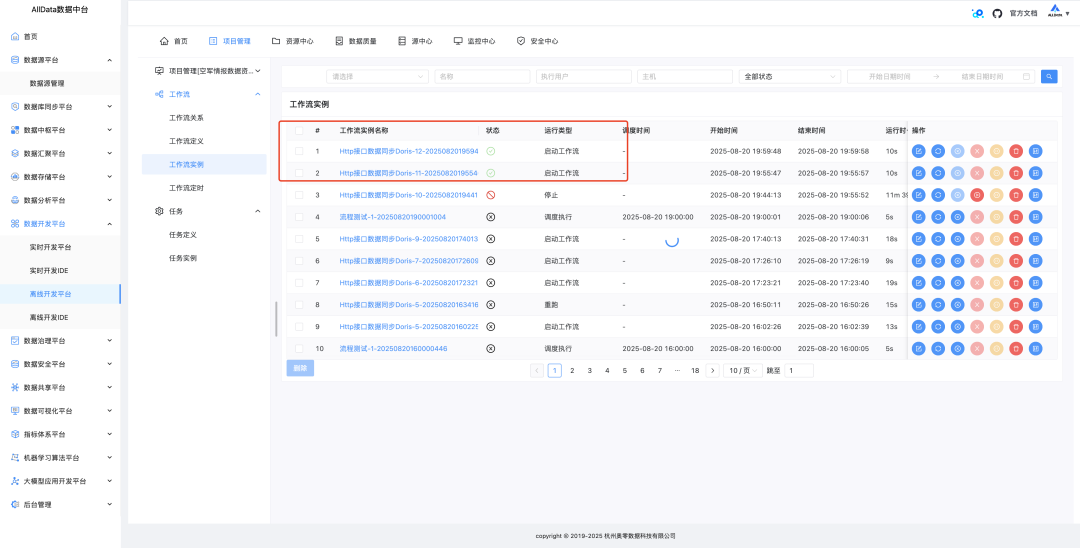
13、Http data synchronization to Doris real-time data warehouse task executed successfully, data synchronized successfully
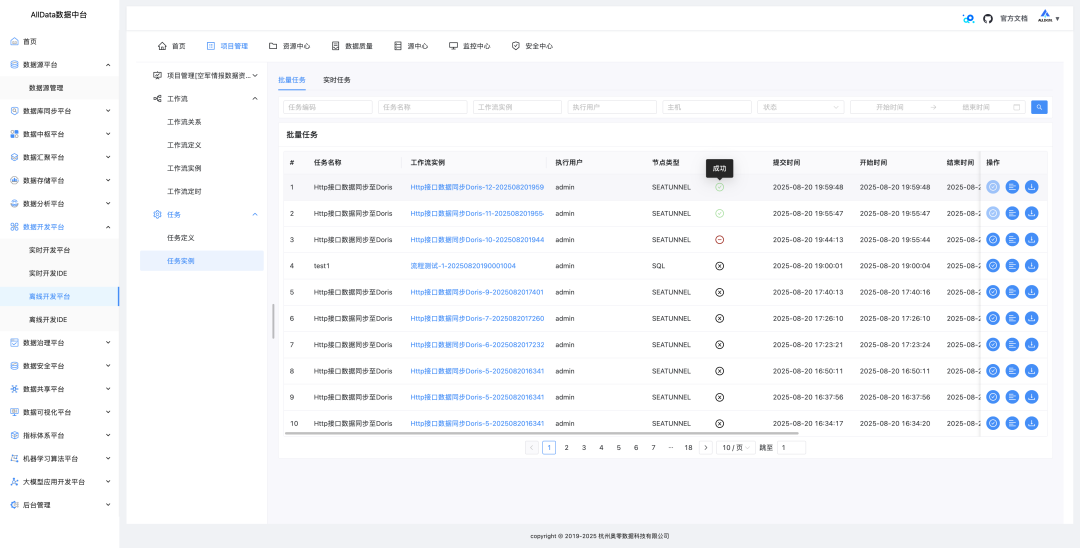
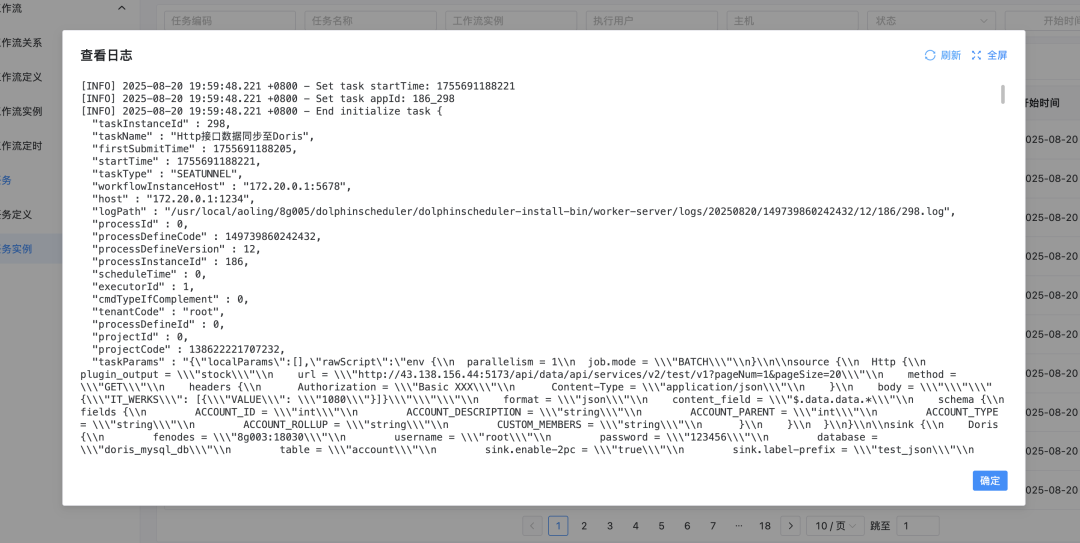
14、Http data synchronization to Doris real-time data warehouse task log, view synchronization operation records
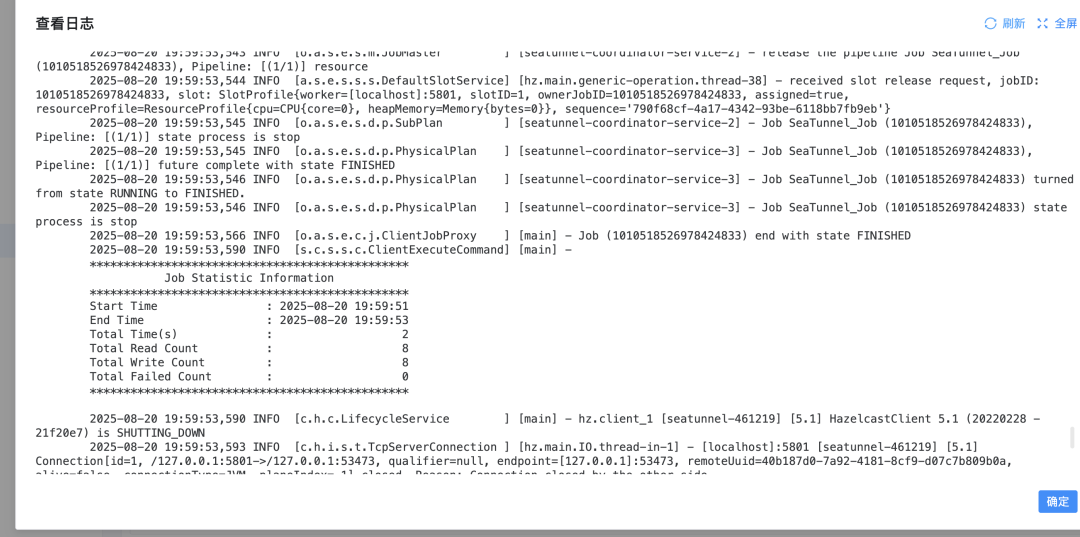
15、Http data synchronization to Doris real-time data warehouse results view, successfully synchronized 8 pieces of data from Http to Doris
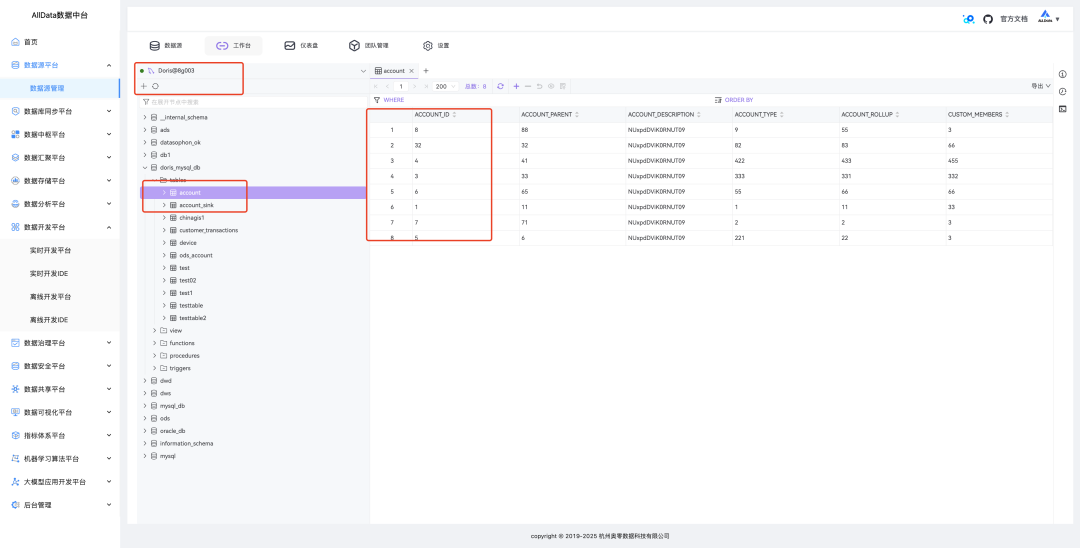
16、View data on the data source platform

1. Compilation Failure
- Ensure that the Maven version meets the requirements (3.6+).
- Ensure that the network environment is good (may need to configure Maven mirror).
- If you encounter dependency conflicts, try cleaning the local Maven repository:

2.Database Connection Failure
- Check if the database configuration is correct.
- Ensure that the database service is started and that user permissions are configured correctly.
- Check if the firewall has released the database port (default 3306).
3. ZooKeeper Connection Failure
- Check if the ZooKeeper service is started.
- Check if the ZooKeeper configuration is correct.
- Check if the firewall has released the ZooKeeper port (default 2181).
4. Service Start Failure
- Check the log file
<span><span>logs/dolphinscheduler-*.log</span></span>for detailed error information. - Ensure that system resources are sufficient (memory, CPU, etc.).
- Ensure that the port is not occupied (default ports: 12345, 25333, 50050, etc.).