Siemens Smart 200 PLC programming software v2.5
EditSearch Image
Please click to enter image description
After the update, everyone suddenly found that the function options for PROFINET could be used.

EditSearch Image
The image is blurry, it is recommended to replace or delete×
Please click to enter image description
So what is the PROFINET function? PROFINET provides a complete network solution for the field of automation communication, encompassing current hot topics in automation such as real-time Ethernet, motion control, distributed automation, fault safety, and network security. Moreover, as a cross-vendor technology, it can be fully compatible with industrial Ethernet and existing field bus technologies (such as PROFIBUS), protecting existing investments.
Note what cross-vendor means: it means that as long as you support this protocol, no matter what you are, I can connect you, and I can configure control; this effectively expands the application range of Smart 200 and makes it more flexible in application. The Smart 200 can also connect to the slave station of 200 smart via PROFINET when used in large controls of Siemens 300 or 400. As a lower-level product in Siemens, the practicality of 200 Smart PLC is greatly increased.
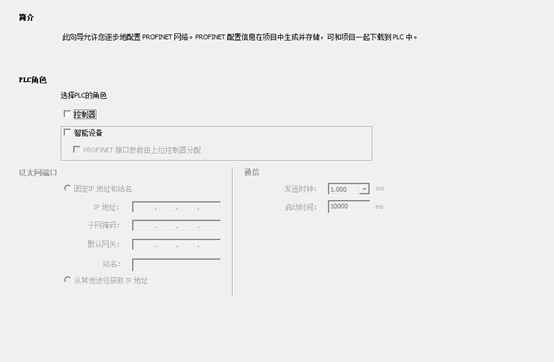
Example:
EditSearch Image
Please click to enter image description
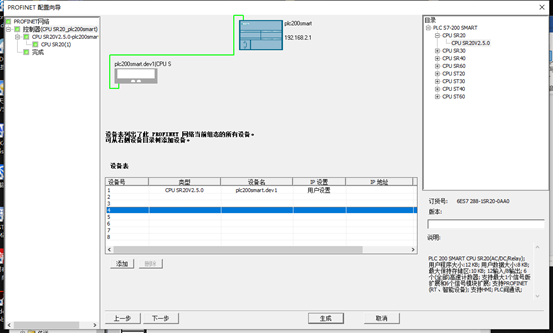
Select the appropriate controller, corresponding to two
PLCs
EditSearch Image
Please click to enter image description
of their respective models;
EditSearch Image
Please click to enter image description
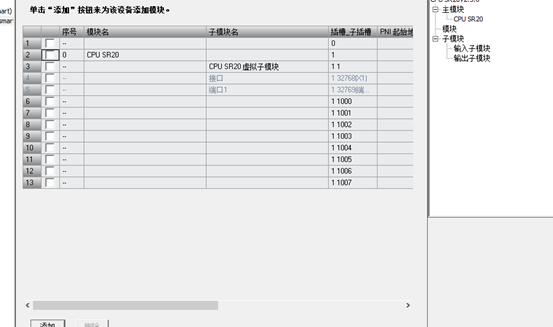
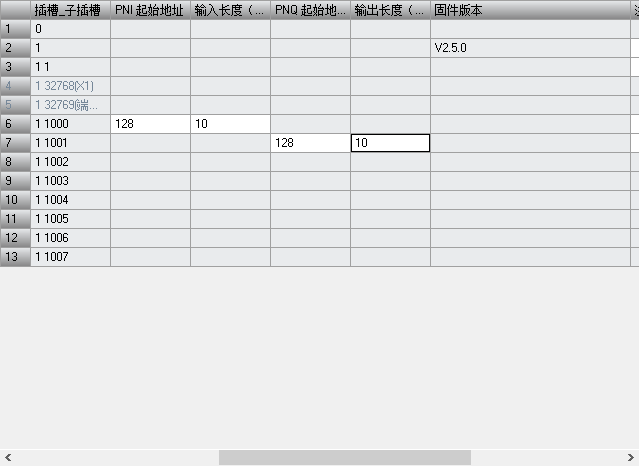
Select the data to be transmitted
EditSearch Image
Please click to enter image description
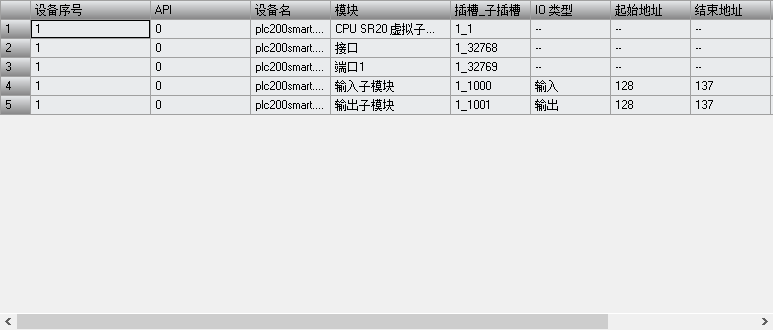
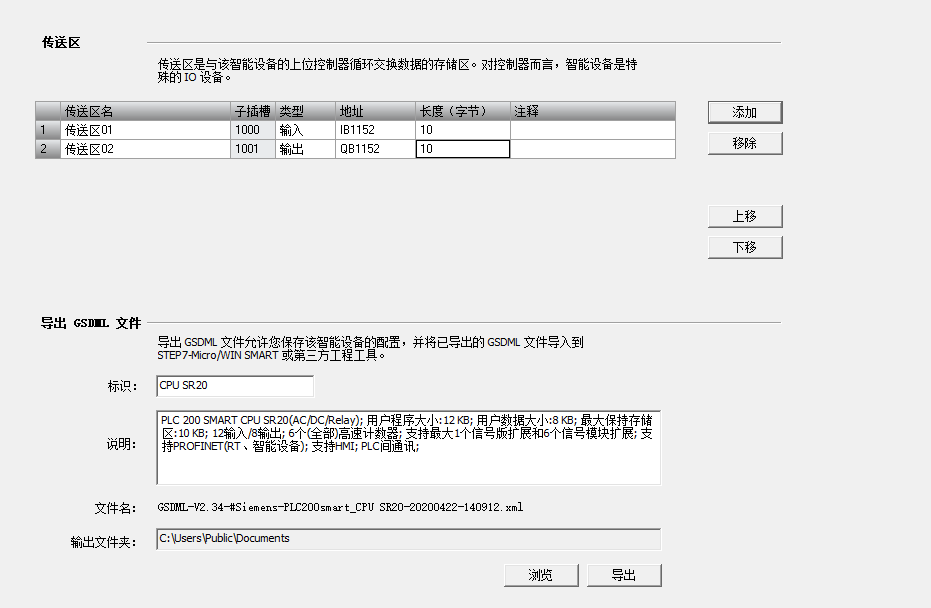
Enter the corresponding address value and then confirm the next step;
EditSearch Image
Please click to enter image description
After entering the value, the other address needs to be in the same subnet as this PLC but with a different address,
EditSearch Image
Please click to enter image description
Once this setting is complete, you can exchange and detect values between the two PLCs;