What exactly is EMBA? EMBA (Embedded Malware & Binary Analyzer) is a tool specifically designed for conducting security assessments on firmware for embedded devices. It integrates the entire process of firmware extraction, static code auditing, dynamic emulation, SBOM (Software Bill of Materials) generation, and vulnerability reporting, allowing us to identify potential risks in the firmware with just a few clicks.
In simple terms, EMBA is a “comprehensive health check tool” for penetration testing, product security, and development teams.
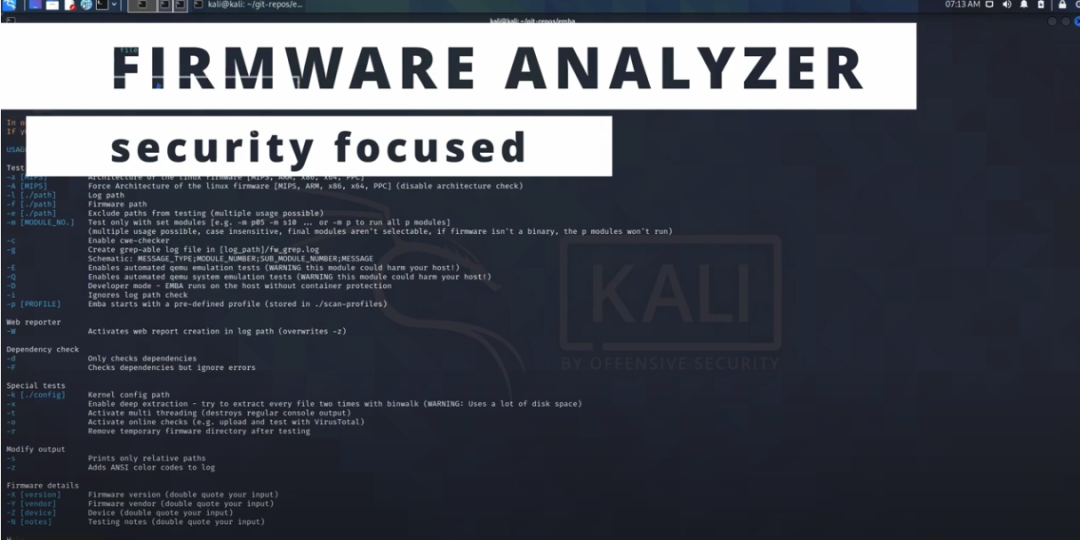
What pain points does it address?
| Common Pain Points | EMBA Solutions |
| Complex firmware extraction | Automatically identifies common compression formats, eliminating the hassle of manual unpacking. |
| High cost of manual auditing | Static analysis scripts can quickly locate insecure binaries, outdated libraries, hardcoded passwords, etc. |
| Lack of dynamic emulation | Built-in QEMU-based emulation engine allows runtime checks without flashing hardware. |
| Inconsistent SBOM generation | One-click generation of SPDX-compliant material lists for easy compliance audits. |
| Poorly formatted and hard-to-read reports | Automatically generates web page reports with clear charts and risk levels. |
In short, EMBA takes care of the tedious tasks of running multiple tools, writing numerous scripts, and manually compiling reports; you only need to prepare the firmware file, and it will handle the rest.
Installation steps are super simple
Prerequisite: Linux environment (recommended; Windows requires WSL), ensure you have
<span>git</span>and<span>sudo</span>permissions.
# 1. Clone the source code
git clone https://github.com/e-m-b-a/emba.git
cd emba

# 2. Install dependencies with one command
sudo ./installer.sh -d

# 3. Run the default scan (replace your firmware path with the actual path)
sudo ./emba -l ~/emba_log -f ~/my_firmware.bin -p ./scan-profiles/default-scan.emba
If you want to generate SBOM directly, just replace the <span>-p</span> parameter with <span>default-sbom.emba</span>; for emulation analysis, change it to <span>default-scan-emulation.emba</span>. All configuration files are in the <span>scan-profiles/</span> directory, and you can modify them as needed to meet different project requirements.
Usage tips
- 1. Don’t forget the log directory: The log directory specified by the
<span>-l</span>parameter will save all intermediate products, which is super useful for backtracking audits later. - 2. Multi-core acceleration: Adding
<span>-j 4</span>(or the number of cores on your machine) after the<span>emba</span>command can process in parallel, improving speed by over 30%. - 3. Custom plugins: EMBA supports custom Bash script plugins; just place them in the
<span>plugins/</span>directory and reference them in the<span>-p</span>configuration.
Pros and cons at a glance
| Advantages | Disadvantages |
| Fully automated process: One command completes extraction, auditing, emulation, SBOM, and reporting. | Mainly CLI-based: No graphical interface, which may pose a higher barrier for those unfamiliar with the terminal. |
| Open source and free: Transparent code, allowing for secondary development. | Many dependencies: Initial installation of dependencies may take time and could stall with poor network conditions. |
| User-friendly reports: HTML reports come with interactive charts, ready for business stakeholders. | Imperfect emulation: Emulation of certain proprietary hardware drivers is still limited and may require manual patches. |
Should you use it? If you are involved in IoT device security, embedded product development, or responsible for firmware compliance audits, EMBA is almost an essential “Swiss Army knife.” It integrates fragmented toolchains into a unified workflow, saving time and effort while improving audit quality. Conversely, if you only need to occasionally check a single small firmware, running a few open-source tools manually may suffice, and you may not need to dive into EMBA immediately.
Summary
- • EMBA is a comprehensive analysis tool focused on embedded firmware security.
- • It helps you quickly identify security vulnerabilities in firmware through automated extraction, static/dynamic auditing, SBOM generation, and visual reporting.
- • Installation takes just three steps, with flexible configuration during use, an active community, and rich documentation.
- • Although it is a CLI tool with a bit of a learning curve for beginners, its value lies in covering all security detection phases in one go, truly achieving “one-click vulnerability detection.”
Go ahead and give it a try; don’t let the “black holes” in your firmware quietly compromise your business security!
Project address: https://github.com/e-m-b-a/emba