
UAV Real Name Registration Tutorial
Download to Update LicenseUOM APP
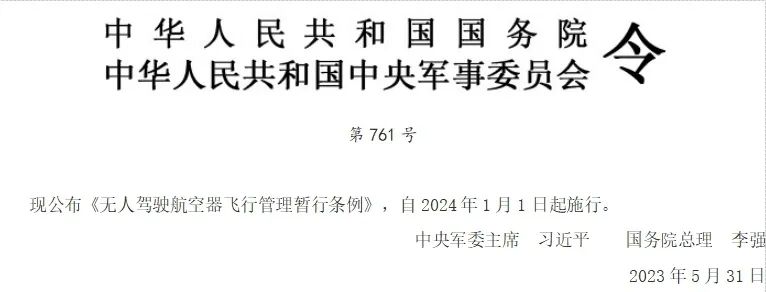
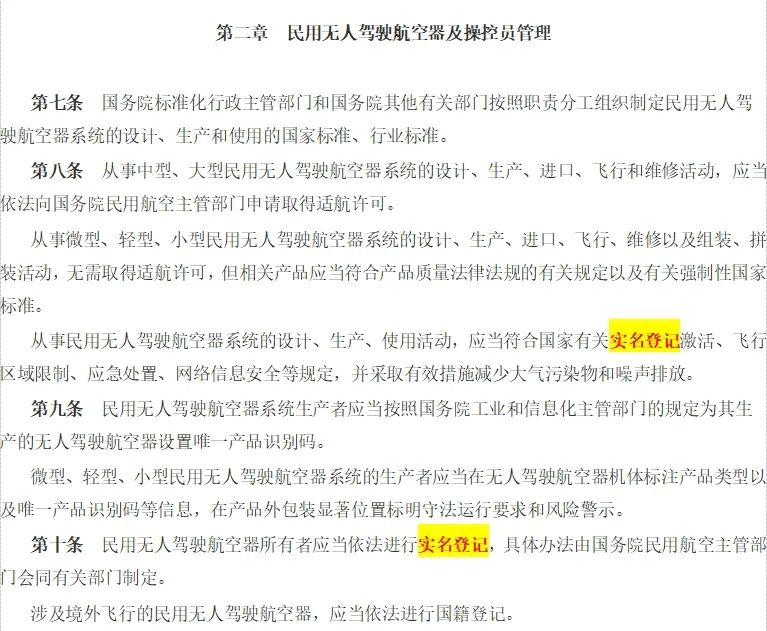

According to the “Interim Regulations on the Flight Management of Unmanned Aerial Vehicles” published and effective from January 1, 2024, engaging in civil unmanned aerial vehicle activities requires real name registration. Those who conduct flight activities without real name registration shall be subject to fines.

Real Name Registration Process

01
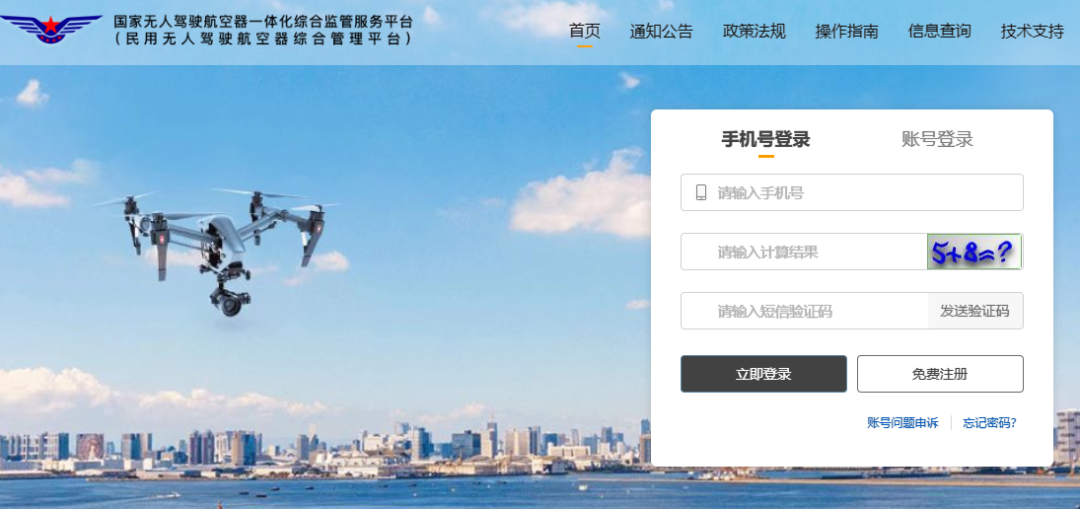
Log In to the Website

Log in to the UOM platform account and enter the homepage.
02
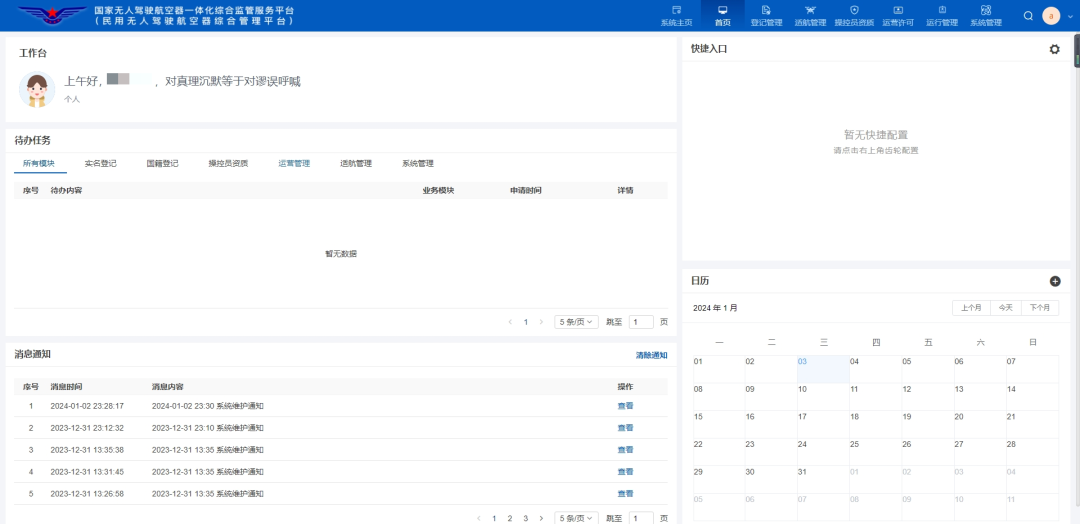
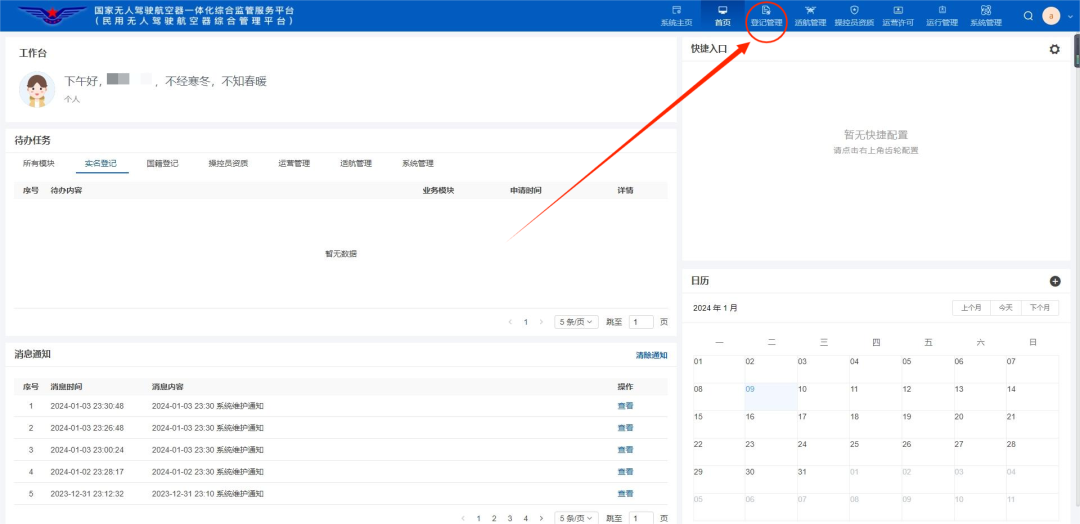
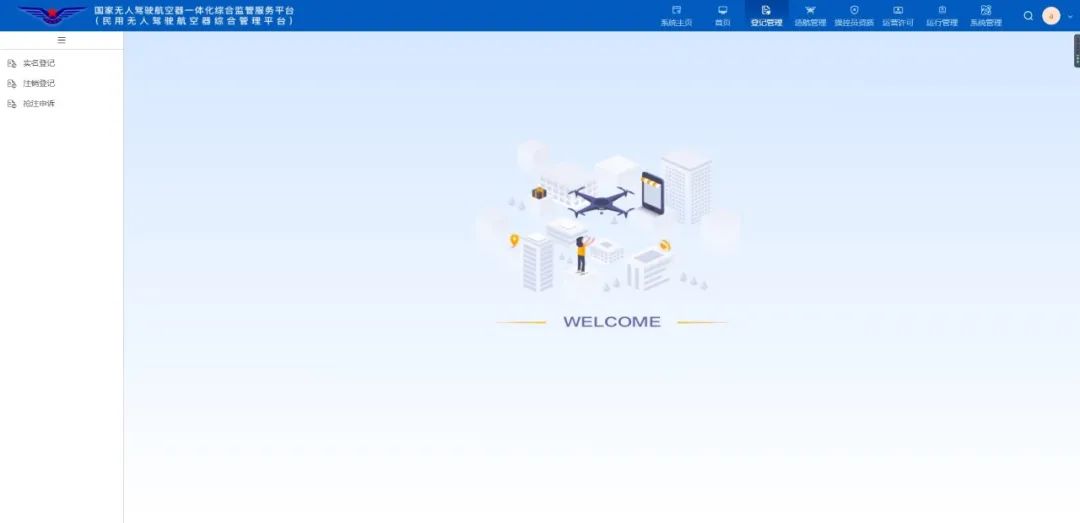
Click to Enter “Registration Management”
03
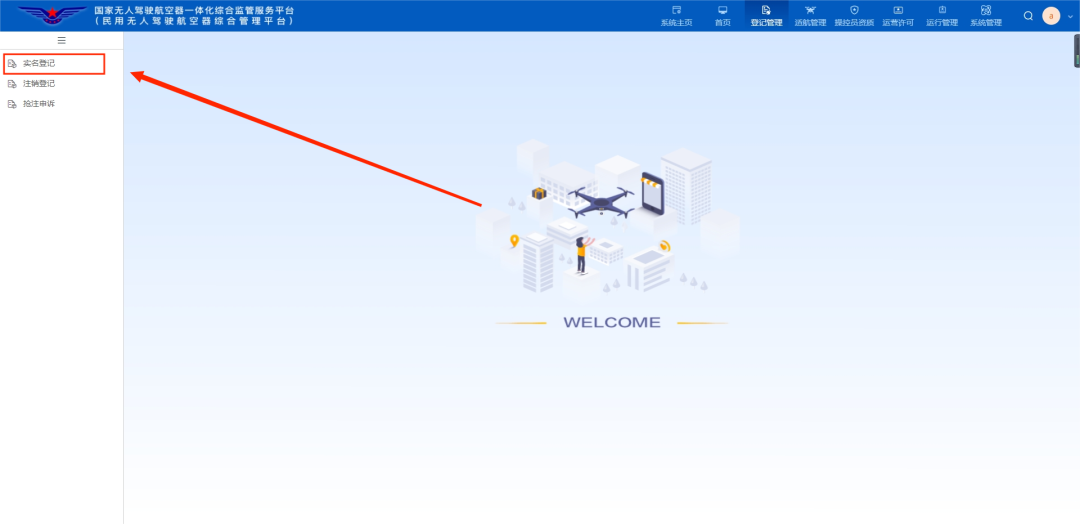
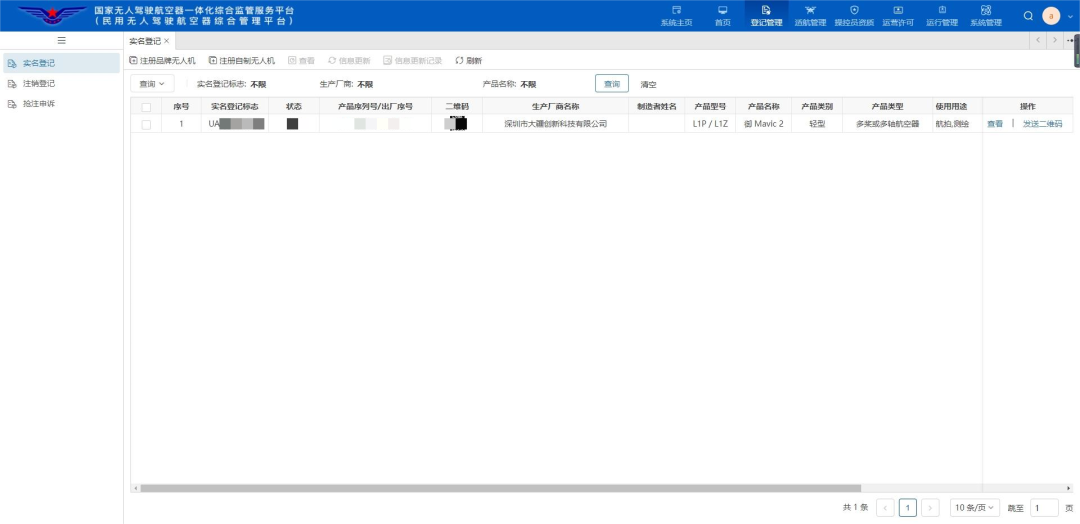
Click to Enter “Real Name Registration”
04
Click on the UAV Category
For UAVs from brands like DJI and XAG, click “Register Brand UAV”; for non-branded UAVs, click “Register Homemade UAV”.
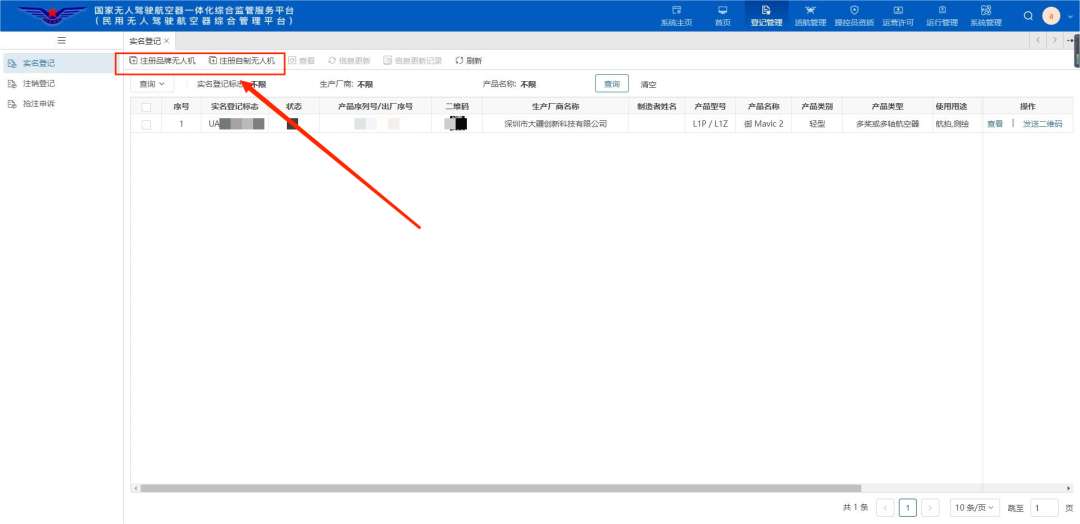
05
Register Brand UAV
① Register Identity
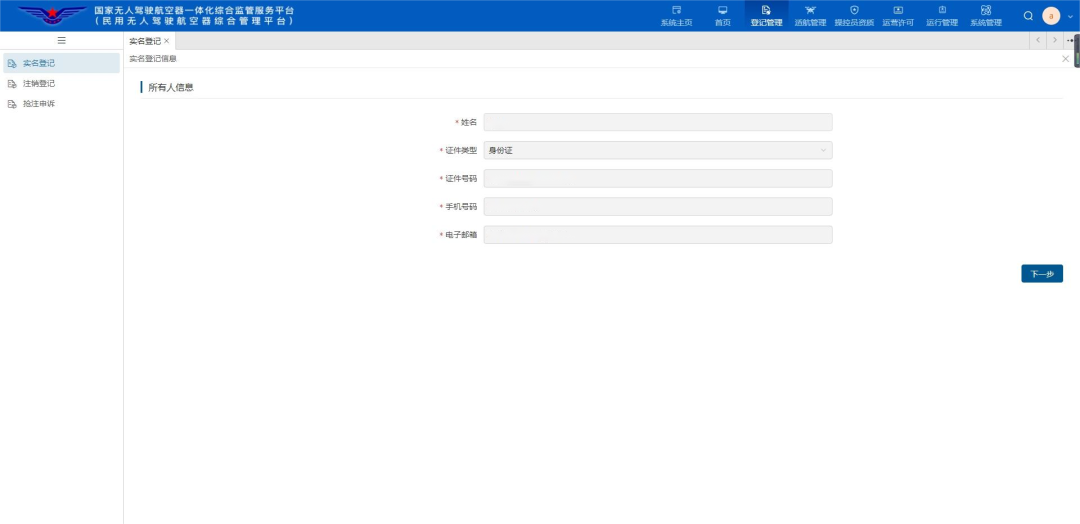
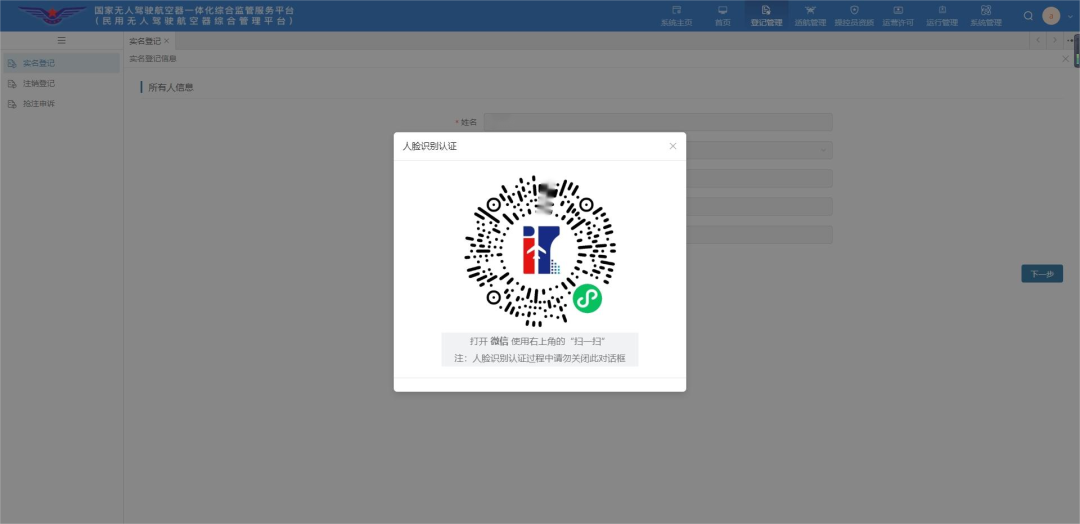
② Face Recognition Confirmation
③ Enter the application form, items marked with “✱” are required.
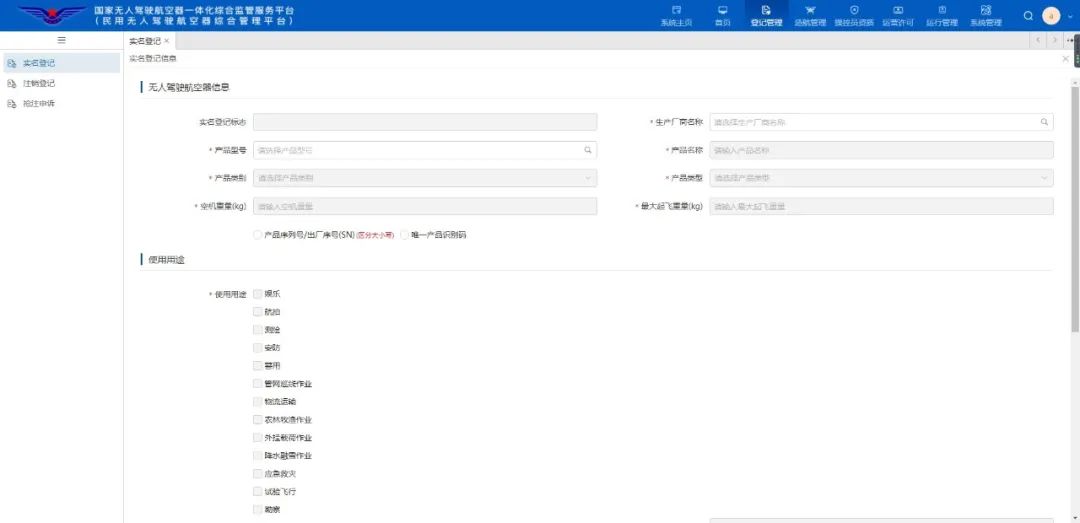
④ Fill in the manufacturer.
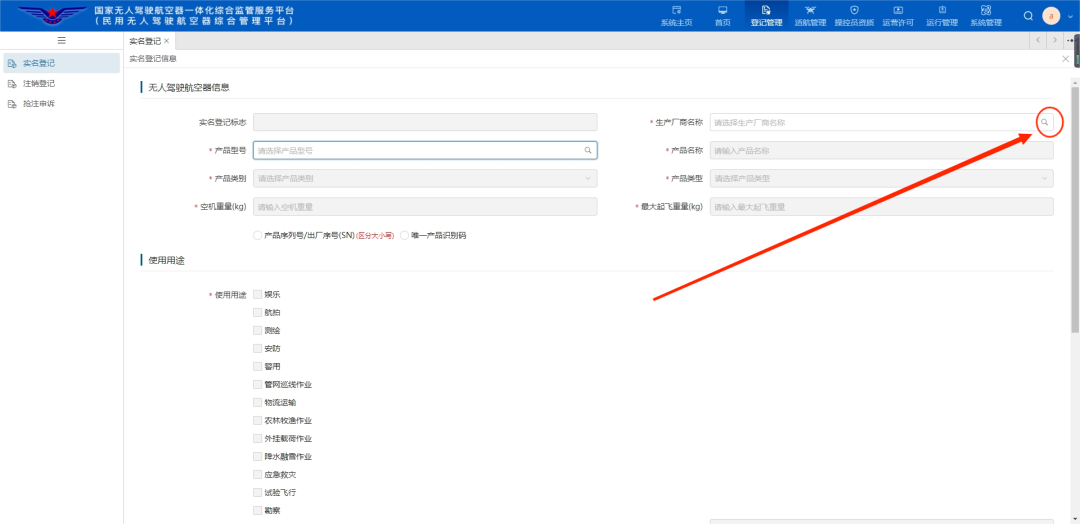
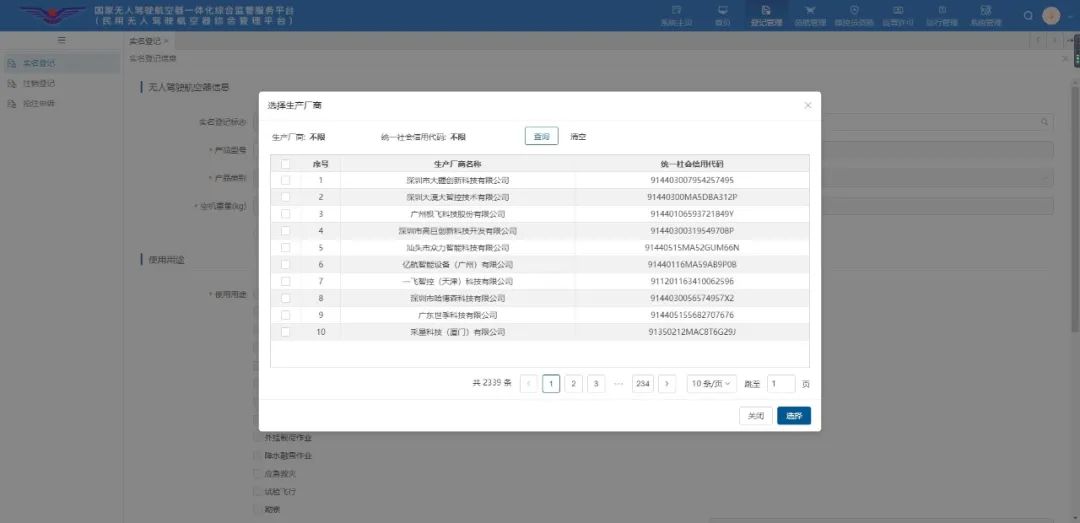
Select the UAV manufacturer.
④ Fill in the product model.
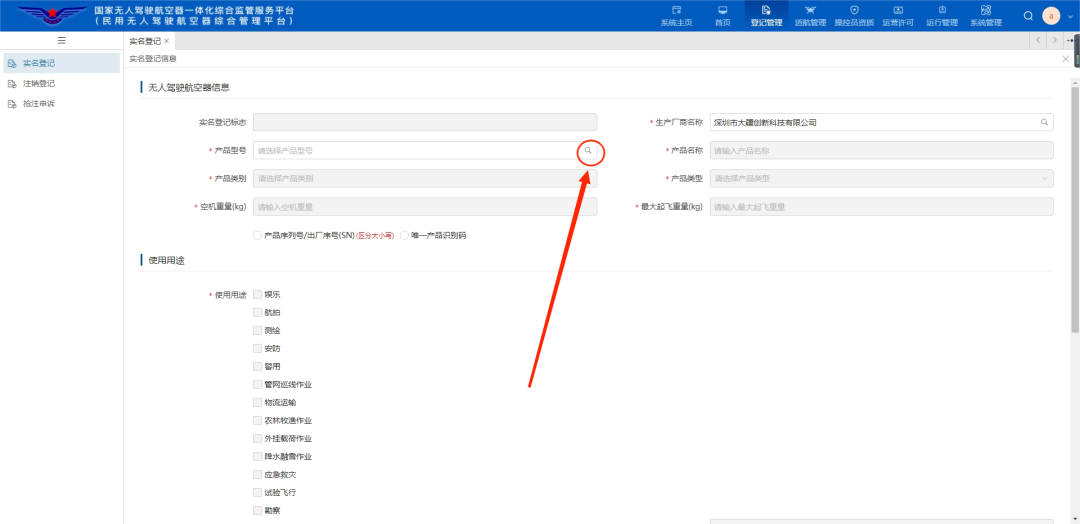
Note: You can only fill in the product model after completing the manufacturer. In the picture, DJI is an example.
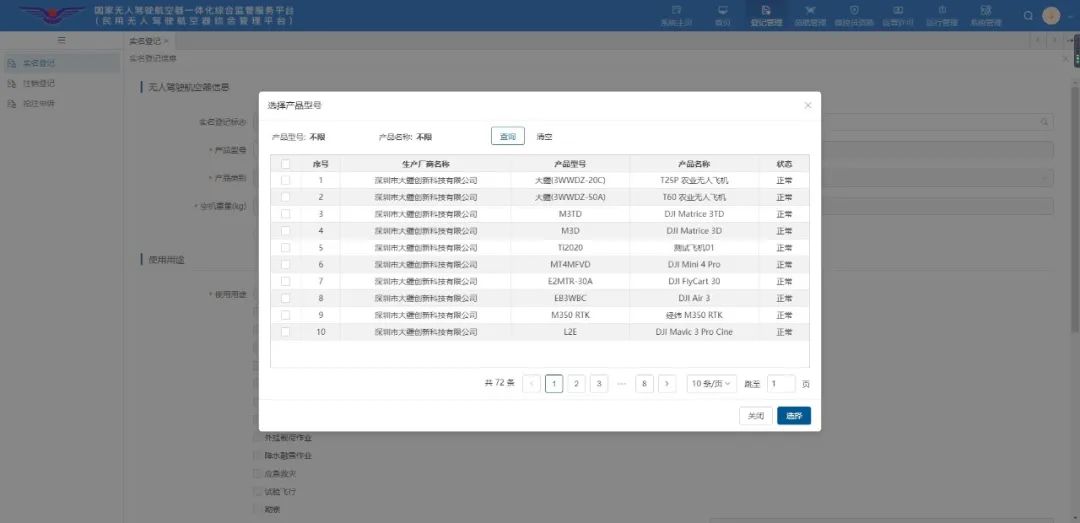
Select the product model.
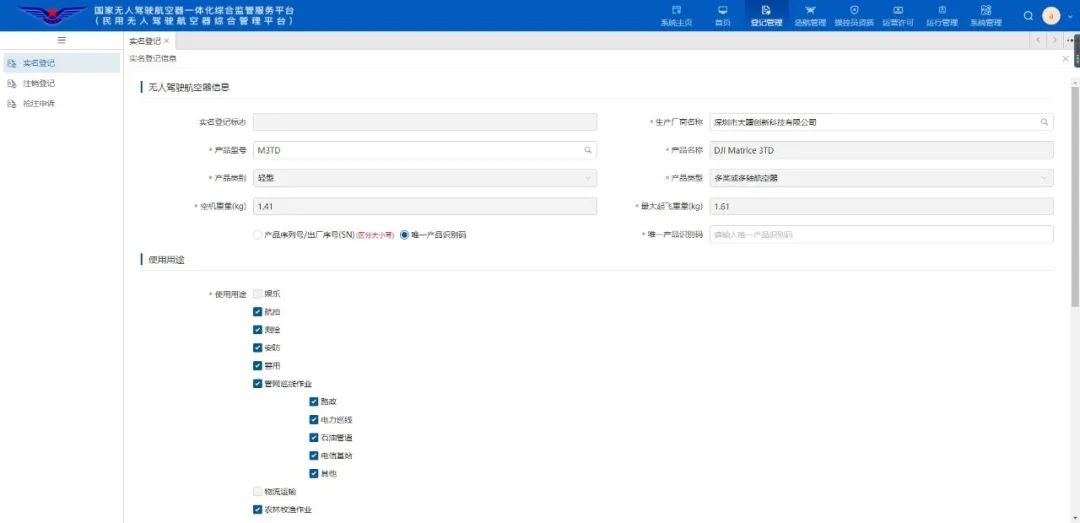
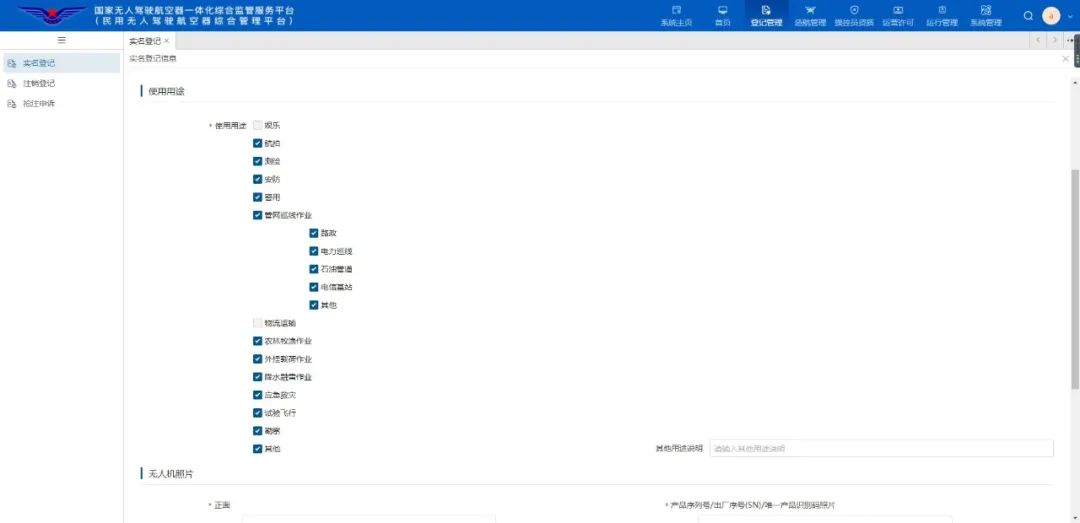
After selecting the product model, the system will automatically fill in the entries for “Product Name”, “Product Category”, “Product Type”, “Empty Weight”, “Maximum Take-off Weight”, and “Usage Purpose”.
⑤ Fill in the unique product identification code or product serial number/factory number (SN).
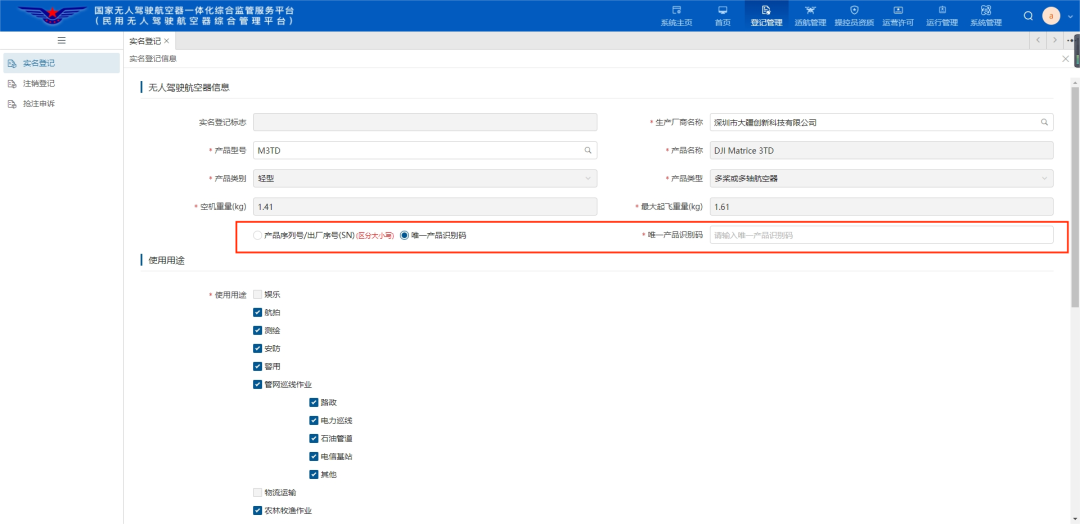
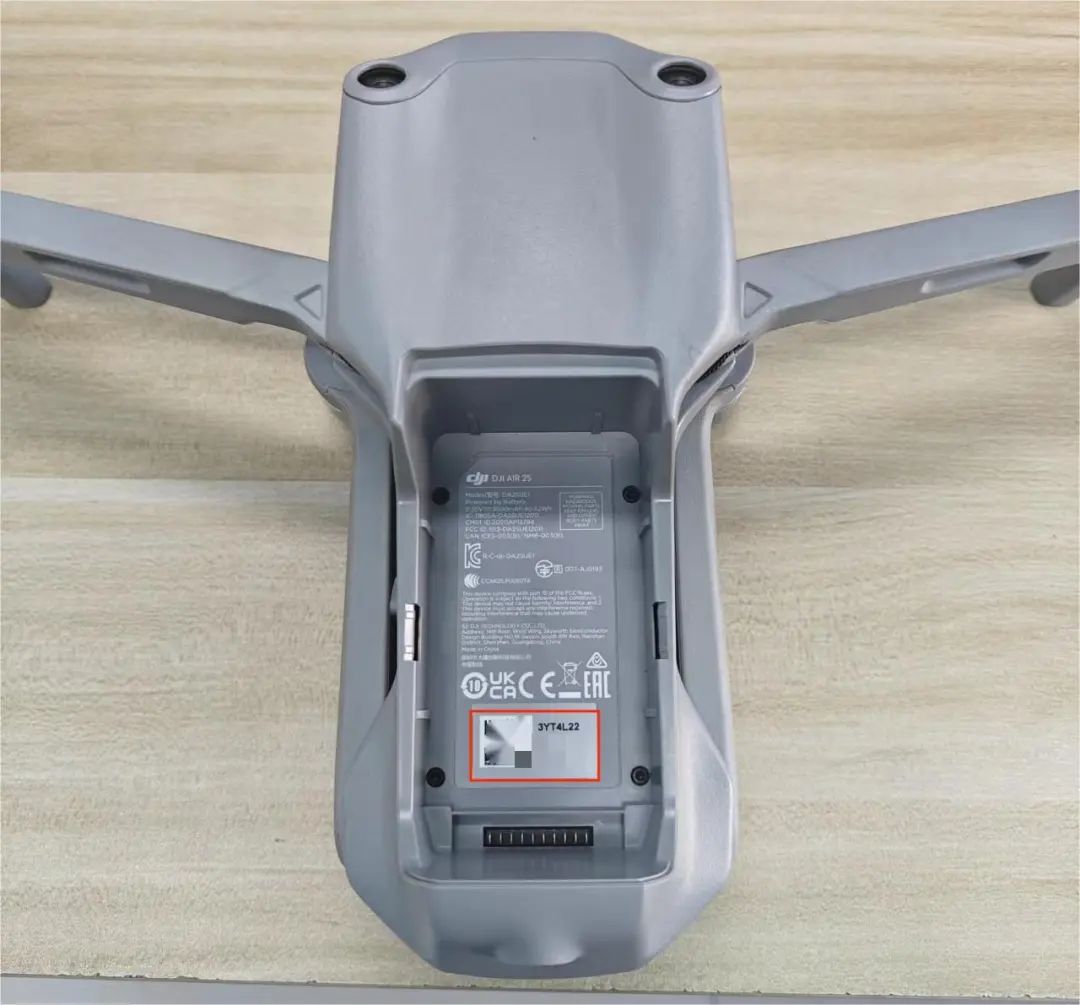
Note: The unique product identification code or product serial number/factory number (SN) is usually located on the fuselage; the picture shows an example from DJI.
⑥ Upload a photo of the UAV.
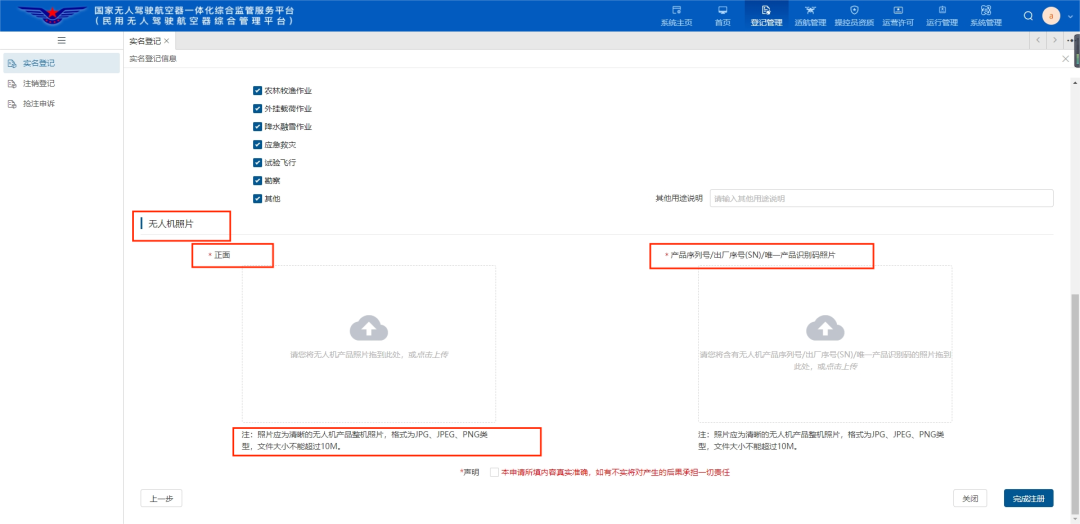
⑦ After checking the declaration in red below, click to complete the registration.
06
Register Homemade UAV
① Register Identity
② Face Recognition Confirmation
③ Enter the application form, items marked with “✱” are required.
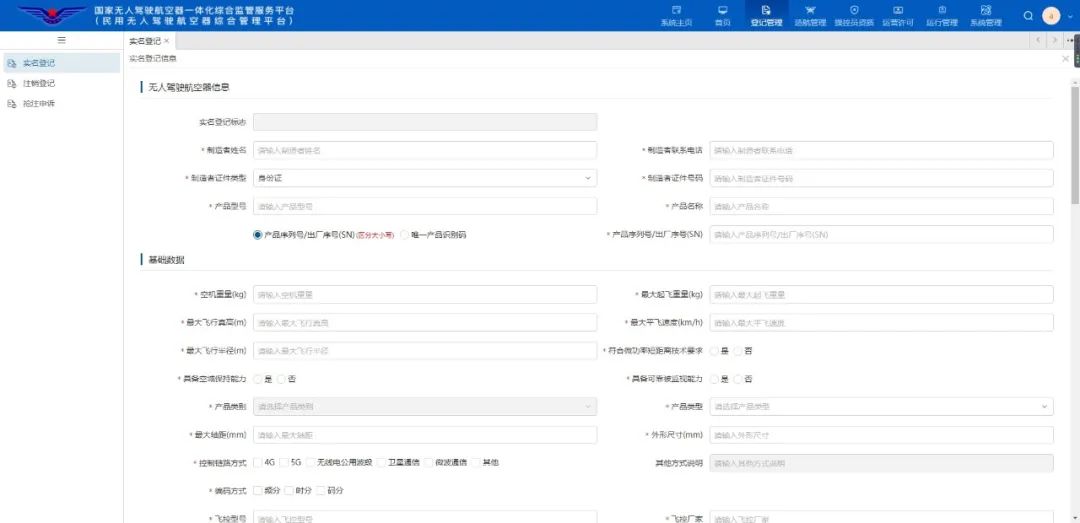
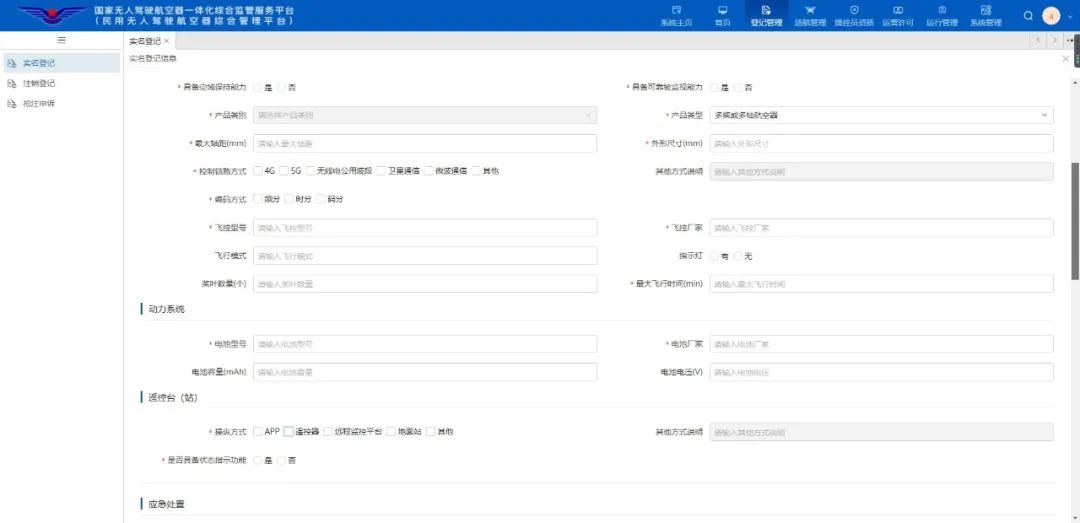
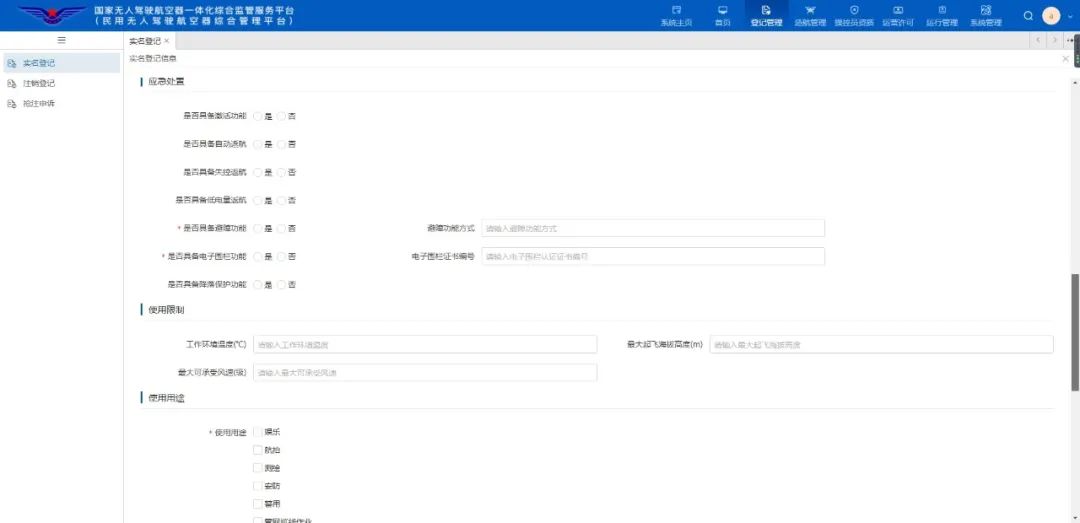
Note: All form content must be filled out by yourself.
④ Upload a photo of the UAV.
⑤ After checking the declaration in red below, click to complete the registration.
07
Real Name Mark
① After completing the registration, return to the real name registration page.
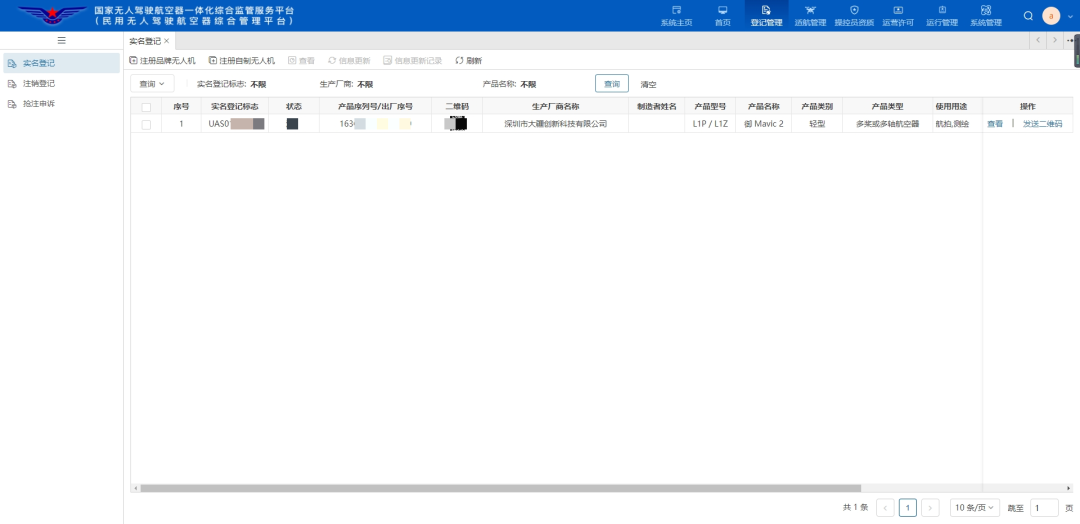
② Click to send the QR code.
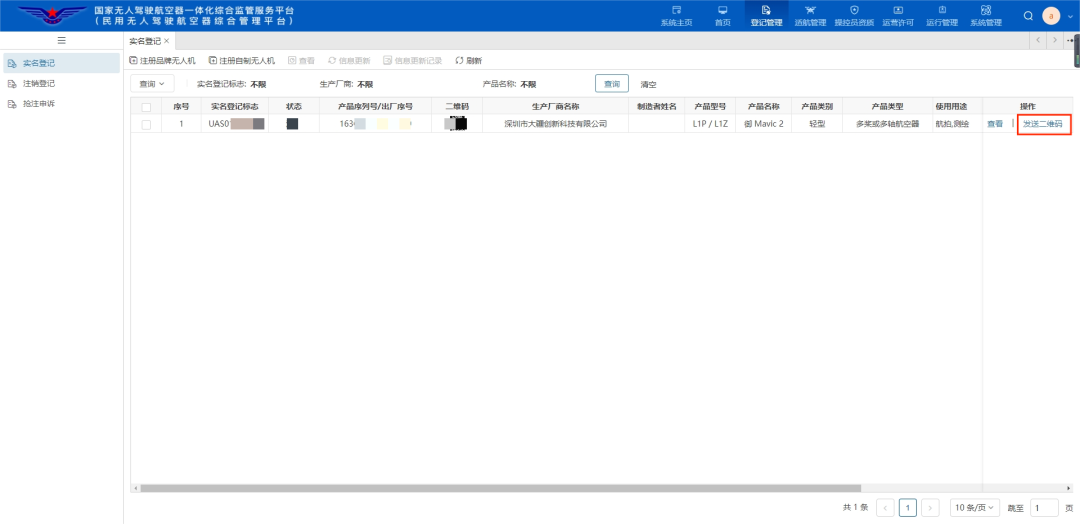
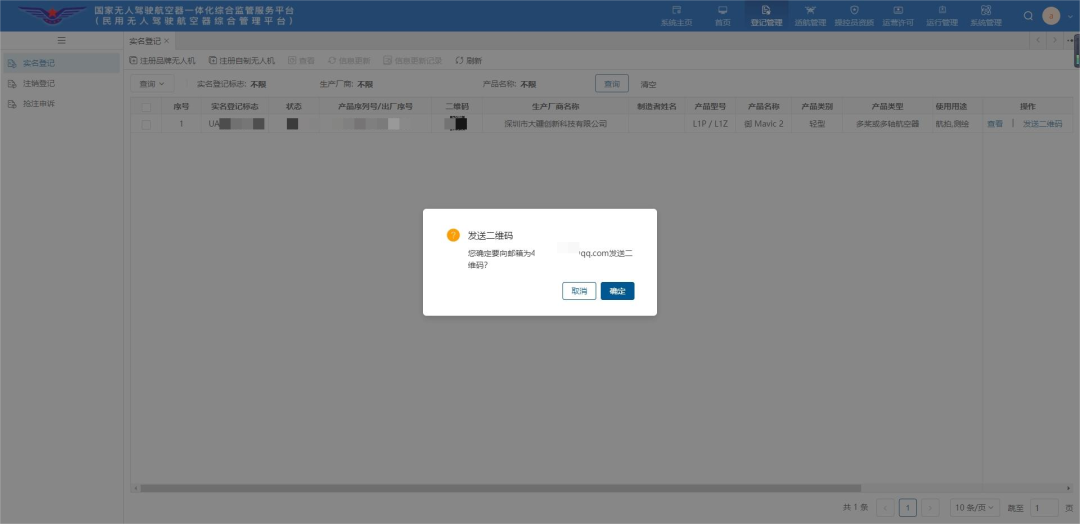
Confirm your email account, verify the information in your email and load the attachment, print the QR code in the attachment and paste it on the UAV fuselage to complete the real name registration.
Company Introduction
Yifeihongtian UAV was established in 2020, focusing on UAV talent training and industry application services, having obtained more than 20 patents, and owning a self-developed VR UAV training system. It is recognized as an “Excellent UAV Training Institution” by the China Civil Aviation Pilots Association in 2022 and a demonstration base for education and training (practical training) for veterans in Shenzhen.
The company is committed to empowering the industry through automated flight, meeting the low-altitude inspection business needs of government and enterprise users with highly intelligent UAV systems. Relying on UAV automated airports + “aerial mounted equipment” + intelligent “AI” algorithms, it has created a series of automated application solutions for different industries and fields, and has provided multiple batches of customized services for government agencies, enterprises, and a wide range of users.



Scan to Follow Us
Contact Number: 13312989675