In traditional Arduino programming, using the delay() function causes the entire program to enter a waiting state, making it impossible to handle multiple tasks simultaneously. Want to control LED blinking, motor operation, read sensor data, and handle serial communication at the same time?Traditional blocking programming turns microcontrollers into “single-threaded” processors.
The lightweight cooperative multitasking scheduling library, TaskScheduler, allows microcontrollers like Arduino, ESP32, and ESP8266 to handle multiple tasks simultaneously, achieving true concurrent execution.
Core Advantages of the Project
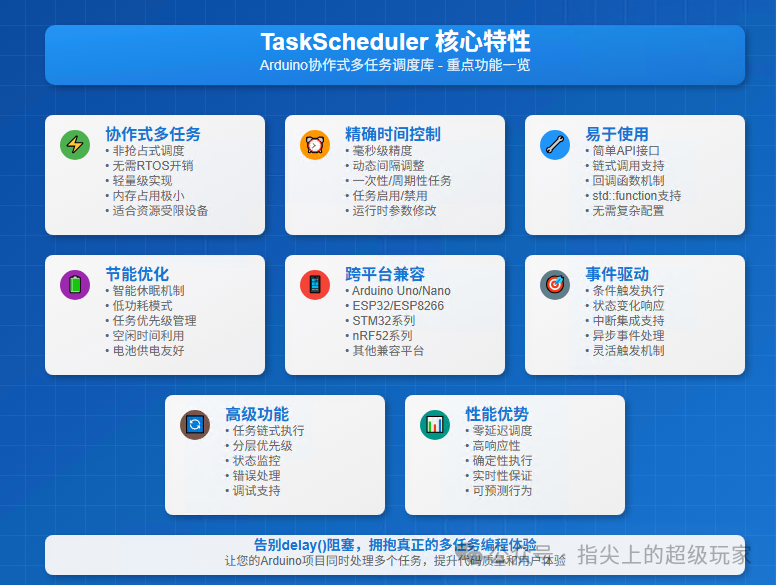
The core advantage of TaskScheduler lies in its lightweight design and powerful task management capabilities, enabling efficient multitasking on resource-constrained microcontrollers. This library supports dynamic task management, event-driven execution, and power optimization, making complex embedded projects easier to manage.
Including:
- • Periodic task execution: Supports millisecond-level precise timing
- • Dynamic parameter adjustment: Modify execution counts and intervals at runtime
- • Power management optimization: Automatically enter low-power mode when idle
- • Event-driven calls: Supports conditional triggers and callback functions
- • Hierarchical priority: Task priority management and dependencies
- • Wide compatibility: Supports Arduino Uno, ESP32, ESP8266, STM32, etc.
Technical Features of the Project
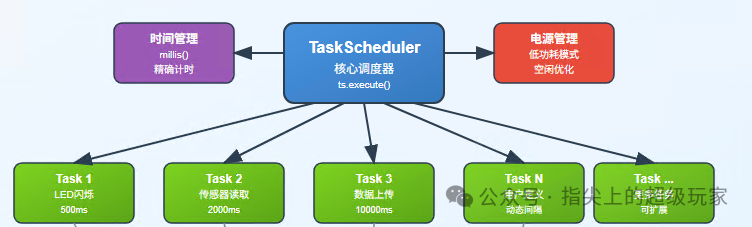
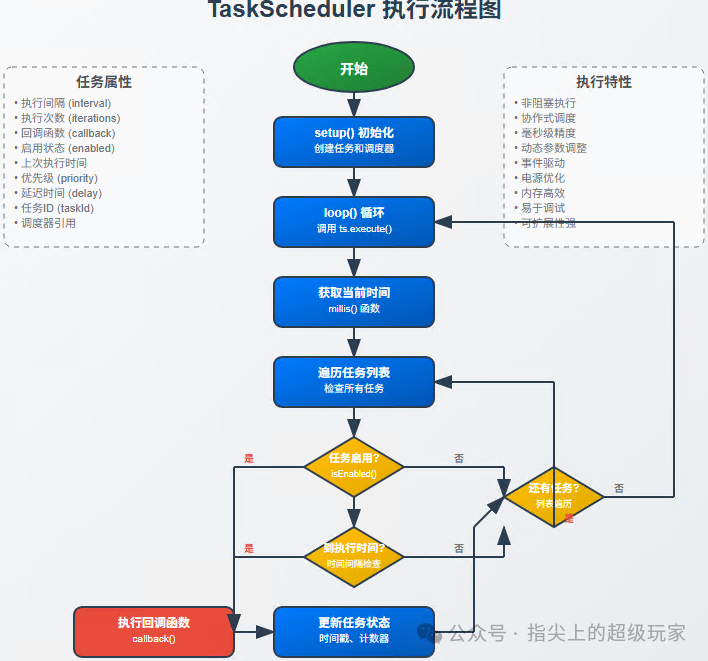
TaskScheduler adopts a cooperative multitasking scheduling mechanism, unlike preemptive schedulers (like FreeRTOS), it achieves task switching through time-slicing and event-driven methods.
Core technologies include:
- • Non-blocking execution: All callback functions must return quickly, avoiding the use of delay()
- • Millisecond-level timer: Achieves precise timing based on the millis() function
- • Memory optimization: Minimizes RAM usage, suitable for resource-constrained environments
- • Callback mechanism: Supports function pointers and std::function
- • State management: Task enable/disable, pause/resume control
Application Scenarios
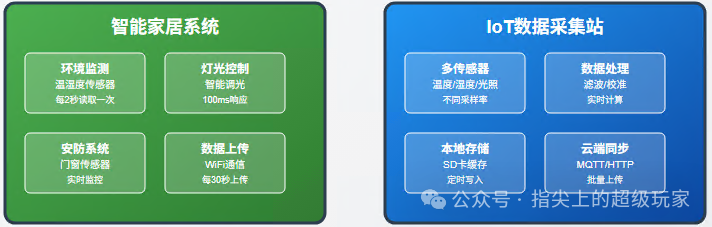
TaskScheduler has a wide range of application prospects in IoT and embedded systems, particularly suitable for complex projects that require handling multiple tasks simultaneously.
Typical applications include:
- • Smart home systems: Simultaneously control lighting, temperature sensors, and WiFi communication
- • Data acquisition stations: Periodically read multiple sensors and upload to the cloud
- • LED display control: Manage complex LED animations and user interactions
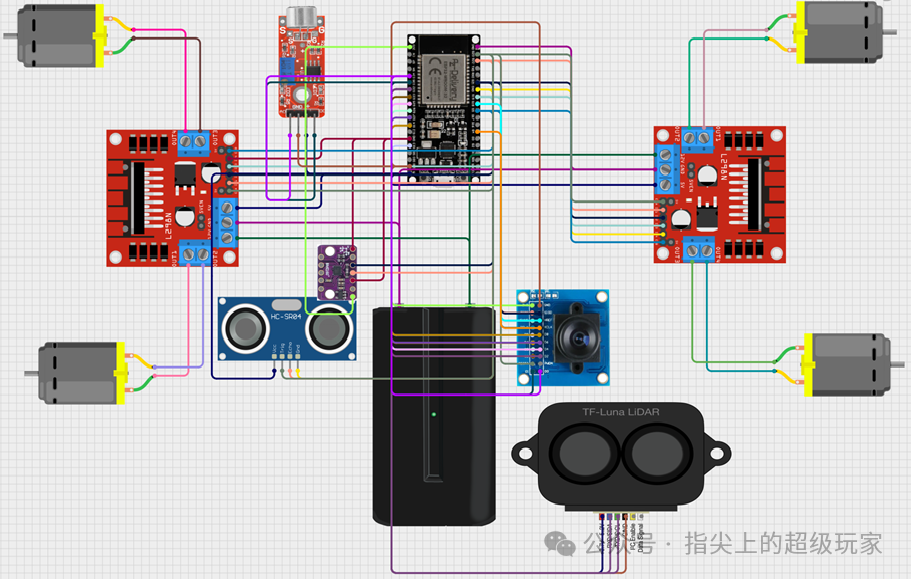
- • Robot control: Coordinate motor control, sensor reading, and communication tasks
- • Industrial monitoring: Real-time monitoring of equipment status and data logging
Practical Code Examples
Basic LED Blinking Task
#include <TaskScheduler.h>

// Create scheduler
Scheduler ts;

// Task callback function
void blinkLED();

// Create task: execute every 500ms, run forever
Task tBlink(500, TASK_FOREVER, &blinkLED, &ts, true);

bool ledState = false;

void setup() {
  pinMode(LED_BUILTIN, OUTPUT);
  // Task will automatically start (set to true in constructor)
}

void loop() {
  ts.execute(); // Execute scheduler
}

void blinkLED() {
  ledState = !ledState;
  digitalWrite(LED_BUILTIN, ledState);
}
Multi-Sensor Data Collection
#include <TaskScheduler.h>
#include <DHT.h>

Scheduler ts;
DHT dht(2, DHT22);

// Tasks with different frequencies
void readTemperature();
void readHumidity();
void sendData();

Task tTemp(2000, TASK_FOREVER, &readTemperature, &ts, true);   // 2 seconds
Task tHumid(3000, TASK_FOREVER, &readHumidity, &ts, true);     // 3 seconds
Task tSend(10000, TASK_FOREVER, &sendData, &ts, true);         // 10 seconds

float temperature, humidity;

void setup() {
  Serial.begin(9600);
  dht.begin();
}

void loop() {
  ts.execute();
}

void readTemperature() {
  temperature = dht.readTemperature();
  Serial.print("Temperature: ");
  Serial.println(temperature);
}

void readHumidity() {
  humidity = dht.readHumidity();
  Serial.print("Humidity: ");
  Serial.println(humidity);
}

void sendData() {
  // Send data to the cloud
  Serial.println("Data uploaded");
}
Dynamic Task Control
// Dynamically adjust task frequency based on conditions
void adjustTaskFrequency() {
  if (temperature > 30) {
    tTemp.setInterval(1000); // More frequent checks in high temperature
  } else {
    tTemp.setInterval(5000); // Reduce frequency at normal temperature
  }
}
Advantages and Disadvantages Analysis
| Advantages | Disadvantages |
| Lightweight design, low memory usage | Requires manual management of task priorities |
| Easy to learn and use | Not suitable for CPU-intensive tasks |
| Supports dynamic task management | Callback functions cannot use delay() |
| Power optimization, supports low power | Debugging is relatively complex |
| Wide hardware compatibility | Does not support true parallel processing |
| Rich API and examples | Large projects may require more complex RTOS |
TaskScheduler is particularly suitable for small to medium-sized embedded projects, for applications that require handling a large number of concurrent tasks or have high real-time requirements, it is recommended to consider more powerful real-time operating systems like FreeRTOS.
Conclusion
TaskScheduler is like giving Arduino a “multi-core brain”, transforming a microcontroller that could only “focus on one thing” into a multitasking processor that can “do many things at once”. Whether it’s monitoring temperature and humidity in smart homes or controlling complex LED effects, it can make your code more elegant and efficient. Say goodbye to the blocking world of delay() and embrace the beautiful era of concurrent programming!
Project Address: https://github.com/arkhipenko/TaskScheduler
For more information on Home Assistantlow-cost modifications, hardware DIY and ESP32 software tutorials, feel free to follow this public account.
Previous Highlights:
ESP32 + VNC protocol cross-platform display + control, allowing microcontrollers to easily display computer desktops!!
Only 2 files needed to achieve embedded debugging with hierarchical logging, multiple output targets, and dynamic control, saying goodbye to printf debugging!
ESP32 creates a high-quality control webpage, cross-platform UI, intranet penetration, and easy development, it’s fantastic!
Low-cost ESP32 oscilloscope, Wi-Fi direct connection + web interface + real-time sampling doubles debugging efficiency!
Tired of the ordinary Home Assistant interface? A beginner gives Home Assistant an iOS advanced interface!