In the previous case study (Building an Enterprise-Level Wi-Fi for 400 Yuan! A Zero-Basis Guide to Setting Up AC + Thin AP Environment, the Simplest Networking Guide on the Internet), we introduced the Layer 2 registration configuration for AC and thin AP. For small wireless networks, the AC generally only needs to manage a small number of APs, and Layer 2 registration is sufficient; at this point, the thin AP and AC are on the same VLAN, and they communicate through a Layer 2 network. Typically, the gateway for the AP management address is the AC device; if the terminal’s gateway is also the AC device, this scenario is generally referred to as centralized forwarding.
For slightly larger wireless networks, the AC device is not suitable as the user business gateway due to performance issues, and a more powerful Layer 3 switch or router is generally chosen to handle user business traffic. At this point, the network model changes, and the AC device needs to be removed from the backbone network and instead connected to the core device. In this case, the thin AP and AC are generally not in the same subnet, and they need to communicate through a Layer 3 network. This configuration method is referred to as Layer 3 registration.
The core point of the Layer 3 network is to allow the thin AP to know the IP address of the AC device and communicate through the thin AP’s gateway, which requires the use of DHCP options (【Read First】Complete List of DHCP Extended Options).
Regarding DHCP options, we have previously introduced related cases (Goodbye ADB! Using DHCP Options to Automatically Add Static Routes on Mobile Phones), mainly by carrying more DHCP message data to complete information exchange.
Currently, the MSR810 does not support configuring DHCP options on the web page and needs to be configured via the command line.
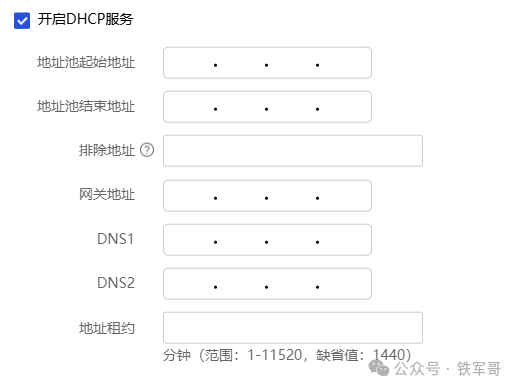
Previously, the option we needed to configure was generally option-43, which is used by clients and servers to exchange vendor-specific information. For H3C, the DHCP server transmits the AC’s IPv4 address through Option-43. However, Option-43 only supports configuration in HEX format (hexadecimal), requiring manual conversion of the decimal AC address to hexadecimal IPv4 address and concatenation with other fields, which is somewhat complex.
Now, H3C supports using Option-138 to transmit the AC’s IPv4 address (Wireless Access Point Control and Configuration (CAPWAP) Access Controller DHCP Options), and Option-138 not only supports configuration in traditional HEX format but also allows direct configuration of IPv4 addresses, significantly reducing configuration difficulty.
For example, if I currently have an AP in Beijing, and the networks in Beijing and Hengshui have been connected through ADVPN (ADVPN: Full-Mesh Model Networking Experiment), if I want the AP in Beijing to register with the AC in Hengshui, the configuration method is as follows:
#dhcp server ip-pool lan1 option 138 ip-address 192.168.51.1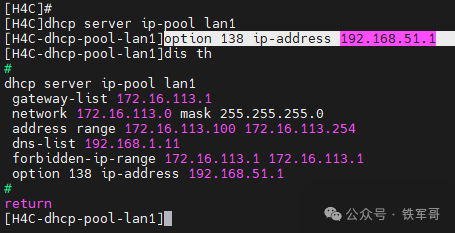
Next, we complete the remaining configuration of the AC on the MSR810-LM web page.
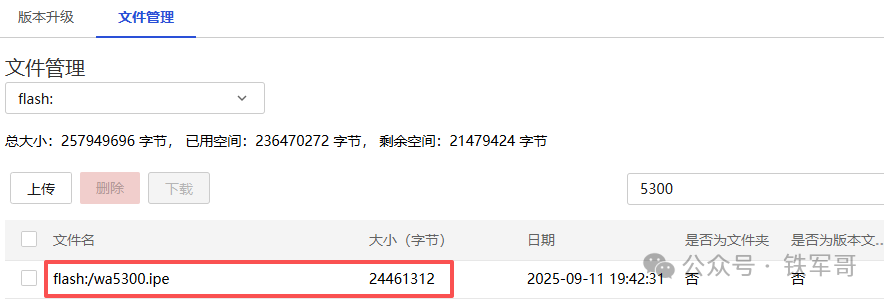
First, confirm that the AC device has the version file for the AP.
Then, enter the wireless AC management page. If you want to save time, you can directly use the quick configuration options for [Add AP] and [Add Wireless Service].
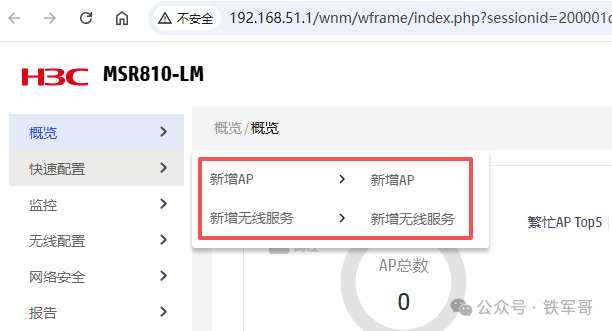
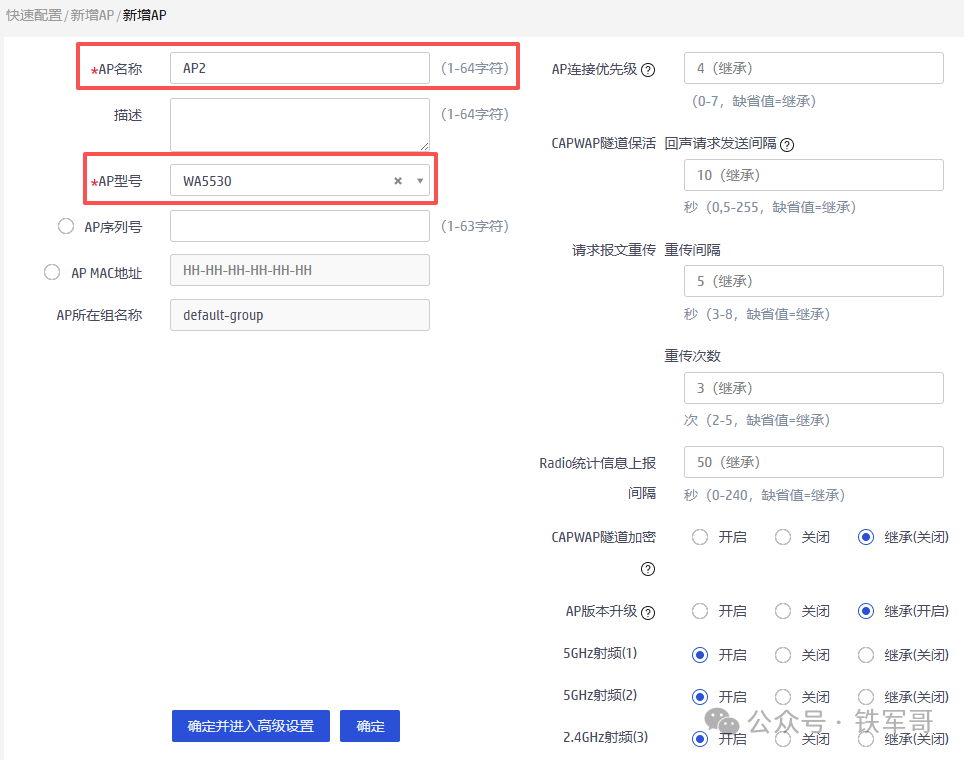
We first click [Add AP], where it shows that only the AP name and AP model are required fields. We will try without filling in the serial number to see if the AP can go online smoothly.
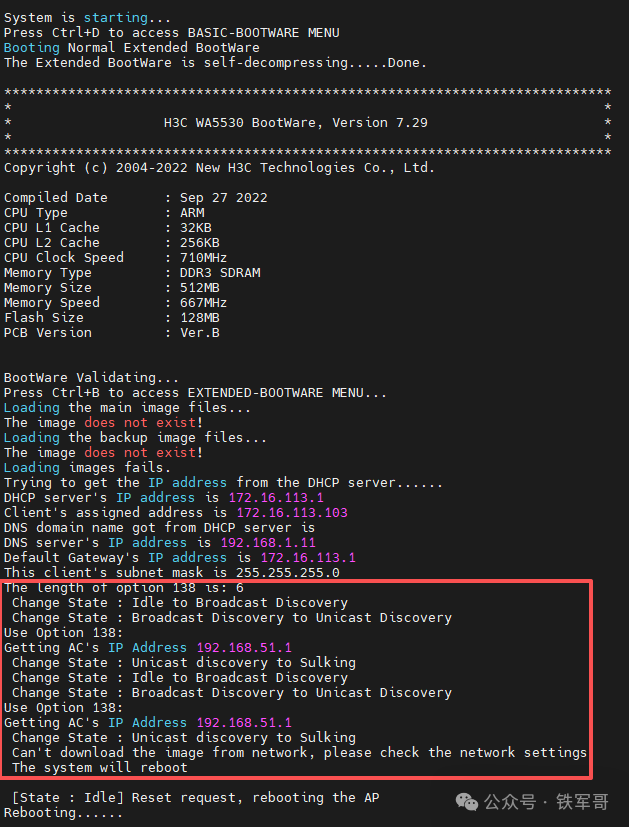
As a result, the AP found the AC, but the AC did not recognize this AP and did not allow the download of the file.
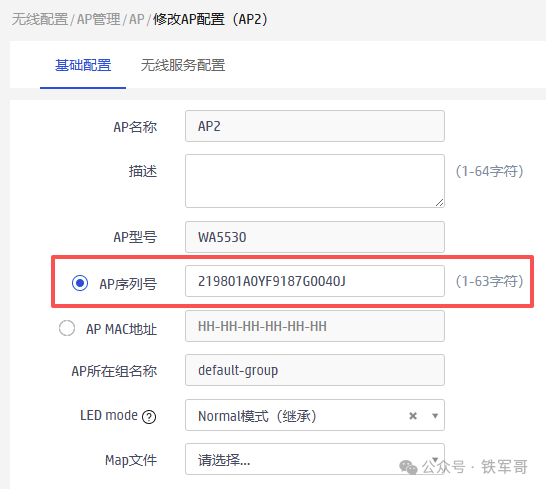
It seems that we still need to configure the serial number. In the AP configuration modification page, we check [AP Serial Number] and fill in the recorded AP serial number, then click [Confirm] to complete the modification.
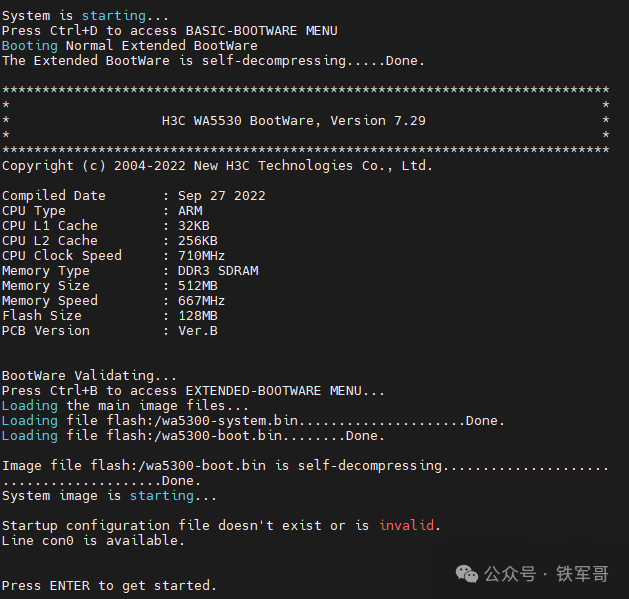
After configuring the AP serial number, the AP can successfully download the startup file.
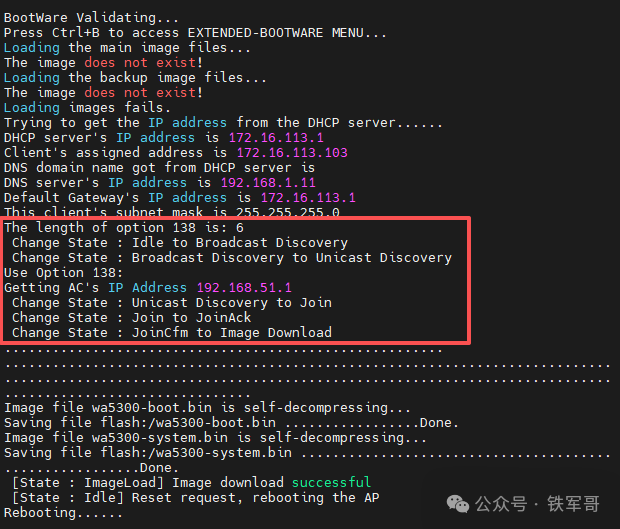
It can be seen that the AP has obtained the information transmitted by Option-138 and successfully configured the AC’s IPv4 address, then downloaded the version locally. With the version, the AP can successfully start.
At this point, we can see that the AP has gone online on the AP monitoring page of the AC device.
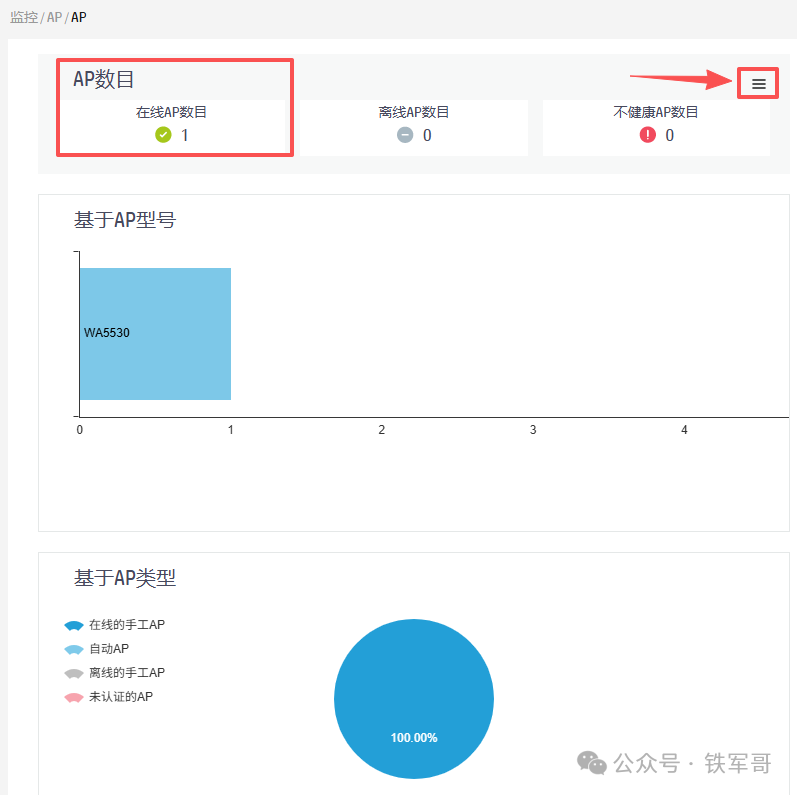
However, this page only displays overview information. To check the specific AP online status, you need to click the [More] button in the upper right corner to view the AP list.
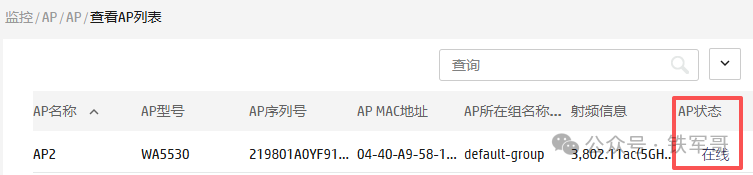
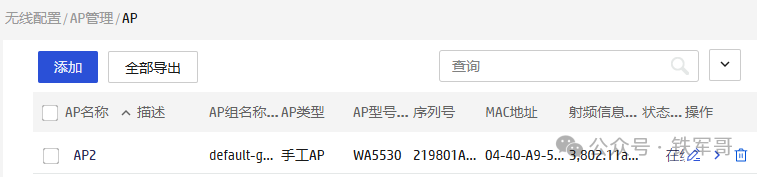
Of course, the information seen here is almost identical to that on the AP management page; on the AP management page, we can also configure the AP.
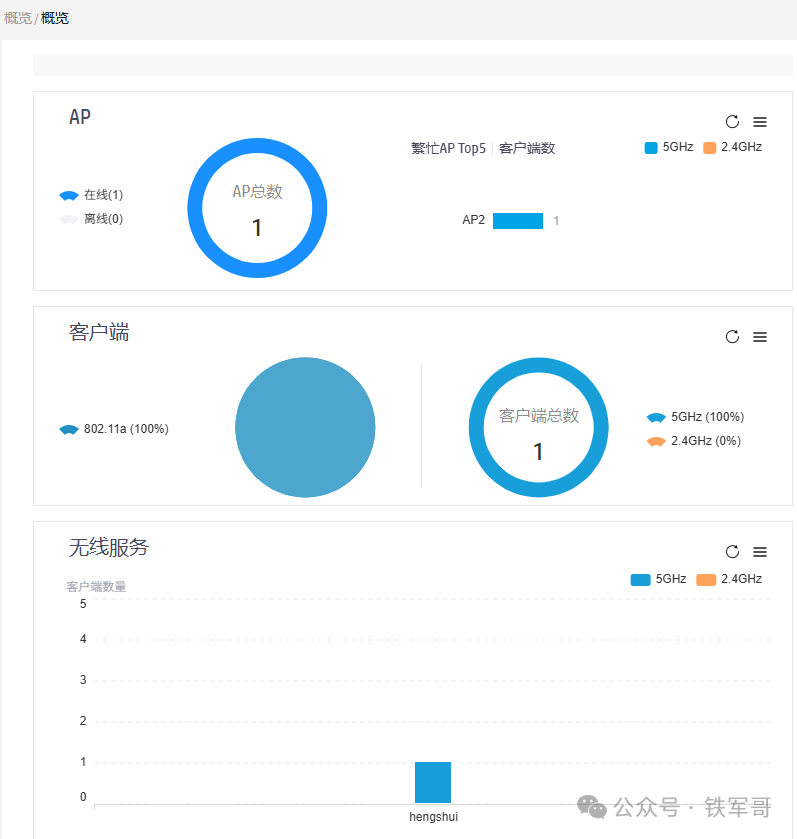
After the AP goes online successfully, we can configure the wireless service. Click [Quick Configuration] under [Add Wireless Service], configure the wireless service name and SSID, and enable the wireless service.
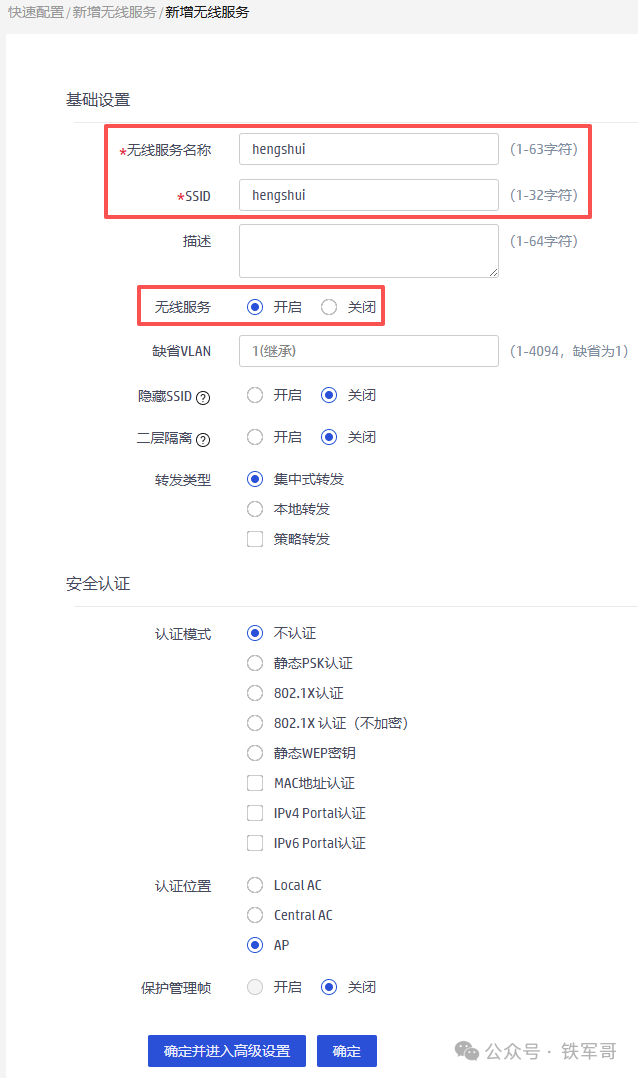
After successful addition, switch to the [Wireless Configuration] under [Wireless Network], and click the operation button next to the newly added wireless service template.
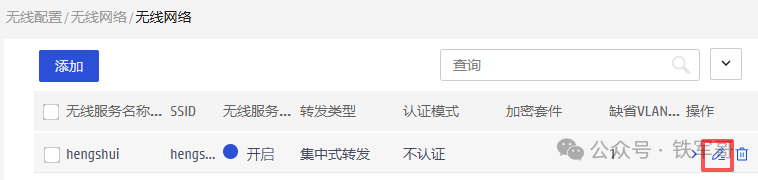
Switch to the [Binding] tab, select the RF port to bind, and click [Confirm] to complete the binding.
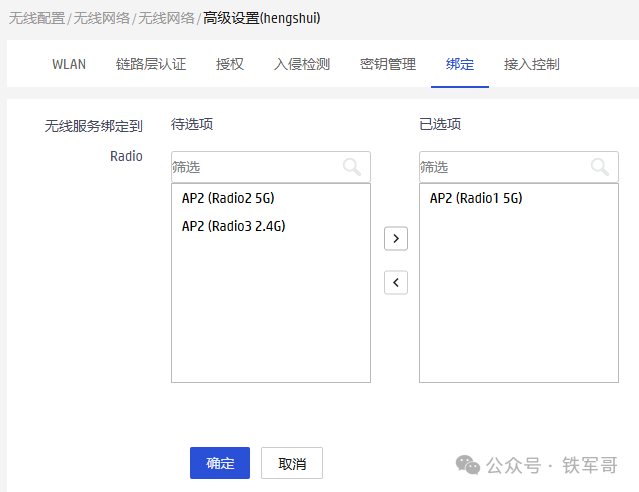
Then let the client go online and check the client online status in the client monitoring.
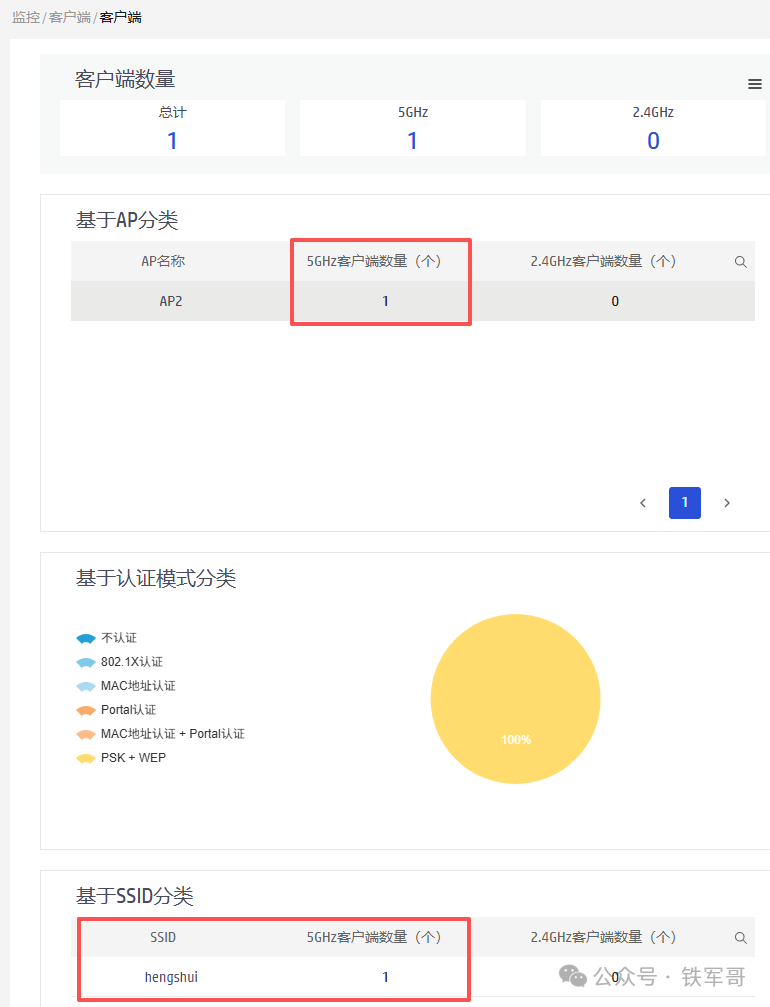
Similarly, you need to click the [More] button in the upper right corner to view the client list details.
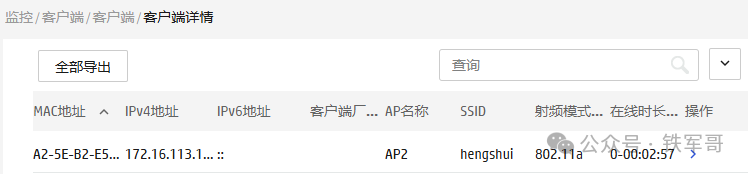
Overall, the web can be configured, but the displayed information is still quite limited compared to what can be seen in the command line.
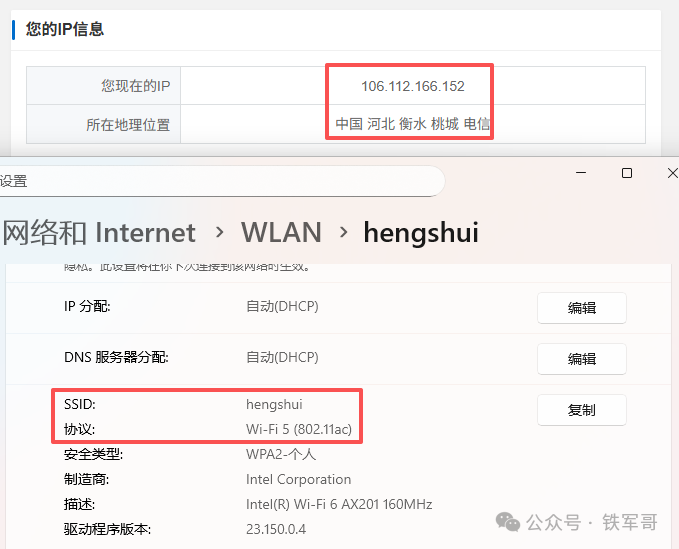
Finally, it is worth mentioning that using this configuration method allows wireless client traffic to be forwarded through the AC, so the traffic from Beijing can be routed through Hengshui to access the internet, indirectly achieving the effect of switching network exits.
So, is this operation easy to understand? If you have a large wireless network to configure, try the Layer 3 registration scheme.
**Recommended Reading***
Home routers are weak! I transformed my home Wi-Fi using the Trident wireless solution, achieving speeds of 3Gbps.Build an enterprise-level Wi-Fi for 400 Yuan! A zero-basis guide to setting up AC + thin AP environment, the simplest networking guide on the internet.Five-Year Transformation: Complete Record of UOS System Installation, the Domestic Light Driven by AI.Can’t install MySQL on UOS? Not a problem, manually deploy in 2 minutes to solve the issue.Shocking: Does the Layer 3 switch support NAT? Tested WA5530 configuration NAT + PPPoE.Enterprise-level AP instantly becomes a household artifact! Challenging WA5530’s three-band 3Gbps speed limit.Hundred Yuan enterprise AP instantly becomes a gigabit router! Tear apart web configuration, unlocking PPPoE/NAT hidden skills.Dual AP wireless Mesh practical application: Is 5GHz better than 2.4GHz for wall penetration? H3C fat AP networking pitfall guide.Fan benefits: Free Tianyi Cloud VPN gateway and 1000 Yuan.Step-by-step tutorial: Use public cloud to build a 10Mbps cross-border dedicated line for free.Complete guide to cross-border access in 10 minutes! Squid proxy setup guide.Own an enterprise email for 0 Yuan! Step-by-step guide to getting Tencent enterprise email for free.What does “doing it fast” mean? A misunderstanding leading to an in-depth exploration of domestic routing systems!OpenVPN all-platform access guide: One-click access secrets for Win/macOS/Linux/Android.Connect to WiFi and switch IP! Unveiling the black technology of enterprise routers with multiple VPN exits!Global deployment of cloud phones: Achieving network freedom switching for Docker containers using policy routing.WireGuard too complicated? Learn to use Netmaker to achieve global networking in ten minutes.