 First Knowledge Point: What is a FileA file is an object that a program uses to access data; the program can read data from a file or write data to a file.Second Knowledge Point: File Classification
- Text Files: Stored in character format, requiring encoding, common encodings include: GBK, UTF-8
- Binary Files: Stored in byte format. No encoding required. For example: audio, video files, images, Word documents, etc.
Third Knowledge Point: File Operations1: Opening a File: open() FunctionTo use a file, it must be opened first. This can be achieved using the open() function. Its specific format is as follows:open(file, mode=’r’, encoding=None, errors=None)Where:
- file indicates the file to be opened
- mode sets the mode for opening the file, which includes the following modes:t: opens in text file modeb: opens in binary file moder: opens in read-only modew: opens in write-only mode, cannot read content. If the file does not exist, it creates the file; if it exists, it overwrites the file content.x: opens in exclusive creation mode,a: opens in append mode, cannot read content. If the file does not exist, it creates the file; if it exists, it appends to the end of the file.+: opens in update mode, must be used in combination with r, w, or a.
- encoding specifies the encoding when opening the file; note that no encoding is needed for binary files.
- errors specifies how to handle encoding errors in text files, generally set to ignore, meaning to ignore the error.
2: Writing to a File: file.write()
- Write data to the file
Fourth Knowledge Point: Several ExamplesFirst Example – Opening a File:
text_file=open('text_file.txt','w+')# opens in read-write mode, creates the file if it does not exist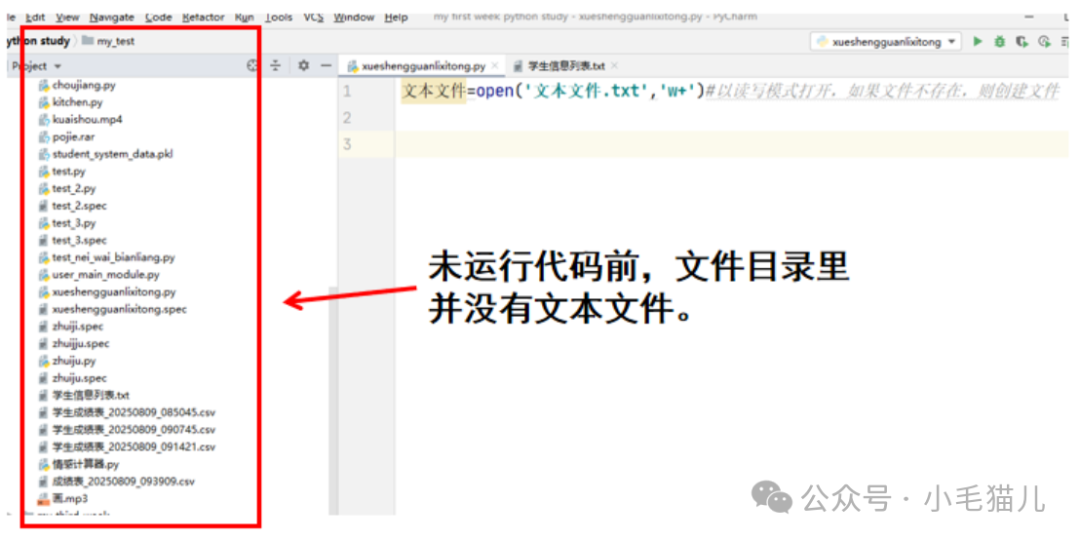 After running the code:
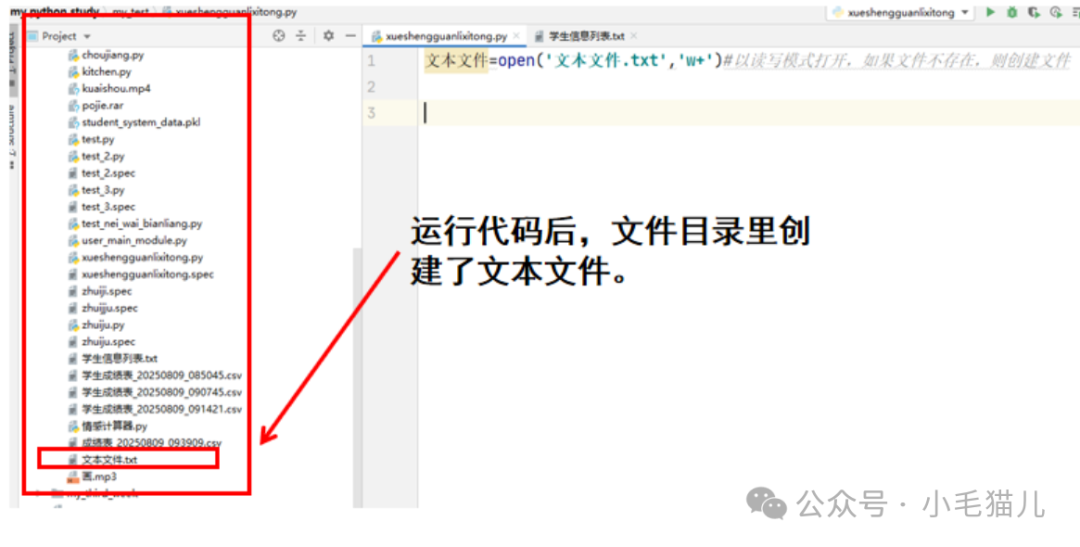 When we double-click to open the text file, we find that it is empty, meaning that if the file does not exist, open() only creates the file.Second Example – Writing Data to a File:
text_file=open('text_file.txt','w+')text_file.write('I love studying Python')# write data to the text fileAfter running the code: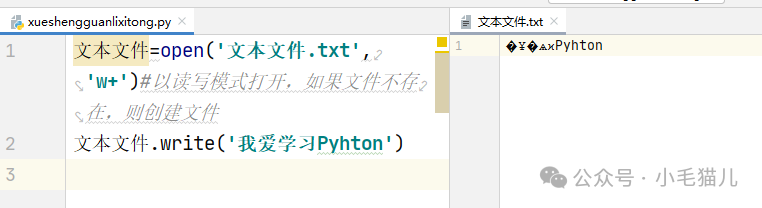 After running, you will find that the text file contains content, but it is a bunch of garbled characters. This may be because the default encoding when writing with open() is different from the encoding of the program that opens the file by double-clicking. The default encoding for Windows is UTF-8, so specifying the encoding as UTF-8 when writing will prevent garbled characters.After changing:
text_file=open('text_file.txt','w+',encoding='utf-8')# opens in read-write mode, creates the file if it does not existtext_file.write('I love studying Python')After opening the text file, it will display correctly.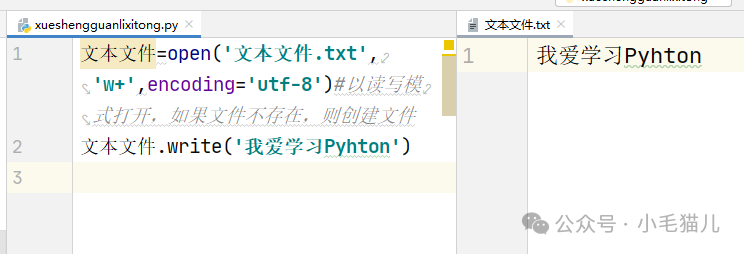 Third Example: Different Open Modes – w+ Mode: Opens in read-write mode, creates the file if it does not exist, and overwrites the original file content if it does exist.
text_file=open('text_file.txt','w+')text_file.write('I love studying Python')# write data to the text filetext_file=open('text_file.txt','w+',encoding='utf-8')# creates the file if it does not existtext_file.write('I have overwritten "I love studying Python"')# w+ mode, new content will overwrite the original file contentSince the text file was previously created, its content is: I love studying Python.After reopening the file and writing data, the original data in the file will be overwritten. As shown: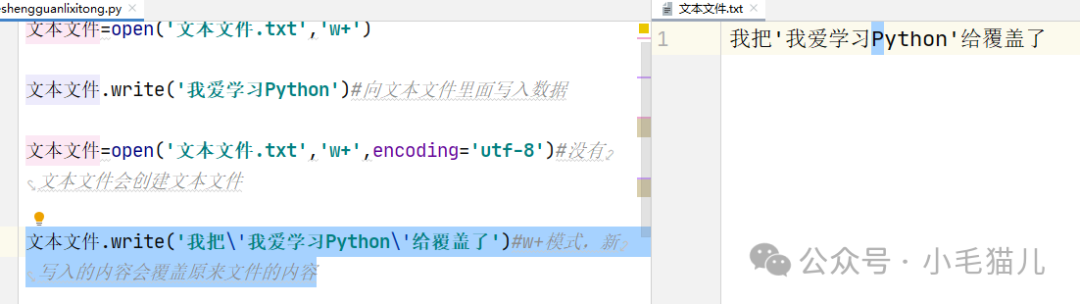 Third Example: Different Open Modes – r+ Mode: Opens in read-write mode, throws an exception if the file does not exist, and overwrites the original file data if the file exists.
- Case where the file does not exist
text_file=open('text_file.txt','w+',encoding='utf-8')# creates the file if it does not existtext_file.write('I have overwritten "I love studying Python"')new_text_file=open('new_text_file.txt','r+')Running result:
Error message: Traceback (most recent call last): File "F:/my python study/my_test/xueshengguanlixitong.py", line 5, in <module> new_text_file=open('new_text_file.txt','r+')FileNotFoundError: [Errno 2] No such file or directory: 'new_text_file.txt'Case where the file exists:
text_file=open('text_file.txt','w+',encoding='utf-8')# creates the file if it does not existtext_file.write('ABCDEFG')text_file=open('text_file.txt','r+',encoding='utf-8')text_file.write('123')File display result as shown: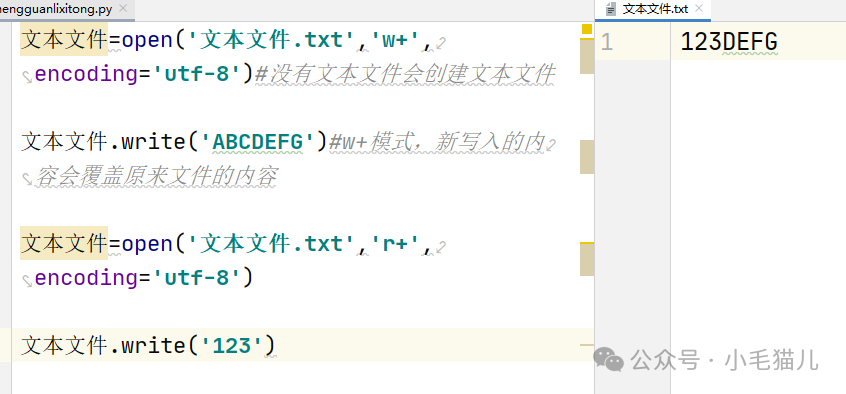
 Note here, the w+ mode clears the original file and rewrites it, while the r+ mode overwrites part of the original file’s characters, not all. Note the difference between the two.