1. Installation of Python SoftwareTo run Python programs, you need to install the Python interpreter, which is the IDLE software. The download options are as follows:1. Website One: https://www.python.org/downloads/2. Website Two: https://python123.io/downloads/3. Through the software manager that comes with your computer. After checking, Python software can be found in all major software managers.2. Software InstallationThe specific installation process is not much different from installing QQ, WeChat, and other software. This is because Python software is free. 3. Common Questions and Answers1. Why do some people install software like PyCharm after installing IDLE? Answer: IDLE is the main writing tool for small-scale Python software projects. For programming projects with around 100 to 300 lines of code, it is recommended to use the IDLE editor. For larger codebases, more professional development tools such as Visual Studio Code, PyCharm, or Jupyter Notebook can be used.2. How does IDLE software run?(1) Interactive: This is essentially a dialog. You input a line of code, and the software outputs a result. It’s similar to our conversation with deepseek or Doubao.For example, if we input print(“Hello Panpan”), IDLE software outputs Hello Panpan
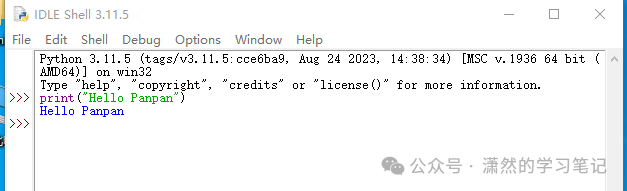 (2) File-based: This is similar to Stata, essentially calling code. You input code in the software’s editing window, and then the run interface outputs the execution result.In the menu, select “File—New File”, then write the code in the editing window, and choose save to save the code file. The code file format is .py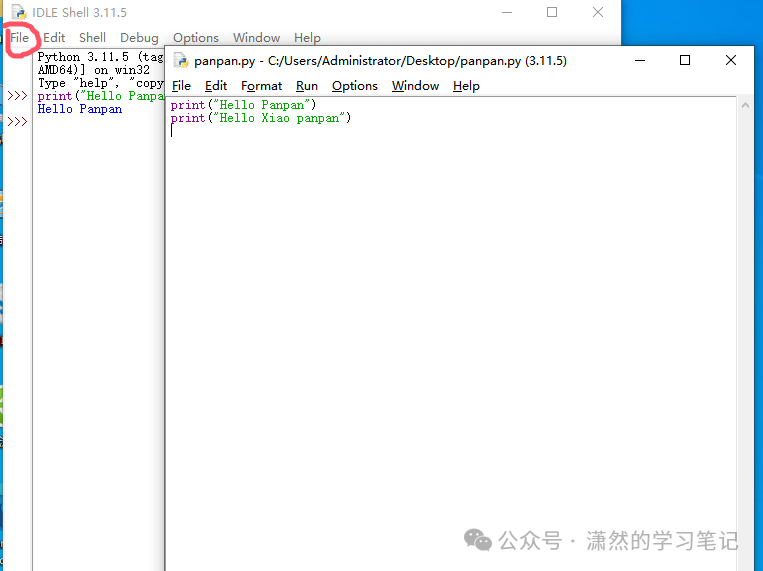
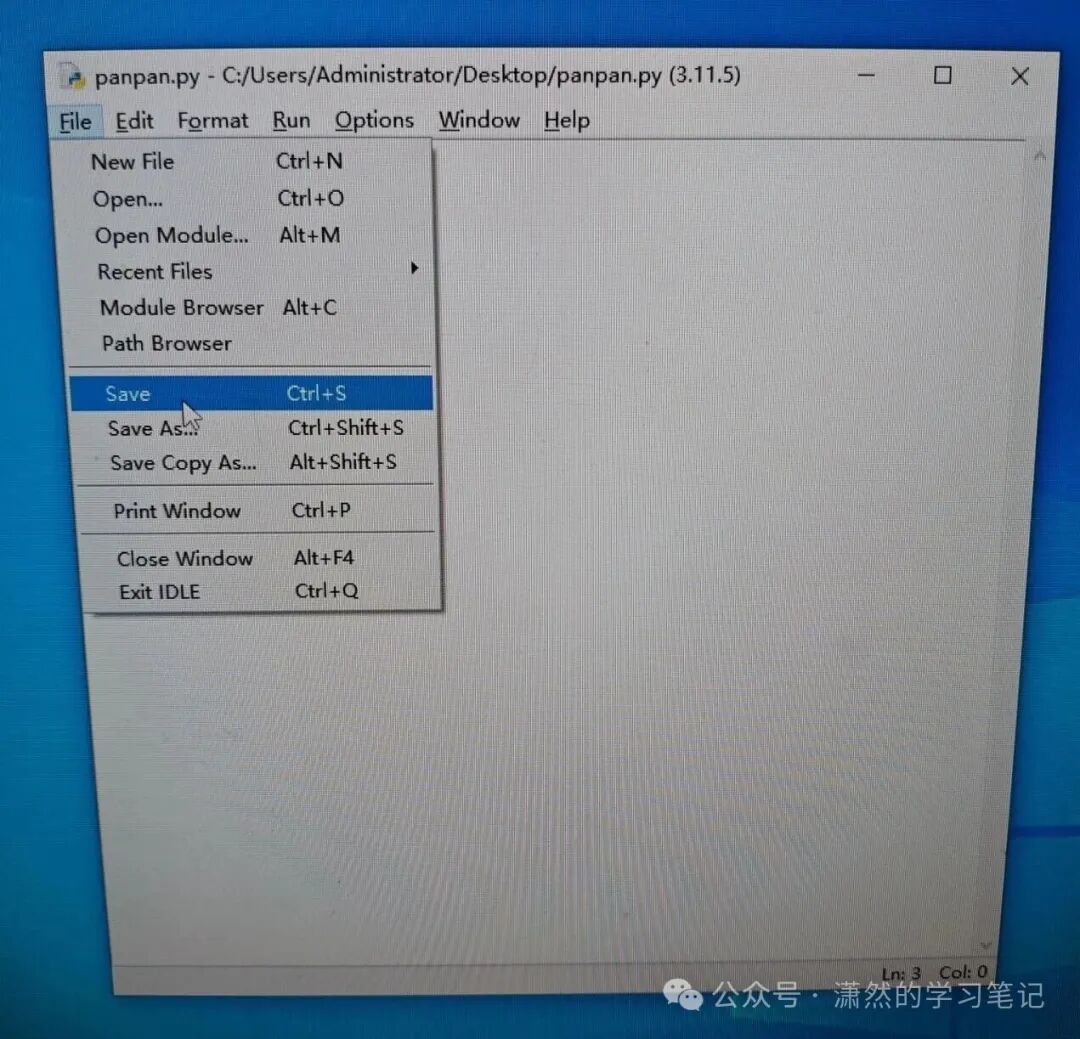
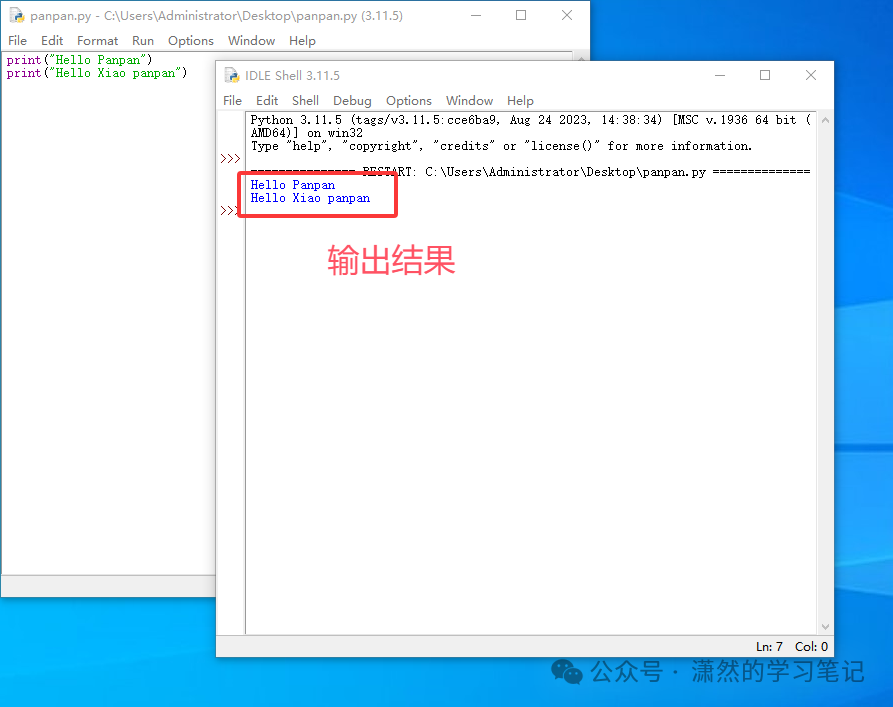
 You can open the code file by selecting “File—Open”, click the “Run—Run Module” button, or press the shortcut key F5 to execute the code.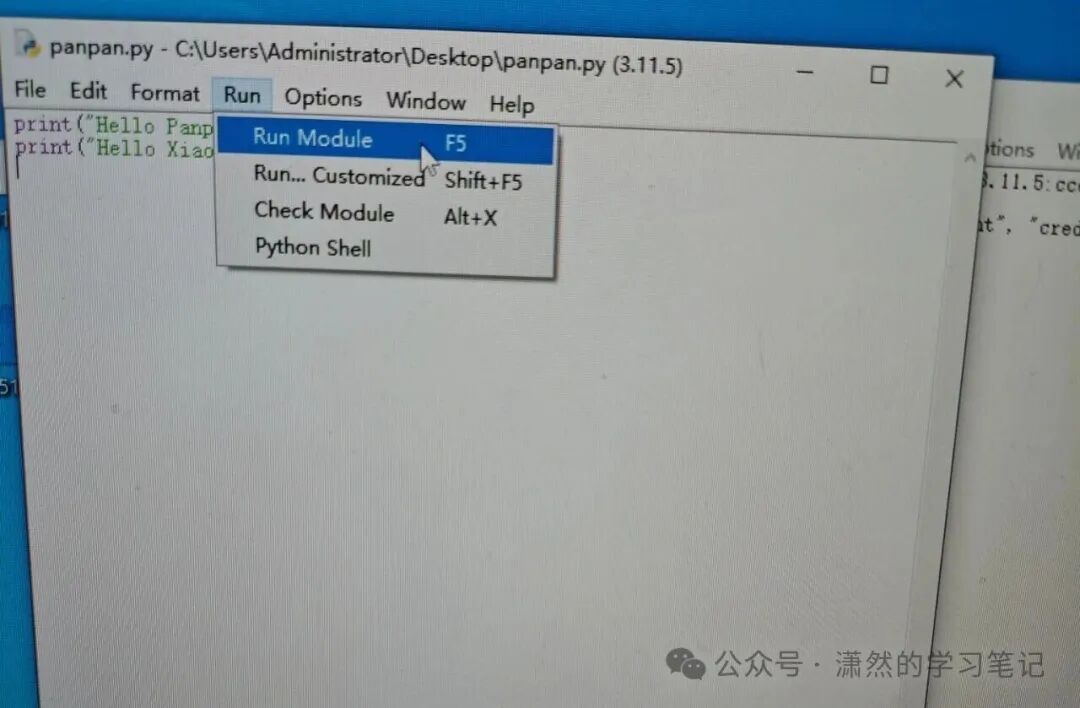
 4. Learning Materials