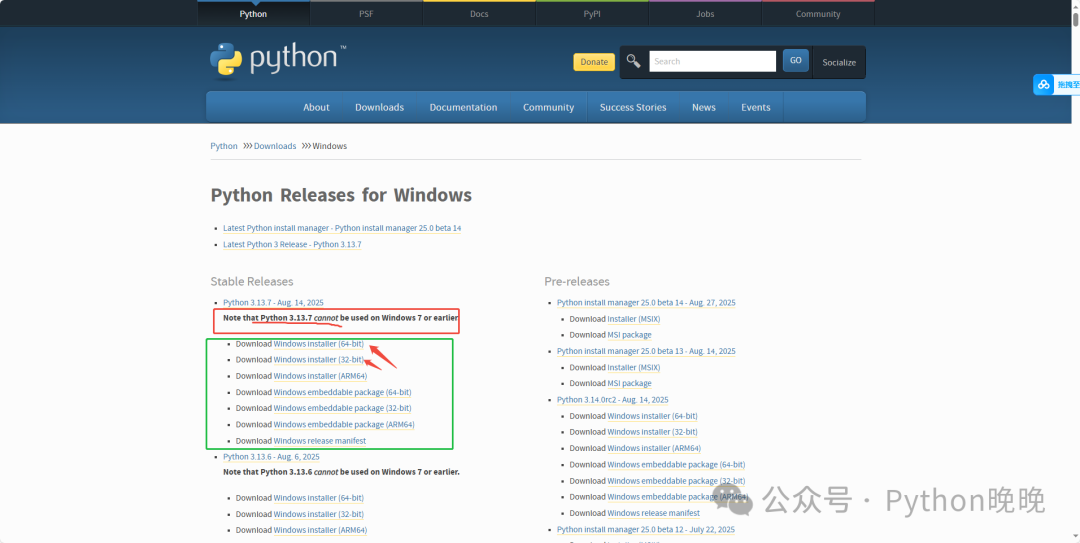
This article will guide you step by step through the installation of Python in the simplest way possible. Whether you are using Windows or Mac, you can easily get started.Step 1: Download Python (https://www.python.org/downloads/)After entering the official website link—— click the “Download” button For Windows, select Windows, for Mac, select Mac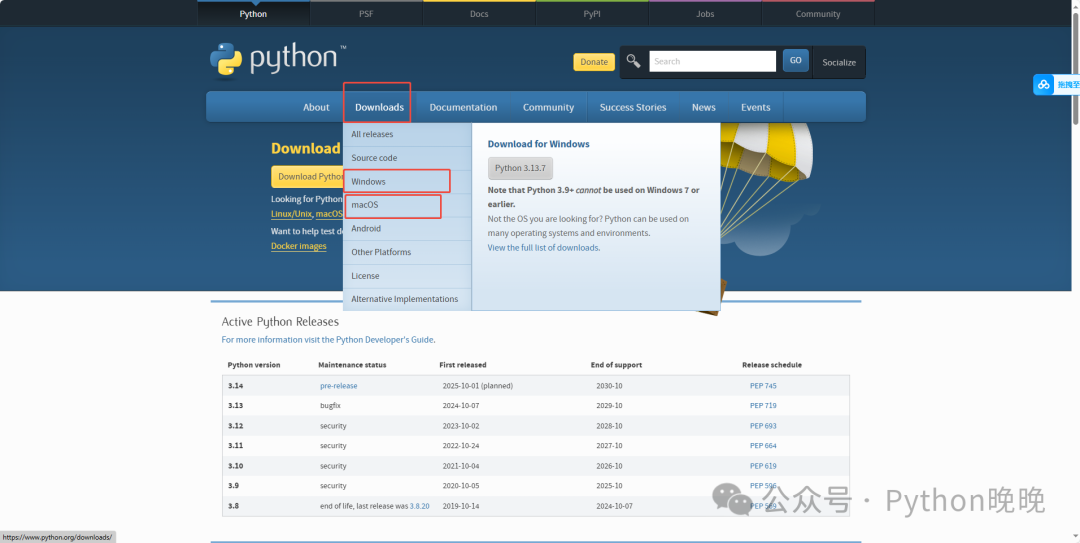 This is the Windows download page, select the corresponding Python version, and click Download to install
 This is the Mac version download page, select the corresponding Python version, and click Download to install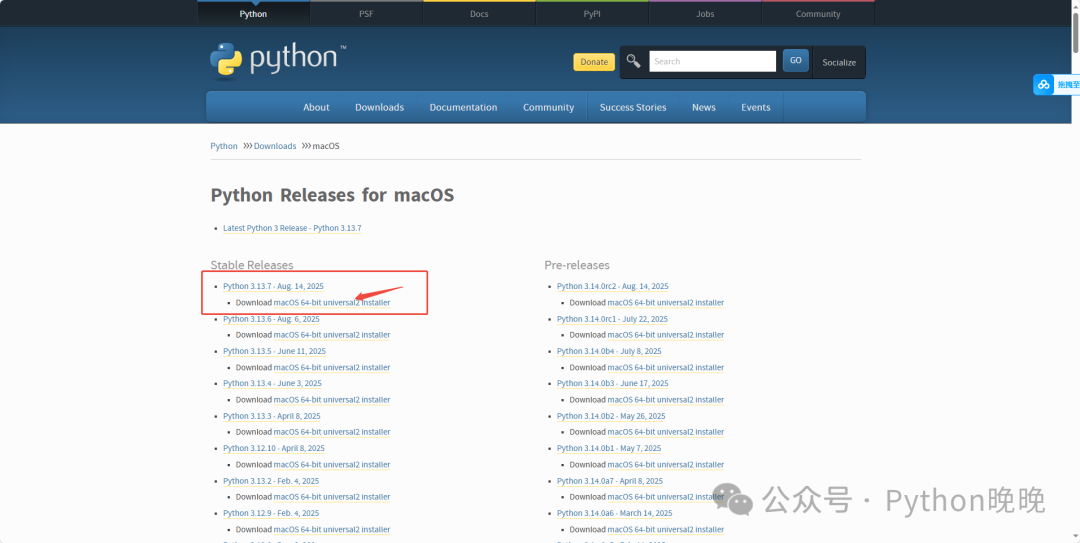
Step 2: Install Python (Important!)
For Windows users
1. Make sure to check “Add Python to PATH” (otherwise, the command line will not recognize the python command)2. Select “Customize installation” to customize the installation path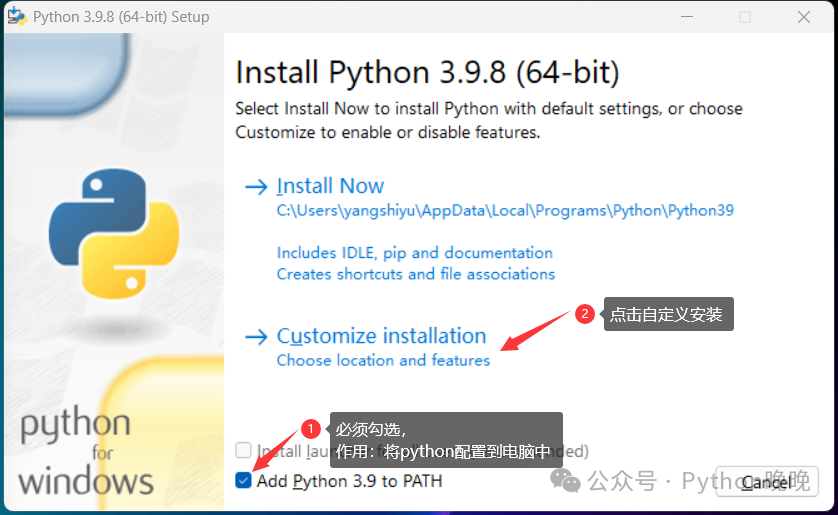
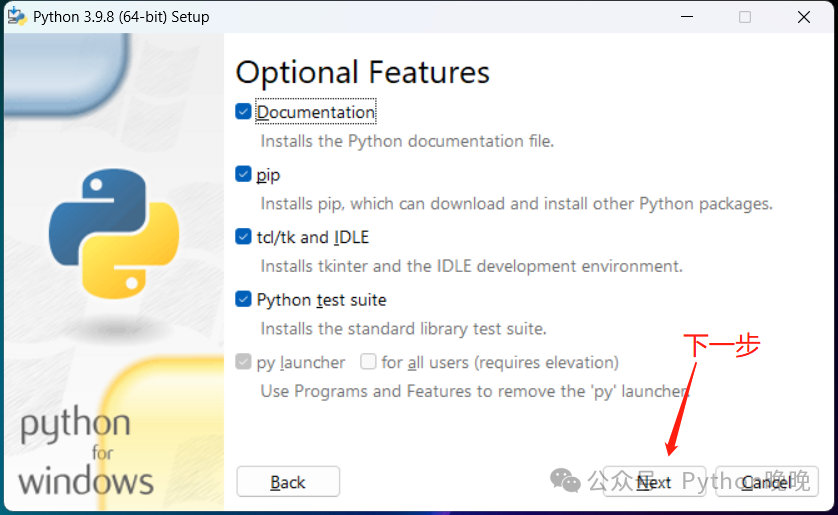
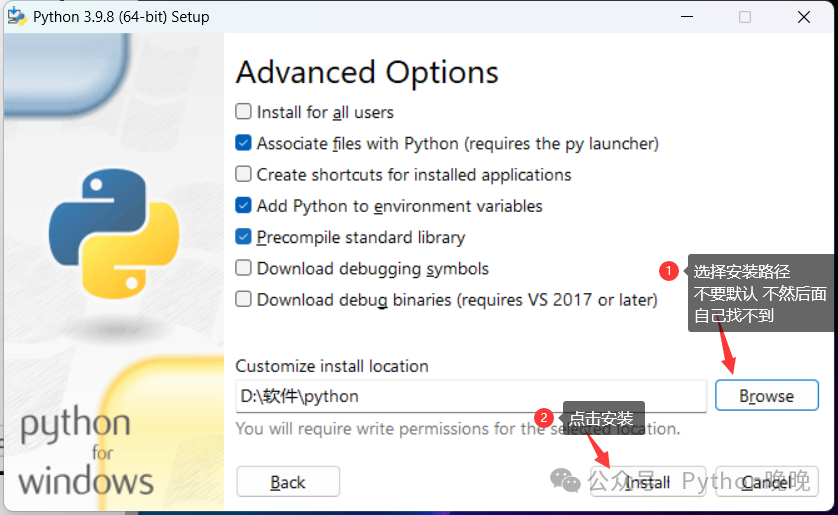
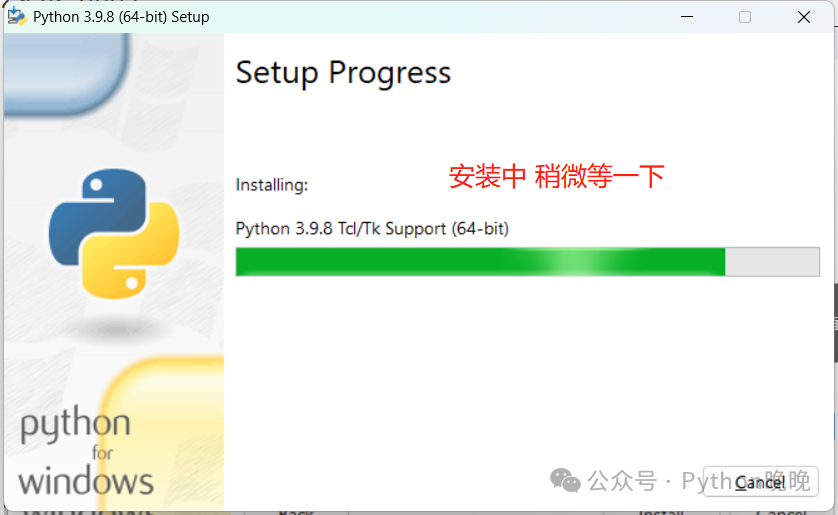
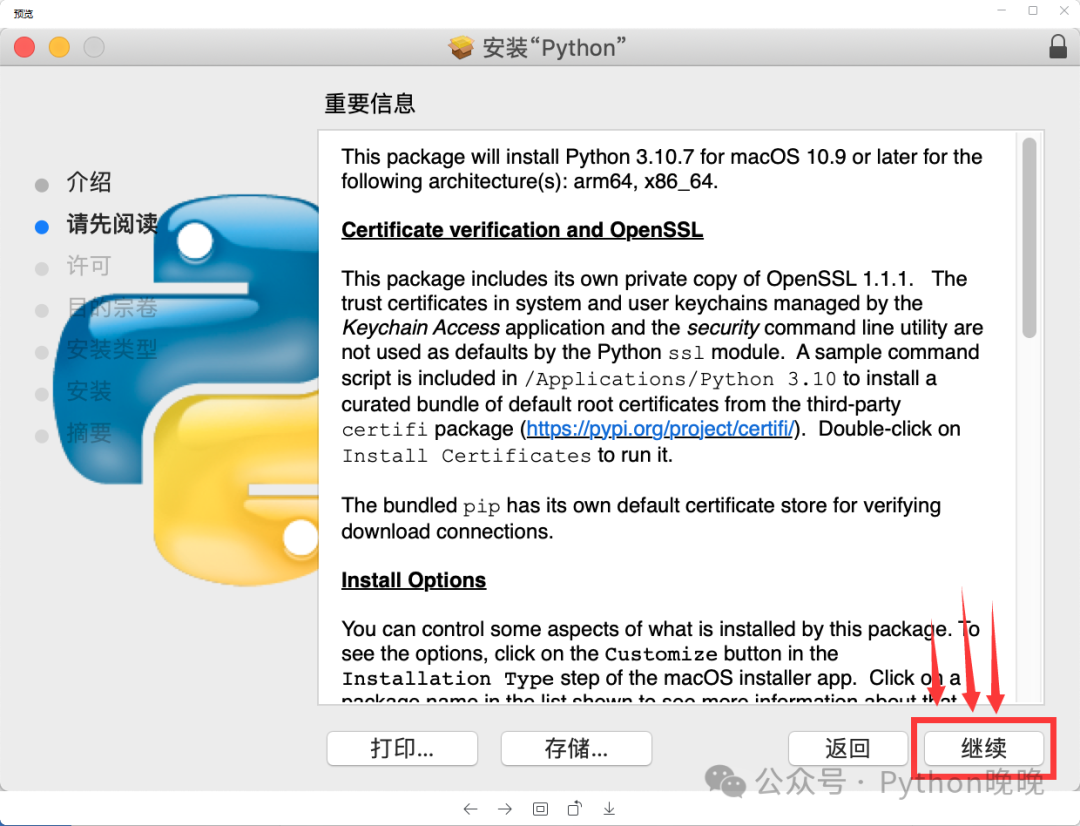
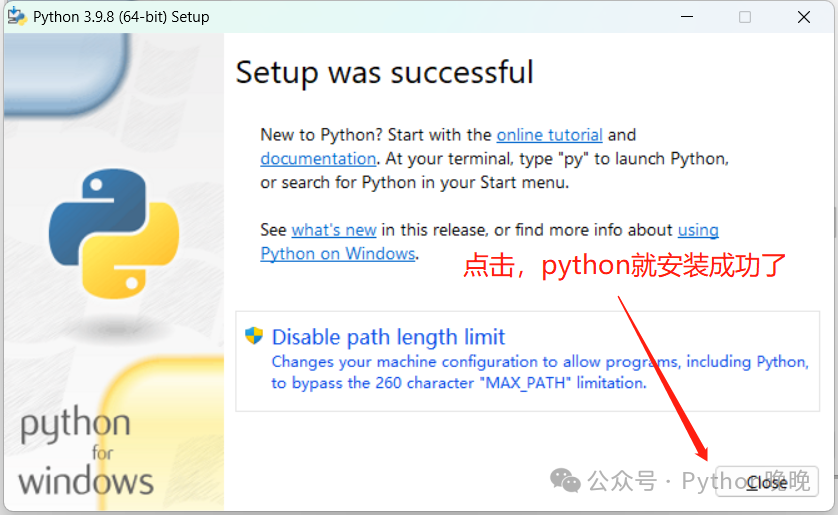 For Mac users
1.Double-click python.pkg
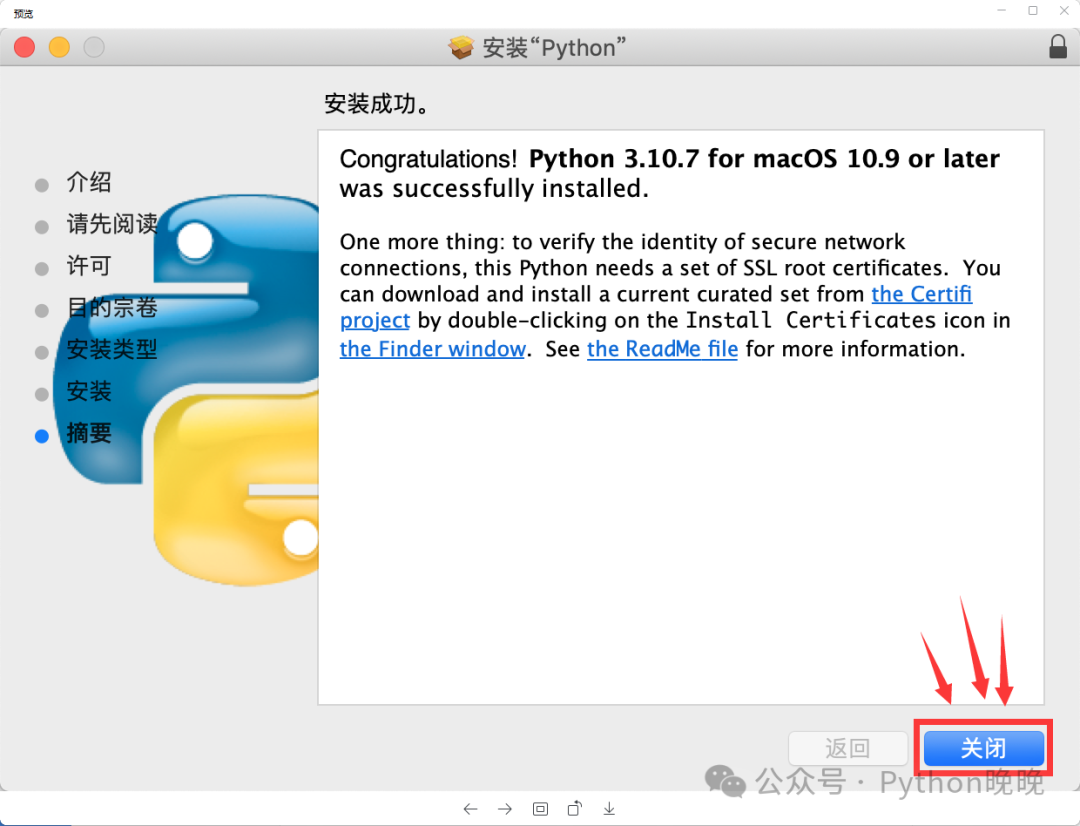
2.Click continue repeatedly, enter password to authorize until the installation is complete.
3. After installation, without opening anything, just go to install pycharm and you are good to go!
 Step 3: Verify if the installation was successful
- Windows:
<span><span>Win + R</span></span>→ Enter<span><span>cmd</span></span>→ Press Enter 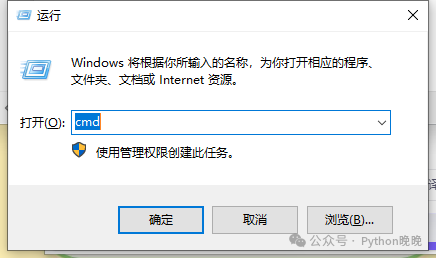
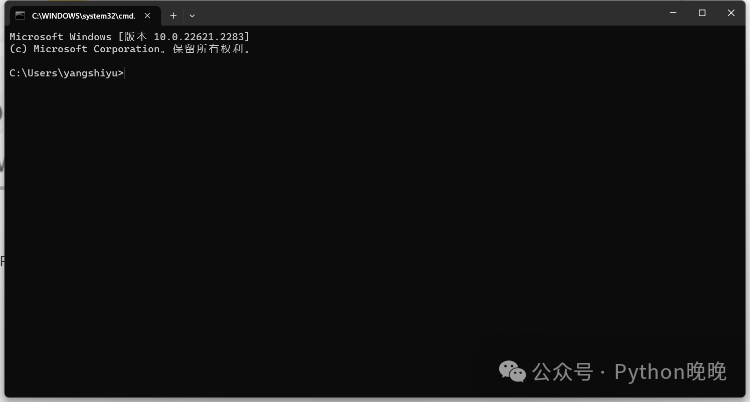
- Enter the command:
<span><span>python </span></span>or<span><span>python3 </span></span>
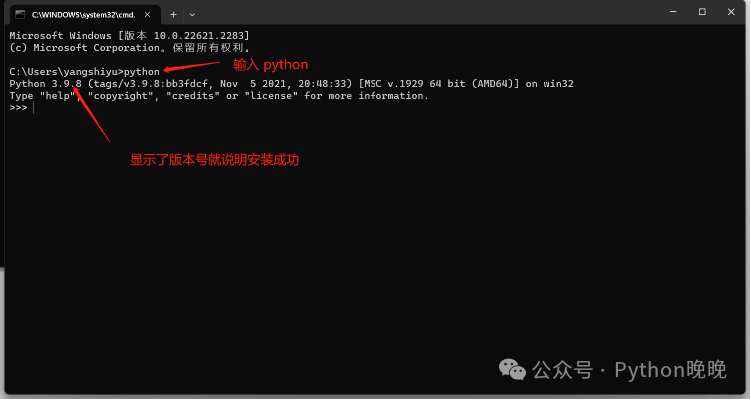
4. Congratulations, the Python environment has been successfully installed
You can directly write a line
<span>print("Hello Python")</span>and run it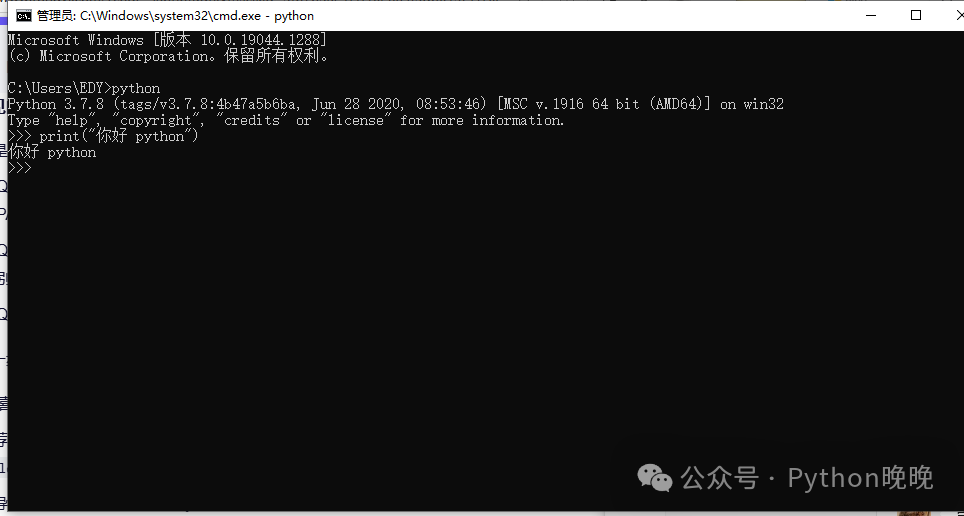
- If you find this useful, share it with friends who are learning Python!