In the previous text, “actBlock” was used to read the current program segment. In the “SPARP” group, there are several similar variables, and here we will briefly introduce their differences.Variable “actBlock“
The current part program segment. It displays subroutine calls on DISPLOF.
When searching for program segments, FB2 is activated, and the PLC reads the found program segment, as seen in the variable “actBlockA” below.
Variable “actBlockA”
The current part program segment. If the program segment search is effective, it displays the searched program segment.
If the program is executing, starting FB2 reads the currently executing program segment.
If the program segment searches for N180, as follows:
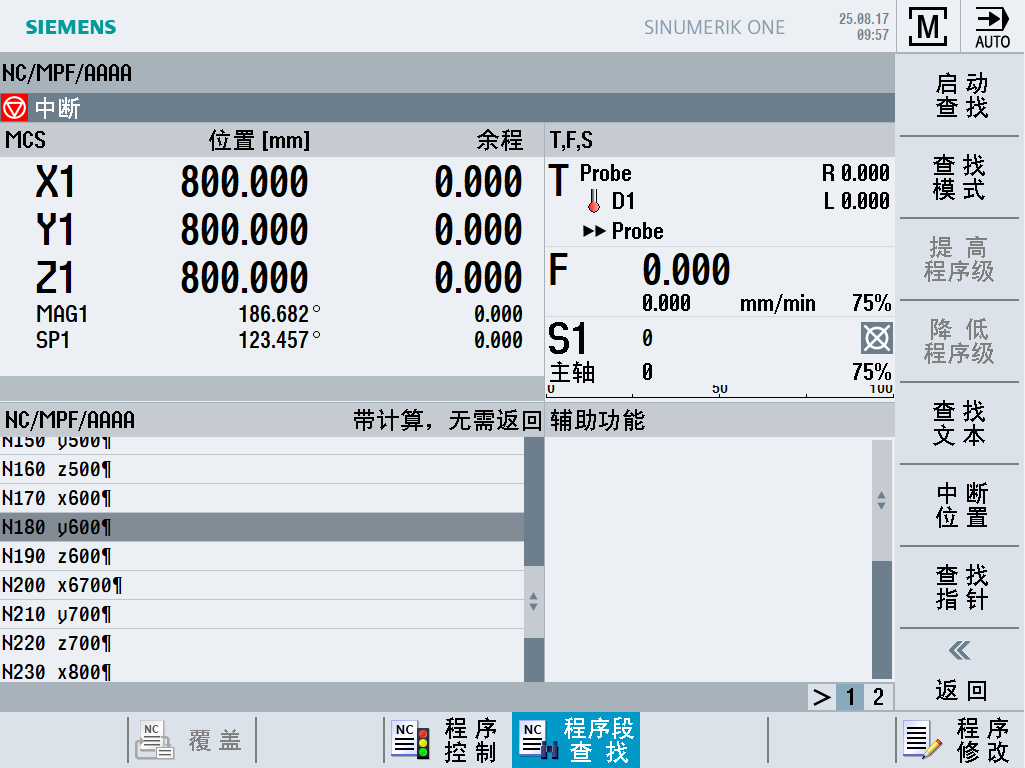
At this time, starting FB2, the program segment read by the PLC is as follows:
 So, what is the difference between variable “actBlock” and variable “actBlockA”? Let’s write a program:
N10 g0 g500 x0 y0 z0
N20 g1 g54 x100 F500
N30 mycycle
N40 g1 g54 Y100
N50 g1 g54 Y100
N60 m02
Where N30 calls a custom loop, the loop content is as follows:
N1000 proc mycycle displof
N1010 g1 g91 x11 F50
N1020 g1 g91 y22
N1030 g1 g91 z33
N1040 M17
Then, we use program segment search:
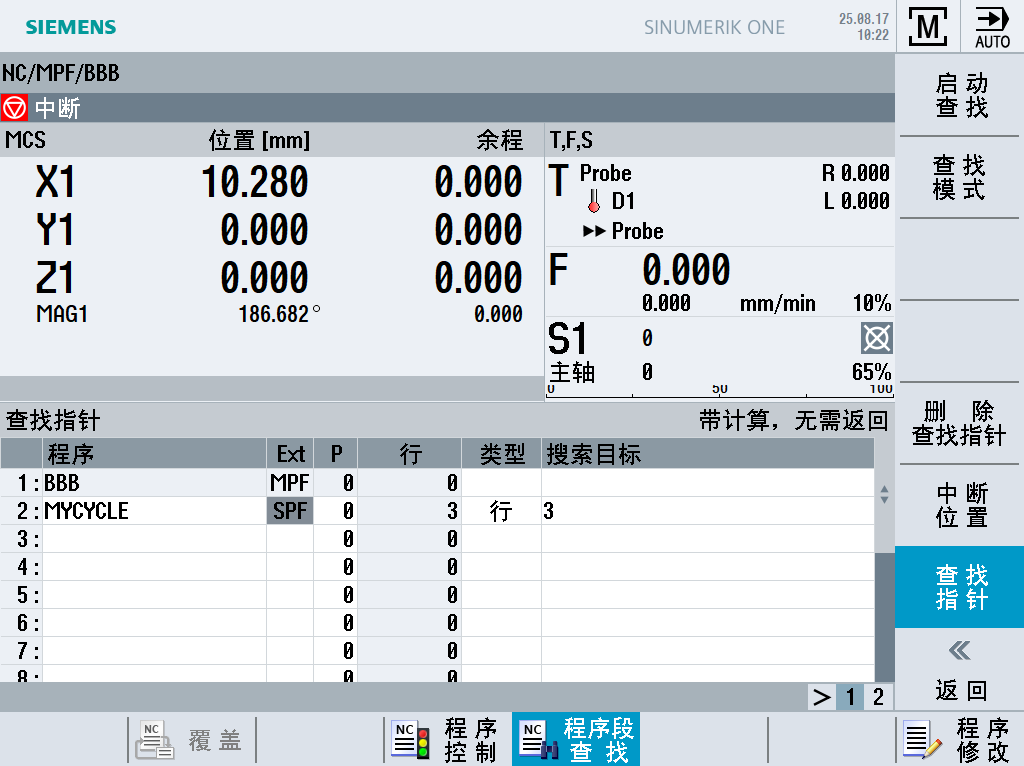
Press “Start Search” to get:
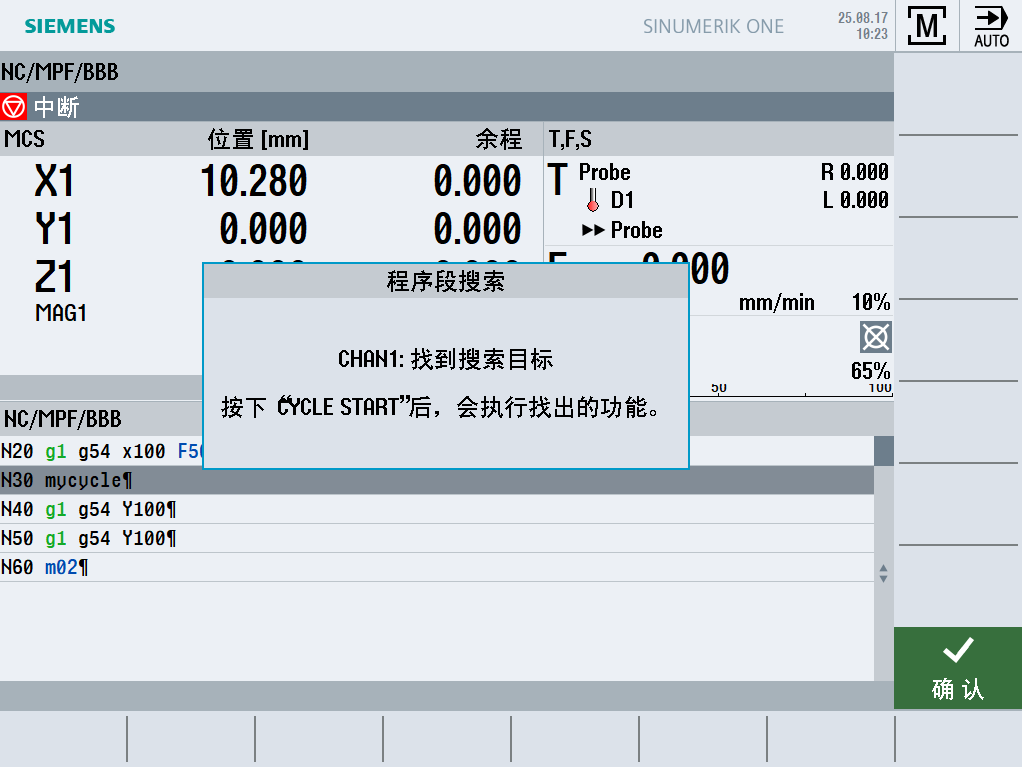 At this time, the program segment read by the “actBlock” variable is as follows:
 And the program segment read by the “actBlockA” variable is as follows:
Variable “actBlockI”
The current part program segment in the compiler. Regardless of DISPLOF, it always displays.
It should indicate which program segment is currently compiled/translated.
Variable “actPartProgram“ can read 200 characters at once and can span program segments.This variable has two parameters: channel number and index number (corresponding to the line number of FB2), with a maximum index value of 3, corresponding to 3 data blocks (not DB), each block can have 200 characters.For example, executing the following NC program:
N10 g0 g500 x0 y0 z0
N20 g1 x100 f500
N30 g1 y100
N40 g1 z100
N50 x200
N60 y200
N70 z200
N80 x300
N90 y300
N100 z300
N110 x400
N120 y400
N130 z400
N140 x500
N150 y500
N160 z500
N170 x600
N180 y600
N190 z600
N200 x6700
N210 y700
N220 z700
N230 x800
N240 y800
N250 z800
N260 m02
When executing the first segment, we start FB2 (line number 1), and read:

The above image should contain 200 characters.
When executing the first segment, we start FB2 (line number 2), and read:

If you find this article useful, please share it, thank you!