Follow 👆 the official account, reply 'python' to receive a beginner tutorial! Source from the internet, please delete if infringed.In this article, I will introduce some simple methods that can increase the speed of Python for loops by 1.3 to 900 times.
A commonly used built-in feature in Python is the timeit module. In the following sections, we will use it to measure the current performance of loops and the performance after improvement.
For each method, we establish a baseline by running a test that executes the function being measured 100K times (loop) over 10 test runs, and then calculate the average time per loop (in nanoseconds, ns).
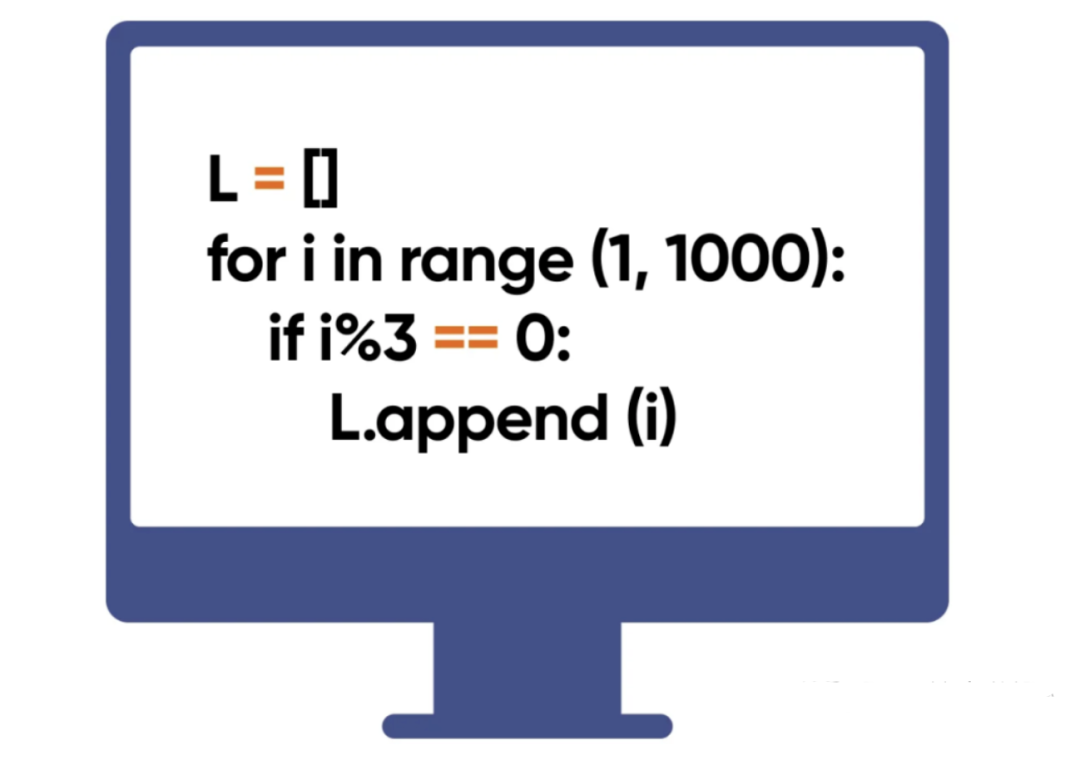
Several Simple Methods
1. List Comprehensions
 # Baseline version (Inefficient way)
 # Calculating the power of numbers
 # Without using List Comprehension
 def test_01_v0(numbers):
   output = []
   for n in numbers:
       output.append(n ** 2.5)
   return output

 # Improved version
 # (Using List Comprehension)
 def test_01_v1(numbers):
   output = [n ** 2.5 for n in numbers]
   return output
The results are as follows:
 # Summary Of Test Results
      Baseline: 32.158 ns per loop
      Improved: 16.040 ns per loop
 % Improvement: 50.1 %
      Speedup: 2.00x
As we can see, using list comprehensions yields a 2x speed improvement.
2. Calculate Length Externally
If you need to rely on the length of a list for iteration, calculate it outside the for loop.
 # Baseline version (Inefficient way)
 # (Length calculation inside for loop)
 def test_02_v0(numbers):
   output_list = []
   for i in range(len(numbers)):
     output_list.append(i * 2)
   return output_list

 # Improved version
 # (Length calculation outside for loop)
 def test_02_v1(numbers):
   my_list_length = len(numbers)
   output_list = []
   for i in range(my_list_length):
     output_list.append(i * 2)
   return output_list
By moving the length calculation outside the for loop, we achieve a 1.6x speedup. This method might be less known.
 # Summary Of Test Results
      Baseline: 112.135 ns per loop
      Improved: 68.304 ns per loop
 % Improvement: 39.1 %
      Speedup: 1.64x
3. Use Sets
Use sets when performing comparisons in for loops.
 # Use for loops for nested lookups
 def test_03_v0(list_1, list_2):
   # Baseline version (Inefficient way)
   # (nested lookups using for loop)
   common_items = []
   for item in list_1:
       if item in list_2:
           common_items.append(item)
   return common_items

 def test_03_v1(list_1, list_2):
   # Improved version
   # (sets to replace nested lookups)
   s_1 = set(list_1)
   s_2 = set(list_2)
   output_list = []
   common_items = s_1.intersection(s_2)
   return common_items
Using sets instead of nested for loops for comparisons yields a speedup of 498x.
 # Summary Of Test Results
      Baseline: 9047.078 ns per loop
      Improved:   18.161 ns per loop
 % Improvement: 99.8 %
      Speedup: 498.17x
4. Skip Irrelevant Iterations
Avoid redundant calculations by skipping irrelevant iterations.
 # Example of inefficient code used to find
 # the first even square in a list of numbers
 def function_do_something(numbers):
   for n in numbers:
     square = n * n
     if square % 2 == 0:
         return square

   return None  # No even square found

 # Example of improved code that
 # finds result without redundant computations
 def function_do_something_v1(numbers):
   even_numbers = [i for n in numbers if n%2==0]
   for n in even_numbers:
     square = n * n
     return square

   return None  # No even square found
This method requires careful code design in the for loop; the actual speedup may vary based on the situation:
 # Summary Of Test Results
      Baseline: 16.912 ns per loop
      Improved: 8.697 ns per loop
 % Improvement: 48.6 %
      Speedup: 1.94x
5. Code Merging
In some cases, directly merging the code of simple functions into the loop can improve the compactness and execution speed of the code.
 # Example of inefficient code
 # Loop that calls the is_prime function n times.
 def is_prime(n):
   if n <= 1:
     return False
   for i in range(2, int(n**0.5) + 1):
     if n % i == 0:
       return False

   return True

 def test_05_v0(n):
   # Baseline version (Inefficient way)
   # (calls the is_prime function n times)
   count = 0
   for i in range(2, n + 1):
     if is_prime(i):
       count += 1
   return count

 def test_05_v1(n):
   # Improved version
   # (inlines the logic of the is_prime function)
   count = 0
   for i in range(2, n + 1):
     if i <= 1:
       continue
     for j in range(2, int(i**0.5) + 1):
       if i % j == 0:
         break
     else:
       count += 1
   return count
This can also improve speed by 1.3 times.
 # Summary Of Test Results
      Baseline: 1271.188 ns per loop
      Improved: 939.603 ns per loop
 % Improvement: 26.1 %
      Speedup: 1.35x
Why is this the case?
Function calls involve overhead, such as pushing and popping variables on the stack, function lookups, and parameter passing. When a simple function is repeatedly called within a loop, the overhead of function calls can accumulate and affect performance. Therefore, inlining the function’s code into the loop can eliminate this overhead, potentially leading to significant speed improvements.
⚠️ However, it is important to balance code readability with the frequency of function calls.
Some Tips
6. Avoid Redundancy
Consider avoiding redundant calculations, as some of them may be unnecessary and slow down the code. Instead, consider pre-computing where applicable.
 def test_07_v0(n):
   # Example of inefficient code
   # Repetitive calculation within nested loop
   result = 0
   for i in range(n):
     for j in range(n):
       result += i * j
   return result

 def test_07_v1(n):
   # Example of improved code
   # Utilize precomputed values to help speedup
   pv = [[i * j for j in range(n)] for i in range(n)]
   result = 0
   for i in range(n):
     result += sum(pv[i][:i+1])
   return result
The results are as follows:
 # Summary Of Test Results
      Baseline: 139.146 ns per loop
      Improved: 92.325 ns per loop
 % Improvement: 33.6 %
      Speedup: 1.51x
7. Use Generators
Generators support lazy evaluation, meaning that the expressions inside are evaluated only when you request the next value from it. Dynamically processing data helps reduce memory usage and improve performance, especially with large datasets.
 def test_08_v0(n):
   # Baseline version (Inefficient way)
   # (Inefficiently calculates the nth Fibonacci
   # number using a list)
   if n <= 1:
     return n
   f_list = [0, 1]
   for i in range(2, n + 1):
     f_list.append(f_list[i - 1] + f_list[i - 2])
   return f_list[n]

 def test_08_v1(n):
   # Improved version
   # (Efficiently calculates the nth Fibonacci
   # number using a generator)
   a, b = 0, 1
   for _ in range(n):
     yield a
     a, b = b, a + b
The improvement is significant:
 # Summary Of Test Results
      Baseline: 0.083 ns per loop
      Improved: 0.004 ns per loop
 % Improvement: 95.5 %
      Speedup: 22.06x
8. Use the map() Function
Utilize Python’s built-in map() function. It allows you to process and transform all items in an iterable without using explicit for loops.
 def some_function_X(x):
   # This would normally be a function containing application logic
   # which required it to be made into a separate function
   # (for the purpose of this test, just calculate and return the square)
   return x**2

 def test_09_v0(numbers):
   # Baseline version (Inefficient way)
   output = []
   for i in numbers:
     output.append(some_function_X(i))

   return output

 def test_09_v1(numbers):
   # Improved version
   # (Using Python's built-in map() function)
   output = map(some_function_X, numbers)
   return output
Replacing explicit for loops with Python’s built-in map() function speeds up the process by 970x.
 # Summary Of Test Results
      Baseline: 4.402 ns per loop
      Improved: 0.005 ns per loop
 % Improvement: 99.9 %
      Speedup: 970.69x
Why is this the case?
The map() function is written in C and has been highly optimized, making its internal implicit loop much more efficient than a regular Python for loop. Thus, the speedup is achieved, or we could say Python is still too slow, haha.
9. Use Memoization
The idea behind memoization is to cache (or ‘remember’) the results of expensive function calls and return them when the same input occurs again. This can reduce redundant calculations and speed up the program.
First, we have the inefficient version.
 # Example of inefficient code
 def fibonacci(n):
   if n == 0:
     return 0
   elif n == 1:
     return 1
   return fibonacci(n - 1) + fibonacci(n-2)

 def test_10_v0(list_of_numbers):
   output = []
   for i in numbers:
     output.append(fibonacci(i))

   return output
Then we use Python’s built-in functools’ lru_cache function.
 # Example of efficient code
 # Using Python's functools' lru_cache function
 import functools

 @functools.lru_cache()
 def fibonacci_v2(n):
   if n == 0:
     return 0
   elif n == 1:
     return 1
   return fibonacci_v2(n - 1) + fibonacci_v2(n - 2)

 def _test_10_v1(numbers):
   output = []
   for i in numbers:
     output.append(fibonacci_v2(i))

   return output
The results are as follows:
 # Summary Of Test Results
      Baseline: 63.664 ns per loop
      Improved: 1.104 ns per loop
 % Improvement: 98.3 %
      Speedup: 57.69x
Using Python’s built-in functools’ lru_cache function for memoization speeds up the process by 57x.
How is the lru_cache function implemented?
“LRU” stands for “Least Recently Used”. The lru_cache is a decorator that can be applied to a function to enable memoization. It stores the results of the most recent function calls in a cache, and when the same input occurs again, it can provide the cached result, thus saving computation time. The lru_cache function allows an optional maxsize parameter when applied as a decorator, which determines the maximum size of the cache (i.e., how many different input values it stores results for). If the maxsize parameter is set to None, the LRU feature is disabled, and the cache can grow without bounds, consuming a lot of memory. This is the simplest method of trading space for time optimization.
10. Vectorization
 import numpy as np

 def test_11_v0(n):
   # Baseline version
   # (Inefficient way of summing numbers in a range)
   output = 0
   for i in range(0, n):
     output = output + i

   return output

 def test_11_v1(n):
   # Improved version
   # (# Efficient way of summing numbers in a range)
   output = np.sum(np.arange(n))
   return output
Vectorization is commonly used in data processing libraries like numpy and pandas for machine learning.
 # Summary Of Test Results
      Baseline: 32.936 ns per loop
      Improved: 1.171 ns per loop
 % Improvement: 96.4 %
      Speedup: 28.13x
11. Avoid Creating Intermediate Lists
Using filterfalse can avoid creating intermediate lists. It helps use less memory.
 def test_12_v0(numbers):
   # Baseline version (Inefficient way)
   filtered_data = []
   for i in numbers:
     filtered_data.extend(list(
         filter(lambda x: x % 5 == 0,
                 range(1, i**2))))

   return filtered_data
We implement an improved version using Python’s built-in itertools’ filterfalse function to achieve the same functionality.
 from itertools import filterfalse

 def test_12_v1(numbers):
   # Improved version
   # (using filterfalse)
   filtered_data = []
   for i in numbers:
     filtered_data.extend(list(
         filterfalse(lambda x: x % 5 != 0,
                     range(1, i**2))))
     return filtered_data
This method may not show significant speed improvements depending on the use case, but it reduces memory usage by avoiding the creation of intermediate lists. We achieve a 131x improvement here.
 # Summary Of Test Results
      Baseline: 333167.790 ns per loop
      Improved: 2541.850 ns per loop
 % Improvement: 99.2 %
      Speedup: 131.07x
12. Efficient String Concatenation
Any string concatenation operation using the + operator will be slow and consume more memory. Use join instead.
 def test_13_v0(l_strings):
   # Baseline version (Inefficient way)
   # (concatenation using the += operator)
   output = ""
   for a_str in l_strings:
     output += a_str

   return output

 def test_13_v1(numbers):
   # Improved version
   # (using join)
   output_list = []
   for a_str in l_strings:
     output_list.append(a_str)

   return "".join(output_list)
This test requires a simple method to generate a large string list, so I wrote a simple helper function to generate the list of strings needed for the test.
 from faker import Faker

 def generate_fake_names(count : int=10000):
   # Helper function used to generate a
   # large-ish list of names
   fake = Faker()
   output_list = []
   for _ in range(count):
     output_list.append(fake.name())

   return output_list

 l_strings = generate_fake_names(count=50000)
The results are as follows:
 # Summary Of Test Results
      Baseline: 32.423 ns per loop
      Improved: 21.051 ns per loop
 % Improvement: 35.1 %
      Speedup: 1.54x
Using the join function instead of the + operator speeds up the process by 1.5 times. Why is the join function faster?
The time complexity of string concatenation using the + operator is O(n²), while using the join function has a time complexity of O(n).
Welcome to follow, see you tomorrow.
1. Like + Watch Again
Receive the latest Python beginner learning materials for 2024,reply:Python