MODBUS TCP Communication
The new Mitsubishi FX5U series also supports MODBUS TCP communication. The common method is to act as a MODBUS TCP slave, where the Mitsubishi PLC listens on port 502 (default) for connection requests and read/write commands from the MODBUS TCP master. Of course, it can also act as a master to actively initiate read/write operations to other MODBUS TCP slaves using dedicated instructions or function blocks.
Below, we will first set up the FX5U series PLC as a slave. The setup steps are:
Confirm communication specifications → Perform communication settings → Confirm functionality (the slave does not require a program)
1-Confirm Communication Specifications
In the FX5 series PLC, only the binary MODBUS TCP protocol is supported, with a maximum of 8 devices that can be connected, meaning that up to 8 external devices can be accessed simultaneously from one CPU module. The number of slave functions is 10, and the default port setting is 502 (generally not changed, as this may lead to communication issues).
2-Communication Settings
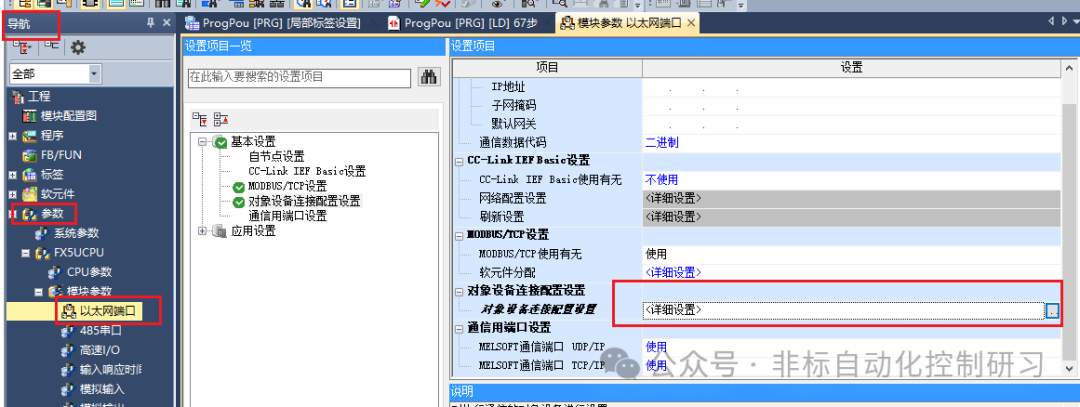
First, regarding port settings, follow the path “Navigation Window” → [Parameters] → [Module Model FX5U] → [Module Parameters] → [Ethernet Port] and double-click to open the settings interface. In the basic settings section, open [Device Connection Configuration Settings], as shown in the figure below:
In the settings page, on the left side under the module section, expand Ethernet Communication (General), and drag the MODBUS/TCP connected device into the virtual communication chain on the right side. At this point, communication parameters will be automatically generated in the communication list, where you can see the previously mentioned port number 502. Then, click the [Reflect Settings and Close] button at the top, and the window will close automatically, as shown in the figure below:
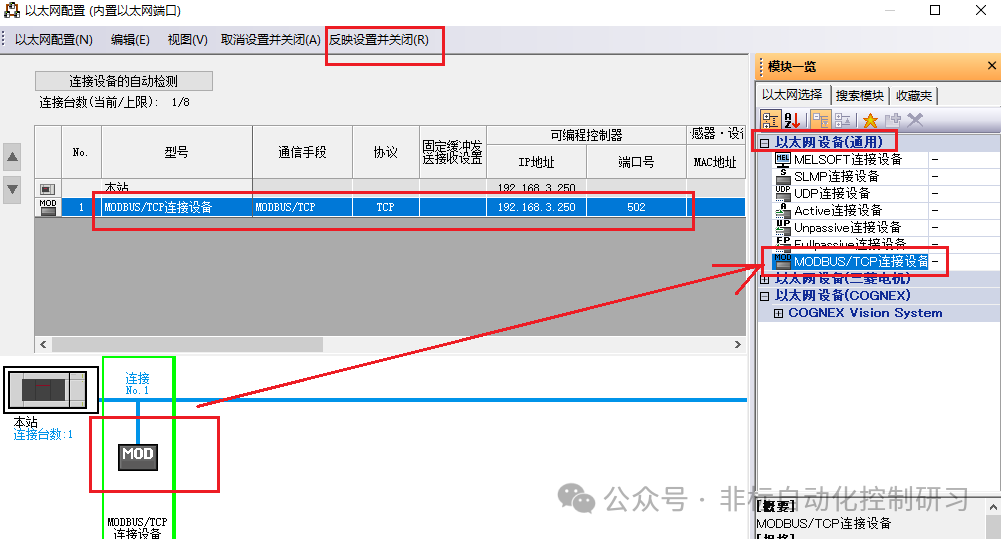
PS: It is best to use the default port number. If it must be changed, you can use 1024-5548 or 5570-61439. Finally, make sure to click [Reflect Settings and Close], otherwise the settings will not be saved.
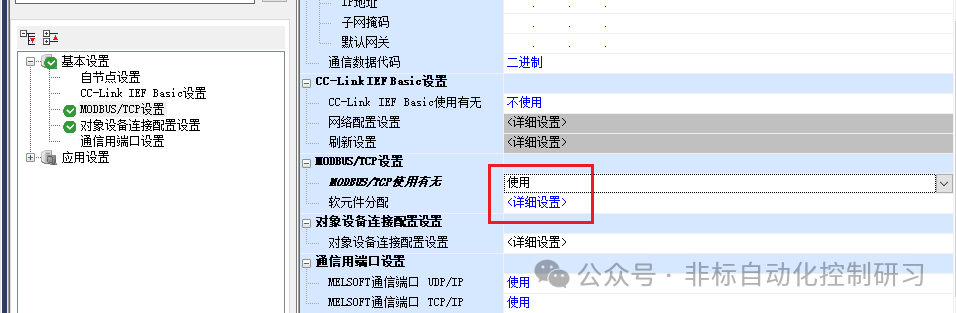
Return to the basic settings interface, and you will find that the usage status in the MODBUS/TCP settings has changed to “In Use”. As shown in the figure below:
Soft Element Allocation: Double-click to open the detailed settings interface:
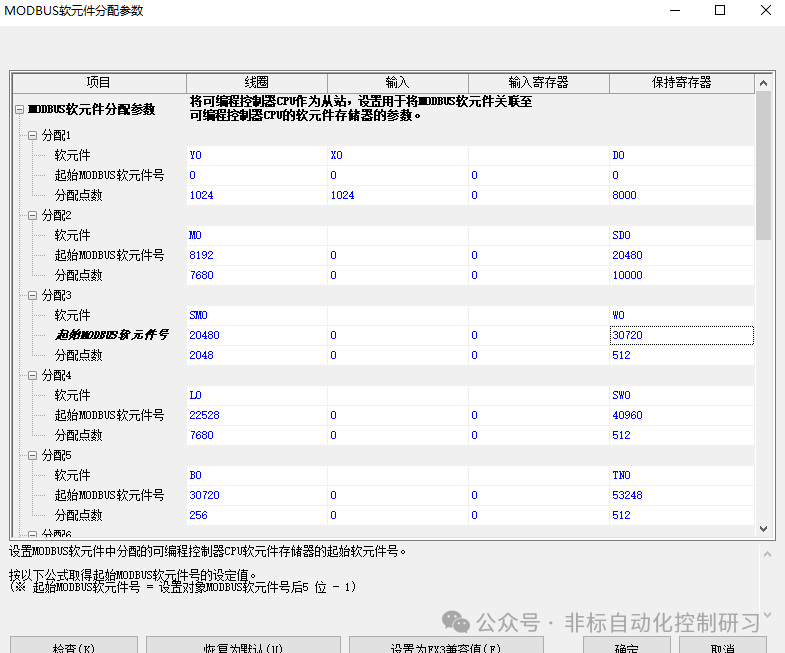
Allocation 1-16, for the allocation of various MODBUS soft elements can be set within the range of 1-16.
Soft Elements: Used to set the type and starting number of allocated soft elements.
Starting MODBUS Soft Element Number: Set the starting MODBUS soft element number.
Allocated Points: Set the number of allocated points.
PS: The same soft element cannot be set in coils and inputs. Input registers and holding registers also cannot have the same soft element set. The specified starting soft element number + allocated points cannot exceed the valid range.
The above is about the setup of the MODBUS/TCP slave, and we will continue with the setup of the master.