What is MCUViewer?MCUViewer (formerly STMViewer) is an open-source GUI debugging tool specifically designed for MCUs, especially the Cortex-M series. It combines two powerful modules into a single window:
| Module | Main Functionality |
| Variable Viewer | Real-time reading, displaying, recording, and even rewriting global variables in RAM |
| Trace Viewer | Outputs high-frequency signals, function execution time, etc., in waveform form through the SWO port |
The only hardware requirement is an ST-Link or J-Link; nothing else is needed.
What Pain Points Does It Address?
| Common Pain Points | Traditional Methods | MCUViewer’s Solutions |
| Debugging information occupies serial port bandwidth, causing program stuttering | UART printing | Directly reads from RAM with almost zero intrusion |
| High-frequency signals can only rely on external oscilloscopes, which are costly | Oscilloscope/Logic Analyzer | Trace Viewer brings signals “into the computer” using SWO |
| Variables can only be viewed in the IDE, with an ugly and inflexible interface | STMStudio, CubeMonitor | A modern interactive interface built with ImGui+ImPlot |
| Only runs on Windows, leaving Linux developers in despair | STMStudio only on Windows | Cross-platform (Linux/Windows) native support |
Installation & Getting Started
- • Linux
- 1. Ensure your system has GDB ≥ 12.1 installed.
- 2. Download
<span>MCUViewer-*.deb</span>and execute<span>sudo apt install ./MCUViewer-*.deb</span>. - 3. If ST-Link is not recognized, copy
<span>launch/install/Unix/udevrules/</span>to<span>/etc/udev/rules.d/</span>.
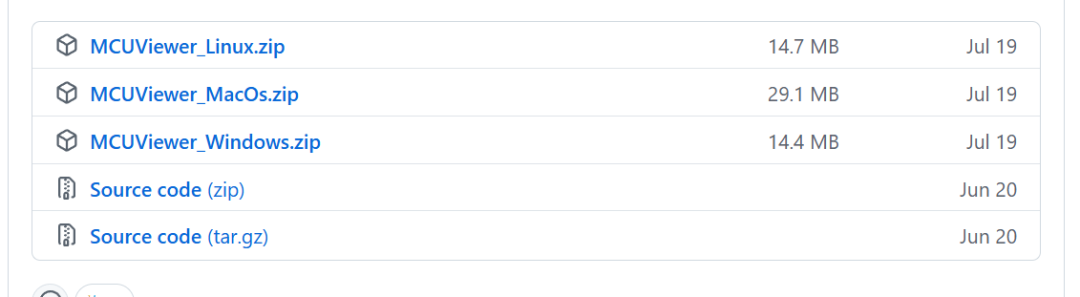
- 1. Download the installer from the Releases page and run it.
- 2. Set the ST-Link to “STM32 Debug + Mass Storage + VCP” mode (otherwise, a libusb error will occur).
Tip: If your graphics card is powerful enough, manually attach an external GPU to MCUViewer for smoother plotting.
Getting Started with Variable Viewer
- 1. Open Options → Acquisition Settings, select your
<span>*.elf</span>(remember to compile with Debug). - 2. “Import variables from *.elf”, select the variables you want to monitor, and click Import.
- 3. Drag the variables to the drawing area, click the STOPPED button to stop the MCU, and the data will appear immediately.
Trace Viewer Example
// Entering the function
ITM->PORT[0].u8 = 0xAA;   // Mark high
foo();                    // Business code
ITM->PORT[0].u8 = 0xBB;   // Mark low
Open Trace Viewer in MCUViewer, set the system clock (kHz) and an appropriate prescaler, and click STOPPED to start capturing. Once the waveform appears, you can visually see function execution time, ADC sampling frequency, and other high-frequency signals.
Pros and Cons at a Glance
| Pros | Cons |
| Zero-intrusion variable monitoring, almost no impact on program execution | Can only monitor global variables; local variables need to be manually moved to global |
| Supports SWO high-frequency tracing, suitable for Release versions | 64-bit variables (uint64_t, double) are not yet supported |
| Cross-platform (Linux/Windows) with a modern UI | Limited SWO bandwidth for ST-Link V2, requiring a lower prescaler |
| Supports both J-Link and ST-Link platforms | Initial configuration (clock, prescaler) can be a bit cumbersome |
| Completely open-source (version 1.1.0 still retains the source code) | After closing the source code, you can only use the existing 1.1.0 code |
Why Choose MCUViewer?I have worked in the motor control industry for many years, and real-time monitoring of current, speed, and PWM waveforms is crucial for debugging. In the past, I used STMStudio, which was functional but only ran on Windows, leading to issues like C++ name mangling and ST ceasing maintenance. MCUViewer brings the advantages of STMStudio to a cross-platform environment, supports J-Link, and adds SWO Trace, making it an upgraded version of an “embedded monitoring instrument.” If you want to escape the nightmare of serial printing and directly view variables and high-frequency signals graphically, MCUViewer is definitely worth a try.
Summary
- • Variable Viewer: Real-time, zero-intrusion, global variable visualization.
- • Trace Viewer: SWO high-frequency waveform capture, function execution time, and analog signals are easily distinguishable.
- • Cross-platform + only requires one debugger: Runs on both Linux and Windows, with a low hardware threshold.
- • Open-source + active community: Although the new version is closed-source, the old source code can still be compiled by yourself.
If you are frustrated with low debugging efficiency and difficulty capturing signals, hurry up and try MCUViewer to experience the thrill of “real-time visualization”!
Project Address: https://github.com/klonyyy/MCUViewer