TRAVEL Click “Yunlong Sect”to follow us
 Content
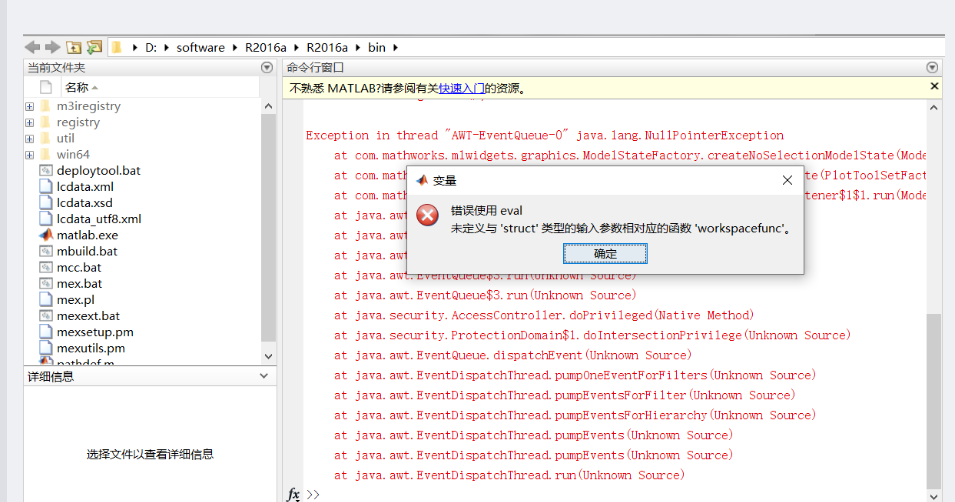
1. Error Screenshot
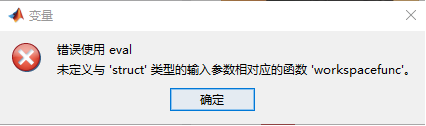
After installing MATLAB, you may encounter the error: Error using eval, Undefined function ‘workspacefunc’ for input arguments of type ‘struct’.
2. Cause Analysis
This error is usually related to the function calls in MATLAB’s workspace. Analysis of the error causes:
-
MATLAB Version Compatibility Issues –
<span>workspacefunc</span>is an internal MATLAB function that may have issues due to version updates. -
Path Conflicts – Custom functions may have the same name as built-in MATLAB functions.
-
Environment Variable Issues – Abnormal configuration of the MATLAB working environment.
-
Toolbox Conflicts – Some third-party toolboxes may interfere with MATLAB’s normal operation.
3. Solutions
Solution 1: Reset MATLAB Environment
% Execute in the command window restoredefaultpath rehash toolboxcache savepathThen restart MATLAB.
Solution 2: Check and Fix Path
% Check current path settings path % If there are custom path conflicts, remove suspicious paths rmpath('suspicious path') % Or reset path matlabrcSolution 3: Update or Reinstall MATLAB
-
Check for MATLAB updates: Home → Help → Check for Updates
-
If the problem persists, consider reinstalling MATLAB
Solution 4: Temporary Workaround
If you urgently need to use it, you can try:
% Avoid using eval function, use other methods % For example, use feval instead of eval % Or refactor code to avoid dynamic execution % Bad practice: eval('workspacefunc'); % Good practice: % Directly call specific functions or use function handlesSolution 5: Check System Environment
-
Ensure MATLAB has sufficient system permissions
-
Check if antivirus software is blocking MATLAB from running normally
-
Clean temporary files:
clear all clc4. Preventive Measures
-
Avoid Using eval:
% Avoid eval('variable = value;'); % Recommended variable = value;-
Use Function Handles:
% Instead of dynamic function calls funcHandle = @functionName; result = funcHandle(input);-
Regular Maintenance:
% Regularly clean the workspace clear packThis content is sourced from the internet for reference and learning purposes. If there are any copyright issues with the content or images, please contact us for resolution, and we will delete them within 24 hours. Author | Guo Zhilong Editor | Guo Zhilong Proofreader | Guo Zhilong Support, share, like, and follow,Thank you for your support and attention!
 Grow together with the sect!There is a path in the mountain of books, diligence is the wayThe sea of learning is boundless, hard work is the boat