


20 Common Network Commands in Kali Linux

In this article, we will review some of the most commonly used Linux network management command tools and programs. We will explain and describe these commands to help us better understand them.
01 ifconfig Command
<span>ifconfig</span> is a command-line interface tool used for network interface configuration. It is also used to initialize network card interfaces at system startup, assign IP addresses to interfaces, and enable or disable interfaces as needed. It is also used to view the current active interfaces’ <span>IP address</span>, hardware <span>MAC</span> address, and <span>MTU</span> (Maximum Transmission Unit) size.
Example
ifconfig
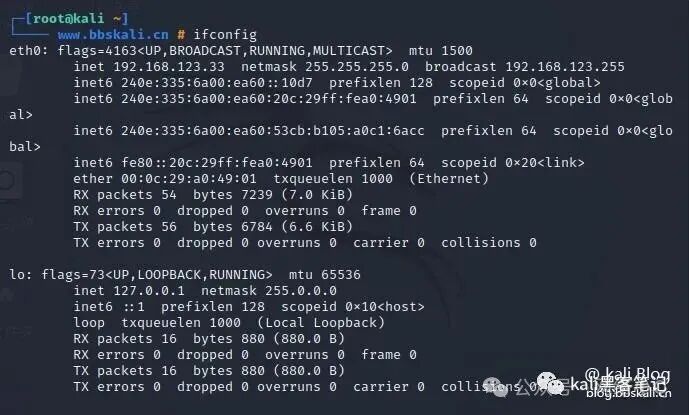
To list all currently available interfaces, whether they are <span>up</span> or <span>down</span>, add the <span>-a</span> parameter.
ifconfig -a
To assign an IP address to an interface, use the following command.
ifconfig eth0 192.168.56.5 netmask 255.255.255.0
Activate the network interface.
ifconfig up wlan0
To deactivate or shut down the network interface
ifconfig down wlan0
Note: Although ifconfig is a great tool, it is now deprecated (not recommended for use), and its replacement is the <span>ip</span> command explained below.
02 ip Command
<span>ip</span> command is another useful command-line utility for displaying and manipulating routing, network devices, and interfaces. It is a replacement for ifconfig and many other network commands.
Example
ip addr show
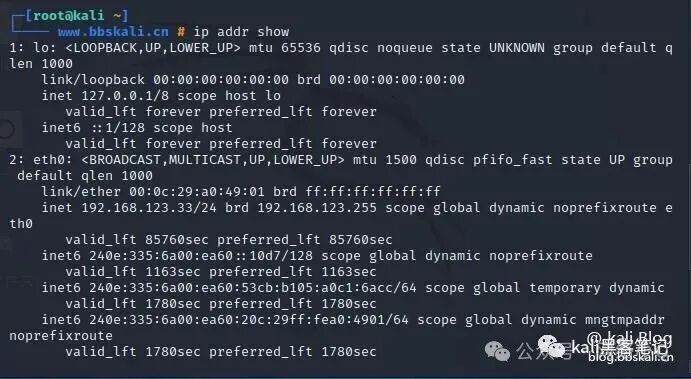
Temporarily assign an IP address to a specific network interface (eth0)
ip addr add 192.168.56.1 dev eth0
To remove an assigned IP address from a network interface (eth0)
ip addr del 192.168.56.15/24 dev eth0
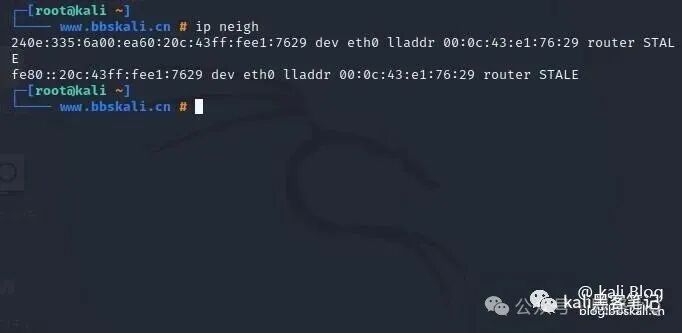
Display the current neighbor table in the kernel
ip neigh
03 ifup, ifdown, and ifquery Commands
<span>ifup</span> command activates a network interface, making it available for transmitting and receiving data.
ifup eth0
<span>ifdown</span> command disables a network interface, putting it in a state where it cannot transmit or receive data.
ifdown eth0
<span>ifquery</span> command is used to parse network interface configurations, allowing you to receive answers about the current configuration.
ifquery eth0
04 Ethtool Command
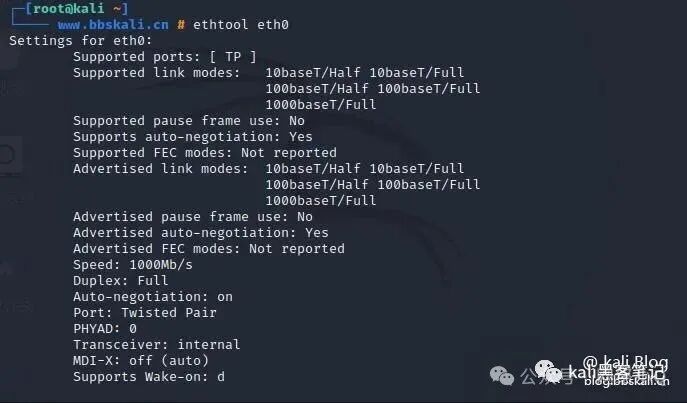
<span>ethtool</span> is a command-line tool for querying and modifying network interface controller parameters and device drivers. The following example shows the usage of ethtool and the command to view network interface parameters.
ethtool eth0
05 Ping Command
ping (Packet INternet Groper) is a utility commonly used to test connectivity between two systems on a network (LAN or WAN). It communicates with nodes on the network using ICMP (Internet Control Message Protocol).
For example, to test connectivity with another node, simply provide its IP or hostname.
ping bbskali.cn
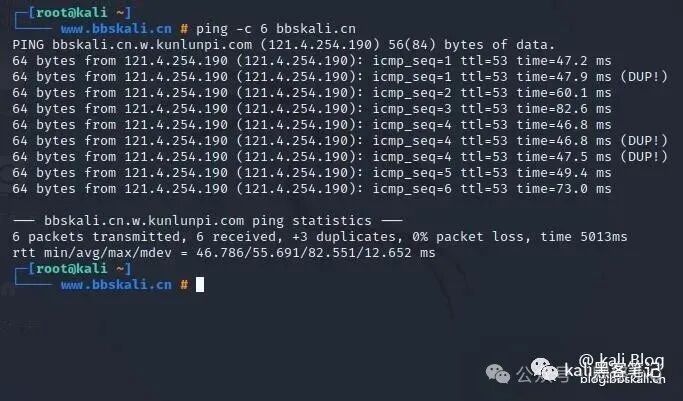
You can also use the shown <span>-c</span> flag to tell ping to exit after sending a specified number of ECHO_REQUEST packets.
ping -c 6 bbskali.cn
06 Traceroute Command
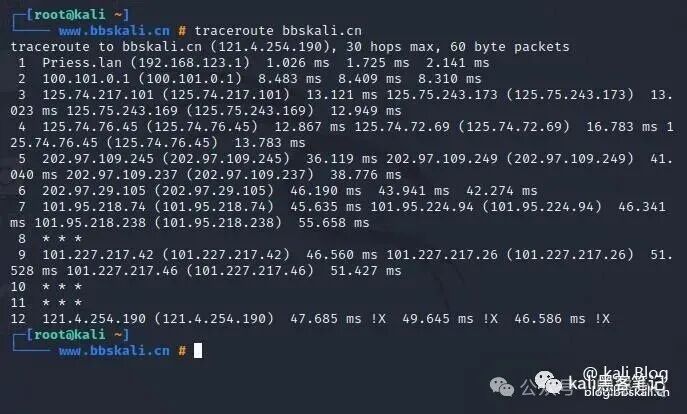
<span>Traceroute</span> command is used to trace the complete path from the local system to another network system. It prints many active points (router IPs) along the path to the final server. It is one of the easiest network troubleshooting tools after the ping command. In this example, we are tracing the routing data packets from the local system to the <span>bbskali.cn</span> server.
traceroute bbskali.cn
07 MTR
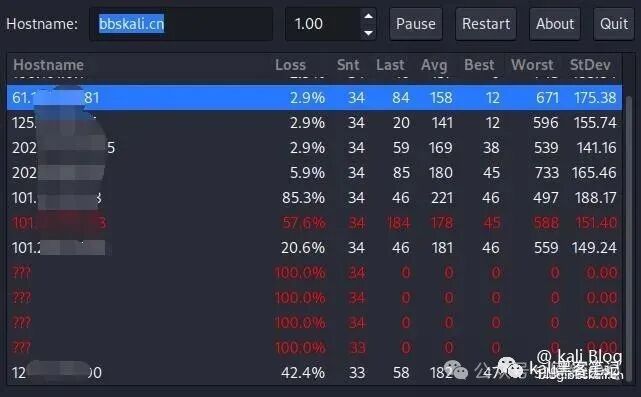
<span>MTR</span> combines the functionalities of ping and traceroute into a single diagnostic tool. By default, its output updates in real-time until you press <span>Q</span> to exit the program.
mtr bbskali.cn
08 route Command
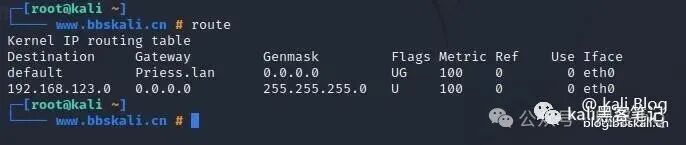
route is used to display or manipulate the command line in the IP routing table of a Linux system. It is used to configure static routes to specific hosts or networks through interfaces.
route
09 Nmcli Command
Nmcli is an easy-to-use, scriptable command-line tool for reporting network status, managing network connections, and controlling NetworkManager.
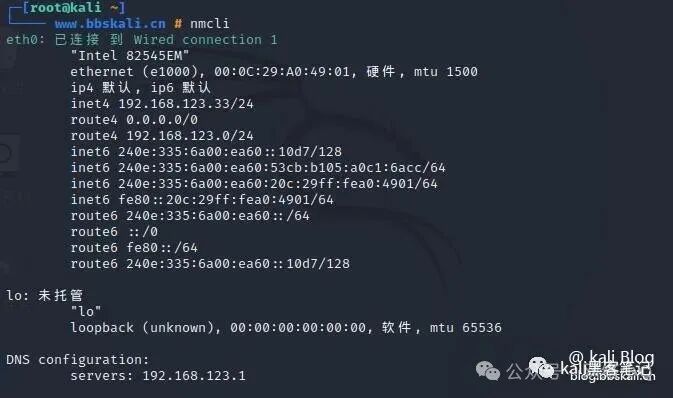
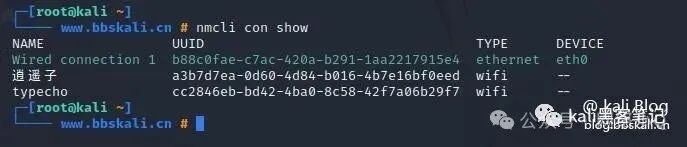
View current network connections
nmcli con show
10 Netstat Command
netstat is a command-line tool that displays useful information about the Linux network subsystem, such as network connections, routing tables, interface statistics, and more. It is useful for network troubleshooting and performance analysis. Additionally, it is a basic network service debugging tool used to check which programs are listening on which ports. For example, the following command will display all TCP ports in listening mode and the programs that are listening.
netstat -tnlp
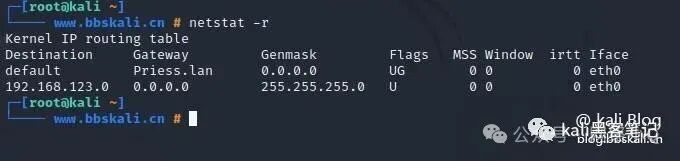
View the routing table
netstat -r
11 ss Command
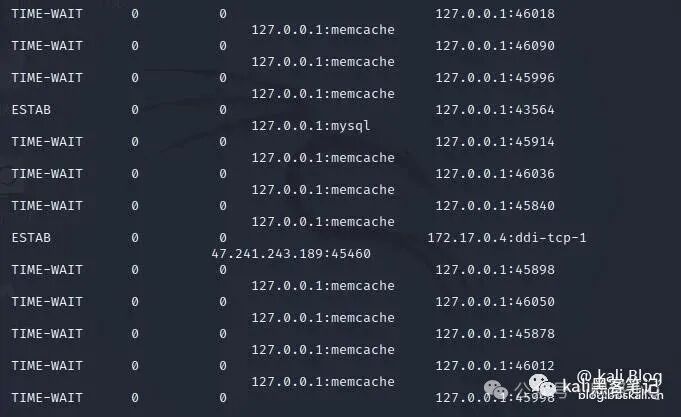
ss (socket statistics) collects TCP information and displays similar information to netstat. Additionally, it shows more TCP and state information compared to other similar utilities. Display all open TCP ports on the server
12 nc Command
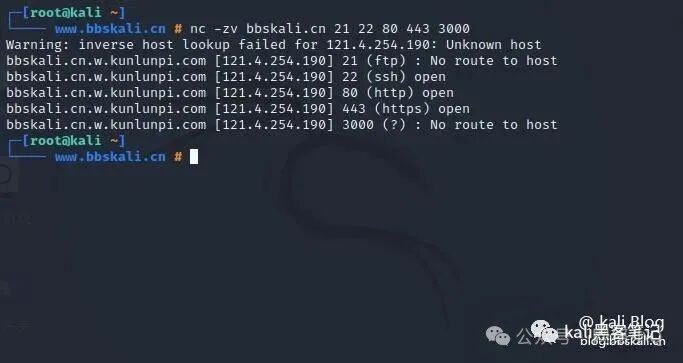
nc, known as the “network Swiss army knife,” is used as a simple TCP proxy for network daemon testing, checking remote port accessibility, and more. Additionally, you can use nc and pv commands to transfer files between two computers. Scan a list of ports
nc -zv bbskali.cn 21 22 80 443 3000
13 Nmap
nmap is a tool that many are familiar with, and there have been many tutorials on it. We won’t go into detail here! Simple scan
nmap -T4 -A -O bbskali.cn
14 host
A simple utility for performing DNS lookups, converting hostnames to IP addresses and vice versa
host bbskali.cn
15 dig Command
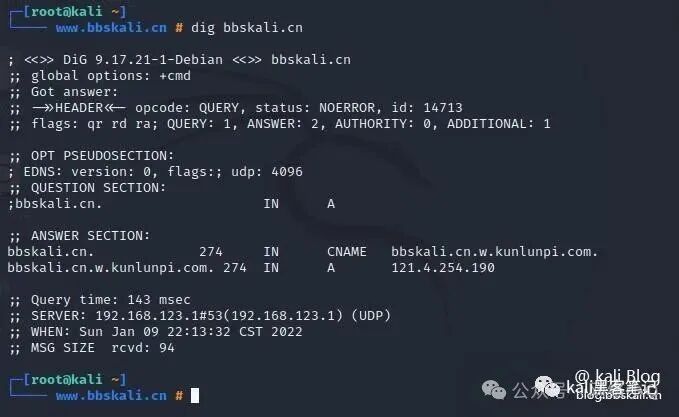
Used to query DNS-related information such as A Records, CNAME, MX Records, etc.
dig bbskali.cn
16 NSLookup Command
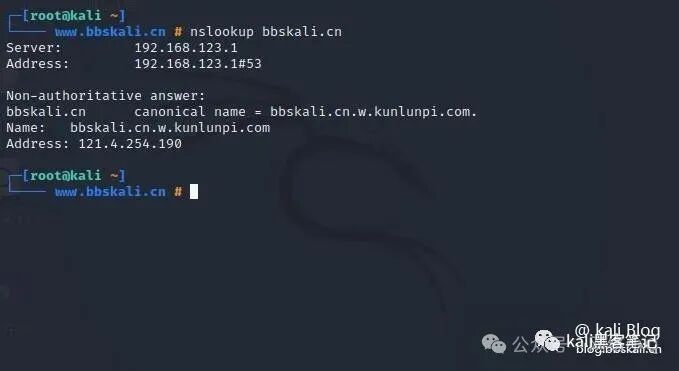
Used to query DNS servers interactively and non-interactively. It is used to query DNS resource records (RR). As shown, you can find the “A” record (IP address) of a domain.
nslookup bbskali.cn
17 Tcpdump Command
Tcpdump is a very powerful and widely used command-line network sniffer. It is used to capture and analyze TCP/IP packets transmitted or received over the network on a specific interface. For example, to capture packets from a specified network card, simply add the <span>-i</span> parameter.
tcpdump -i eth0
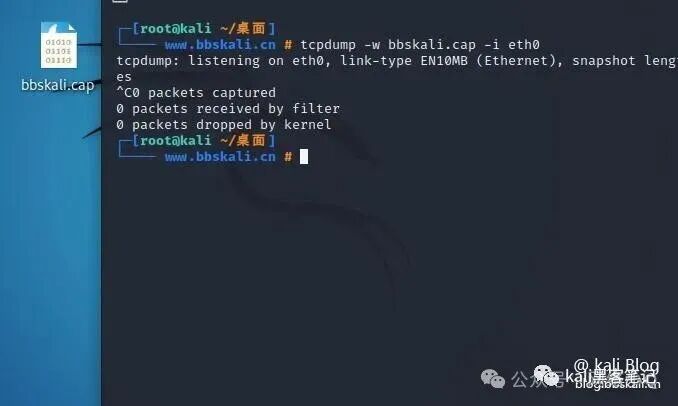
You can also capture packets and save them to a file for later analysis, using the -w flag to specify the output file.
tcpdump -w bbskali.cap -i wlan0
18 Wireshark
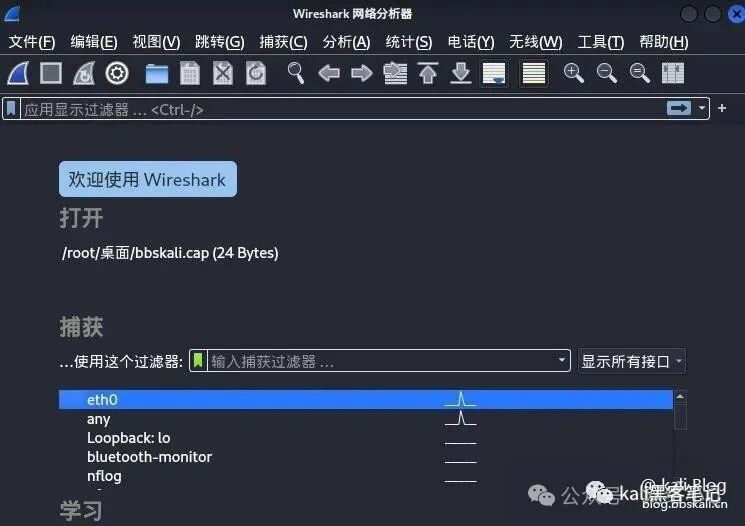
Wireshark is a popular, powerful, versatile, and easy-to-use tool for real-time capturing and analyzing packets in data exchange networks. You can also save the captured data to a file for later inspection. System administrators and network engineers use it to monitor and inspect packets for security and troubleshooting.
19 Bmon
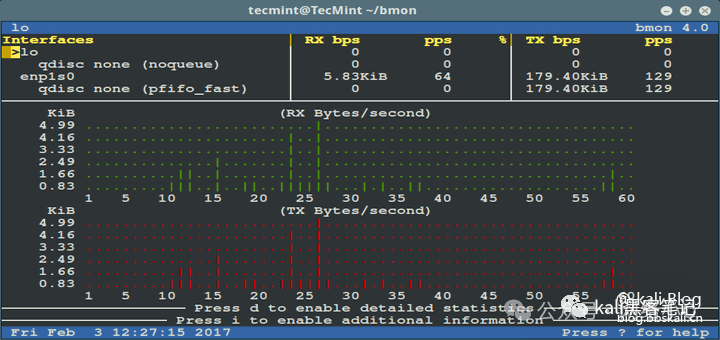
bmon is a powerful, command-line-based network monitoring and debugging utility for Unix-like systems that captures network-related statistics and displays them in a human-readable format.
20 iptables Firewall
iptables is a command-line tool for configuring, maintaining, and inspecting tables of IP packet filtering and NAT rule sets. It is used to set up and manage the Linux firewall (Netfilter). It allows you to list existing packet filtering rules; add, delete, or modify packet filtering rules.
For more tutorials, follow us