“From today on, study hard and make progress every day”
Repetition is the best way to memorize; spend one minute every day to remember the basics of C language.
“Mastering C Language:C Language Graphical Programming and Game Programming“
“Mastering C Language” 2025 Dev C++ Latest Installation and Usage Guide (Includes Latest Download Link), this is definitely the simplest and most favored development tool for C language beginners
Introduction
Beginners are often most afraid of setting up the C language development environment, as much enthusiasm can be lost due to environment issues.
Many students have requested a simple development tool, and I am sharing the simplest tool, Dev-C++. I believe all C language beginners have used this tool; it is simple and free.
Of course, as you advance, you can use more advanced platform tools like VSCode + Linux or MacOS! For recommendations on more advanced tools, you can check out my previous article!
The most commonly used compilers and integrated development tools for C language (the most comprehensive collection)
The biggest advantage of Dev-C++ is that it is simple and free, making it beginner-friendly; the downside is that it only supports Windows operating systems and does not support Linux or MacOS. Additionally, the built-in GCC compiler version is quite low, making it unsuitable for complex projects, but for beginners, this tool is sufficient.
First, let’s look at the results:
There are some third-party modified or upgraded versions of Dev-C++ both domestically and internationally, but I recommend the official release of Dev-C++ because it is classic and sufficient.
Download Dev-C++
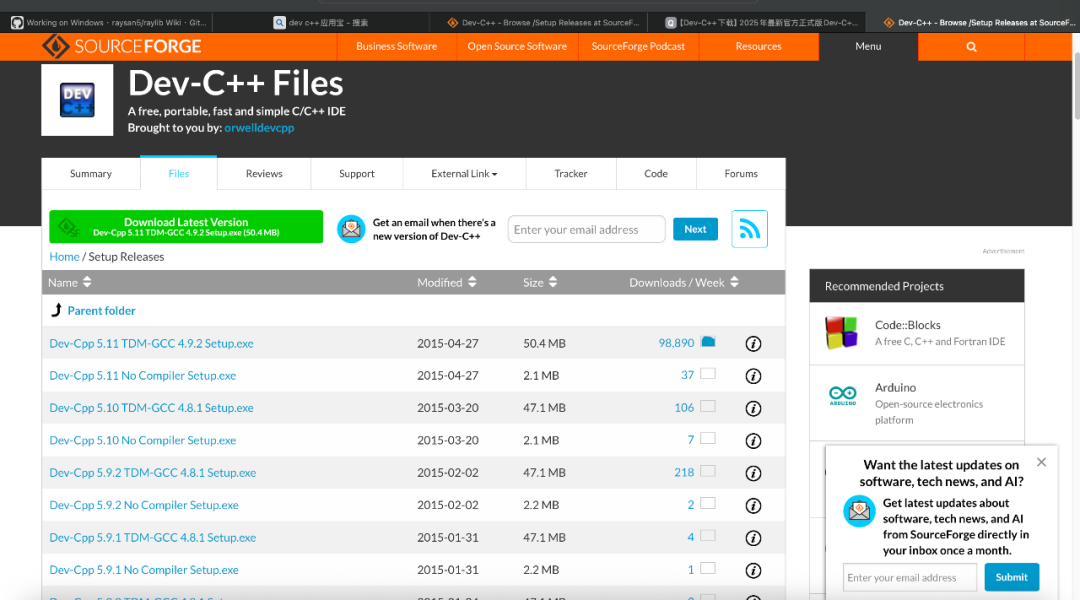
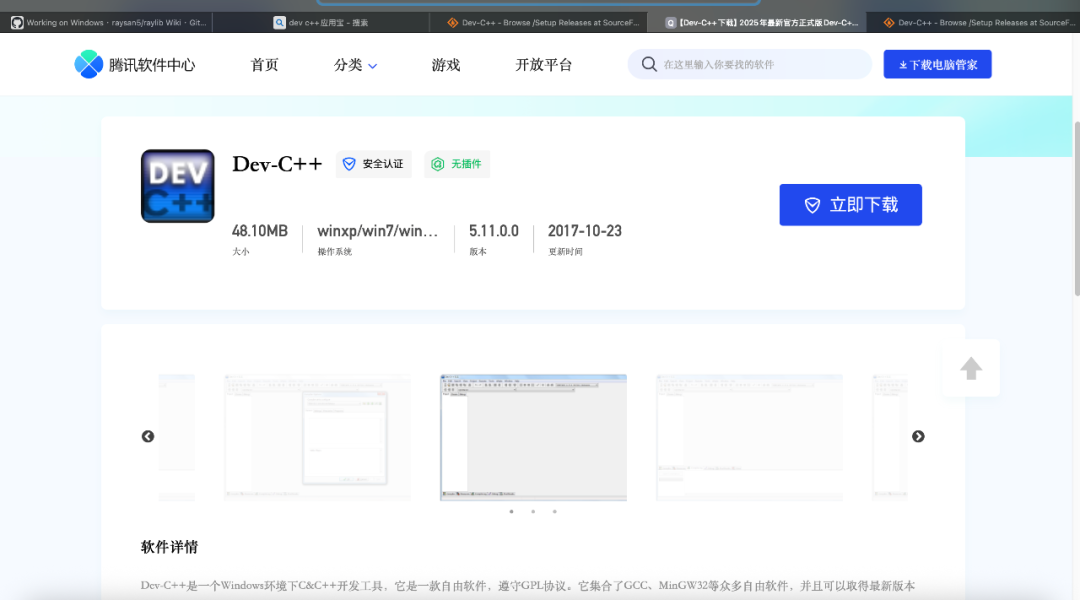
This tool is easy to download; there is an official foreign website which may be slower; I also found a domestic site that is easier to download from, which is Tencent’s software center. Of course, you can also find some domestic download sites (but be careful of ad links when downloading). You can use Bing search engine to find downloads.
The latest version is 5.11, and although it hasn’t been updated since 2015, it does not affect usability. This software can be installed directly with all default directories.
Download links:
- • Foreign website: https://sourceforge.net/projects/orwelldevcpp/files/Setup%20Releases/
- • Tencent Software Center: https://pc.qq.com/detail/16/detail_163136.html
Installation Steps
- 1. Download the installation package
- • Open the above website, click the download button, and download the Windows version installer.
- • Double-click the downloaded
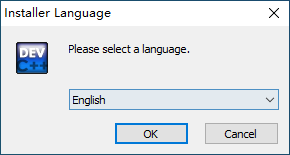
<span>Dev-Cpp_5.11_TDM-GCC_4.9.2_Setup.exe</span>file. - • Choose English for installation by default; do not select Chinese or other languages, just proceed with the default installation.
- • Do not modify the installation path; the installation path cannot contain Chinese characters.
First Launch and Configuration in Chinese
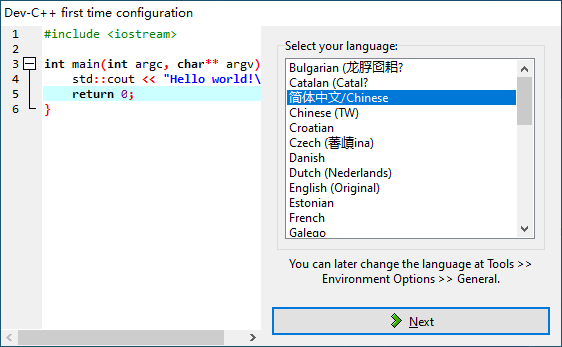
- 1. Start Dev-C++, after installation, you can open it from the desktop shortcut or start menu.
- 2. For first-time use, set the language to Simplified Chinese.
Create and Run Your First C/C++ Program
Create a New Source Code File
Click the menu File -> New -> Source Code File, you will see the following interface, then enter the following code and save it as<span>hello.c</span> file.
#include <stdio.h>

int main() {
    printf("Hello, World!\n");
    return 0;
}
Save the File
- • Click File → Save As
- • Save as
<span>.c</span>(C language code file) extension, enter the file name<span>hello.c</span>
Compile & Run
Click the menu Run → Compile and Run, and you will see the console output.
Common Functions and Shortcuts
| Function | Shortcut | Description |
|---|---|---|
| New File | Ctrl + N | Create a new source code file |
| Open File | Ctrl + O | Open an existing code file |
| Save File | Ctrl + S | Save the current file |
| Compile | F9 | Compile the code and check for syntax errors |
| Run | F10 | Run the compiled program |
| Compile and Run | F11 | Compile and then run |
| Undo | Ctrl + Z | Undo the last operation |
| Redo | Ctrl + Y | Redo the undone operation |
Some students have contacted me, wanting to have a study and exchange group. I previously hesitated to create a group due to concerns about advertisements, but I think having a group would indeed be more convenient, so I will create a group to try it out.
If you need to join, please hurry, the validity period is 7 days.

———- End ———-
【Special Statement: All articles in this public account are original or authorized by the author, some content and images are sourced from the internet, please feel free to consume, the views are for learning reference only, my level is limited if there are errors or omissions, please forgive me~~】

“If you like C, please like it” Click the lower right corner to see
 “
“