In the previous lecture, we learned about operators used for comparing values. However, mere comparison is not enough for a program to be functional; it also needs to possess “decision-making capabilities.” In this lesson, we will bring our code to life using if and if-else statements.
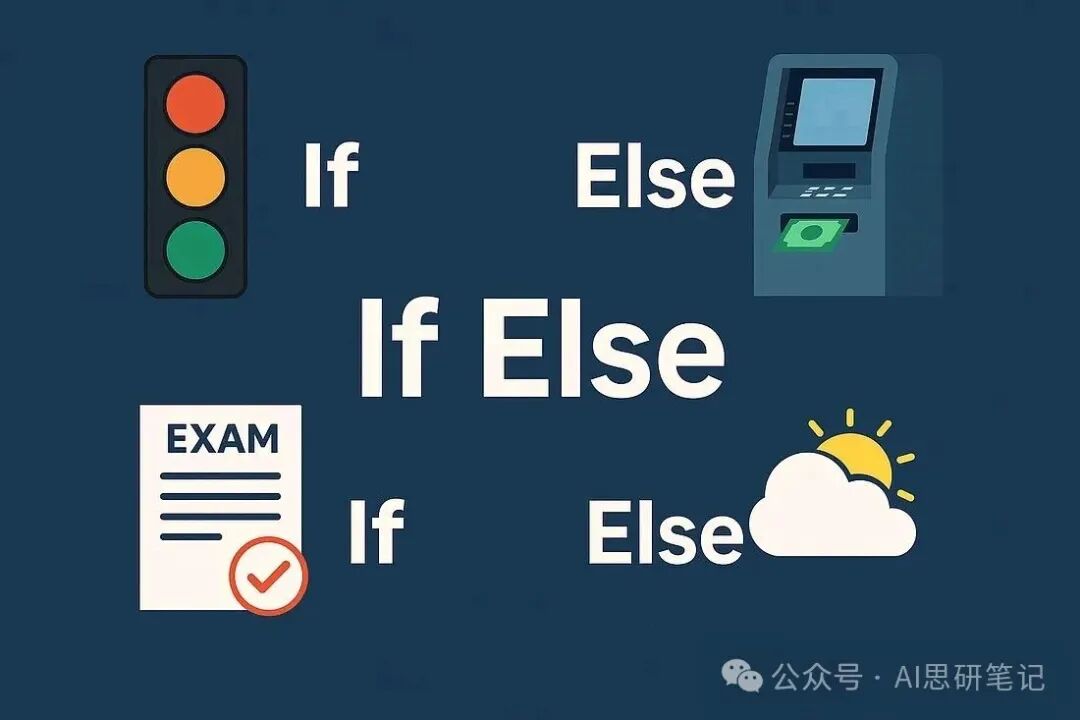
Just like in real life, your program can now “think” this way: “If situation A occurs, execute action B; otherwise, execute action C.” From this moment on, programming is no longer just a mechanical pile of code but begins to exhibit the property of “intelligent judgment.” What is the “judgment logic” in the code? So far, the programs we have written are like a straight railway track—running from start to finish in a fixed order without any judgment. But in real life, almost everything involves “judgment”: 1. Traffic lights: If it is a green light, go; otherwise, stop. 2. ATM: If the entered password is correct, dispense cash; otherwise, display an error message. 3. Exam scoring: If the score is ≥ 40, it is considered passing; otherwise, it is considered failing. This is the core value of “judgment logic” in code: it allows the program to respond differently based on different conditions. Without judgment logic, the program would only run along a single, monotonous process. Basic if Statement in C++ Here is an example of how to implement program judgment using an if statement: #include <iostream> using namespace std; int main() { int age = 20; // If the condition is true, execute the code block within { } if (age >= 18) { cout << “You are an adult.\n”; } cout << “Program execution completed.\n”; // This statement will always execute return 0; } Output: You are an adult. Program execution completed. If we change age = 20; to age = 15;, the program will skip the “You are an adult” prompt. Comparison with Python In Python, the core idea of judgment logic is consistent with C++, but the syntax is more concise (no semicolons, no braces, and code blocks are distinguished by indentation): age = 20 # If the condition is true, execute the indented code block if age >= 18: print(“You are an adult”) print(“Program execution completed”) # This statement will always executeKey Points 1. C++ uses { } braces to mark the code block controlled by the if statement. 2. Python uses indentation (spaces or tabs) to mark code blocks. 3. The judgment logic of both languages is fundamentally the same: if the condition is true, execute the corresponding operation.
if-else Statement Sometimes, a single judgment condition is not enough—you may need the program to execute one operation when the condition is true and another operation when the condition is false. This is where the if-else statement comes in. For example, in real life: 1. If it rains, take an umbrella; 2. Otherwise, enjoy the sunshine. C++ Example (Judging Odd or Even Number) #include <iostream> using namespace std; int main() { int number = 7; // Check if the number is divisible by 2 if (number % 2 == 0) { cout << number << ” is even.\n”; // Execute when the condition is true } else { cout << number << ” is odd.\n”; // Execute when the condition is false } cout << “Program execution completed.\n”; // This statement will always execute return 0; } When number = 7, the output is: 7 is odd. Program execution completed. If we change number = 7; to number = 10;, the output will change to: 10 is even. Program execution completed.Python Comparison Python’s syntax is more concise, but the logic is entirely consistent: number = 7 # Execute when the condition is true if number % 2 == 0: print(number, “是偶数”) # Execute when the condition is false else: print(number, “是奇数”) print(“程序执行完毕”) # This statement will always execute Key Points 1. if is used to “check conditions.” 2. else provides an “alternative option” (executed only when the if condition is false). 3. Only one of the two corresponding code blocks of if and else will be executed.
Multi-branch if-else and Nested if-else Real-world judgments are often not just “yes/no”; sometimes, multiple possibilities need to be handled. For example: 1. If the score ≥ 90 → Grade A 2. Otherwise, if the score ≥ 75 → Grade B 3. Otherwise, if the score ≥ 50 → Grade C 4. Otherwise → Fail This scenario requires a “multi-branch if-else” (sometimes also called an “else-if ladder”). C++ Example (Grading System)
#include <iostream> using namespace std; int main() { int marks = 82; if (marks >= 90) { cout << “Grade: A\n”; // Execute when score ≥ 90 } else if (marks >= 75) { cout << “Grade: B\n”; // Execute when score ≥ 75 but < 90 } else if (marks >= 50) { cout << “Grade: C\n”; // Execute when score ≥ 50 but < 75 } else { cout << “Grade: F\n”; // Execute when none of the above conditions are met } return 0; } When marks = 82, the output is: Grade: B Python Comparison Python’s structure is consistent with C++, but uses elif instead of else if: marks = 82 if marks >= 90: print(“Grade: A”) elif marks >= 75: print(“Grade: B”) elif marks >= 50: print(“Grade: C”) else: print(“Grade: F”) Output: Grade: B Nested if-else You can also nest another if statement within an if statement, which is called “nested if-else.” For example: determining whether a person is “18 years old and has an ID” to allow entry. #include <iostream> using namespace std; int main() { int age = 20; bool hasID = true; if (age >= 18) { if (hasID) { cout << “Entry allowed.\n”; } else { cout << “Please show your ID.\n”; } } else { cout << “Entry denied, you are under 18.\n”; } return 0; } When age = 20 and hasID = true, the output is: Entry allowed. Key Points 1. Multi-branch if-else: suitable for multiple mutually exclusive conditions (such as scoring, pricing, classification, etc.). 2. Nested if-else: suitable for scenarios where one judgment depends on the result of another judgment. Important Notes: Indentation and Braces Before concluding, there is a very important point to remember: In C++, code blocks are wrapped in { } braces. Indentation (spaces/tabs) is only for improving readability; the compiler does not rely on indentation to determine the scope of code blocks. if (age >= 18) { cout << “你已成年\n”; } Even if the indentation is messy, as long as the brace positions are correct, the code will still run normally (though it will reduce code readability).
In Python, indentation is the syntax rule itself. There are no braces; Python directly uses indentation to determine whether the code belongs to the if/else control range. if age >= 18: print(“你已成年”) # Must be indented, otherwise syntax error If the indentation is incorrect here, the program will not even run. Summary In this lesson, we officially entered the world of “judgment logic”: 1. We understood why programs need to “choose execution paths”—just like real scenarios (traffic lights, exams, ATMs), they need to respond differently based on different situations. 2. We learned to implement “simple judgments” using if statements. 3. We used if-else statements to handle “two opposing possibilities.” 4. We mastered using “multi-branch if-else” and “nested if-else” to handle “multiple conditions.” 5. We briefly compared the syntactical differences between Python and C++ (mainly the indentation rules). 6. We clarified the roles of “braces” in C++ and “indentation” in Python. With this knowledge, your program is no longer just about “printing content” or “calculating values”; it can “think” and “react.” This is an important milestone—you have advanced from “writing simple scripts” to “writing intelligent logic.” In the next lecture, we will learn more methods of “program flow control,” such as switch statements and loops, to make the code even more powerful.