Scan to follow Chip Dynamics , say goodbye to “chip” blockage!

 Search WeChat
 Chip Dynamics
 Introduction to MDK5 Software
MDK (Microcontroller Development Kit) is an embedded development tool launched by the German company KEIL (now part of the ARM ecosystem), officially named RealView MDK. As a mainstream ARM development platform globally, MDK is widely used by over 100,000 embedded engineers. MDK5.28, based on the uVision5 integrated development environment (IDE), is an efficient development tool for ARM processors (especially Cortex-M cores). However, for stability reasons, we are not adopting the latest version due to some known issues.
MDK5 consists of two independent components:
-
MDK Core: The core toolchain (compiler, debugger, and other basic functions).
-
Software Packs: Extension packages that can be updated independently of the toolchain, providing support for new chips and upgrades to middleware libraries (as shown in the figure).
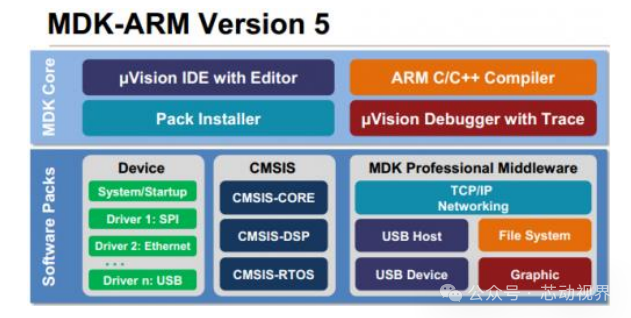
As shown in the figure above, MDK Core is further divided into four components: uVision IDE with Editor (integrated development environment and editor), ARM C/C++ Compiler (C/C++ compiler for ARM architecture), Pack Installer (software package installer), and uVision Debugger with Trace (debugger with tracing capabilities). Among them, uVision IDE has added practical features such as code suggestions and dynamic syntax checking since version MDK4.7, showing significant improvements compared to earlier IDE versions.
The Software Packs (software package installer) can be subdivided into three sub-parts: Device (device-related support packages, mainly for chip support), CMSIS (ARM Cortex Microcontroller Software Interface Standard library), and Middleware (middleware, including various types of middleware). With the Pack Installer, developers can install the latest components, thereby supporting new devices, obtaining new device driver libraries, and the latest example programs, effectively accelerating product development.
Unlike previous versions of MDK, which integrated all components into a single installation package, making it appear relatively “bulky”, MDK5 has made changes. Its MDK Core is a standalone installation package that does not include device support, device drivers, CMSIS, and other components, with a size of about 300MB, significantly smaller than the over 500MB of MDK4.70A, achieving a “slimming down” effect. The MDK5 installation package can be downloaded from the following address: http://www.keil.com/demo/eval/arm.htm. Device support, device drivers, CMSIS, and other components can be installed either by clicking the last icon of the Build Toolbar in MDK5 to invoke the Pack Installer or by downloading the relevant components from http://www.keil.com/dd2/pack and then installing them.
After completing the installation of MDK5, to enable MDK5 to support development for STM32F407, it is necessary to install the STM32F4 device support package: Keil.STM32F4xx_DFP.1.0.8.pack (this is the device package for STM32F4).
MDK5 Installation StepsStep 1: Start the Installer
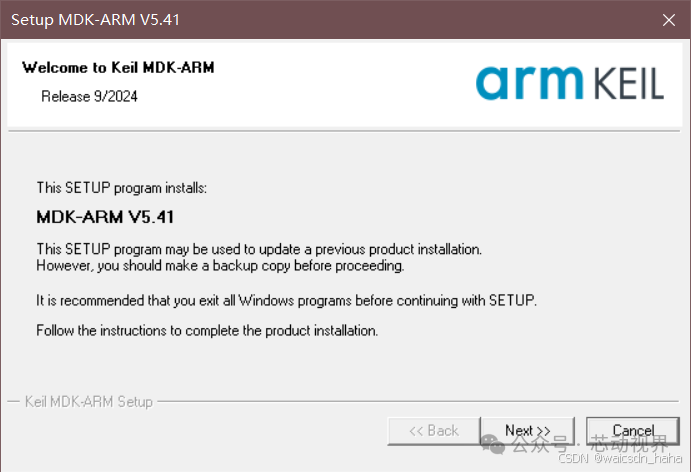
Unzip the compressed package, double-click the unzipped MDKxxx.exe file, and click Next:
 Step 2: Agree to the License Agreement
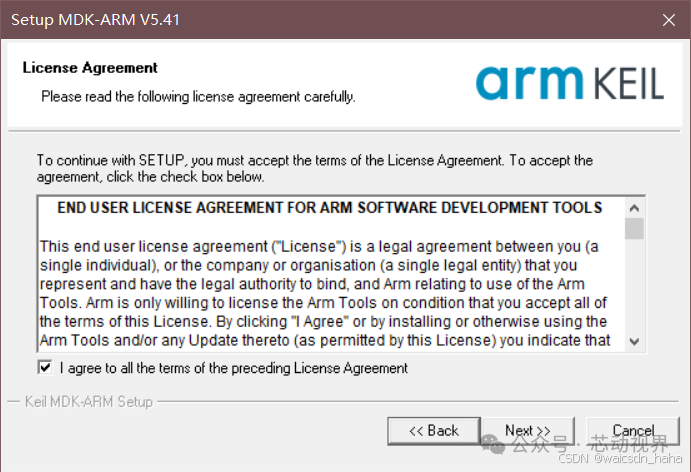
Check “I agree to all the terms…” and click Next:
 Step 3: Customize the Installation Path
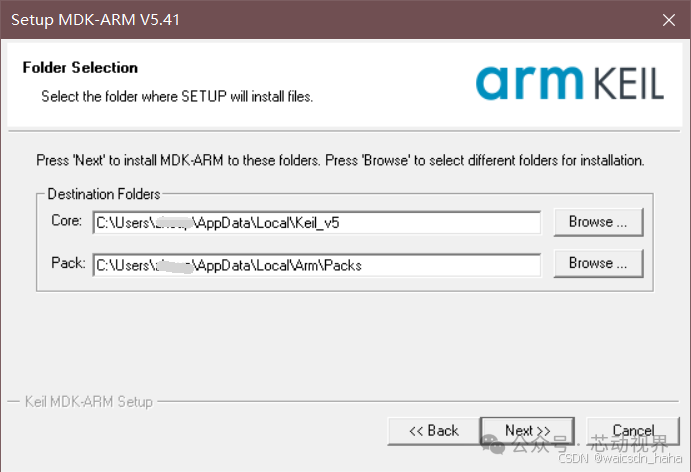
Change the default path to a non-system drive (e.g., D:\Keil_v5) to avoid permission issues:
 Step 4: Complete the Basic Installation
Wait for the progress bar to complete (about 3-5 minutes), during which you may be prompted to install drivers, follow the prompts.
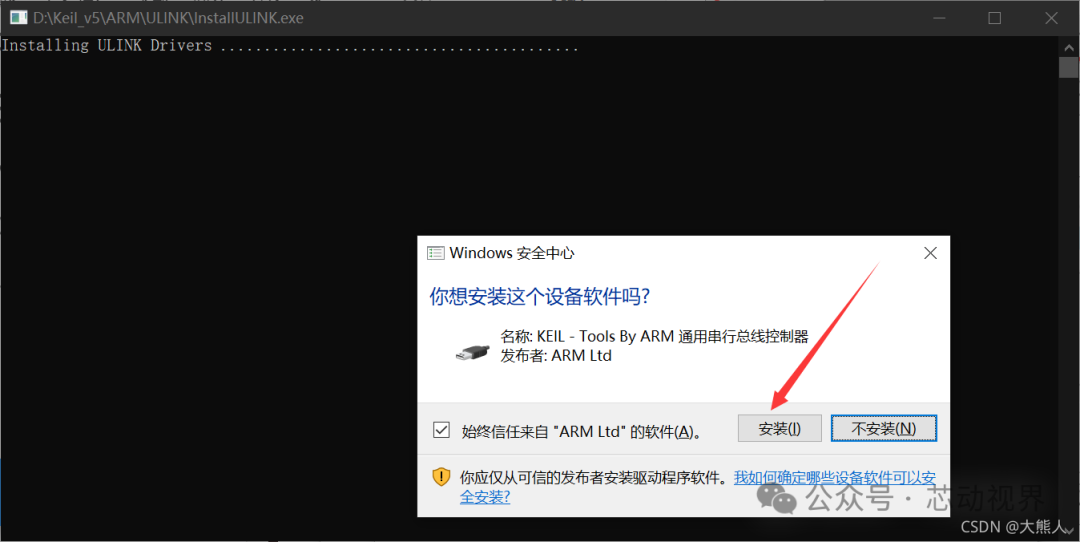 Step 5: Complete the Installation
-
After installation, check “Run uVision5 now”
-
Click “Finish” to start uVision IDE
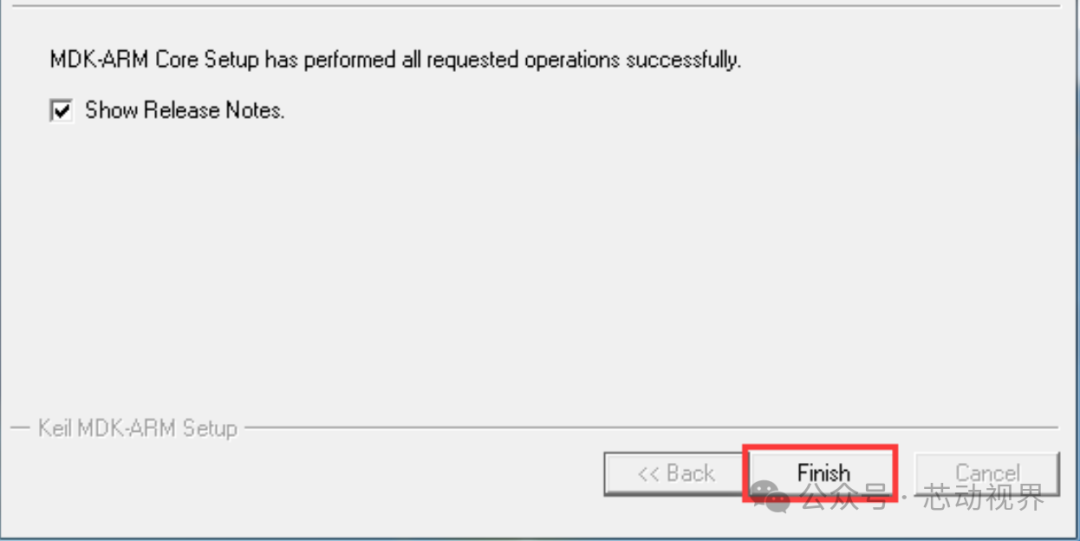 Step 6: Install PACK Packages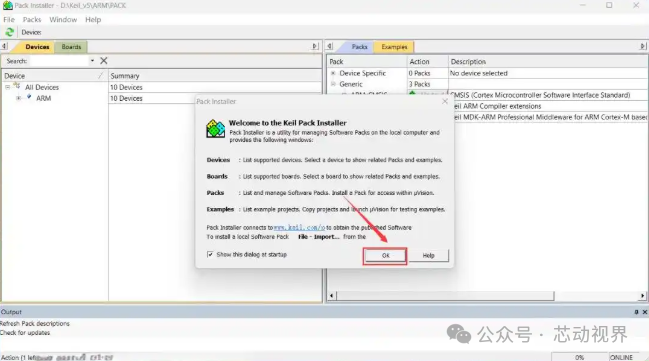


The difference between typedef and #define
A complete guide to C language unions: memory reuse, bit manipulation, type punning, all in one!
Practical insights into C language: detailed explanation of structure alignment
C language structure pointers: pointers + structures = a powerful combination
If you find this article useful, click “Like”, “Share”, “Recommend”!