Download link for the resource compressed package
Quark Cloud Disk:
Embedded Development + Proteus + Software Tools Resources.rar
Link: https://pan.quark.cn/s/32673248507f
Extraction code: aYJe
123 Cloud Disk:
Embedded Development + Proteus + Software Tools Resources.rar
Link: https://www.123865.com/s/dyUSTd-LpfY?pwd=6666
Extraction code: 6666
Baidu Cloud Disk:
Embedded Development + Proteus + Software Tools Resources.rar
Link: https://pan.baidu.com/s/10f6dfwk18qLm-sTE87K8vA?pwd=6666
Extraction code: 6666
Unzip the compressed package using any extraction software, including the built-in one.
Operations after unzipping the resource compressed package
After unzipping, click on the Setup.exe file in the unzipped folder
Follow the instructions step by step
If Windows reports that it cannot find the specified path, just click OK.
After installation, right-click the desktop icon
Click Properties
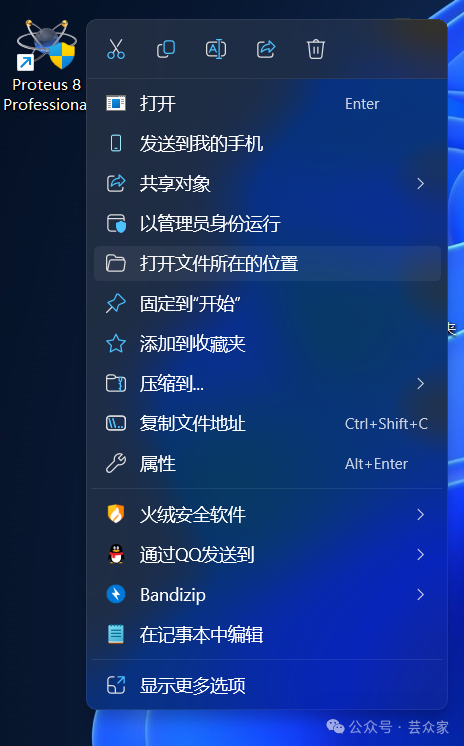
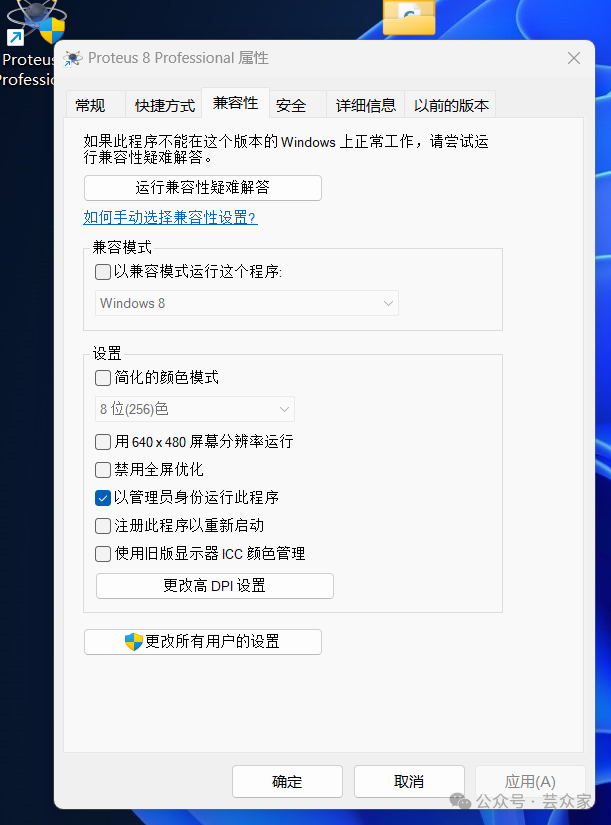
Click on the Compatibility tab at the top of the Properties window
Find the Settings section
Look for “Run this program as an administrator” and check the box next to it
**Not running as an administrator may cause components to be unusable**
Software localization operation
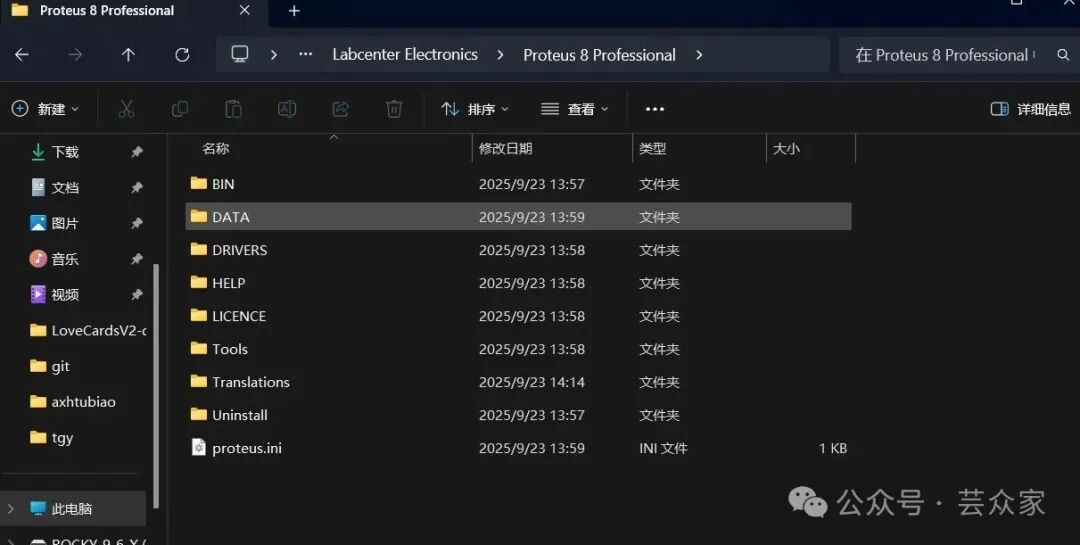
Right-click the icon
Open File Location
Navigate back to the directory shown in the image below, open the Translations folder, and drag all items from the Crack folder in the compressed package into Translations
Replace all files to complete the process
 Produced by | Smart IoT Application Development Association