Copyright belongs to the author. If reprinted, please indicate the source: https://cyrus-studio.github.io/blog/
Using SIGTRAP to Detect Debuggers
In the process management of Linux, signals are the core mechanism for communication between the debugger and the debugged process. Operations such as breakpoints, single-step execution, and process suspension and resumption all rely on the transmission of specific signals.
Among them, SIGTRAP (trap signal) is particularly special. It is usually triggered by the debugger during the debugging process, such as when executing breakpoint instructions or running single-step.
If a program actively triggers SIGTRAP and sets the corresponding signal handler, it can achieve a kind of “self-check”:
- • If the signal handler is successfully called, it indicates that SIGTRAP was not intercepted by the debugger, and it can be inferred that the program is in a non-debugging state;
- • If the signal handler is not called and is instead captured and consumed by the debugger, it means the program is being debugged.
Thus, using the SIGTRAP signal for anti-debugging detection has become a more covert and lower-level security measure in Android applications.

Common Linux Signal List (Based on signal.h)
| Number | Name | Description |
|---|---|---|
| 1 | SIGHUP | Hangup signal, usually sent to a process when the controlling terminal is closed |
| 2 | SIGINT | Interrupt signal, usually triggered by Ctrl+C |
| 3 | SIGQUIT | Quit signal, usually triggered by Ctrl+\ and generates a core dump |
| 4 | SIGILL | Illegal instruction (illegal CPU instruction execution) |
| 5 | SIGTRAP | Trap signal, mainly used for debugging (breakpoints, single-step) |
| 6 | SIGABRT | Abnormal termination, usually triggered by abort() |
| 7 | SIGBUS | Bus error (illegal memory access, such as unaligned access) |
| 8 | SIGFPE | Floating-point exception (division by zero, overflow, etc.) |
| 9 | SIGKILL | Force termination signal, cannot be caught or ignored |
| 11 | SIGSEGV | Invalid memory access (segmentation fault) |
| 13 | SIGPIPE | Triggered when writing data to a pipe with no reader |
| 14 | SIGALRM | Timer timeout, triggered by alarm() |
| 15 | SIGTERM | Termination signal, can be caught and handled |
| 17 | SIGCHLD | Notifies the parent process when the child process state changes |
| 18 | SIGCONT | Continue execution (used with SIGSTOP) |
| 19 | SIGSTOP | Stops the process, cannot be caught or ignored |
| 20 | SIGTSTP | Terminal stop signal, usually triggered by Ctrl+Z |
| 21 | SIGTTIN | Triggered when a background process tries to read input from the terminal |
| 22 | SIGTTOU | Triggered when a background process tries to write output to the terminal |
| 23 | SIGURG | Urgent data arrives on a socket |
| 24 | SIGXCPU | Exceeds CPU time limit |
| 25 | SIGXFSZ | File size exceeds limit |
| 26 | SIGVTALRM | Virtual clock timeout |
| 27 | SIGPROF | Profiling timer timeout |
| 28 | SIGWINCH | Window size changes (terminal resizing) |
| 29 | SIGIO / SIGPOLL | Asynchronous I/O events |
| 30 | SIGPWR | Power failure |
| 31 | SIGSYS | Illegal system call |
In addition, Linux also supports real-time signals, numbered from 32 onwards, with the specific upper limit depending on the system implementation (usually from SIGRTMIN to SIGRTMAX), typically used for user-defined signals that applications can use as needed.
Anti-Debugging Process Using SIGTRAP in Android
In the Android environment, the core idea of using SIGTRAP for anti-debugging is to have the program actively trigger SIGTRAP and observe whether the signal can enter our defined handler. If the signal can be captured, it indicates that the program is running normally; if the signal is intercepted by the debugger, it indicates that the process is being debugged.
The anti-debugging process using SIGTRAP + custom handler in Android is as follows:
                ┌─────────────────────────────┐
                │   App Process Starts (Target Process)   │
                └──────────────┬──────────────┘
                               │
                               ▼
                   ┌──────────────────────────┐
                   │ Register SIGTRAP Handler     │
                   │ sigaction(SIGTRAP, ...)  │
                   └───────────┬─────────────┘
                               │
                               ▼
                   ┌────────────────────┐
                   │ Call raise(SIGTRAP)│
                   └───────────┬────────┘
                               │
               ┌───────────────┼─────────────────┐
               │                                 │
   ┌───────────▼────────────┐        ┌───────────▼────────────┐
   │ No Debugger Present            │        │ Debugger Attached           │
   │ ──────────────          │        │ ──────────────         │
   │ Signal Handed to Custom Handler  │        │ Debugger Captures SIGTRAP     │
   │ Handler Executes Normally        │        │ Handler Not Called       │
   └───────────┬────────────┘        └───────────┬────────────┘
               │                                 │
               ▼                                 ▼
       [App Determines Not Debugged]                [App Determines Debugged]
               │                                 │
               ▼                                 ▼
 ┌───────────────────────────┐     ┌───────────────────────────┐
 │   Running Normally (Continue Business Logic) │     │  Take Countermeasures:             │
 │                           │     │  - exit() / Delay Exit       │
 │                           │     │  - Trigger Exception Crash           │
 │                           │     │  - Execute Obfuscation/Fake Logic        │
 └───────────────────────────┘     └───────────────────────────┘
Implementing Anti-Debugging Using SIGTRAP in Android
1. Define Signal Handler and Detect Debugger
First, we write the anti-debugging logic in C code, where the core is to trigger the SIGTRAP signal using raise(SIGTRAP) and determine whether the signal is captured.
#include <jni.h>
#include <signal.h>
#include <stdlib.h>
#include <unistd.h>
#include <android/log.h>

#define LOG_TAG "AntiDebug"
#define LOGI(...) __android_log_print(ANDROID_LOG_INFO, LOG_TAG, __VA_ARGS__)

// Flag variable to determine if SIGTRAP is caught
volatile int sigtrap_caught = 0;

// SIGTRAP signal handler function
void sigtrap_handler(int sig) {
    LOGI("Caught SIGTRAP. No debugger present.");
    sigtrap_caught = 1; // Mark SIGTRAP as caught
}

// JNI method to trigger SIGTRAP signal and detect debugger
JNIEXPORT jboolean JNICALL
Java_com_cyrus_example_antidebug_AntiDebug_detectDebugger(JNIEnv *env, jobject instance) {
    // Register SIGTRAP handler
    signal(SIGTRAP, sigtrap_handler);

    // Trigger SIGTRAP signal
    raise(SIGTRAP);

    // Check if the signal was caught
    if (sigtrap_caught) {
        LOGI("No debugger detected.");
        return JNI_FALSE; // No debugger detected
    } else {
        // If the signal was not caught, it indicates a debugger is present
        LOGI("Debugger detected! The program will exit in 3 seconds...");
        sleep(3); // Wait for 3 seconds
        exit(EXIT_FAILURE); // Exit the program
        return JNI_TRUE; // Return true, indicating a debugger was detected
    }
}
Configure CMakeLists.txt file
cmake_minimum_required(VERSION 3.4.1)


find_library( # Find log library
              log-lib

              # Library name
              log )

add_library( # Library name
             antidebug

             # Library type
             SHARED

             # Source files
             anti_debug.c )

target_link_libraries( # Link library to log library
                       antidebug
                       ${log-lib} )
2. Calling JNI Method from Kotlin Layer
In the Kotlin layer, we call the detectDebugger function via JNI to check for the presence of a debugger. Based on the result, the program can respond differently.
package com.cyrus.example.antidebug

import android.util.Log

object AntiDebug {

    init {
        // Load native library
        System.loadLibrary("antidebug")
    }

    external fun detectDebugger(): Boolean

    fun isDebuggerDetected(): Boolean {
        val detected = detectDebugger()
        if (detected) {
            Log.i("AntiDebug", "Debugger detected!")
        } else {
            Log.i("AntiDebug", "No debugger detected.")
        }
        return detected
    }
}
3. Calling Anti-Debugging Functionality
val debuggerDetected = AntiDebug.isDebuggerDetected()
if (debuggerDetected) {
    Toast.makeText(this, "Debugger Detected", Toast.LENGTH_SHORT).show()
} else {
    Toast.makeText(this, "No Debugger Detected", Toast.LENGTH_SHORT).show()
}
Testing Anti-Debugging
1. No Debugging State
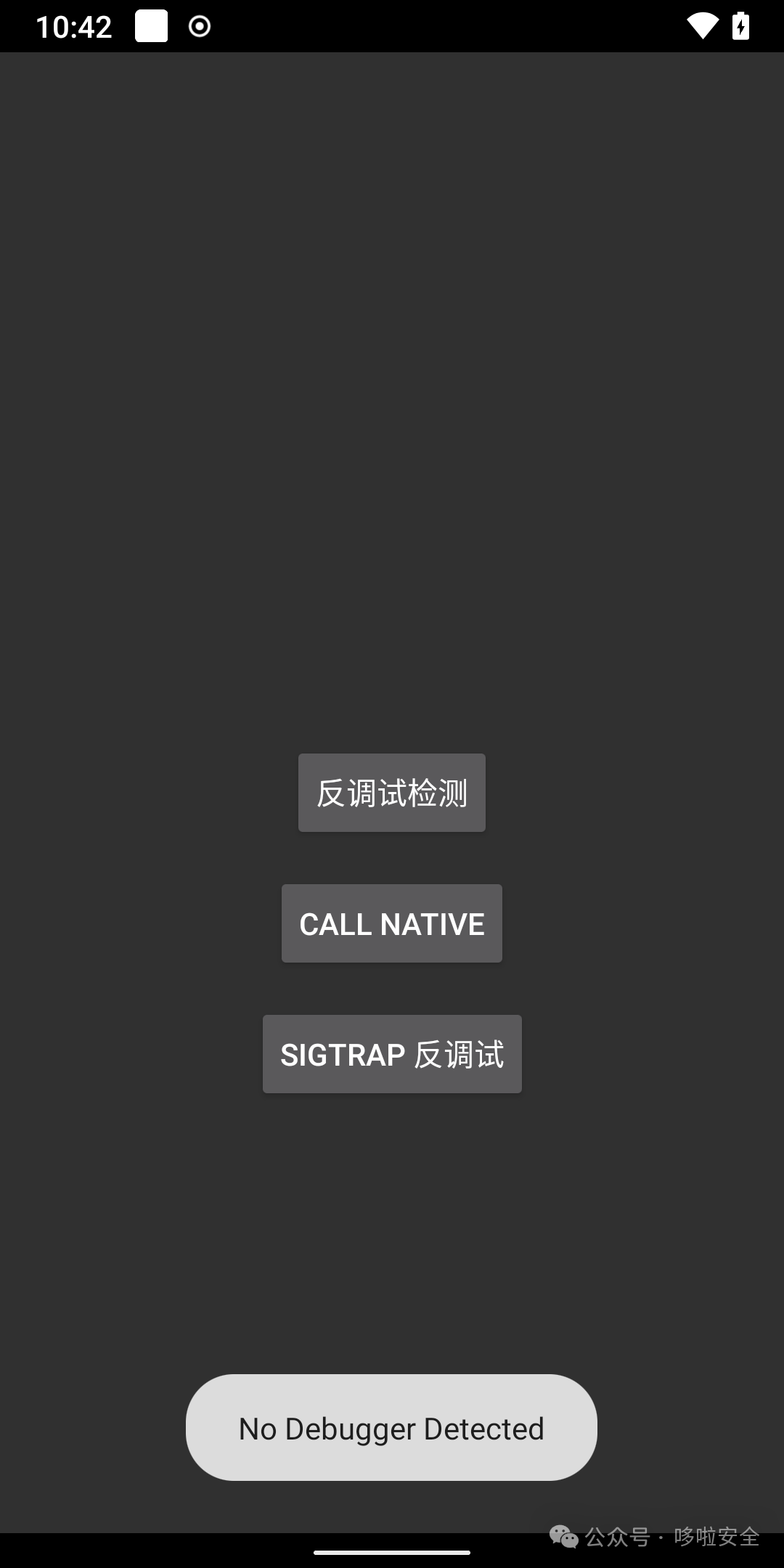
In a non-debugging state, clicking the “SIGTRAP Anti-Debugging” button in the app calls the anti-debugging functionality, and no debugger is detected, allowing the program to run normally.
2. In Debugging State
Attach to the current application using IDA Pro
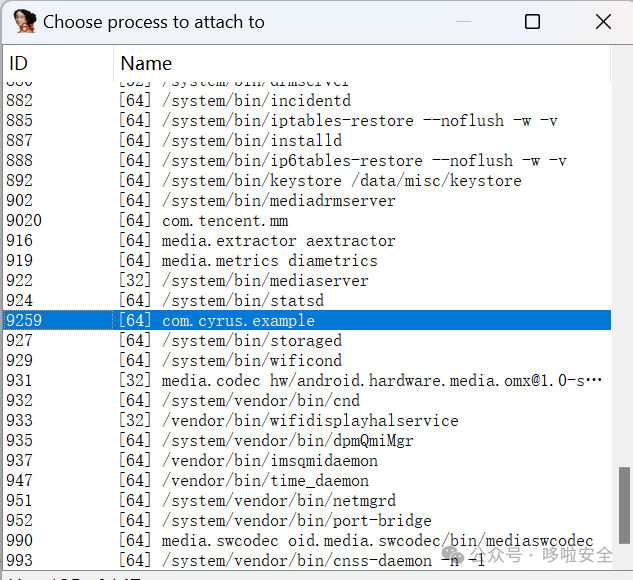
Related articles:Static analysis is not enough! Complete practical guide to dynamic debugging of Android applications with IDA Pro[1]
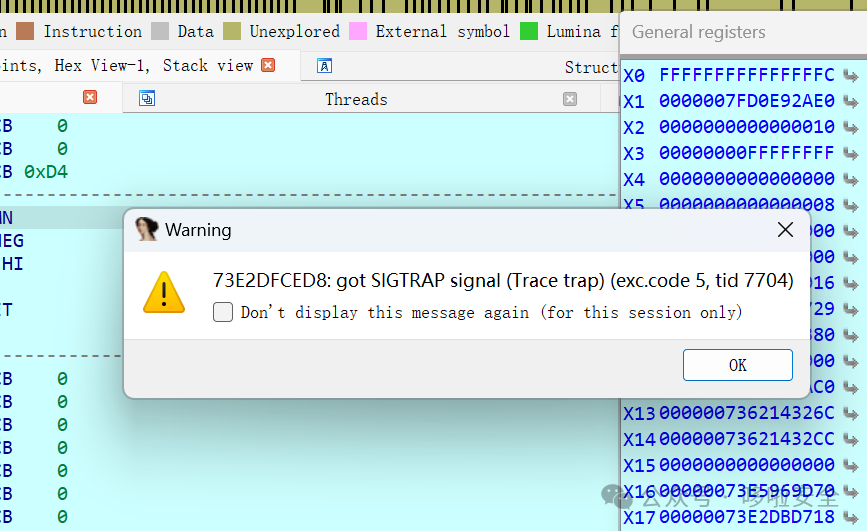
In the app, clicking the “SIGTRAP Anti-Debugging” button calls the anti-debugging functionality, and the SIGTRAP signal is captured by the IDA Pro debugger.
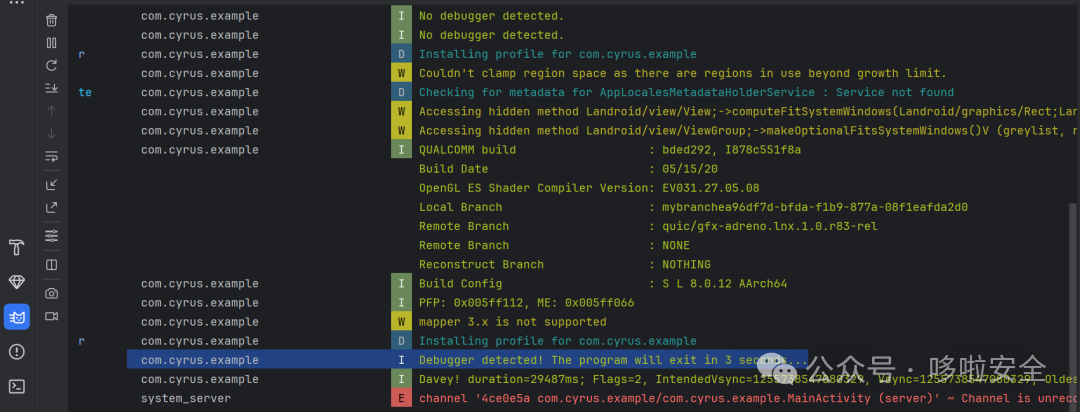
Triggering the program’s anti-debugging mechanism, the program exits after 3 seconds.
Complete Source Code
Open source address: https://github.com/CYRUS-STUDIO/AndroidExample
Reference Links
<span>[1]</span> Static analysis is not enough! Complete practical guide to dynamic debugging of Android applications with IDA Pro: https://cyrus-studio.github.io/blog/posts/%E9%9D%99%E6%80%81%E5%88%86%E6%9E%90%E6%A0%B9%E6%9C%AC%E4%B8%8D%E5%A4%9Fida-pro-%E5%8A%A8%E6%80%81%E8%B0%83%E8%AF%95-android-%E5%BA%94%E7%94%A8%E7%9A%84%E5%AE%8C%E6%95%B4%E5%AE%9E%E6%88%98/