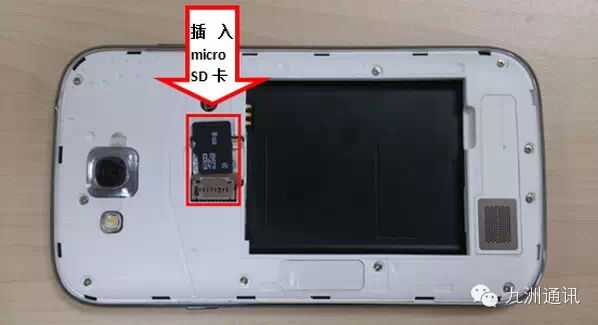
Memory Card Partition:
(1) Software used: DiskGenius3.4.5_xyls2001
(2) Partition on the computer:
a: Connect the memory card to the computer (it’s best to back up the data on the memory card)
b: Run DiskGenius, find your memory card drive on the left side of the interface, click it once to confirm, then click on Quick Partition
c: In the Quick Partition dialog box: set the number of partitions to 2, and select all advanced settings as FAT32. Check both for primary partitions. Drive letter 1 will be used as a normal memory card, named system. Drive letter 2 will be used as phone memory, named software. The size of both drive letters can be set according to personal preference (for my 8G memory card, I allocated 1G for phone memory). Click confirm to start partitioning.
Mobile Operations using Link:(Note: This method only uses this software, and your phone must be rooted.)
(1) Software used: link2sd v1.6.0 Chinese version
(2) Steps to run:a: Put the partitioned memory card back into the phone and install link2sd v1.6.0 Chinese version.b: Run link2sd v1.6.0 Chinese version, mount the second partition of the SD card, select the system partition — select fat16/fat32 — the phone will automatically shut down, just reboot the phone.
C: Run link2sd v1.6.0 Chinese version again, it will read the programs you installed, select the program — click Create Link, and the program will be moved to the second partition of the SD card.
d: Finally, you can set link2sd v1.6.0 Chinese version, select Auto Link, and all installed software will automatically move to the SD card.
Some Points to Note:
1, you must remove the SD card only when the phone is turned off. Otherwise, the software may be lost, and you will have to redo it. I recommend using a data cable to connect to the computer.
2, many methods on forums partition into EXT2, but we use FAT32 for two reasons. First, EXT2 can be read by the phone, but FAT cannot; there’s no other difference. Second, FAT is more stable.
Sharing Methods:
★ Click the upper right corner → Share with friends
★ Click the upper right corner → Share to Moments
How to Subscribe:
★ Click the upper right corner → View and follow the public account
★ Search for the public account jiuzhoutongxun1998
★ Scan the following QR code