Return Basic Data Types
1. First, create a C# class library project named CSharpLib.
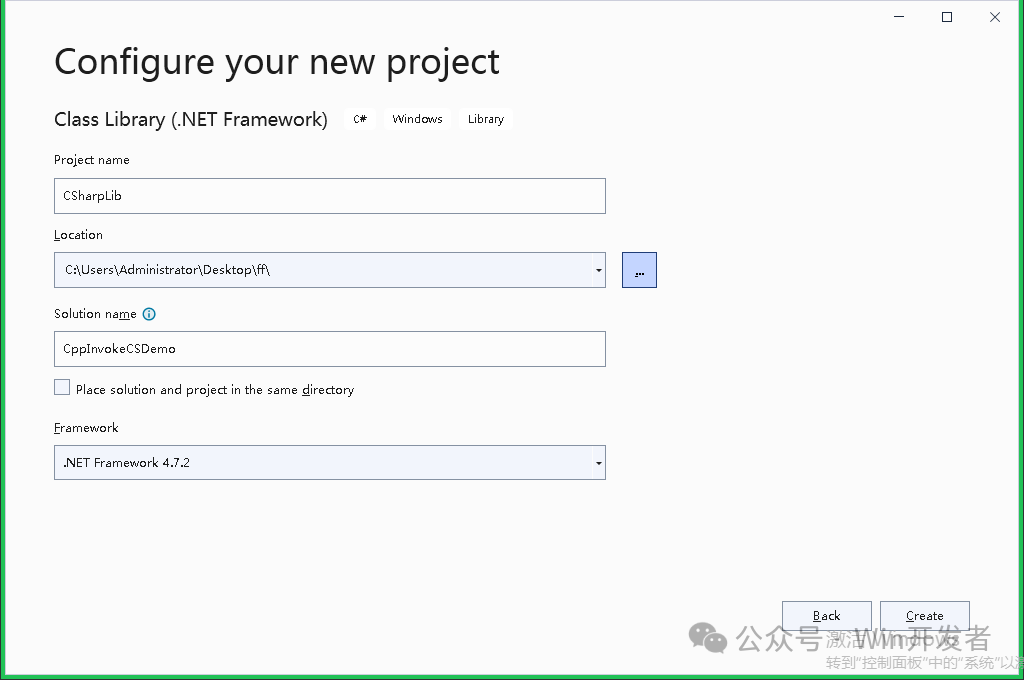
Create a class named ExportClass and add a GetID function as follows:
public class ExplortClass { public int GetID() { return 1024; } }
2. Create a CLR Empty Project named CSBridge, which will serve as the intermediate bridging library.Change the output path of the CSBridge project to match that of the CSharpLib project.
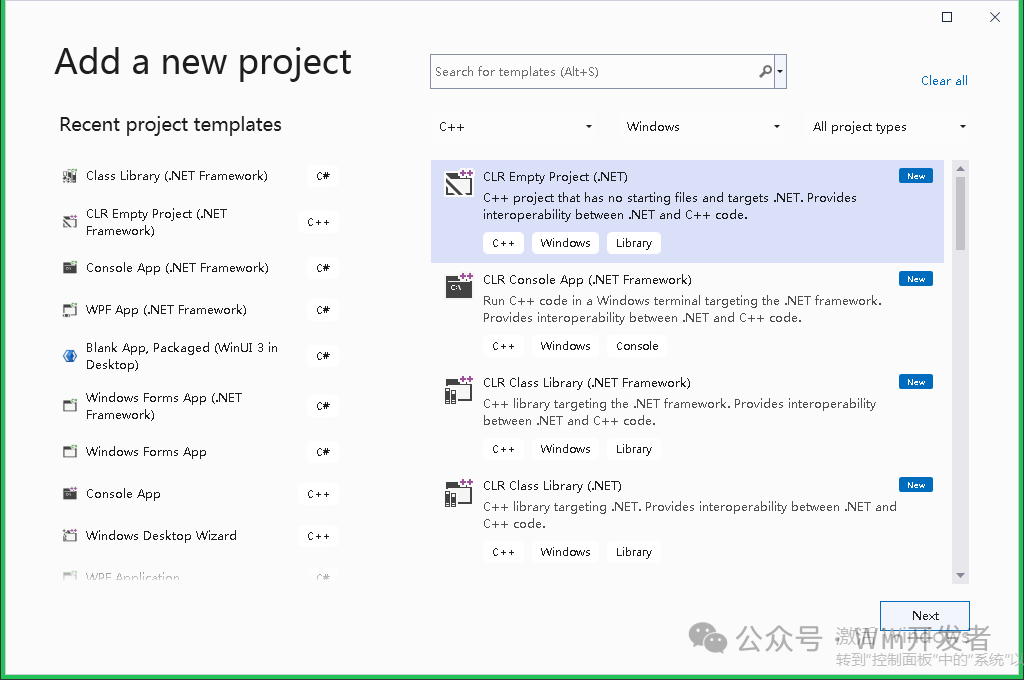
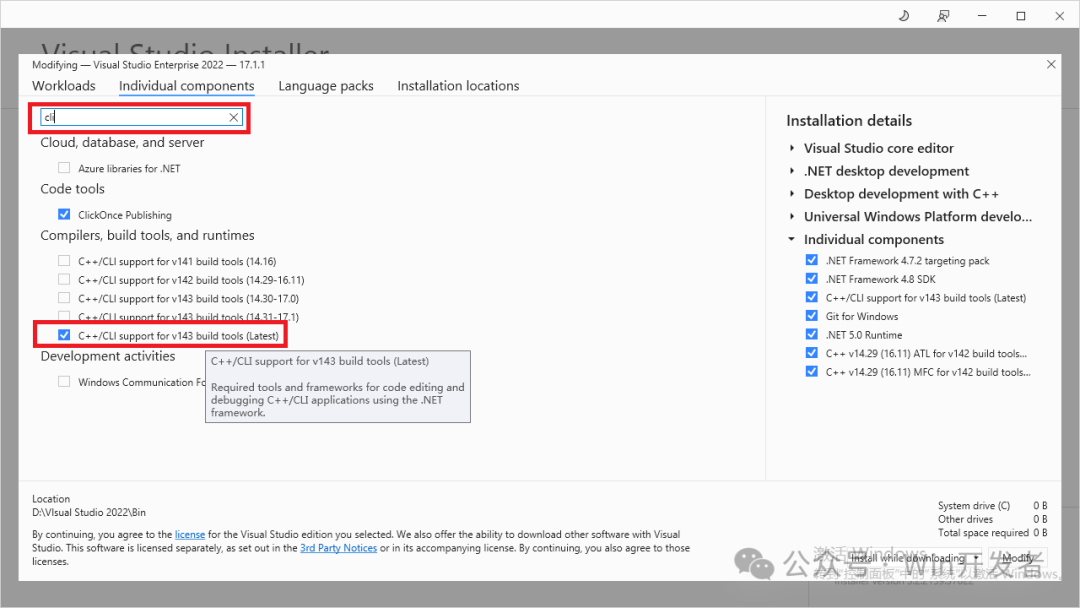
Note: If you do not see CLR Empty, you can check and install it in the Visual Studio installer (search for cli directly).
Create a bridge.cpp file. Enter the following code:
#include <Windows.h>#include<msclr/marshal_cppstd.h>// Reference C# dll#using "./CSharpLib.dll"// Reference namespaceusing namespace msclr::interop;using namespace System;using namespace System::Runtime::InteropServices;using namespace CSharpLib;#define lib_export#ifdef lib_export#define cs_lib_api extern "C" __declspec(dllexport)#else#define cs_lib_api __declspec(dllimport)#endiftypedef int(__stdcall* funGetId)(); // Define function pointer// Export function for C++ to call// In this function, call the C# function as an intermediarycs_lib_api int GetID(){ CSharpLib::ExplortClass^ c = gcnew CSharpLib::ExplortClass(); auto id = c->GetID(); return id;}Now you have a bridging project.
3. Create a C++ console application and enter the following code to test.
// CppInvoke.cpp : This file contains the 'main' function. Program execution begins and ends there.//#include <iostream>#include<Windows.h>typedef int(__stdcall* funGetId)();int main(){ HMODULE hInstance = LoadLibrary(L"CSBridge.dll"); if (hInstance) { funGetId getId = (funGetId)GetProcAddress(hInstance, "GetID"); if (getId) { auto result = getId(); std::cout << result << std::endl; } }}The output result is: 1024
A more complex case, returning a structure:
Add a structure named Computer in CSharpLib:
[StructLayout(LayoutKind.Sequential, CharSet = CharSet.Unicode)] public struct Computer { public int cpuId; public string cpuName; public int osVersion; }Add a function to get the Computer:
public Computer GetComputer(){ Computer computer = new Computer(); computer.cpuId = 100000000; computer.cpuName = "Intel"; computer.osVersion = 11; return computer;}Then, in CSBridge, add a type for interacting with Computer named interop_Computer, which is used when called from C++. The C# Computer type can be converted to interop_Computer.
struct interop_Computer{ int cpuId; wchar_t* cpuName; int osVersion;};Define a function pointer and add an intermediary function:
typedef interop_Computer(__stdcall* funGetComputer)();cs_lib_api interop_Computer GetComputer(){ CSharpLib::ExplortClass^ c = gcnew CSharpLib::ExplortClass(); auto computer = c->GetComputer(); // Call the C# function System::IntPtr ptr = Marshal::AllocHGlobal(sizeof(interop_Computer));// Pre-allocate space System::Runtime::InteropServices::Marshal::StructureToPtr(computer, ptr, false);// Copy the C# structure to IntPtr interop_Computer* rt = (interop_Computer*)(void*)(ptr.ToPointer());// Cast IntPtr to interop_Computer return *rt;}Then add test code in CppInvoke:
HMODULE hInstance = LoadLibrary(L"CSBridge.dll"); if (hInstance) { funGetComputer getComputer = (funGetComputer)GetProcAddress(hInstance, "GetComputer"); if (getComputer) { auto computer = getComputer(); std::wcout << computer.cpuId << "\t" << computer.cpuName << "\t" << computer.osVersion << std::endl; } FreeLibrary(hInstance); }The output result is:

Another case is when you need to pass parameters from C++ to C#.
There are two methods to achieve this:
1. Marshal parameters from C++ to C#, similar to the method used to return structures above. The general idea is to convert the C++ structure to IntPtr, and then convert from IntPtr to the C# structure.
2. Convert the C# function to a C++ function and then call it. This way, you can directly use the C++ structure.
Implementation methods are as follows:
Add a function PrintComputer in C#, which takes a Computer structure as a parameter. Then add the corresponding delegate and a function to get the delegate.
public void PrintComputer(Computer computer) { Console.WriteLine(computer.cpuId); Console.WriteLine(computer.cpuName); Console.WriteLine(computer.osVersion); }public delegate void PrintComputerDelegate(Computer computer); // Declare delegatepublic PrintComputerDelegate GetComputerDelegate() => PrintComputer; // Define a function to return the delegateIn CSBridge, define a function pointer and add an export function:
typedef void(__stdcall* funPrintComputer)(interop_Computer computer);cs_lib_api void PrintComputer(interop_Computer computer){ CSharpLib::ExplortClass^ c = gcnew CSharpLib::ExplortClass(); auto printDelegate = c->GetComputerDelegate();// Get delegate IntPtr ptr = Marshal::GetFunctionPointerForDelegate(printDelegate);// Convert delegate to IntPtr funPrintComputer funcPrint = (funPrintComputer)ptr.ToPointer();// Convert IntPtr to pointer, then to funPrintComputer if (funcPrint) { funcPrint(computer); }}This allows parameters from C++ to be passed to C#.
The calling code in CppInvoke is as follows:
funPrintComputer printComputer = (funPrintComputer)GetProcAddress(hInstance, "PrintComputer");interop_Computer testComputer;testComputer.cpuId = 18;testComputer.cpuName = _tcsdup(L"AMD");testComputer.osVersion = 7;if (printComputer){ printComputer(testComputer);}The output result is:

Example code (requires Visual Studio 2022)
https://github.com/zhaotianff/cnblog-demo-code/tree/main/CppInvokeCSDemo