Assembly Series Part 1 – Preparation Work
Assembly Series Part 1 - Preparation Work

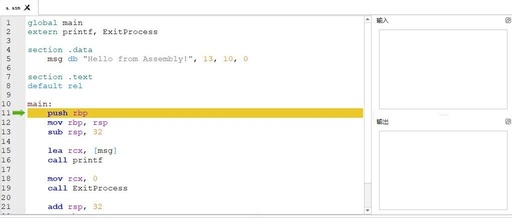
Add the author’s WeChat to join the discussion group: Introduction The previously mentioned “Spear and Shield: The Eternal Cyber Warfare Series” is no longer available, as it may overlap with my work. Recently, I have been learning assembly language, and one of the results of my studies is the article “C2 Implant Assembly Implementation Process … Read more

How to Call C# Code from C++

How to Call C# Code from C++

Return Basic Data Types 1. First, create a C# class library project named CSharpLib. Create a class named ExportClass and add a GetID function as follows: public class ExplortClass { public int GetID() { return 1024; } } 2. Create a CLR Empty Project named CSBridge, which will serve as the intermediate bridging library.Change the … Read more

Creating Dynamic Library Plugins with QT C++

Creating Dynamic Library Plugins with QT C++

Detailed Steps and Considerations for Dynamic Library Plugin Projects (DLL) in Visual Studio, the following content provides a complete operational process and common problem solutions: 1. Create a Qt Class Library (DLL) Project 1. Start Visual Studio Open Visual Studio (recommended versions are 2019 or 2022, and the Qt Visual Studio Tools extension must be … Read more

Practical Guide | Quickly Generate Visual Studio Projects Using CMake

Practical Guide | Quickly Generate Visual Studio Projects Using CMake

1. Introduction Hello everyone, I am ZhengN. Recently, I needed to migrate the embedded Linux platform code of my project to Windows for simulation purposes, which involved solving three problems: Setting up the project. Replacing some platform-specific code. Preparing some dynamic libraries. This note shares the practical steps for setting up the project: 2. Overview … Read more

Compiling OpenCV 4.8.1 with CMake and Visual Studio 2022 on Windows

Compiling OpenCV 4.8.1 with CMake and Visual Studio 2022 on Windows

1. Background The project I am maintaining runs on Windows and uses OpenCV version 4.5.2. My local development environment is on Mac and uses the newer OpenCV version 4.8.1. To keep consistency with my local development environment, I plan to upgrade OpenCV used in the project. Since the project also utilizes some features from extension … Read more

C++ Developments in 2019

C++ Developments in 2019

C++ Software Engineer Bartek published a blog reviewing the developments of C++ in 2019. Bartek mainly introduced the evolution of C++ features in 2019, significant advancements in global conferences, improvements in related tools, and expectations for new features in C++20. He summarized three major points of focus: C++20 is about to be released Tools have … Read more

Getting Started with Tauri – Development Environment

Note: This setting is only required when developing Tauri applications. Users of the final application do not need to take any action. The first step is to install Rust[1] and system dependencies. For Windows and macOS, if you want to learn more about the development environment for different platforms, please refer to the Tauri Official … Read more

Tutorial for Setting Up the Co-Simulation Interface between Amesim 2504 and Matlab 2025a

Tutorial for Setting Up the Co-Simulation Interface between Amesim 2504 and Matlab 2025a

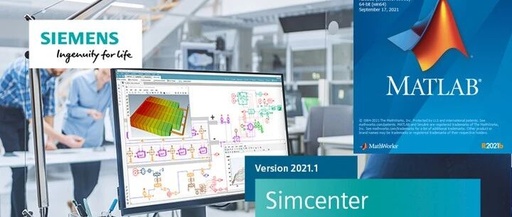
1. IntroductionThis method is suitable for: Amesim version 20 and above, Matlab version 20 and above, VS versions 15-19, all on 64-bit Windows systems. The installation disks for the three software can be different.To simplify the subsequent process, it is recommended to install the VS software first; there is no specific order required for Matlab … Read more

From Zero to Your First Mini Game: A Comprehensive Guide to C++ Game Development

From Zero to Your First Mini Game: A Comprehensive Guide to C++ Game Development

If you have always wanted to create a game but found programming too complex or didn’t know where to start, this article is prepared for you.C++ is the core language of many game engines (such as Unreal Engine), not only because of its fast execution speed but also because it allows you to have deeper … Read more

Embedded C# Host Development – Environment Configuration and Project Setup

Embedded C# Host Development - Environment Configuration and Project Setup

1. Why Choose C# for Embedded Host Development? High Development Efficiency: Visual Studio’s powerful visual designer allows for drag-and-drop UI construction. Rich Ecosystem: Mature and stable communication libraries such as SerialPort and TCP/IP support USB, serial, and Ethernet. Cross-Platform Potential: .NET Core supports deployment on Linux (e.g., Raspberry Pi). Wide Industrial Applications: Widely used in … Read more