A project was developed using .NET for the backend, and previously, third-party web services were called using the service reference addition method, which felt quite good. The third-party URL was configured in the web.config file. Recently, I encountered a project that required the URL to be configured in the system parameters, forcing me to research how to call a web service via HTTP.
1. Constructing the SOAP Request XML
I used SoapUI to view the SOAP request. Open SoapUI, select 【file-New Soap Project】, then enter the IP address and click OK to see the SOAP request.
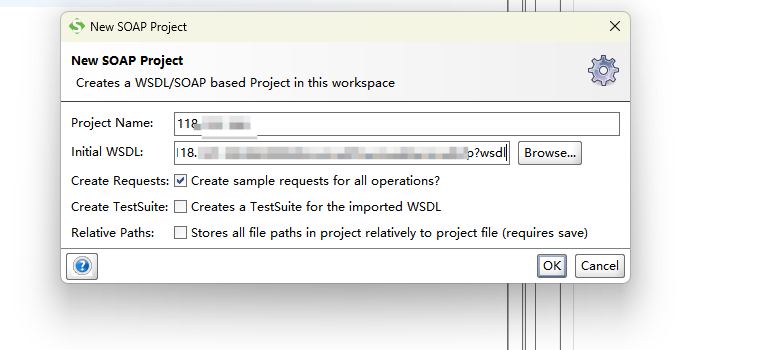
2. Implementation Code
private static string CallWebService(string url, string data)
        {
            try
            {
                // Construct SOAP request
                string soapRequest = $@"<?xml version=\"1.0\" encoding=\"utf-8\"?>
                // Specific SOAP request XML
                var soapXml="";
                soapRequest+=soapXml;

                // Create HTTP request
                HttpWebRequest request = (HttpWebRequest)WebRequest.Create(url);
                request.Method = "POST";
                request.ContentType = "text/xml; charset=utf-8";
                request.Timeout = 600000; // 10 minutes timeout

                // Send request
                byte[] data = Encoding.UTF8.GetBytes(soapRequest);
                request.ContentLength = data.Length;

                using (Stream stream = request.GetRequestStream())
                {
                    stream.Write(data, 0, data.Length);
                }

                // Get response
                using (HttpWebResponse response = (HttpWebResponse)request.GetResponse())
                using (StreamReader reader = new StreamReader(response.GetResponseStream(), Encoding.UTF8))
                {
                    string responseText = reader.ReadToEnd();

                    // Simple extraction of XML content (from <return> tag)
                    int startIndex = responseText.IndexOf("<return>");
                    int endIndex = responseText.IndexOf("</return>");

                    if (startIndex >= 0 && endIndex > startIndex)
                    {
                        return responseText.Substring(startIndex + 8, endIndex - startIndex - 8);
                    }

                    return responseText;
                }
            }
            catch (Exception ex)
            {
                throw new Exception($"Failed to call WebService: {ex.Message}", ex);
            }
        }