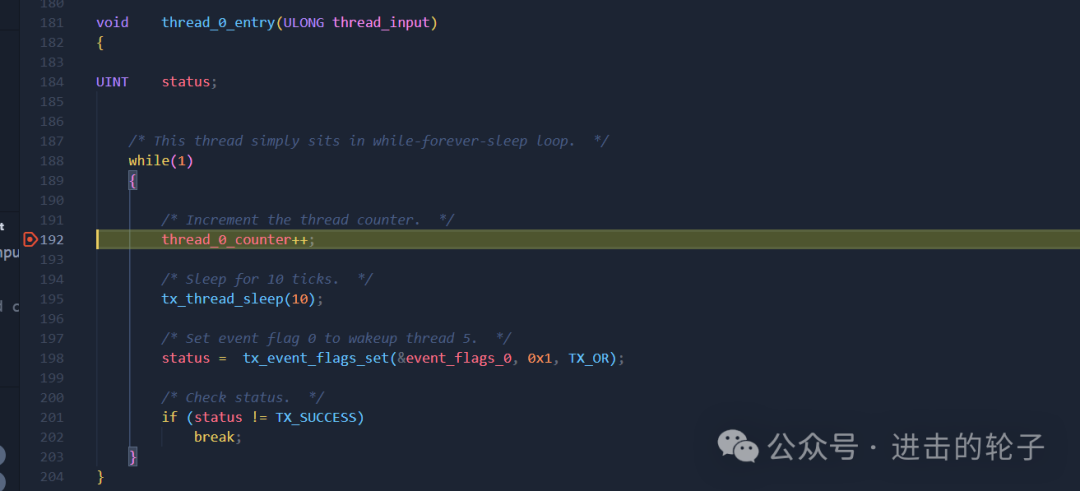
Utilizing the VSCode debugging environment to observe the startup process of ThreadX.0. Startup AnecdoteThe example program for the debugging environment built on ThreadX RTOS encounters a HardFault exception, as shown in the figure below.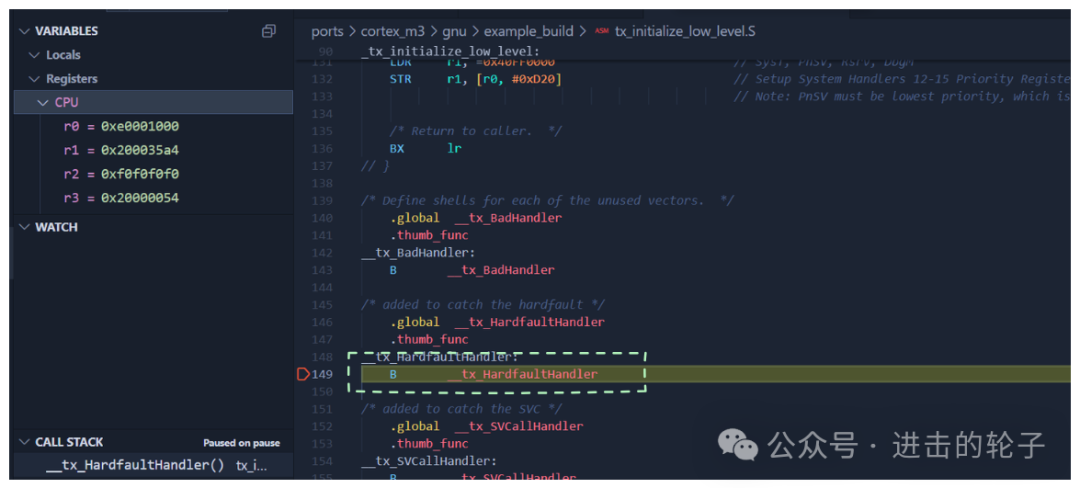 However, this issue does not occur on another host. The same example code, when debugged step by step, locates the specific instruction that triggers the exception, which occurs when executing the instruction LDR r1, [r0].
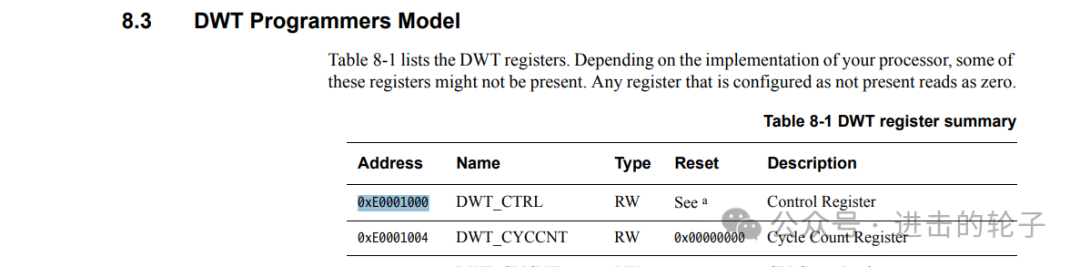
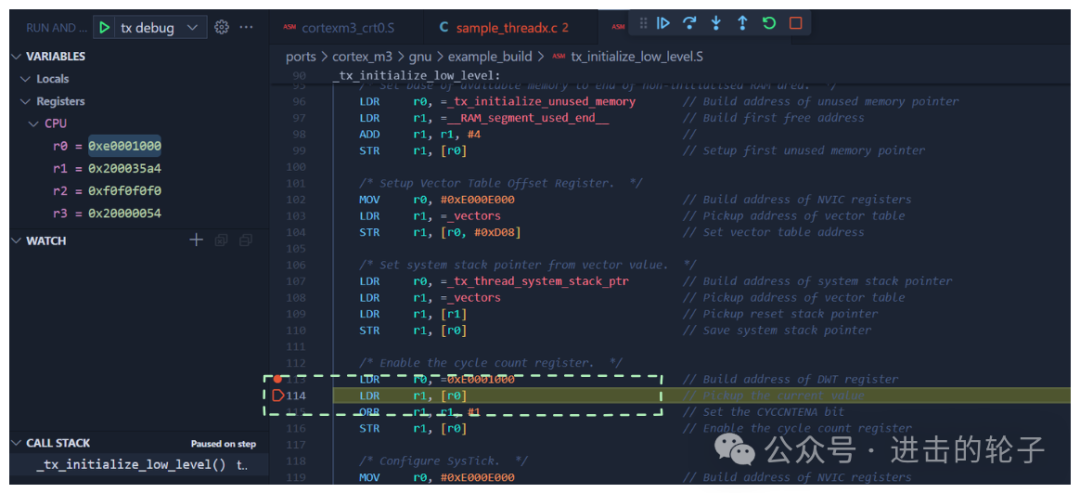 The corresponding instruction function is to load content from addr = 0xe0001000 into the r1 register, suggesting that this address may be invalid; referring to the M3 manual, this address corresponds to the DWT_CTRL register, which is used to configure parameters related to SYSTICK, and theoretically should be a valid address.
 Check the version of the QEMU emulator in the current environment, which is 2.11.0, dated 2017.
$ qemu-system-arm --version
QEMU emulator version 2.11.0
Copyright (c) 2003-2017 Fabrice Bellard and the QEMU Project developers
The version is relatively old, but through questioning GPT, it shows that it should support DWT. Based on GPT’s suggestion, test using the lm3s6965evb board.
qemu-system-arm -machine lm3s6965evb ...Observe the call stack, which indicates that the system has started running, but the serial output is not functioning properly (let’s not worry about this for now).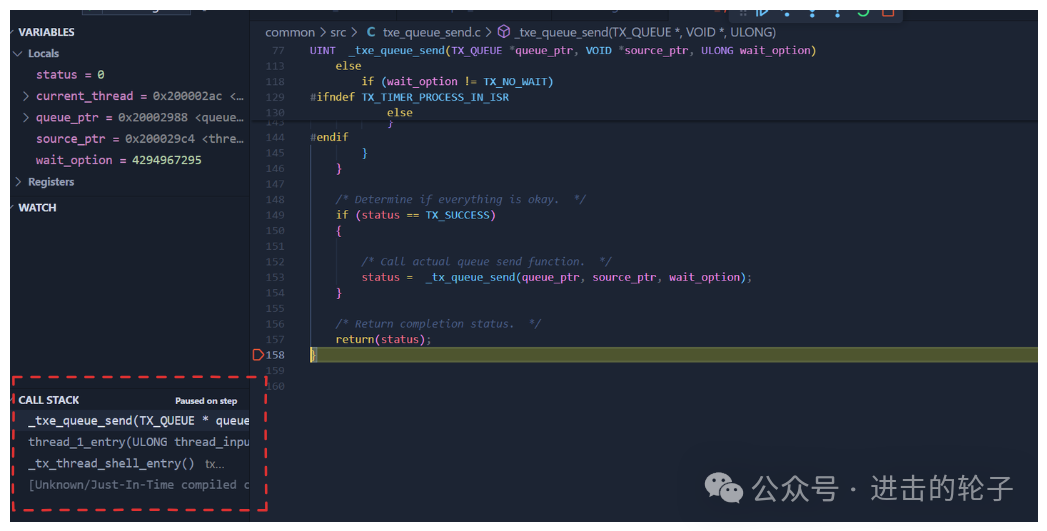 1. Code Startup Process
ports/cortex_m3/gnu/example_build/cortexm3_vectors.S
  .section .init, "ax"
  .thumb_func
reset_handler:  // low level hardware config, such as PLL setup goes here
  b _start
ports/cortex_m3/gnu/example_build/cortexm3_crt0.S
 .global _start
_start:  CPSID   i
  ldr r1, =__stack_end__
  mov sp, r1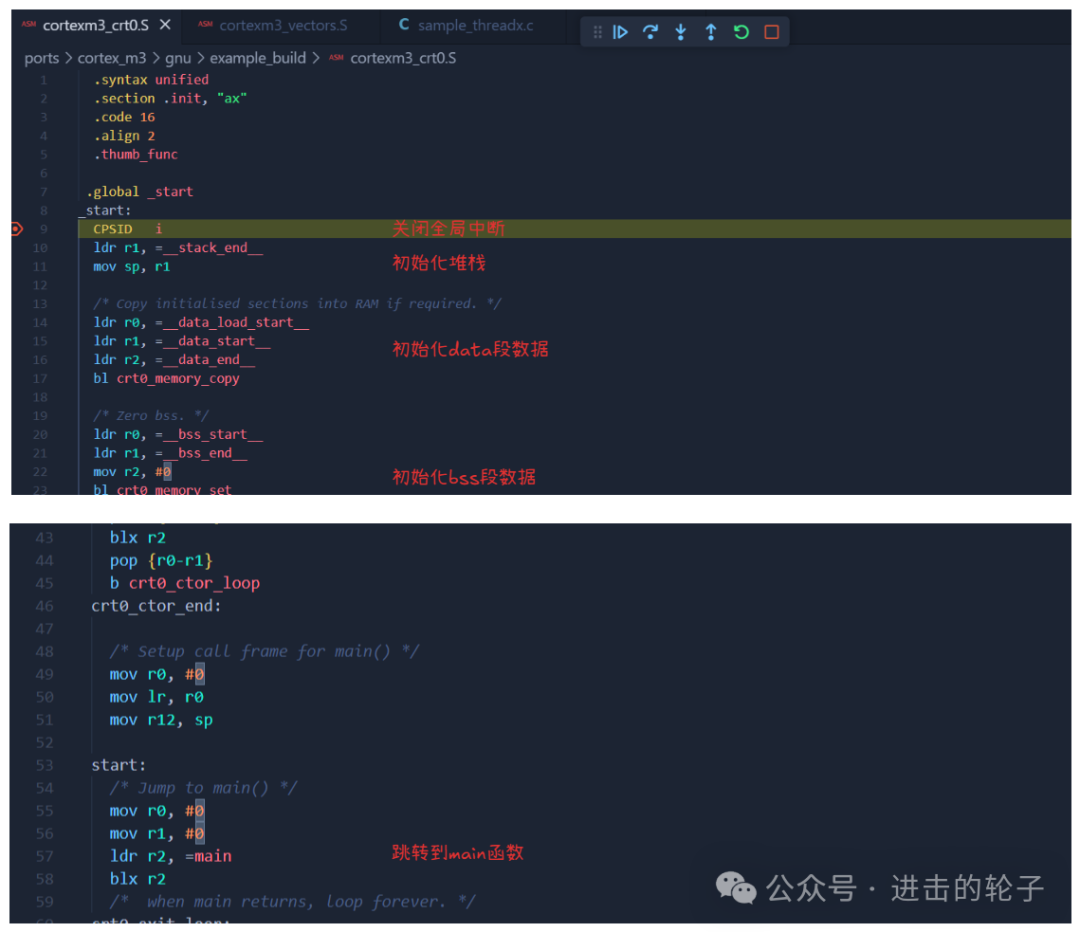
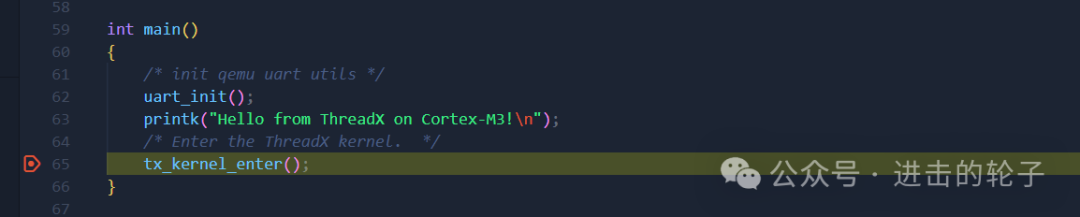
tx_kernel_enter -> _tx_initialize_kernel_enter
  tx_application_define(); // Call user interface to create tasks and other objects
  _tx_thread_schedule(); // Start scheduling
2. Starting Task Scheduling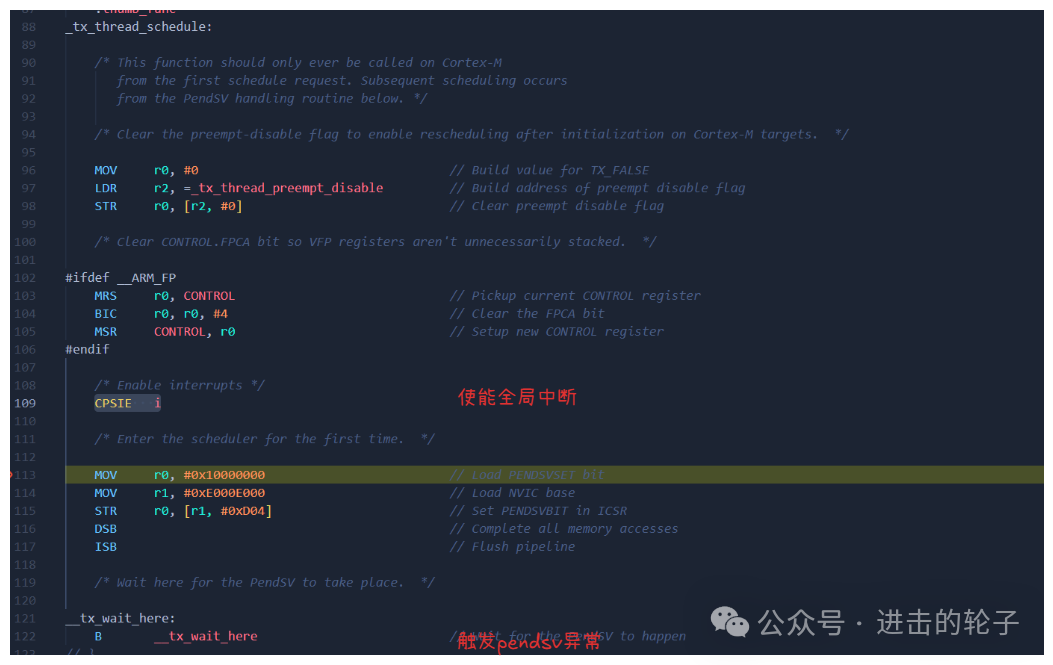 PendSV is triggered, searching for executable tasks.
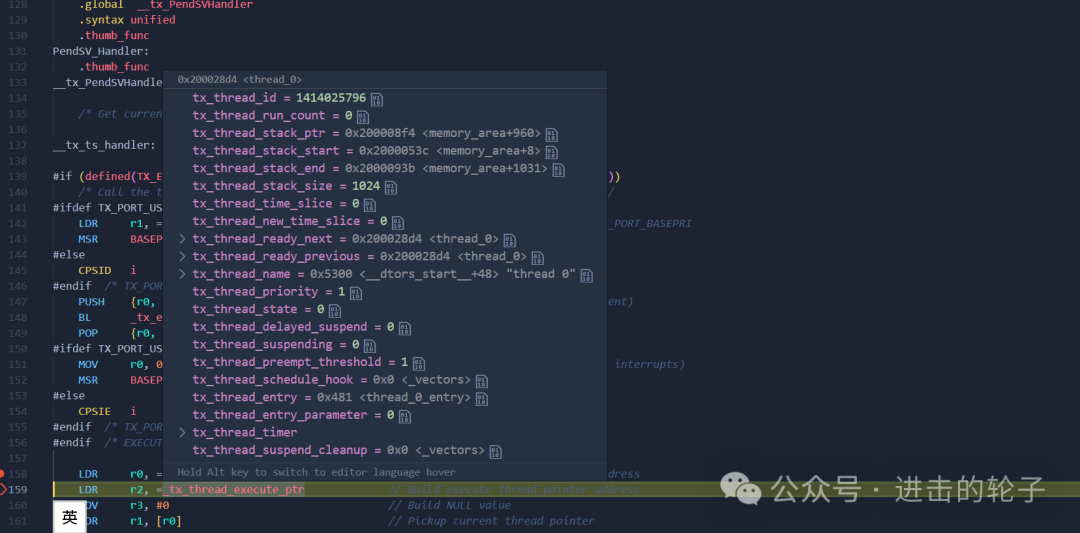 2. The first scheduled task thread_0