In most people’s understanding, the root user in a Linux system has “supreme” permissions, and theoretically, there is no operation that root cannot perform. However, I recently encountered a file on the domestic system deepin Linux v25 that even root could not modify or delete.
The situation arose as follows: I have been using a mini host with deepin Linux v25 installed. Occasionally, I take this device home, where I start the VPN client. Upon returning to the office, although this machine can normally obtain an internal IP address and access the internet via a browser, it cannot access the company’s internal websites.
This phenomenon easily suggests an abnormal DNS configuration. So, I checked <span>/etc/resolv.conf</span>, and indeed, something was wrong:
# Generated by Astrill
nameserver 1.1.1.2
In theory, the system’s network manager should automatically update this file based on the information provided by DHCP. Normally, its content should look something like this:
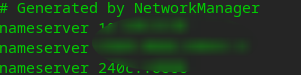
Could it be that DHCP did not provide DNS? I then opened the network settings interface and manually specified the DNS server.
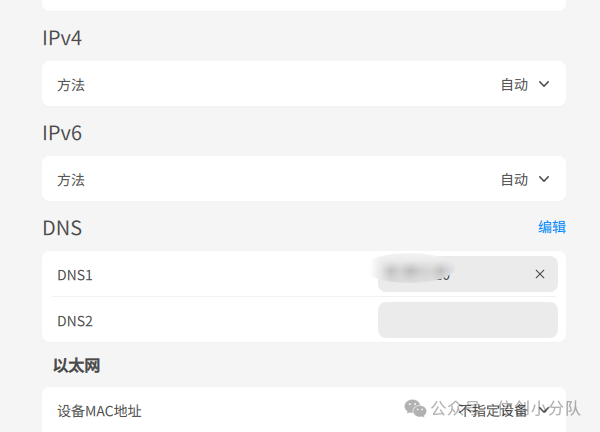
The result was still ineffective.
Since the GUI did not work, I decided to directly edit this file. I executed:
sudo vi /etc/resolv.conf
However, the system prompted that this file could not be modified.
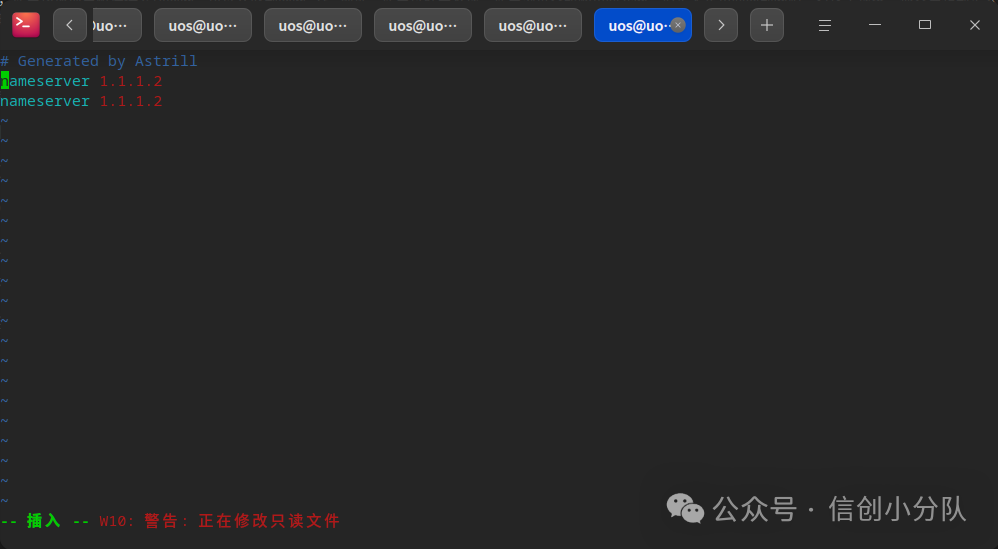
Even if I forced a save, it still failed.
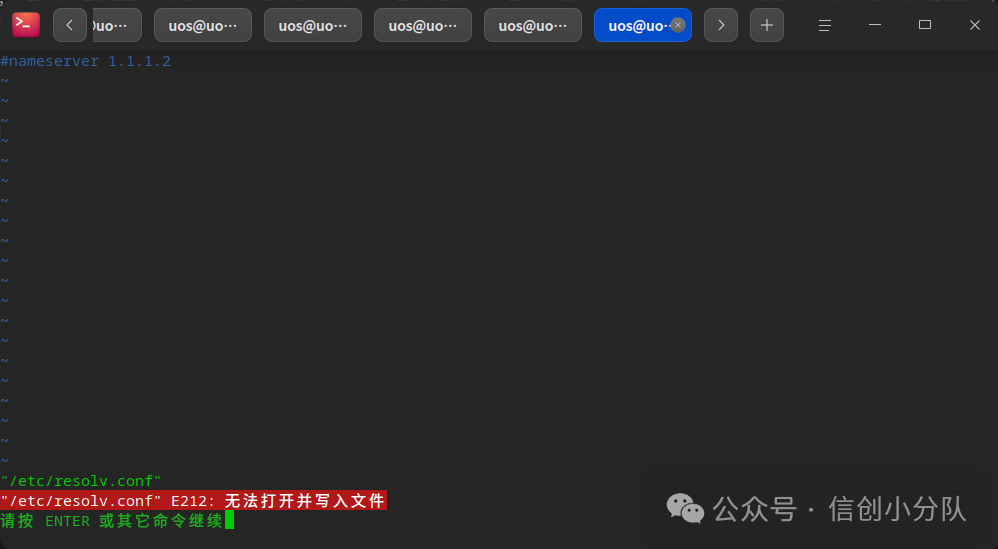
Deleting was also not possible:
$ sudo rm /etc/resolv.conf
rm: cannot remove '/etc/resolv.conf': Operation not permitted
Looking at the file attributes, it was neither a link nor did it have permission issues:
$ ls -la /etc/resolv.conf
-rw-r--r-- 1 root root 61 Nov 27 20:08 /etc/resolv.conf
At this point, I could only resort to the “ultimate command” — <span>lsattr</span> to check the extended attributes:
$ lsattr /etc/resolv.conf
----i---------e------- /etc/resolv.conf
The truth was revealed: the file had been set with an immutable attribute.
Some readers may not be familiar with <span>lsattr</span>; it is a command used in Linux to view the extended attributes of ext2/ext3/ext4 file systems. These extended attributes can determine how a file behaves under certain conditions, such as:
- File cannot be modified or deleted
- File content can only be appended
- File will not be cached in memory
- Forced synchronous writes
- File is read-only but content can be read
- …
Each letter represents a special attribute; for example, the above <span>i</span> indicates immutable. This extended attribute is a kernel-level control that cannot be overridden by normal file permissions (rwx). This explains why we could not manually modify or delete the file.
If it is really necessary to modify or delete this file, it is not entirely impossible. The key is to first remove its extended attributes. For example, execute:
$ sudo chattr -i /etc/resolv.conf
Enter password:
Verification successful
$ lsattr /etc/resolv.conf
--------------e------- /etc/resolv.conf
Once the <span>i</span> (immutable) attribute is removed, the root user can modify or even delete this file normally.
So why do systems or certain software specifically add such a “lock” to files? The main reasons include:
-
Prevent accidental modification of critical configurationsSome system-level configuration files, if mistakenly modified, may lead to issues with networking, booting, or even system stability.
-
Prevent malware or viruses from tampering with system filesEven if your account has sudo privileges, without removing the extended attributes, malicious processes cannot directly modify these files.
-
Protect web directory content to avoid malicious tampering
-
Restrict logs to be append-only and not overwrittenEnhance audit reliability and prevent attackers from clearing logs to cover their tracks.
-
Prevent users from accidentally deleting important filesEspecially in environments with multiple collaborators or extensive use of sudo, protective mechanisms can prevent “slip-up accidents”.
For many users with sudo privileges, modifying system files often only requires adding sudo before the command, while extended attributes provide a deeper layer of security. After all, having to go through such a long process to modify a file means that most users, even if they know the method, will be more cautious.
Well, that’s all for today’s little piece of knowledge about Linux. Stay tuned for more experiences and tips related to the domestic Linux system!