Everyone is using it but using it well can make it quite beautiful At this point, you can use lsd which offers advanced features including:
-
Themes (colors / icons)
-
Tree view
-
File classification display
-
Git status display
-
Enhanced left-right alignment formatting
-
Hide/Show specific types
-
Persistent configuration (config file)
-
Nerd Font icon optimization
lsd -lah
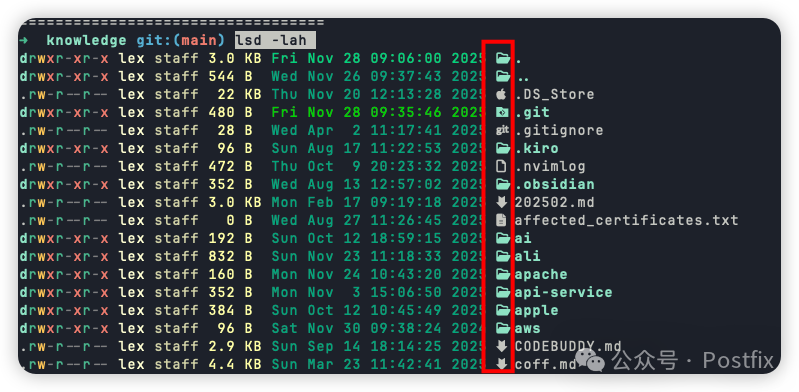
cat ~/.config/lsd/config.yamlclassic: false
blocks: - permission - user - group - size - date - name
color: when: auto theme: default
date: relative
icons: when: auto theme: fancy
sorting: column: name reverse: false dir-grouping: first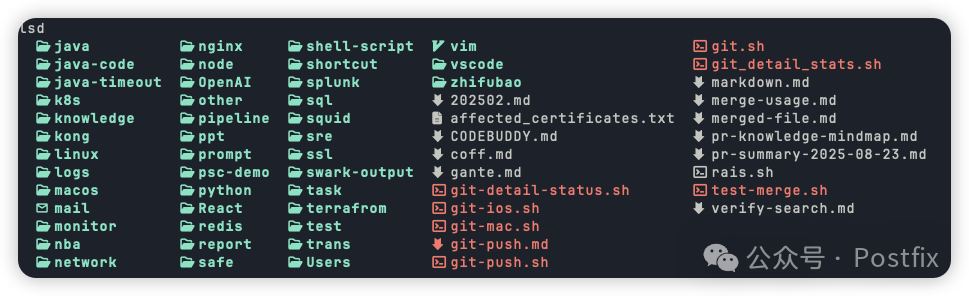
➜ ~ lsd –version
lsd 1.1.5
Alternatively, you can directly create an alias for ls.
➜  ~ cat .zshrc|tail -n 1
alias ls="lsd"
➜ ~ ls -ldrwxr-xr-x lex staff 192 B 11 months ago ai_assistant
drwxr-xr-x lex staff 96 B 8 months ago ai_completion
drwxr-xr-x lex staff 128 B 7 months ago Applications
drwxr-xr-x lex staff 256 B 11 months ago Dendron