Follow 👆 the public account and reply with "python" to get a zero-based tutorial! Source from the internet, please delete if infringing.Essential Knowledge for Python Beginners

1 Identifiers
Identifiers are names used in programming to name variables, functions, blocks of statements, etc. In Python, identifiers consist of letters, numbers, and underscores, cannot start with a number, and are case-sensitive.
① Identifiers that start with an underscore have special meanings. A single underscore-prefixed identifier, such as: _xxx, indicates a class attribute that cannot be accessed directly and must be accessed through the interface provided by the class; it cannot be imported using from xxx import*;
② Identifiers that start with double underscores, such as: __xx, indicate private members;
③ Identifiers that start and end with double underscores, such as: __xx__, indicate built-in identifiers in Python, such as: __init__() which indicates the constructor of a class.
2 Keywords
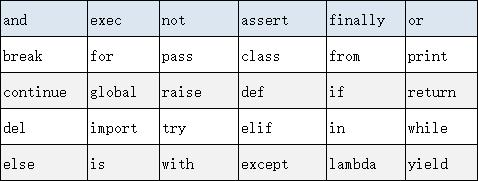
The following table lists the keywords (reserved words) in Python that we cannot use when defining identifiers.
3 Quotes
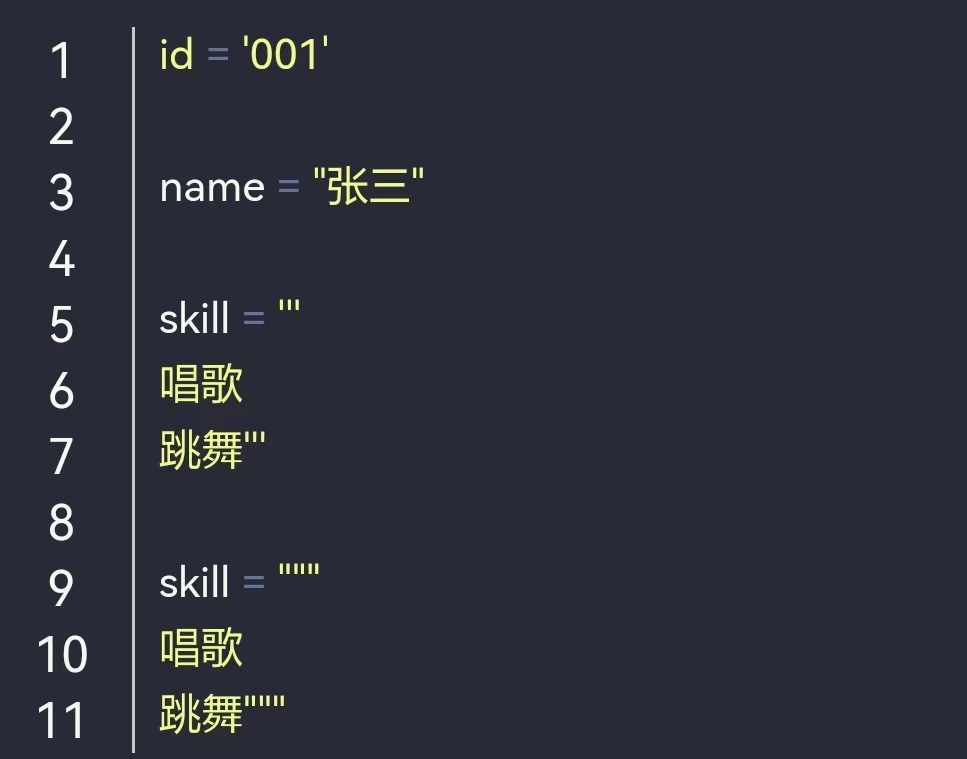
Python can use single quotes (‘), double quotes (“), and triple quotes (”’ or “””) to represent strings. The start and end of the quotes must be of the same type, and triple quotes can span multiple lines. For example:
4 Encoding
The default encoding in Python 2 is ascll. If the content contains Chinese characters, not specifying the encoding will prevent correct output and reading. For example, if we want to specify the encoding as UTF-8, we can do this in Python by adding #-*-coding:UTF-8-*- at the beginning.
In Python 3, the default encoding is UTF-8, so generally we do not need to specify the encoding when using Python 3.
5 Input and Output
Python uses print() for output, with the content placed in parentheses. For example:

Python provides an input() function that allows the user to input a string and store it in a variable. For example:

6 Indentation
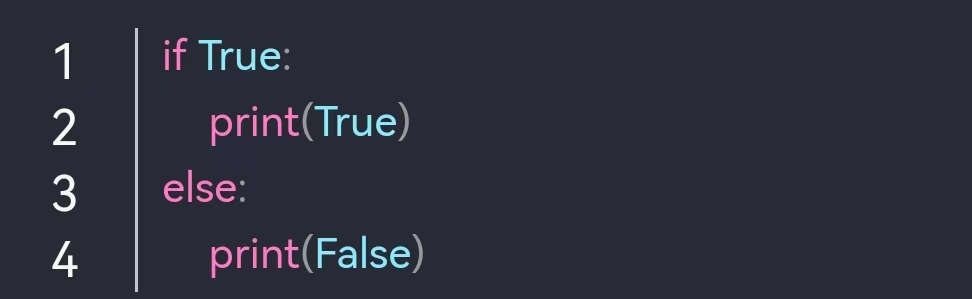
Python does not use {} to control classes, functions, logic judgments, etc., but uses indentation, which can vary in spaces. For example:
7 Multi-line
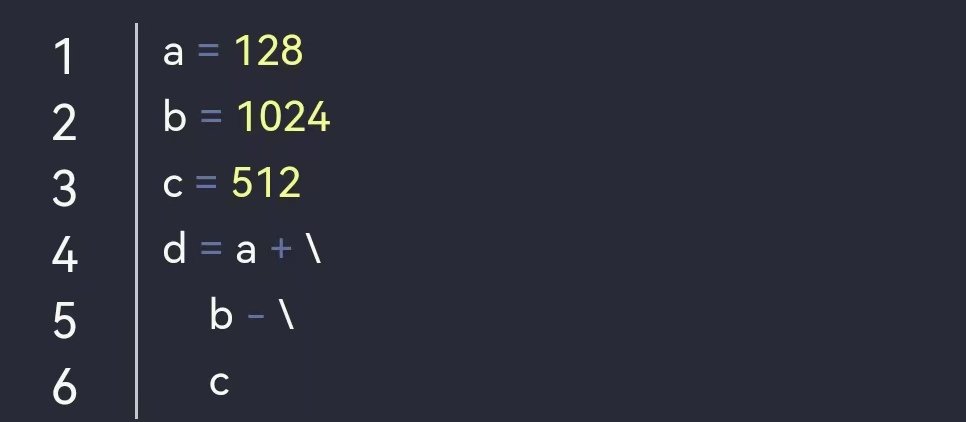
In Python, a new line generally indicates the end of a statement. A backslash (\) can be used to split a single line statement into multiple lines. For example:
If enclosed in [], {}, or (), then the backslash (\) is not needed. For example:
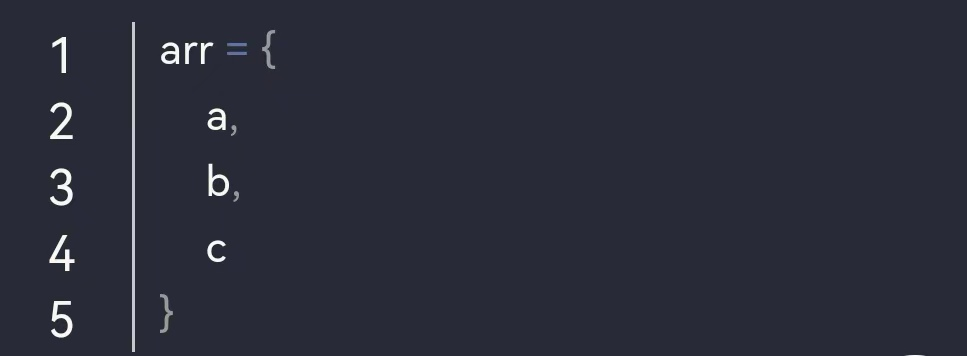
8 Comments
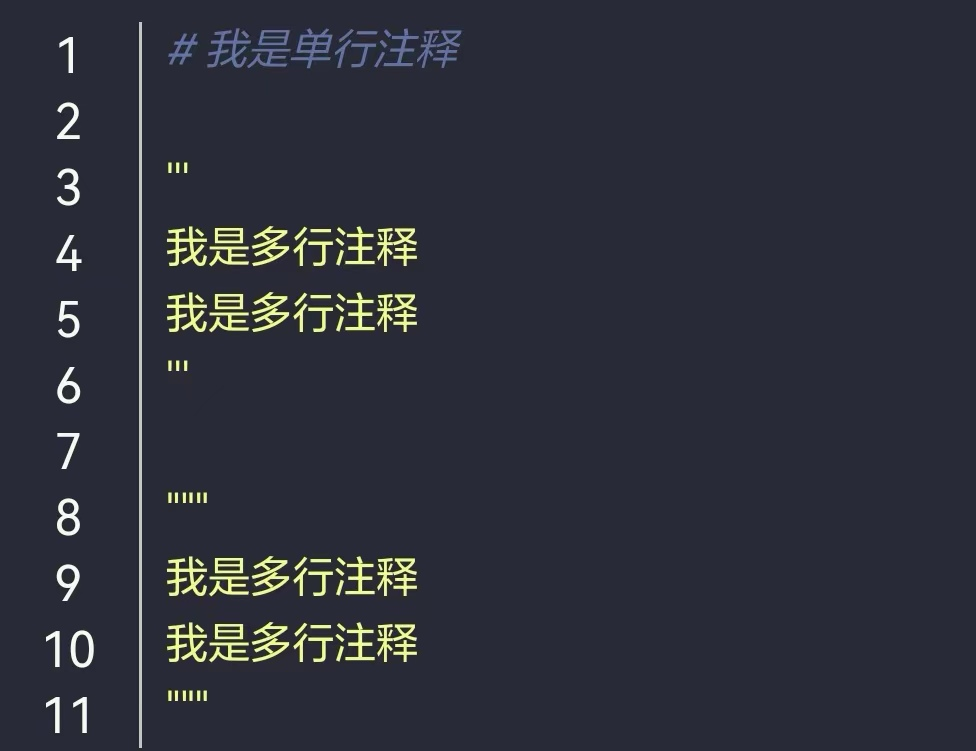
In Python, single-line comments use #, and multi-line comments use three single quotes (”’) or three double quotes (“””). For example:
9 Data Types
-
Integer: Can be of any size, including negative numbers
-
Float: Decimal numbers
-
String: Text enclosed in single quotes ‘, double quotes “, triple single quotes ”’ or triple double quotes “””
-
Boolean: Only two values, True and False
-
Null: Represented by None
-
Variable: Mutable
-
Constant: Immutable
10 Operators
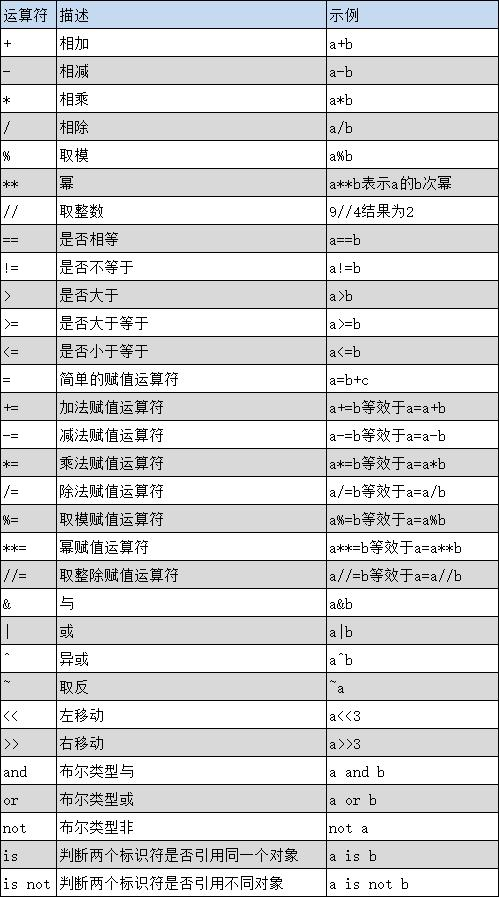
Common operators
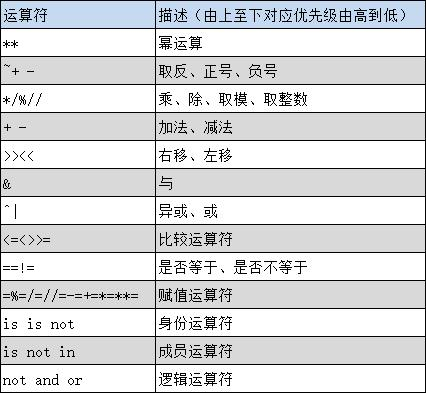
Operator precedence

Basic Statements in Python
1 Conditional Statements
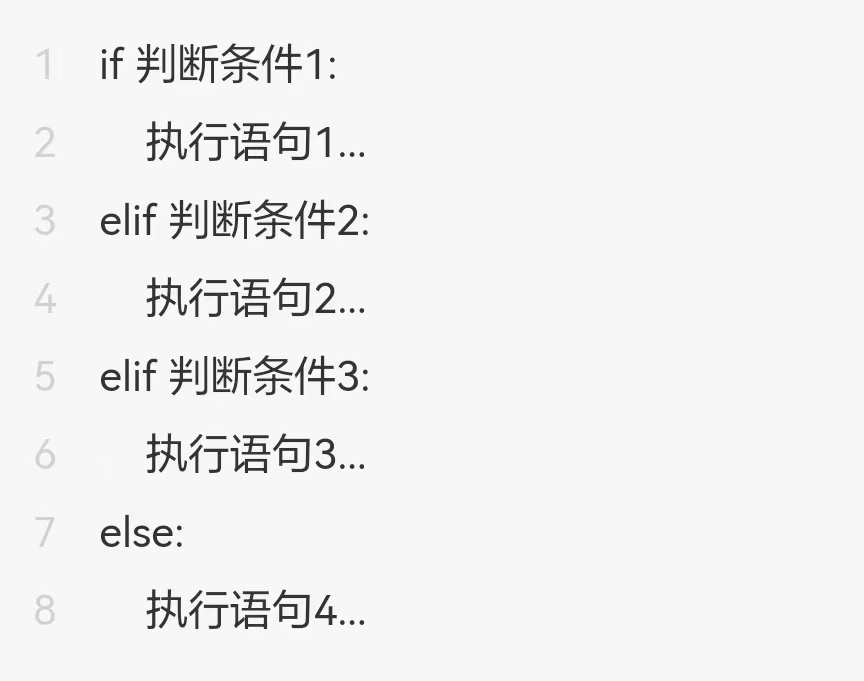
When making logical judgments, we need to use conditional statements. Python provides if, elif, and else for logical judgments. The main format is as follows:
2 Loop Statements
When multiple executions are needed, we use loop statements. Python provides for loops and while loops.

for Loop
A for loop can iterate over any sequence, such as a string.
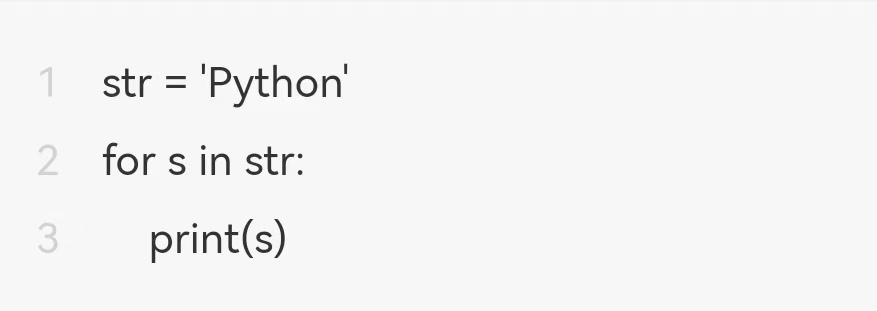
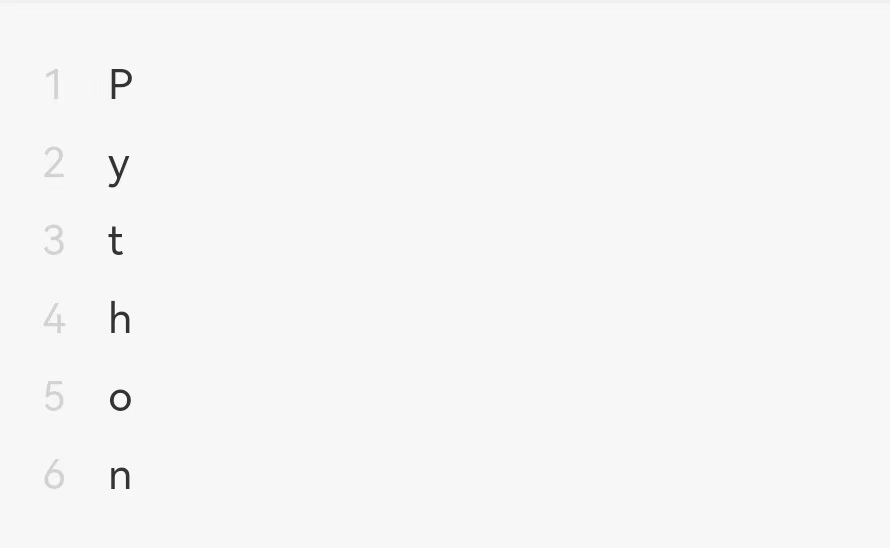
The output result is:
while Loop
A while loop continues as long as the condition is met and exits when the condition is not met.
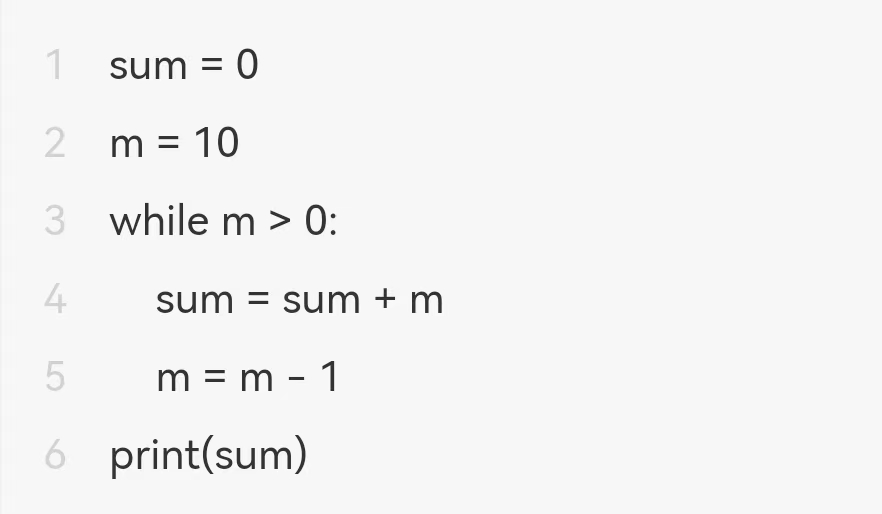
The output result is:

break
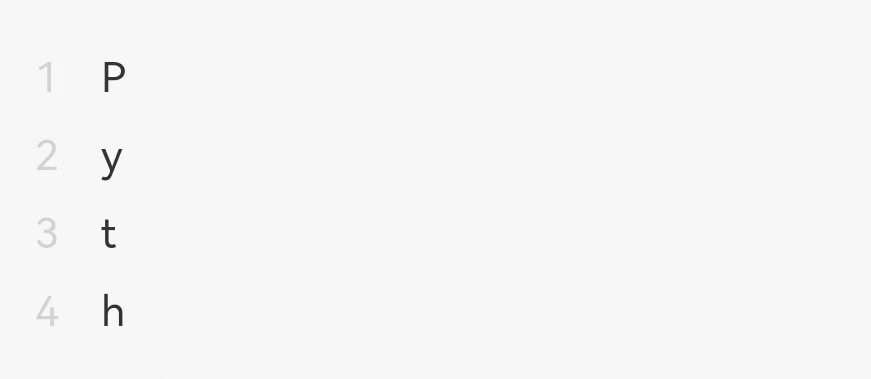
The break statement is used in for and while loops to terminate the entire loop.
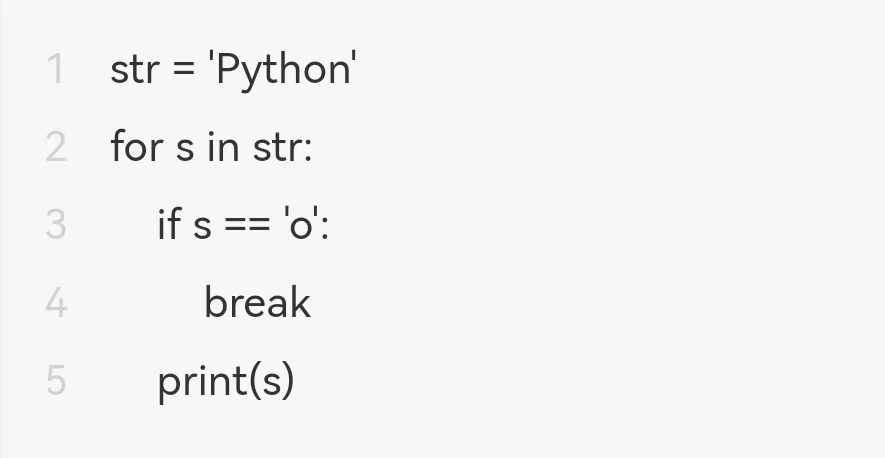
The output result is:
continue
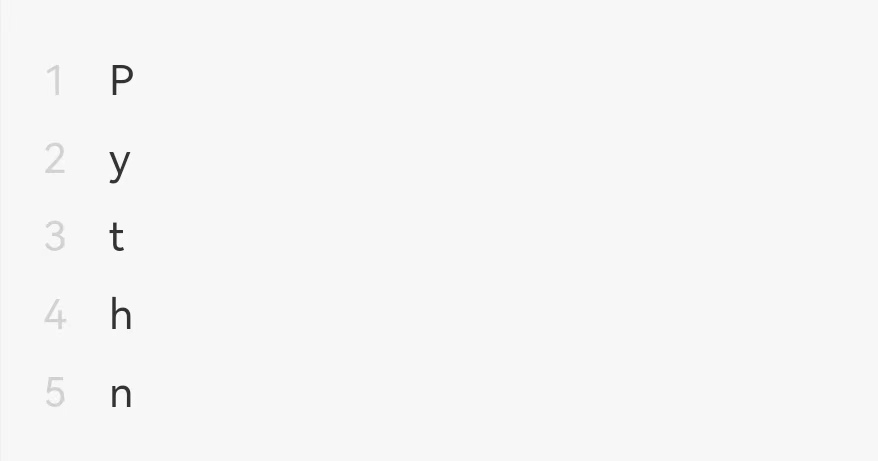
The continue statement is used in for and while loops to skip the current iteration.
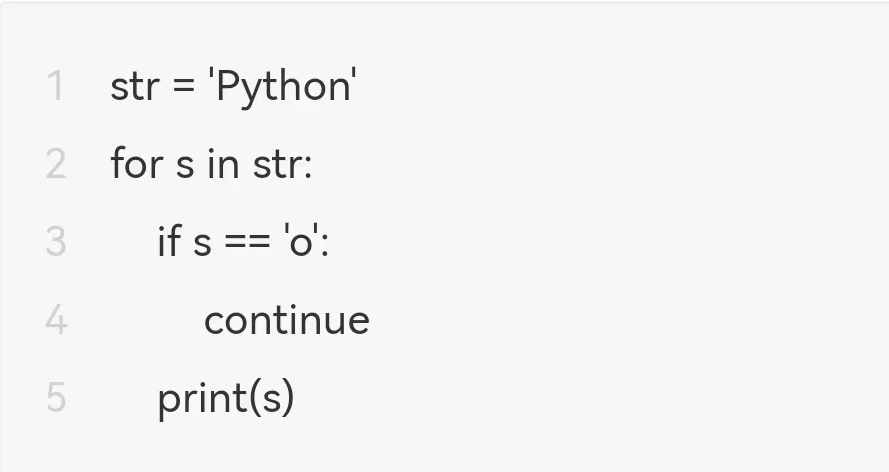
The output result is:
3 pass Statement
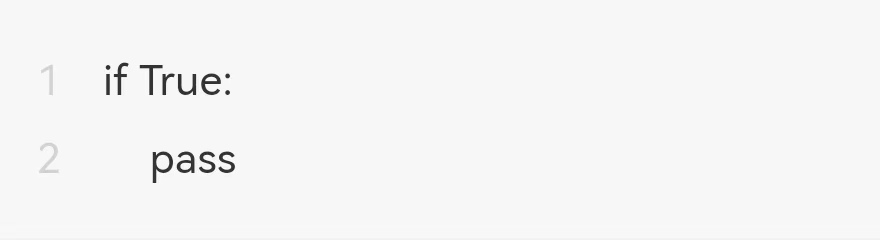
The pass statement is a null statement; it does nothing and is generally used as a placeholder to maintain the integrity of the program structure.
Get the latest Python zero-based learning materials for 2023, reply in the background:Python