Overview
ESP32_Display_Panel is an Arduino library designed for the ESP series SoCs, aimed at driving display panels and facilitating rapid GUI development. Users can develop applications directly for various supported development boards or create custom boards through simple adaptations. Additionally, ESP32_Display_Panel is compatible with various LCD and touch drivers, allowing users to develop with independent drivers as needed.
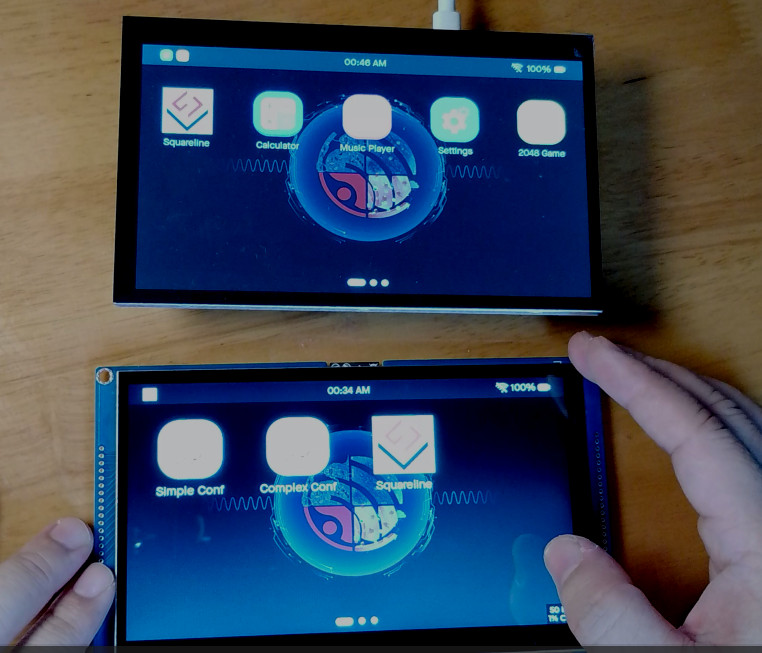
Supported Development Boards and Drivers
Development Boards
ESP32_Display_Panel supports a variety of official Espressif development boards and third-party boards, including but not limited to the following:
-
• Espressif: ESP32-C3-LCDkit, ESP32-S3-BOX, ESP32-S3-EYE, etc.
-
• Elecrow: CrowPanel 7.0″
-
• M5Stack: M5STACK-M5CORE2, M5STACK-M5DIAL, etc.
Developers and manufacturers can contribute via PR to add more development boards; please refer to the development board guide for detailed instructions.
LCD Controllers
ESP32_Display_Panel supports various LCD controllers, covering models from multiple manufacturers, such as:
-
• Fitipower: EK9716B
-
• GalaxyCore: GC9A01, GC9B71, GC9503
-
• Ilitek: ILI9341
-
• NewVision: NV3022B
-
• Sitronix: ST7789, ST7796, etc.
Touch Controllers
Supported touch controllers include:
-
• Hynitron: CST816S
-
• FocalTech: FT5x06
-
• GOODiX: GT911, GT1151
-
• Sitronix: ST7123
-
• Parade: TT21100
-
• Xptek: XPT2046
Dependencies and Versions
ESP32_Display_Panel depends on the following main components:
-
• arduino-esp32 >= v3.0.0-alpha3
-
• ESP32_IO_Expander >= 0.0.1 && < 0.1.0
How to Use
Configuration Instructions
The configuration of ESP32_Display_Panel is primarily done through header files, including driver configuration, supported development board configuration, and custom board configuration. Users can selectively configure based on their needs, with the search path order being: current project directory > Arduino library directory > ESP32_Display_Panel directory.
Usage Examples
ESP32_Display_Panel can be used in development platforms such as Arduino IDE and PlatformIO, with examples in the project covering the development of LCDs, touch screens, and panels, as well as configuration and usage methods for LVGL v8 and SquareLine projects.
Conclusion
ESP32_Display_Panel provides developers with a powerful toolbox for driving and managing various display panels on the ESP32, while supporting custom development, bringing convenience and flexibility to embedded GUI development.
Project Address: https://github.com/esp-arduino-libs/ESP32_Display_Panel