
Click the blue text to follow us
This article is a technical piece from the “Hansi Bian” forum, authored by arnzh. Thanks to the author! The copyright belongs to the original author, and infringement will be pursued.
Recently, I started experimenting with various hosts at home.The reason is that my laptop was downgraded to an i3-7100u, and it was a bit laggy when experimenting with various AI code IDEs. I was also somewhat dissatisfied with the junk NAS (Network Attached Storage) I was using at home, so I was torn between updating the laptop or adding a new server.I have read many articles and conducted many tests, so I would like to share my experiences.As usual, beginners can refer to this, while experts can feel free to skip.1. Regarding the power consumption of NAS. You don’t need to look at the TDP of the CPU for NAS; that is just the maximum power consumption. For example, the N150 has a TDP of 6W, which means the CPU will be limited to 6W under normal conditions.The problem is that a single hard drive consumes over 10W. A NAS with four hard drives, if not in sleep mode, starts at 40W to 50W. The difference between a CPU consuming 6W or 10W becomes negligible. Moreover, many NAS units use poor-quality power supplies with only 70% efficiency, which means that with power losses, the total power consumption can easily reach 80W. Additionally, a 27 to 32-inch LED display consumes 50 to 80W.So, don’t get too caught up in it. If the power consumption is too high, it’s better not to keep it on for long periods. After all, keeping a home storage NAS running continuously is somewhat of a false proposition. For storage NAS, it is still recommended to power it on as needed, which saves energy and reduces hard drive wear.My own J1900, with the hard drive not in sleep mode, has a measured power consumption of 38W. With all energy-saving options enabled and the hard drive in sleep mode, the power can drop to 22.7W, but this significantly affects the user experience, as there is often a wait for the hard drive to spin up when access is needed, which is frustrating.2. Common home cloud applications, besides storage servers, include photo backups (recommended: immich) and note-taking software (recommended: trilium). Both can be deployed via Docker, which is very convenient and offers functionality that surpasses many commercial cloud software solutions. These two applications need to be running continuously, so I recommend running them on a headless laptop, which typically consumes 6 to 15W with a solid-state drive for caching, and regularly backing up to the storage NAS, which is quite reliable.3. HA servers can also run on the aforementioned always-on server or on a dedicated server. If there is not much automation and no image processing requirements, various boxes with power consumption under 10W can be used. For specific discussions, refer to https://bbs.hassbian.com/thread-30295-1-1.html.If you want to do ESPHome development or handle image recognition, it’s better to use a headless laptop or a comprehensive server.4. My selection considerations:I am mainly looking at a headless laptop with an i5 8th generation, planning to find one on second-hand markets for under 500 with memory costs, aiming to run PVE with Debian Linux + HAOS. Power consumption should be below 20W, while still providing good performance.If I can’t find a suitable one, I plan to gut the internals of the junk NAS and build a Ryzen 5 5500 + ITX board, costing around 1200. In addition to the above, it can also run Windows 10 for daily development. By avoiding mechanical hard drives and optimizing for energy savings with a platinum power supply, the daily standby power consumption should be controllable at 30 to 40W, which is sufficient for casual gaming with basic graphics requirements.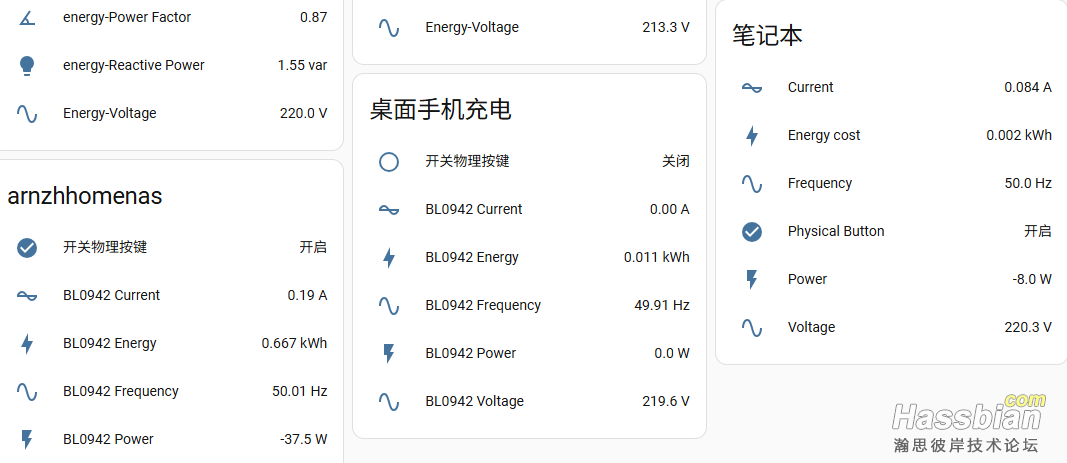 There is also another solution that is reasonably priced, but I haven’t tested the power consumption. It involves using the Acer C650 mini PC, modified with a 1225V6 or 2124G. This device can connect to a PCIe board, attach a P106 for discrete graphics, and connect a network card to become a soft router, costing around 300 to 400, with high playability.A senior member in the previous thread has already started discussing this, and I am directly sharing it here.lensam :
| HP 800 G4 SFF + i5-8500 + 32G PVE installation of HAOS, stable, and PVE backups are very convenient, with regular daily backups; There is also a hard backup set up in a virtual machine running iKuai soft router on HP T620 plus, with a synchronized HAOS update. If PVE has issues, I can switch to it immediately.Power consumption: PVE with 3 hard drives, at full load is 63W, usually around 55W, and with hard drives in sleep mode, it can drop to 35W (Western Digital purple drives can sleep at very low temperatures, but the 8TB helium drives seem to have issues with sleep). T620 plus consumes around 10W, with a network card that has 2 optical and 2 electrical ports. |
Everyone is welcome to provide more opinions, so I can reference them before making a decision.
▼▼▼
For more detailed content, see the original post…
For the latest Home Assistant features and tutorials, please visit the Hansi Bian forum (bbs.hassbian.com), and feel free to follow this public account.
▼ Please click “Read the original” to interact with the author on the forum.