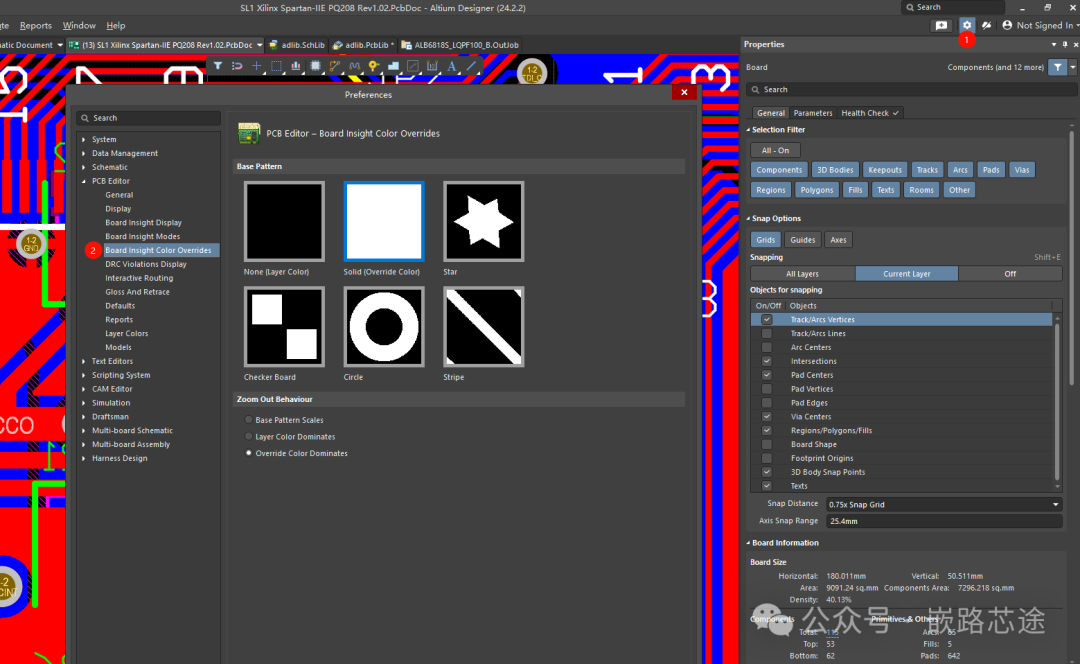
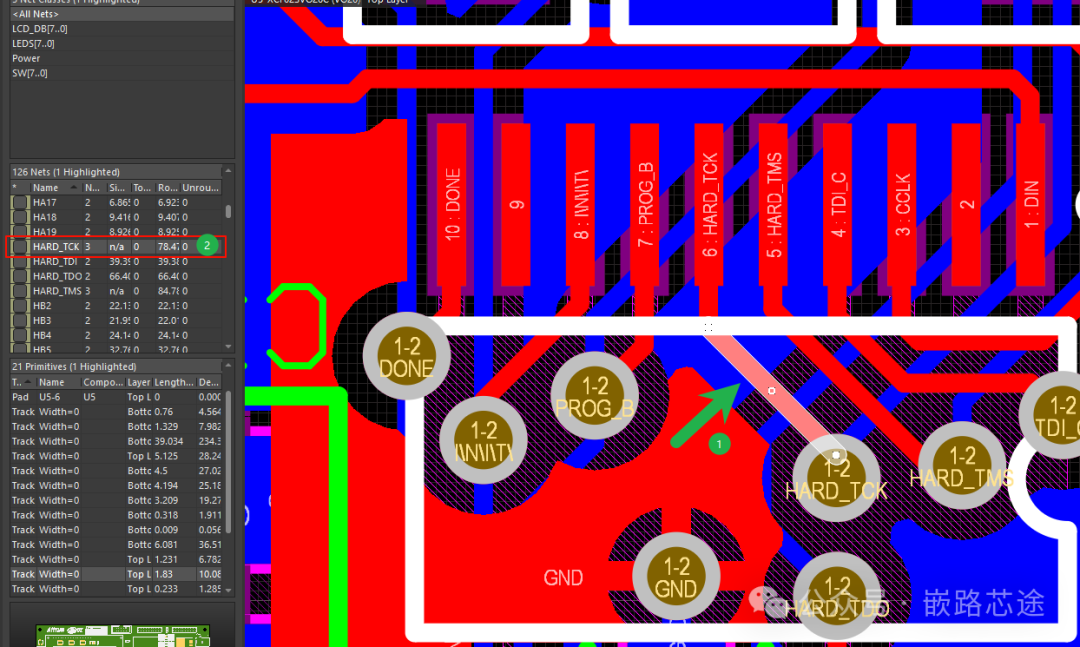
During the layout process, it is often necessary to assign colors to nets that require special attention for highlighting. Below is a guide on how to perform this operation in Altium:Step 1: In the PCB interface, open the net viewing interface, as shown in the figure below: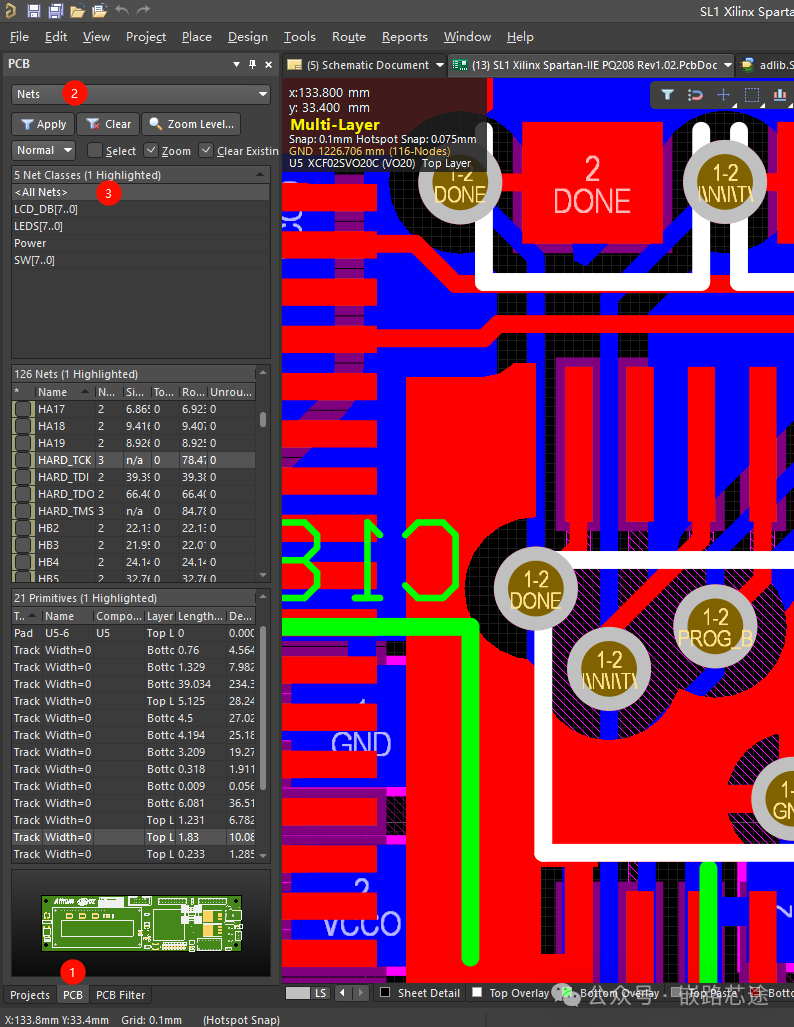 Step 2: In the PCB design interface, click on the net you want to color. You will notice that the corresponding net is also selected in the left net viewing interface.
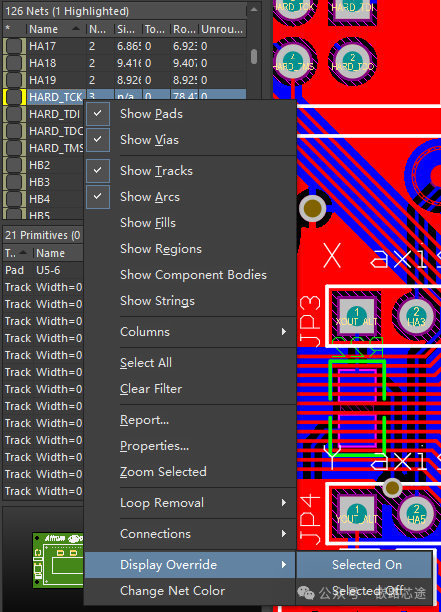
 Step 3: In the PCB net viewing interface, right-click and select “Change Net Color” to assign a color to the net.
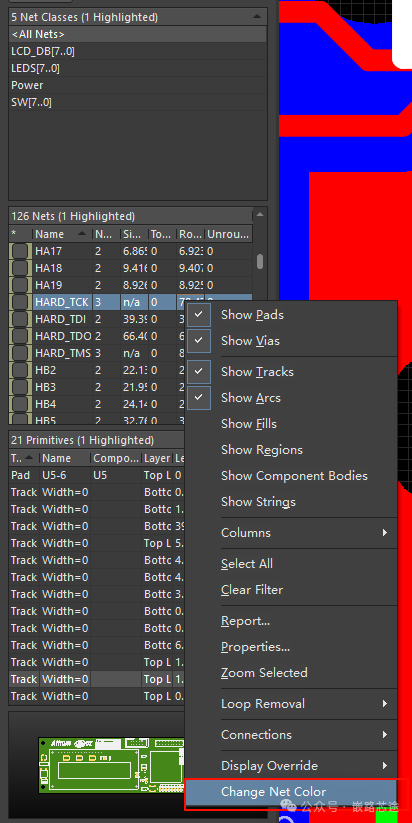 Step 4: After assigning the color, right-click on “Display Override” → “Selected On” to enable color display. If the layout interface still does not show the assigned colors, you can refresh the display by pressing the “F5” key.
 Note: Sometimes, with a high number of PCB layers, the same net routing may be interspersed across different layers, causing the net color to obscure the layer color, making it difficult to visually identify the layer of the routed net. In this case, you can adjust the settings to select an appropriate net color display method for easier design.