 ArticleOverview
In this article, DigiKey introduces a project that uses the Jetson Orin Nano development board to build an electronic version of the “Book of Answers”. This project combines large model technology to achieve a random response function similar to the physical version of the Book of Answers, but with more interactivity and dynamic feedback capabilities. The article elaborates on the reasons for choosing the Jetson Orin Nano, as well as how to deploy the qwen2.5 model using the Ollama tool and implement speech recognition using the SpeechRecognition API, ultimately completing the development of the electronic version of the “Book of Answers”.
1. What is the electronic version of the “Book of Answers”?
The “Book of Answers” is a fun tool that allows users to randomly open a page to receive life advice. This seemingly mystical method can occasionally provide unexpected inspiration. In the second session of the “Large Model Practical” series, we utilized the Jetson Orin Nano development board to combine this traditional concept with modern technology to develop an electronic version of the “Book of Answers”.
Compared to the traditional physical version, the electronic version of the “Book of Answers” not only retains the fun of random responses but also achieves richer interactivity and dynamic feedback through large model technology. Users can ask questions via voice, and the system generates more targeted answers based on the questions, allowing users to experience a more intelligent and engaging interaction process.
For related course videos, please click on “Read More” at the end of the article to watch on DigiKey’s Bilibili:
2. Project Design and Implementation
(1) Project Overview
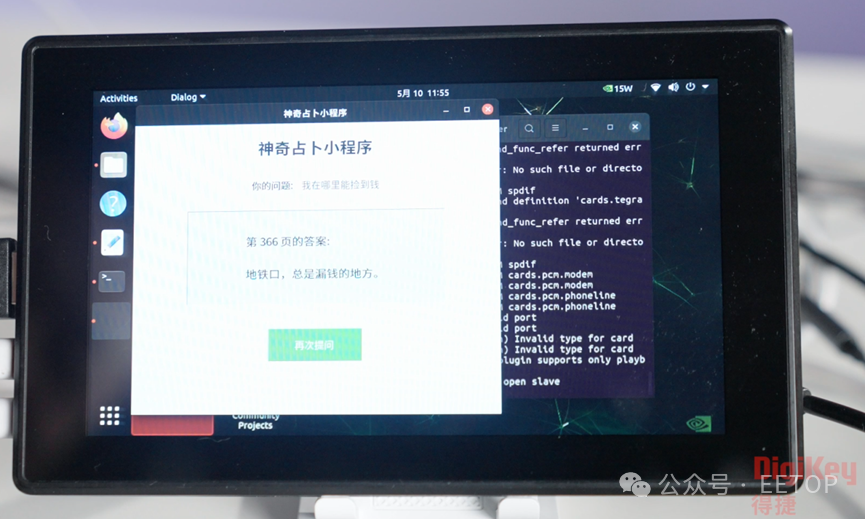
The core function of the electronic version of the “Book of Answers” is to provide answers to users through voice interaction. The specific implementation process is as follows:
-
The user asks a question via voice, for example: “Can I get rich overnight?”
-
The development board recognizes the voice and prompts the user to input the answer page number via the microphone.
-
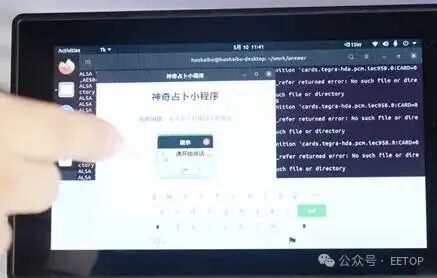
The screen displays a prompt and provides an interface for inputting numbers.
-
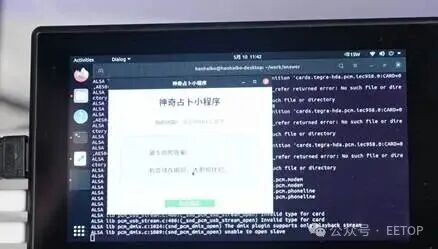
After the user inputs the page number, the system generates and displays the answer based on the page number.
(2) The Role of Large Models
The traditional physical version of the “Book of Answers” consists of fixed short phrases, with monotonous content and a lack of interactivity. The electronic version of the “Book of Answers” leverages large model technology to generate more targeted and interesting answers based on the user’s voice questions. This dynamic feedback mechanism allows users to obtain answers in a relaxed and enjoyable atmosphere, greatly enhancing the user experience.
(3) Why Choose Jetson Orin Nano?
When deploying large models locally, hardware performance is crucial. The Jetson Orin Nano, with its excellent performance and efficient power management, becomes an ideal development platform.
-
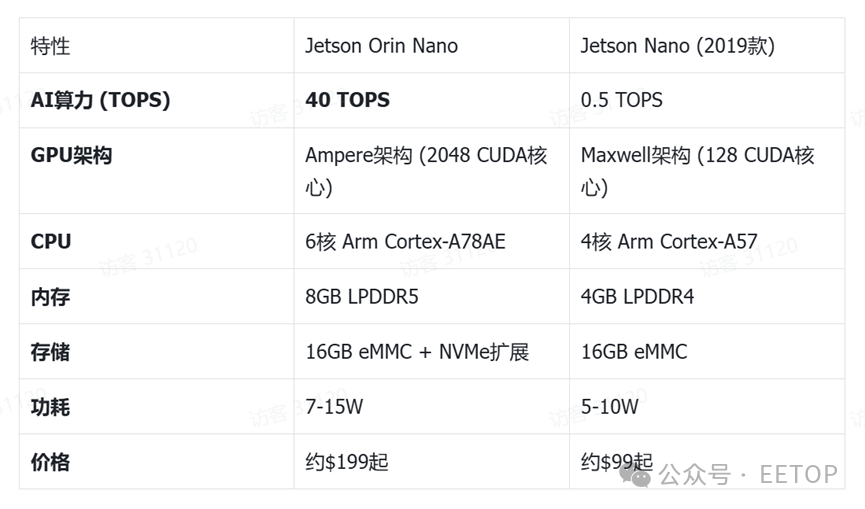
Performance Advantages: The Jetson Orin Nano is an edge AI computing module launched by NVIDIA, inheriting the “small size, big energy” characteristic of the Jetson Nano, with significantly improved performance. Compared to the previous generation, its AI computing power has increased by 80 times, with only a 50% increase in power consumption, making it highly cost-effective.
-
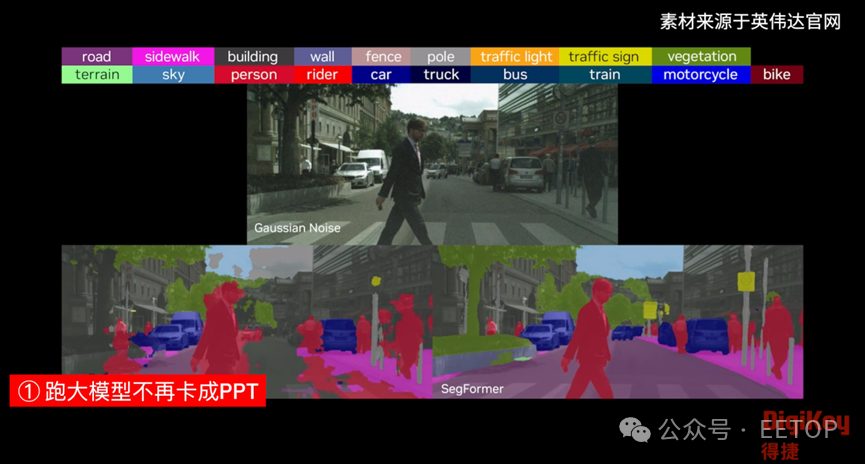
Powerful Functionality: It can smoothly run large language models such as Llama 3-8B and Qwen1.5-7B, with a question-and-answer latency of less than 2 seconds. Additionally, it supports multi-channel 1080P video stream processing, ROS 2 Humble, and various sensor data fusion, making it suitable for complex robotics and automation scenarios.
-
Environmental Adaptability: The Jetson Orin Nano supports a wide operating temperature range of -25°C to 80°C and features a vibration-resistant design, making it directly applicable in industrial environments.
-
Software Ecosystem: Pre-installed with JetPack 6.0 (based on Ubuntu 22.04), it includes libraries such as TensorRT and CuDNN, ready to use out of the box. It also seamlessly integrates with the NVIDIA TAO toolchain, supporting zero-code model migration optimization.
As shown in the table below, the Jetson Orin Nano has significant performance improvements in all aspects compared to the previous generation Jetson Nano, especially in AI computing power.
The Jetson Orin Nano has a wealth of ecological resources, making it easy to get started even for those who have never encountered the Jetson series of boards:
Jetson Orin Nano Learning Path:
Step 1: Explore NVIDIA Deep Learning Institute’s free courses.
Step 2: Reproduce Isaac Gym robot simulation cases.
Step 3: Implement smart city projects using the Metropolis framework.
Recommended Open Source Projects:
-
Pre-trained model collection: NVIDIA-AI-IOT/jetson-inference
-
Ultra-lightweight system image: Qengineering/Jetson-Nano-Ubuntu-Image
(4) Jetson Orin Nano + Qwen2.5 Model: Rapidly Building an AI Book of Answers
The Jetson Orin Nano comes pre-installed with the Ubuntu system, and the qwen2.5 model can be easily pulled using the Ollama tool.
Step 1: Choose the Appropriate Large Model and Deployment Tool
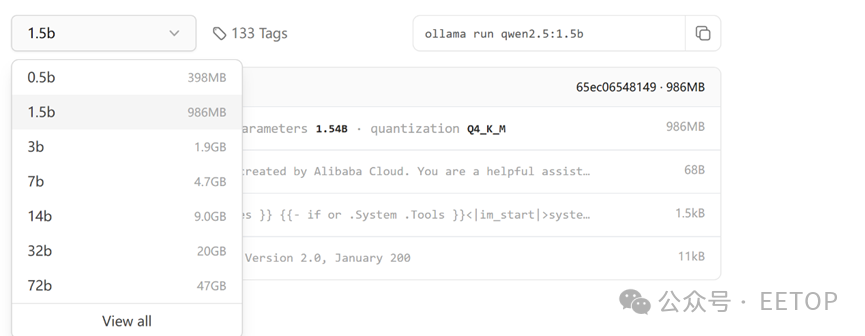
When selecting a model, consider the memory occupied by the model parameters and the temporary memory used during the inference process. To speed up response time, choose the qwen2.5 model.
The deployment tool is Ollama, an open-source tool focused on running large language models (LLM) locally.In simple terms, it is a tool that allows you to easily work with AI large models on your own computer or development board. It addresses three major pain points of traditional large model deployment: complex configuration, high computing power requirements, and cloud dependency, making it a “starter kit for AI enthusiasts”.
You can check the model types, memory requirements, and execution commands on the Ollama official website.
Step 2: Install the Large Model
First, install jetson-containers, which is NVIDIA’s official containerization solution for Jetson series edge computing devices, based on Docker or NVIDIA Container Toolkit, aimed at simplifying the development, deployment, and management of edge AI applications.
git clone https://github.com/dusty-nv/jetson-containers
jetson-containers/install.sh
Then, install docker and pull the ollama docker image
sudo apt install docker.io
docker pull ollama/ollama
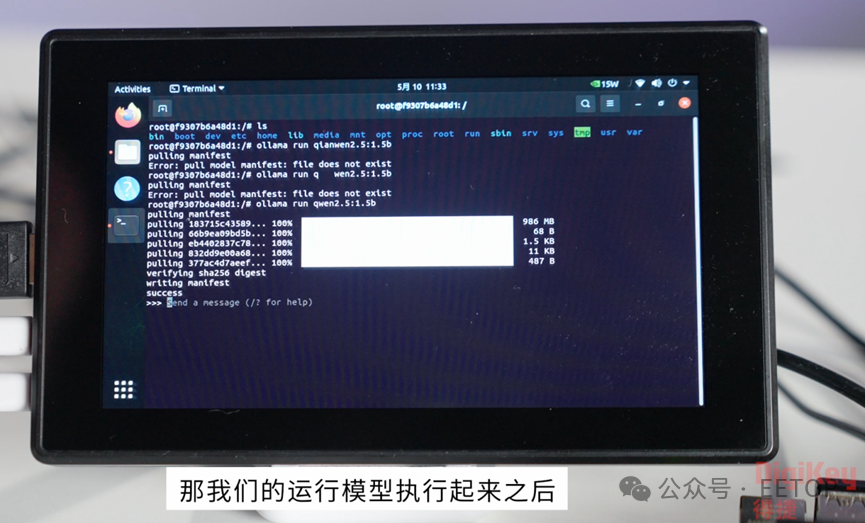
Next, run docker and the qwen2.5:1.5b model
docker run -itd –name ollama ollama/ollama
docker exec -it ollama bash.
ollama run qwen2.5:1.5b
Step 3: Interact with the Large Model
After running the large model using ollama in docker, the next step is to send questions to the model via a web page or software app and receive replies. This requires exposing ports when starting the Ollama container, and after restarting the Ollama container, you can ask questions to the large model remotely without using terminal commands.
docker run -d -p 11434:11434 –name ollama2 ollama/ollama
Send requests from the host and interact with the model using curl or Python code:
from fastapi import FastAPI
import requests
app = FastAPI()
@app.post(“/ask”)
def ask(prompt: str):
response = requests.post(
“http://localhost:11434/api/generate”,
json={“model”: “llama3”, “prompt”: prompt}
)
return {“answer”: response.json()[“response”]}
You can use the ollama list command to check the current available model list. Use streaming output:
import requests
import json
def clean_ollama_response():
response = requests.post(
“http://localhost:11434/api/generate”,
json={
“model”: “qwen2.5:1.5b”,
“prompt”: “Write quicksort code in Python”,
“stream”: True
},
stream=True
)
full_response = “”
for line in response.iter_lines():
if line:
try:
# Decode and load JSON
chunk = json.loads(line.decode(‘utf-8’).strip())
# Check if it is a valid response
if “response” in chunk and chunk[“response”]: # No Chinese colon allowed here
# Remove special characters and garbled text
clean_text = ”.join(
char for char in chunk[“response”]
if char.isprintable() or char in {‘\n’, ‘\t’}
)
print(clean_text, end=””, flush=True)
full_response += clean_text
except json.JSONDecodeError:
print(“! Encountered invalid JSON data, skipped”)
except UnicodeDecodeError:
print(“! Encountered encoding error, skipped”)
return full_response
# Usage example
if __name__ == “__main__”:
clean_ollama_response()
Step 4: Speech Recognition is the Soul
Due to the memory limitations of the Jetson Orin Nano, it is not possible to use the complete solution provided by NVIDIA’s Riva for recognition accuracy and memory savings, so we choose the SpeechRecognition API interface to implement speech recognition.
SpeechRecognition is a Python library, known as the “Swiss Army Knife of Speech Recognition”, which can convert what the microphone hears into text with just a few lines of code, suitable for voice assistants, voice-controlled devices, or the “AI Book of Answers”.
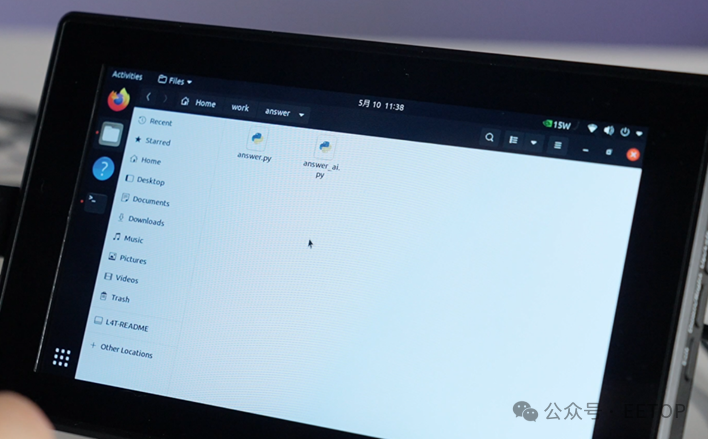
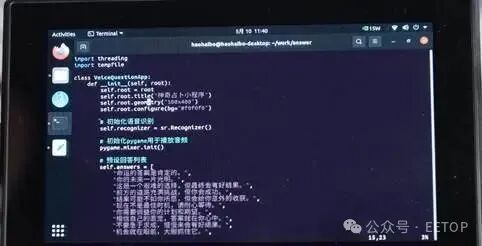
The corresponding code for SpeechRecognition:
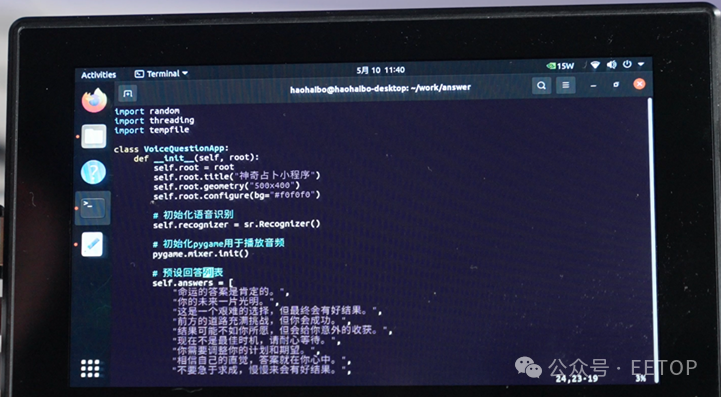
Additionally, a custom interface of 500*400:
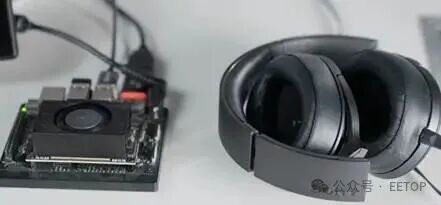
Connect the microphone and speakers to the Jetson Orin Nano development board:
After running the code, you can start asking questions to the “Book of Answers”:
In the video at the beginning of the article, there is a code analysis of the “Book of Answers”. Interested friends can watch from 13:00-19:00 in the video; it will not be displayed here.
This concludes the design process of the “Book of Answers”. Now, let’s ask the “AI Book of Answers”:
The following video is sourced from Darwen’s Talk
3. Summary and Outlook
Through the Jetson Orin Nano development board and the qwen2.5 model, we successfully built the electronic version of the “Book of Answers”. This project not only realized the random response function of the traditional Book of Answers but also enhanced interactivity and fun through large model technology. The high performance and low power characteristics of the Jetson Orin Nano make it an ideal development platform, while the use of the Ollama tool and SpeechRecognition API further simplifies the development process.
In the future, we can expand and optimize in the following areas:
-
Model Optimization: Try more large language models to further improve the quality and diversity of answers.
-
Function Expansion: Add more interactive features, such as image recognition and multi-language support.
-
User Experience: Optimize interface design and voice interaction processes to enhance user satisfaction.
Interested readers can check DigiKey’s Bilibili for detailed code analysis and demonstration process. We hope this introduction can inspire more developers to explore the potential of edge AI applications.
 Editor’s Note
Integrating 40 TOPS of AI computing power into a pocket-sized module with a power consumption of 7~15 W allows the “edge box” to run large models directly, eliminating the costs of cloud computing, fans, and board modifications—the Jetson Orin Nano plays an important role in promoting the development of AI edge computing with its excellent performance, flexible expansion capabilities, user-friendly software ecosystem, and reasonable price positioning. This article intuitively demonstrates the capabilities and value of the Jetson Orin Nano. Are you also using the Jetson Orin Nano to develop and deploy AI projects? What experiences or questions do you have in this process? Feel free to leave a message and share your experiences with friends from DigiKey!
“Star” us to not miss fresh cases and industry insights